




Love what you are seeing?
We have created several courses where we dive more into the technical aspects. So, if you like what you read here, you'll love our courses!!





By:
Greg Jenkins
|
February 9, 2026
|
Technology

Today's blog post on Keap Leadsources comes to us from Mike Hilton - current member of Keap's product team, and former member of the Keap Customer Experience team. That means that his focus was improving the experience Keap creates for their customers - and that's something I can get behind 100%.
Turns out that Mike isn't just a Customer Experience advocate; he's also a pretty sharp Keap user with a mastery of a number of tools and tie-ins that help stretch Keap. Well, today's post doesn't require any extra integrations; and it should resonate clearly with any Keap user who has ever struggled with tracking multiple leadsources through the same opt-in form. Take it away Mike!
Why do some people freak out and start to sweat when they see:
The answer could be that each of the above examples is tied to discomfort and painful memories, but more than likely it is because they haven’t felt they could benefit from understanding how they work in the real world. Today, I am not going to focus on using the pythagorean theorem, or Microsoft Excel™, but I want to demystify the junk that comes after a URL
To understand that junk (also known as the Query String) you need to understand 3 simple characters and how they work to make your life easier:
Here's an article from Keap's help center that expands on this a bit more. Let’s look at how you can use the query string and make your own “junk” after the URL actually do what you want it to do…
Assigning LeadSources in Keap:
You’ll need to do 4 things:
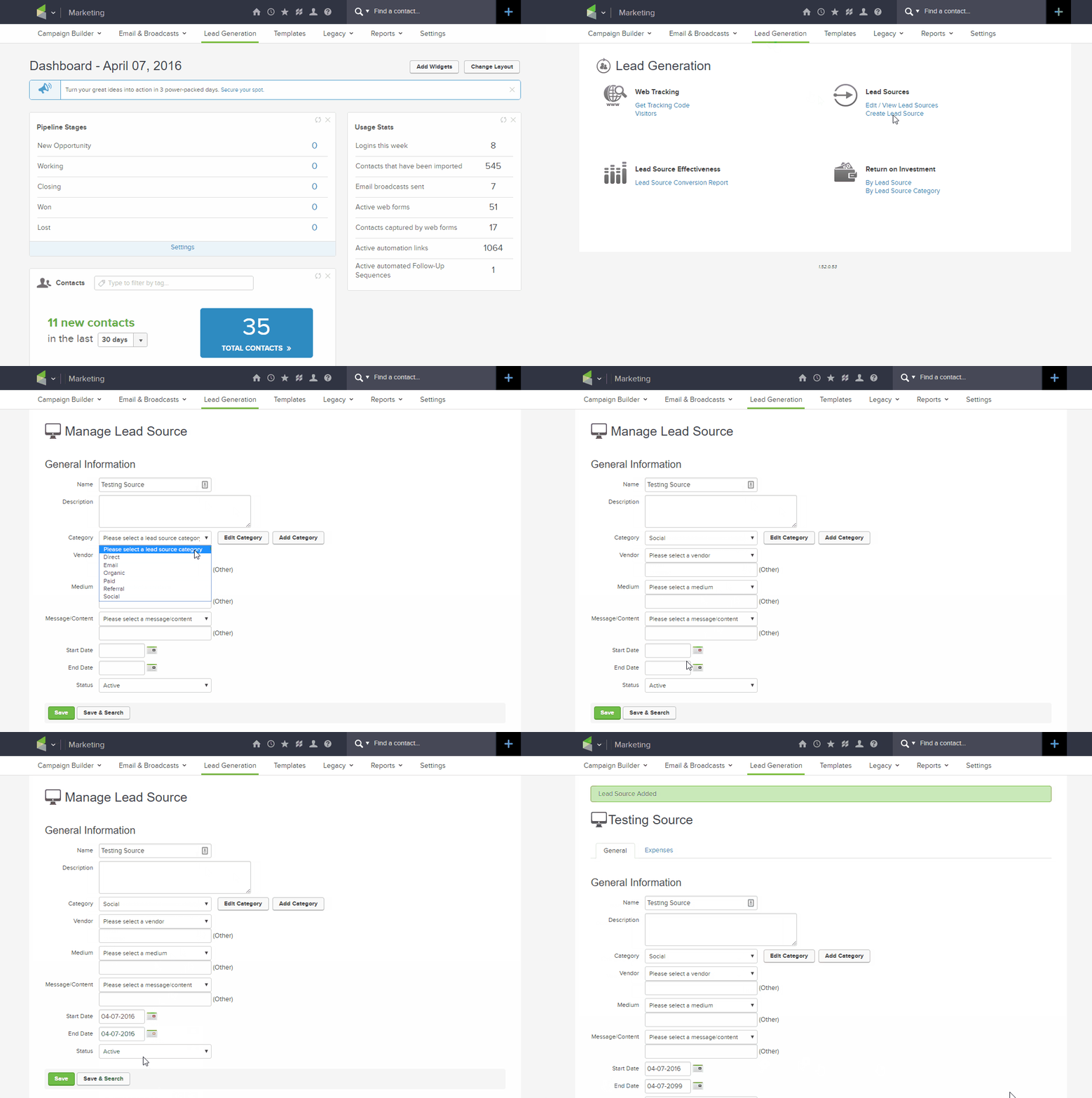
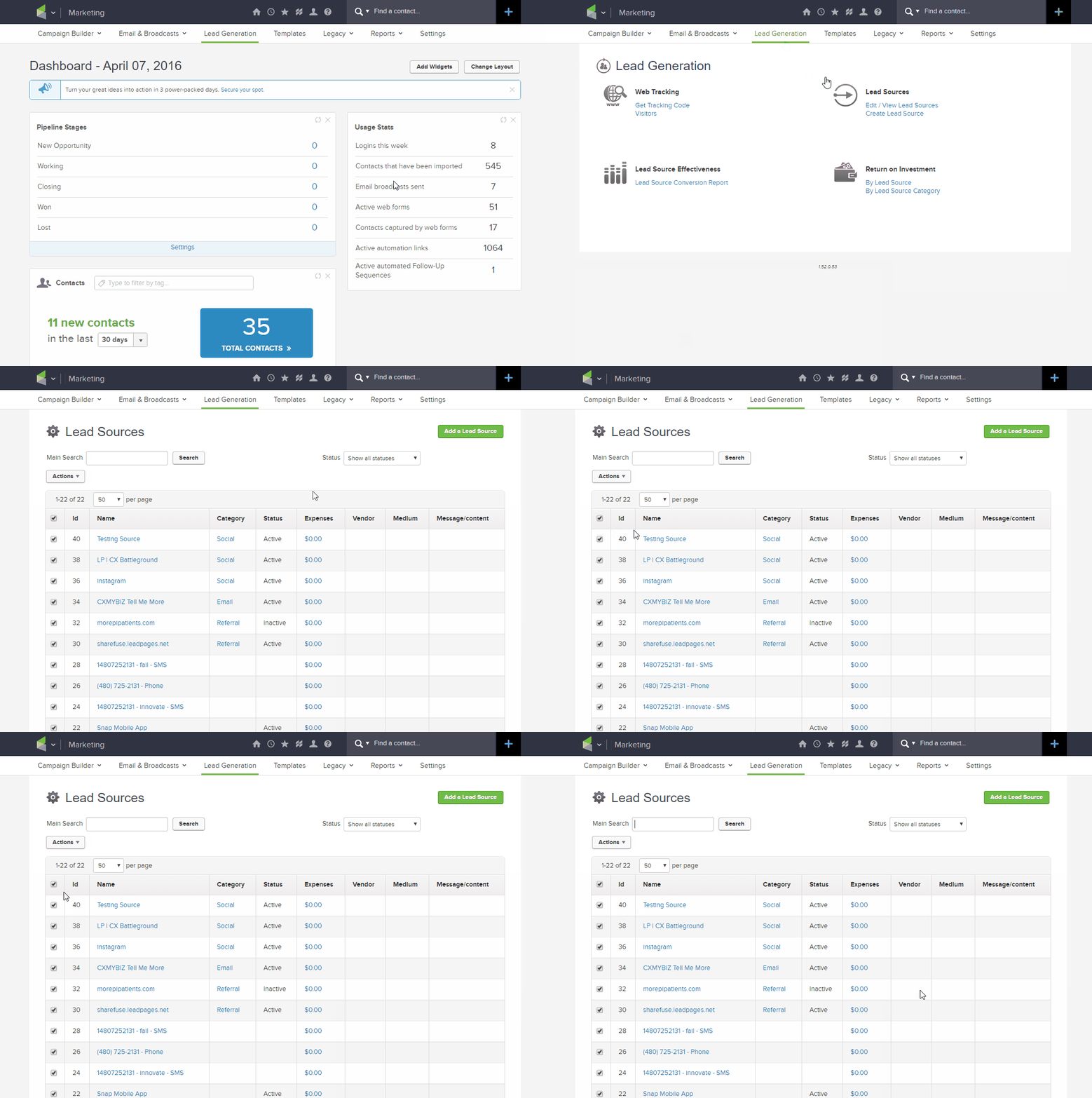
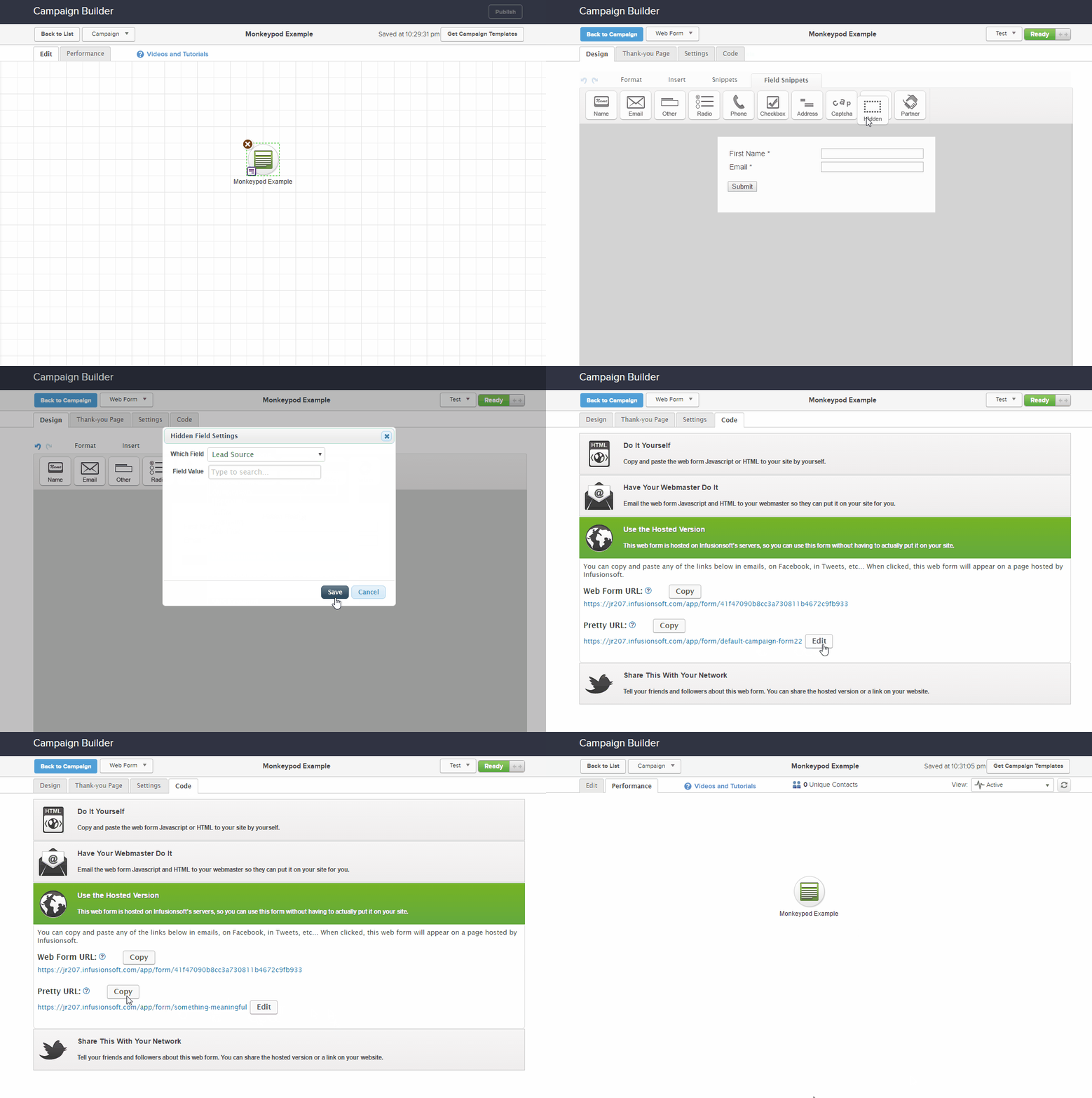
Paste this URL into your ad copy (feel free to shorten or customize it as needed):
Customized: Click Here
Shortened: https://bit.ly/my_Link
That’s it! Run a few tests on the lead sources. Change up the ID’s to other sources in your LeadSource table and verify that it is assigning them appropriately (TIP: Use a new test lead each time…as this process will not overwrite an existing lead source).
The first few times, it may take you more time to set up as you commit the steps to memory.
IMPORTANT TO NOTE: For every traffic source or marketing campaign (Facebook, Twitter, Instagram, etc) you will want to have a SPECIFIC lead source so that you can tell where the leads are coming in from. Simply repeat the steps above to make sure that you create and capture the correct LeadSourceId.
If all of your traffic initially comes through the same lead capture webform, your URL will stay the same. Only the LeadSourceId will change.
Here's an example for how you can track ROI from a Facebook Ad using Keap LeadSource tracking.
We have created several courses where we dive more into the technical aspects. So, if you like what you read here, you'll love our courses!!