




Love what you are seeing?
We have created several courses where we dive more into the technical aspects. So, if you like what you read here, you'll love our courses!!





By:
Greg Jenkins
|
February 9, 2026
|
Technology
Update: Unfortunately, Lidiane has closed down the SchedulerLink part of her business. The preferred integration she and I both recommend now is this one from PlusThis. You can start a PlusThis free trial here >>
Keap and Infusionsoft users already know how valuable it is to have a system that helps them engage new customers and keep up with existing subscribers – and as a Small Business CRM Coach, I’ll attest it’s a wise choice.
Today, I want to share ways you can integrate appointment scheduling with Keap using complementary software.
First, let’s take a look at Acuity Scheduling, then I’ll show you options for connecting it back to Infusionsoft.
Acuity was born in 2006 when Gavin Zuchlinski developed software to help his mom have fewer headaches booking appointments for her massage business.
Gavin was interviewed by business productivity expert Nancy Gaines in 2018 – for a little more on his story, check out that episode of her podcast here.
Over the past 12+ years, Gavin’s cloud-based booking system has evolved. It works well for anyone who wants to allow their clients to book appointments online.
We’ve seen it work for a variety of business types, but a few common use cases are businesses with regular client appointments – lawyers, consultants, or any type of coach (business, health, etc.).
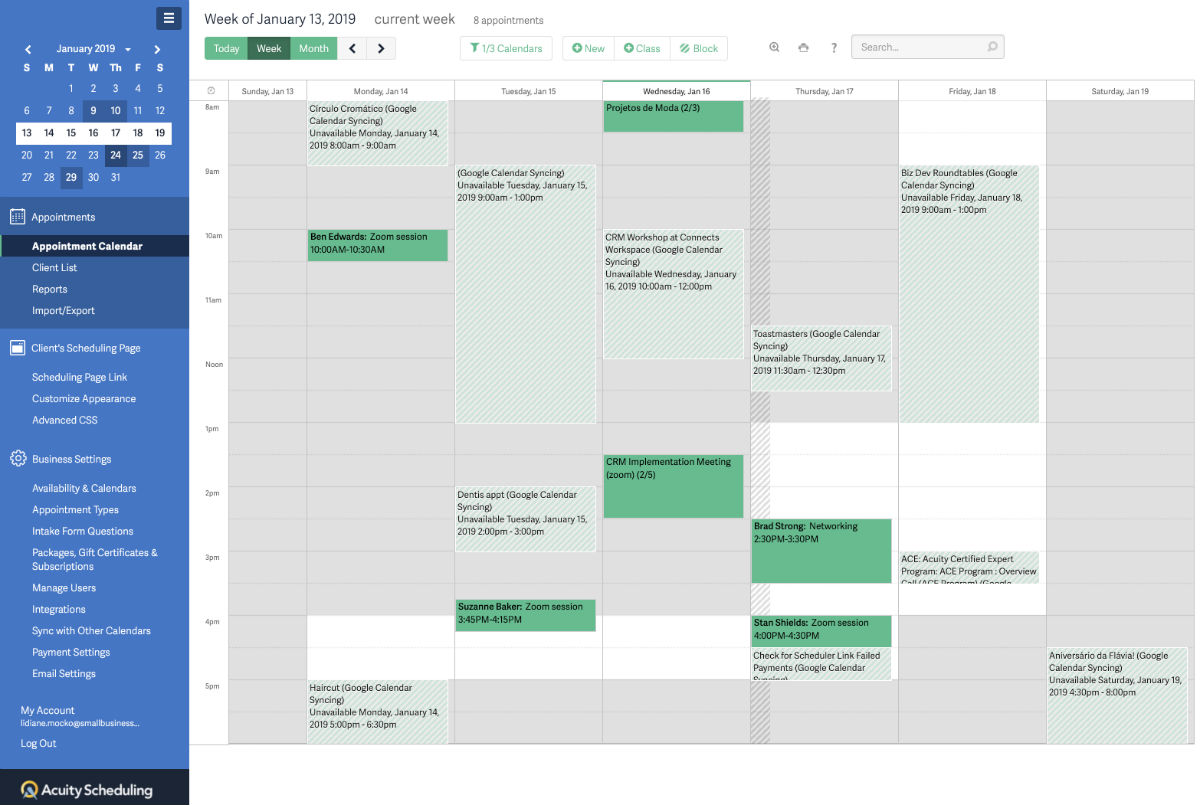
The screenshot above is Acuity. The light green areas are appointments synced from my Google Calendar and the dark green ones have been booked directly with Acuity.
Acuity’s pricing is based on the number of calendars, not the number of users.
At each level, you have the option of adding features. For all the details, check out Acuity’s pricing page.
Now for the magic: You can make Acuity Scheduling and your Keap app work together by using either Zapier or a dedicated connector. SchedulerLink used to be one option; these days, PlusThis is the recommended choice.
Zapier is a general-purpose integration platform that can connect Keap and Acuity.

Infusionsoft/Keap is a premium connection for Zapier, so it requires a paid subscription – their starter plans usually begin around the $20/month mark.
You can have your Zap run on a booking, cancelling, or rescheduling of an appointment, and then use the “apply tag” (or similar) actions to update Keap. One of the beauties of this approach is that you only need minimal setup between Zapier and Calendly/Acuity, since the native scheduling functionality is already so rich.
More on their integration options here.
Since SchedulerLink is no longer a supported solution, the option we recommend now is from PlusThis.
PlusThis offers an Acuity connection that bridges your scheduling data and your Keap app.
If you’re already a PlusThis user (or were thinking about it), this is another tasty feature they offer. You can start a PlusThis free trial here.
Acuity Scheduling is loaded with features. From my own experience, I know the Acuity team is very customer-focused. They’ve been a great partner to work with as we developed and refined integrations.
If you’re going to use a scheduling tool, Acuity is a good one.
And if you’re going to use Acuity, then a connector between Infusionsoft/Keap and Acuity will multiply your efficiency (and help keep you sane).
This type of organization is critical not only for your business but also for the experience you’re creating for your customers.
We appreciate the opportunity to contribute to the Monkeypod blog!
– Lidiane Mocko, Small Business CRM Coach
ICC, Infusionsoft Development Partner, and proud Monkeypod OG Member. She lives in Denver, CO with her husband where they enjoy skiing in the winter and hiking during the summer.
We have created several courses where we dive more into the technical aspects. So, if you like what you read here, you'll love our courses!!