




Love what you are seeing?
We have created several courses where we dive more into the technical aspects. So, if you like what you read here, you'll love our courses!!





By:
Greg Jenkins
|
February 9, 2026
|
Technology
So, the Decision Diamond in Keap is a hyper valuable segmentation tool.
It lets us branch contacts into different paths so that we can tailor the automation we design to feel more targeted, and more personal.
And Keap has, wisely, added a default setting so you can choose one of your existing sequences to send them to if they don't meet the criteria for any of your rules.
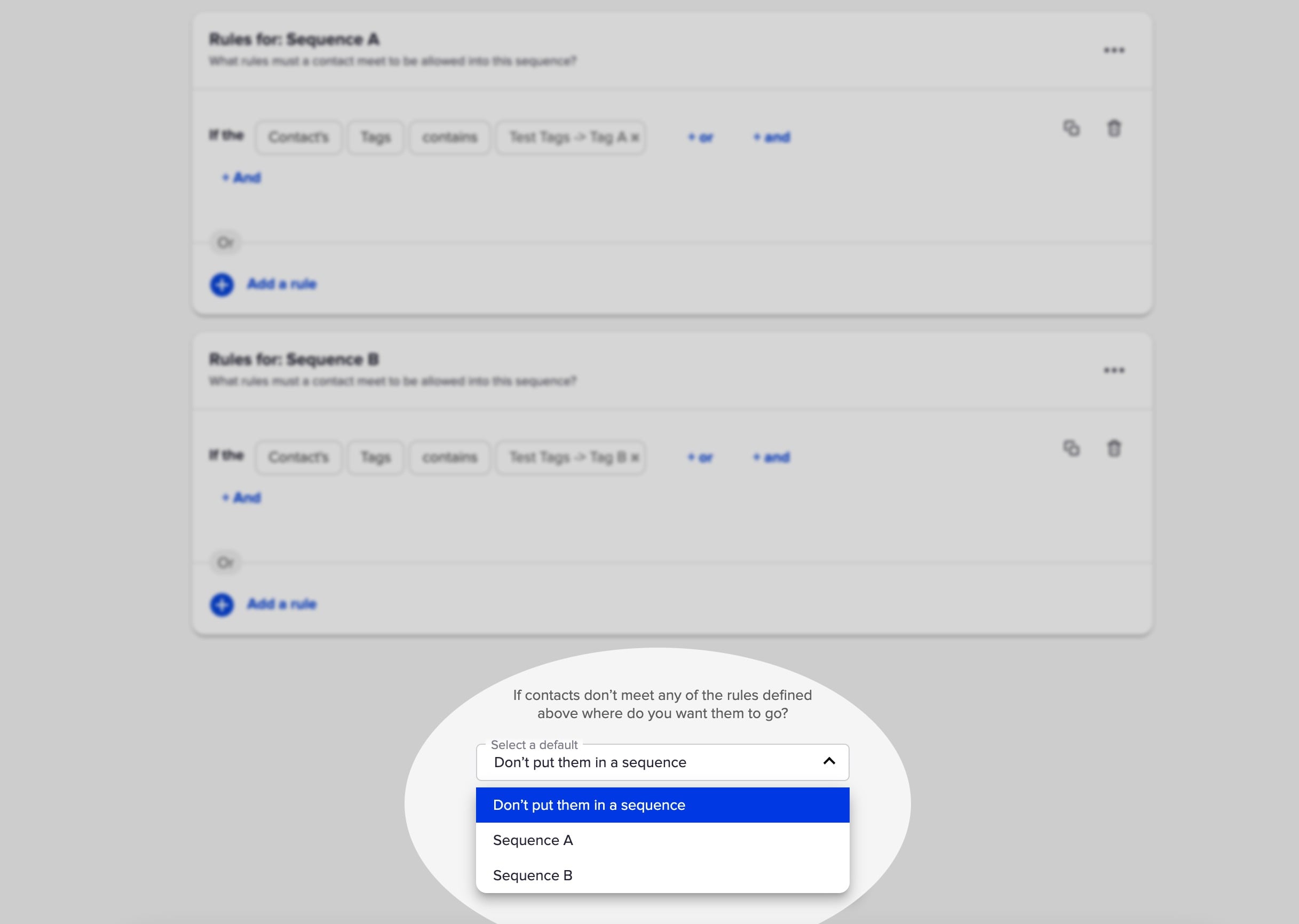
But the challenge with this well-meaning feature is that it only lets you select from the two sequences that have rules.
So what if you want to send the contact somewhere else?
Well, you'd have to add a third sequence.
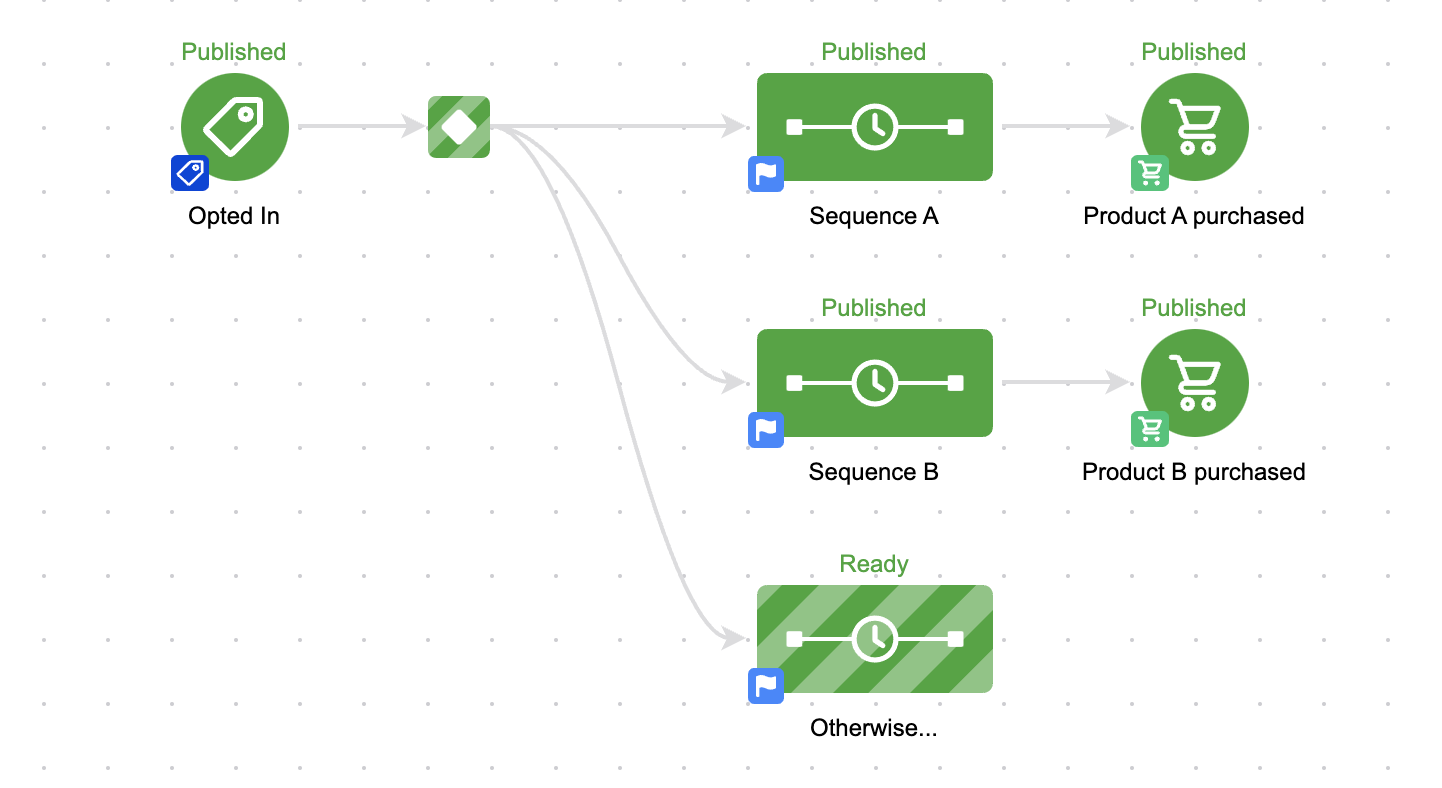
That seems easy enough, but it presents a problem.
Well, by default a sequence is open to anyone, right?
So unless we set up rules - all contacts will wind up going into that third sequence.
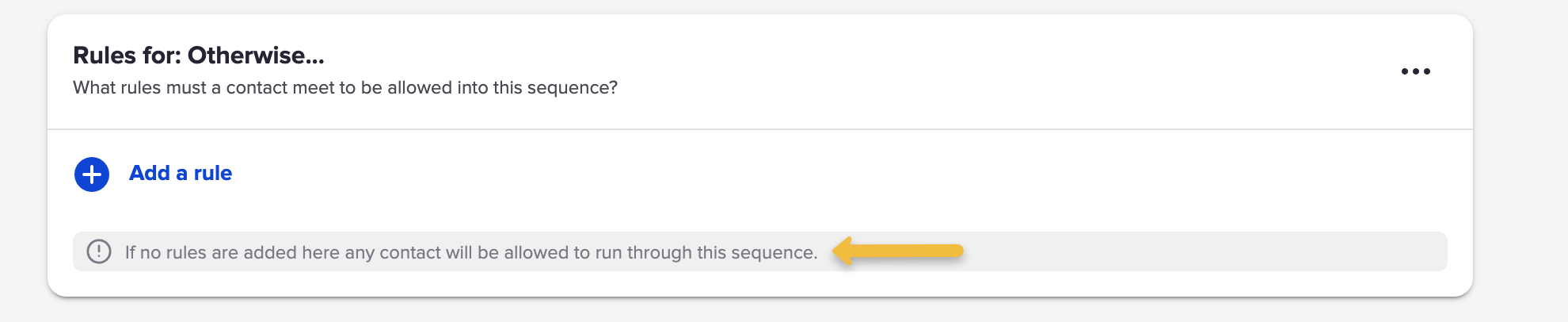
So that means we need to add rules.
And if this is the 'otherwise' sequence, meaning they go here when they don't meet the other rules - then we'd need to build out the opposite of the rules for Sequence A and B.
And that's fine if the rules are simple.
But what if the rules are more complex?
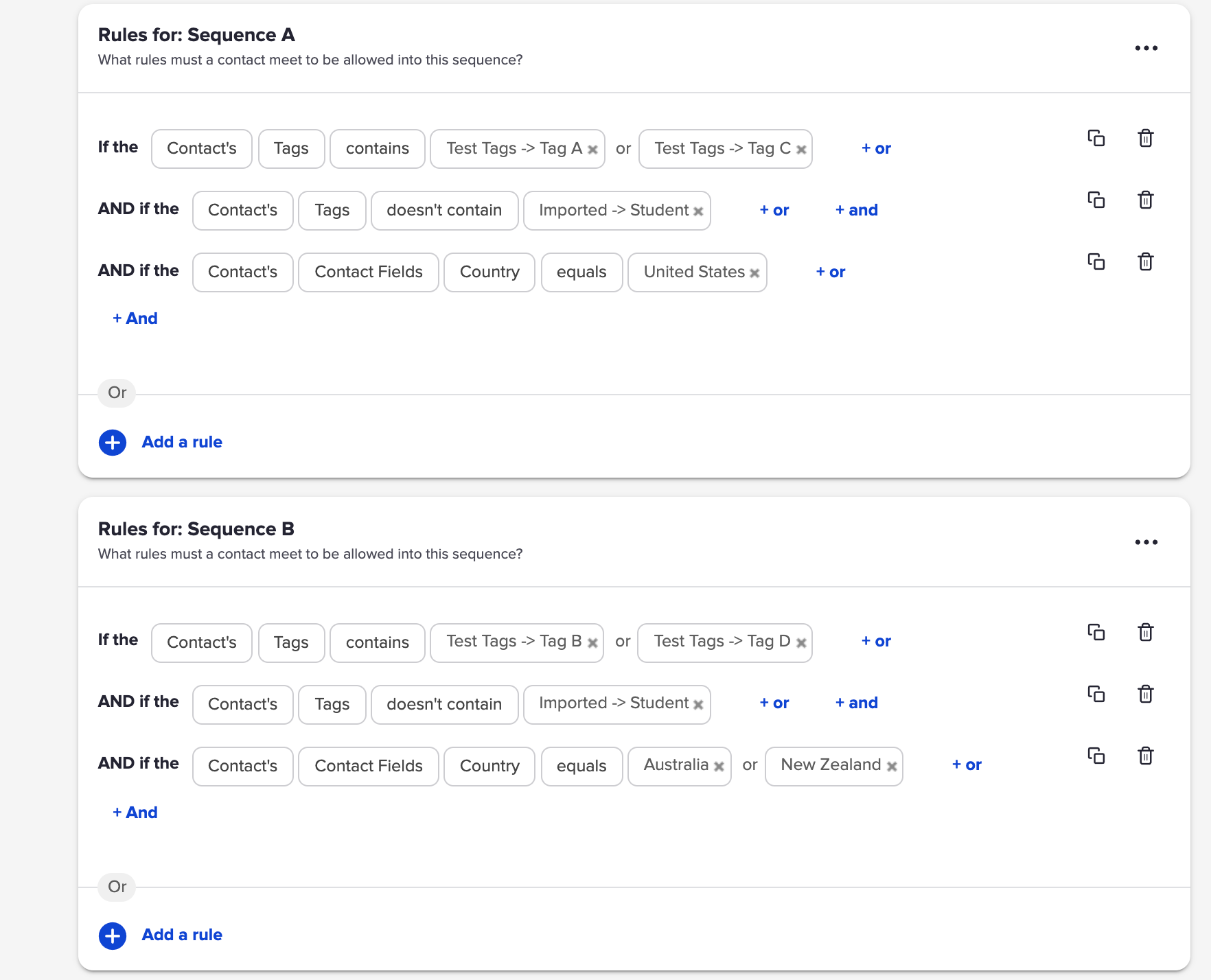
That would be exhausting to rebuild - and complicated to invert.
So, Scott Richins, one of the world class OG Infusionsoft Experts came up with a super clever (and relatively simple) hack to solve this.
Check it out:
If you find yourself building lots of campaigns, or managing complex decision diamonds, then tuck this hack in your bag o' tricks.
Massive props to Scott for sharing this approach, and for the countless other things he's taught me over the years.
We have created several courses where we dive more into the technical aspects. So, if you like what you read here, you'll love our courses!!