If you haven’t already received it, you’ll get the July Infusionsoft update in the very near future. There is a long list of fixes, features and enhancements being pushed out this month, and I wanted to take a quick moment to review a few of the new functions. (Oh, and as advertised, got a sneak peek of future features below)
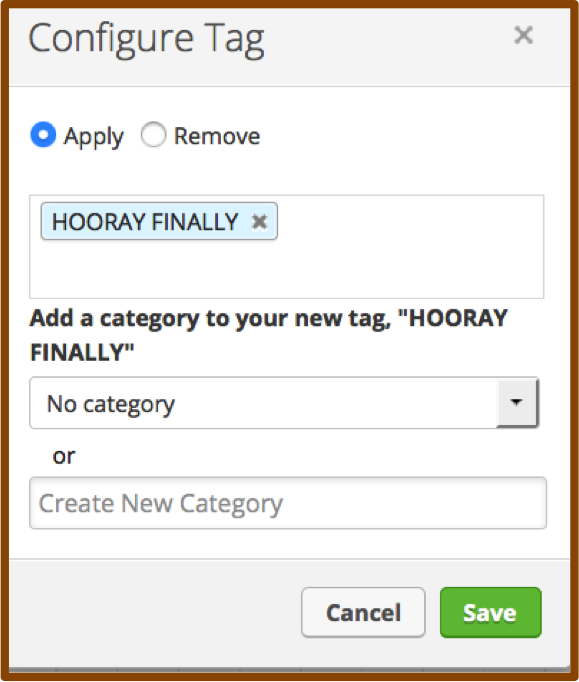
Categorizing Tags from the Campaign Builder-
I don’t know if you guys remember, but when the campaign builder was first released, there was some serious functionality missing. For example, you couldn’t create tags from within the campaign builder. If you were building a campaign you’d have to back all the way out and navigate to CRM settings in order to create a new tag. Well, soon thereafter they gave us the ability to create tags on the fly and all was well…except, you couldn’t select a category. So, we ended up with heaps of tags floundering about, wandering the streets and wreaking havoc. Well, NO MORE! Now, we can not only create tags from within the campaign builder, but we can also categorize them. Hooray for keeping our database clean and organized!
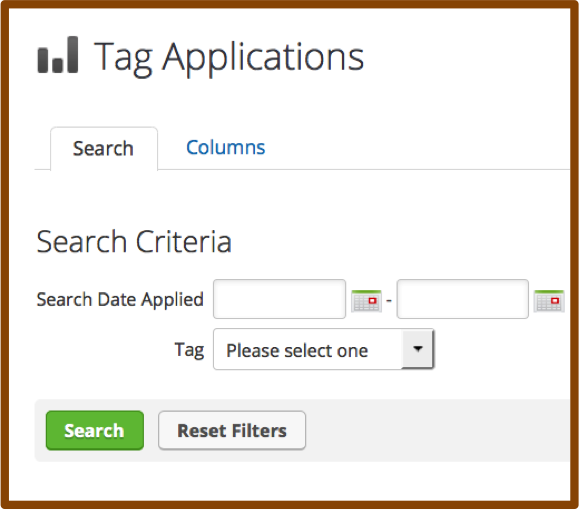
Filter by Tag on the Tag Applications Report-
The Tag Applications report has always been a little neglected. It has left a wake in its past littered with disappointed users who wanted to see how many people got a specific tag during a date range in the past, only to find that this report showed you all tags applied during that date range. And that sorting the list by tag name and finding the group manually was scarcely worth the effort. Well buckle up sports fans because now you can choose a specific tag and a set of calendar dates and you’re off to the races. This slightly overdue ability to search makes this report infinitely more usable, and, minimizes the need for some of the other hack/work-around reporting we’ve seen people using.
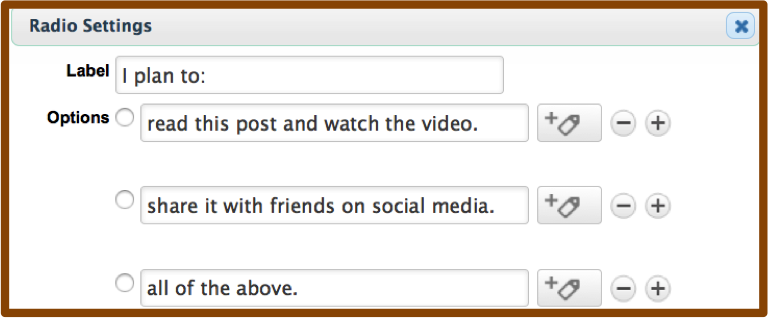
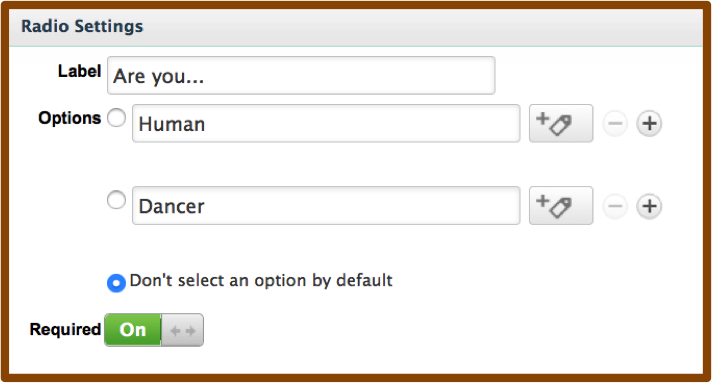
Mark Radio Options as Required-
Before this release, if you wanted to mark a radio button as required, you had to really get creative. You could pre-select one of the options, but then you risked having bad data if they didn’t notice and just skipped the question. You could add an additional option for “N/A” and preselect that, but then what do you do with people who choose that option? Or, you could create a custom field, choose radio as the type, and then mark the custom field as required. Well, those work-arounds are suddenly unemployed, now you have the ability to toggle a radio snippet to force an answer before they’re allowed to submit. Boom.
There are a few others that are exciting, like the quick ability to grab your shopping cart link, or having access to opportunities from the interactive list view of contacts, but those will impact fewer users simply because they’re more niche parts of the software.
Overall, a really solid release, with some quick and simple wins that will save Infusionsoft users a fair amount of time. It’s worth saying thank you to not only the product and development teams that worked on this, but also to the teams that helped identify and prioritize the things that made it into this release. I like what I’m seeing, keep it coming!
What functionality are you most excited about? Let me know in the comments below.
Oh, and here’s the sneak peek at some features slated for a future release:
Many of you probably remember a song from the late 90’s from punk band Blink 182, titled “All The Small Things”. But you probably listened to it, bobbed your head a little, and like a number of other punk, rock, and pop rock songs during that era then dismissed it without really digging into its message
Well, I’m not an expert on pop rock, or music in general, but I know a struggling entrepreneur when I hear one. My contention is that that song, “All The Small Things”, was really about hard work, the small business spirit, and marketing automation.
“Late night, come home, work sucks, I know.”
How many of us have felt this? You spend way longer than you should have working on a project that maybe isn’t even the best use of your time? I think that this reality is far more prevalent than people are willing to admit.
Okay, so maybe Blink 182 wasn’t really talking to entrepreneurs, but when I hear them sing “All the Small Things”, I can’t help but think about how many small things an entrepreneur spends his or her time doing, when she’d rather be doing something else.
Why did you get into business?
You probably started your business because you’re passionate about what you wanted to do.
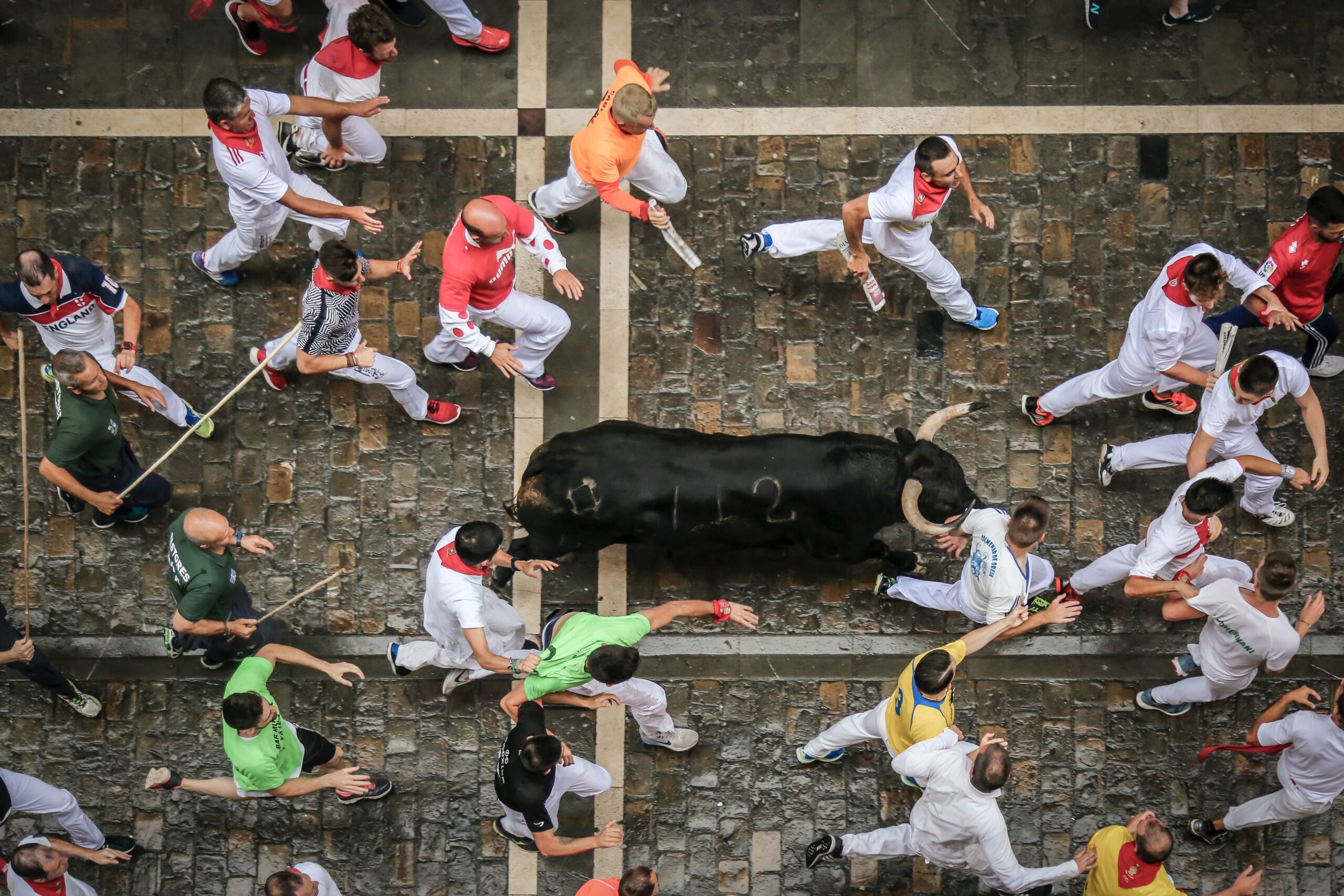
Whether it was teaching yoga, practicing law, helping people plan trips to run with the bulls in Pamplona, or any other number of things – the reality is that in order for you to do the thing you are passionate about, and best at, you also have to do the detail stuff too.
You have to do the books; you have to process orders; you have to hire and fire; you have to collect outstanding receivables, and the list goes on and on
Well, the first step to getting out of that rut and back to focusing on what you are best at, and most passionate about, is introducing automation to take one thing off your plate at a time. Start with all the small things. (see, there’s that song again!)
Here’s one thing that every single business can do to begin automating the small things, and focusing on what they’re best at.
Build an Keap FAQ Campaign with FAQ email templates for the questions you have to answer most commonly. I think most of us have had this experience:
You receive an email from a prospect with a question about your product, or your pricing, or your event dates. And you realize that this email looks remarkably similar to one you received last week. So you spend 30-45 seconds searching through your sent folder for the email you already composed, you copy the text from that one, paste it into a reply, spend another 30 seconds proofreading it, editing, and then queue it up and send it out. If you’re really good, you then make a note on that contact in your CRM to log the interaction. Then, pat yourself on the back for feeling clever and pour yourself another mojito.
Does that sound familiar to anyone? Well, sure, that’s probably more efficient than writing out a brand new email from scratch, but with Keap, or whatever your marketing automation platform of choice is, there is a considerably easier way. I challenge you to make a list of the things that occupy your day that aren’t the best use of your time, order it by the things that take up the most time, and seek out ways to introduce automation.
Use the video below to get started with an Keap FAQ Campaign. And feel free to comment below with any success stories, or tricks that might help others. Good luck!