Smart Scaling with Keap’s Solution Launchpad

Smart Scaling with Keap’s Solution Launchpad

We all love when Keap rolls out new features, especially the ones that actually move the needle for small businesses.

As a caveat, this one might be predominantly for Keap partners, but I do think it’s important that everyone know tools like this are available.

At last year’s Keap user conference, Dr. Denise Dennis gave a killer presentation on scaling smarter with Keap’s Solution Launchpad tool. And since not everyone could be there in person, she kindly agreed to do a special replay just for the Monkeypod universe audience.

So if you missed it check out the video below—you’ll learn how Solution Launchpad can help you simplify automation, streamline delivery, and scale the way you serve people.

Good stuff, right? Dr. Denise walked through how Solution Launchpad works and why it matters, but we wanted to take it a step further. So Cameron sat down with her for a follow-up chat to unpack some of the key ideas, share more examples, and talk about how to actually put this into practice.

To wrap it up, the conversation between Cam and Dr. Denise Dennis unpacks the presentation and expands on use cases for Keap’s Solution Launchpad tool.

The main takeaway? Productizing your services is a game changer. Whether you’re an automation expert or a coach, having a clear, repeatable offering not only saves you time, but it helps you stand out as an expert in your field.

A lot of businesses get stuck trying to appeal to everyone, but as Dr. Denise shares, narrowing your focus and niching down lets you attract the right clients and charge what you’re worth.

If you serve small businesses then the advantage you get from using a tool like Solution Launchpad is the flexibility to customize things for different clients, while still creating a streamlined process that you can repeat again and again.

The bottom line: scaling smarter is all about working smarter, and having a system that helps you focus on what really moves the needle for your business and your clients. If you want to connect with Dr Denise, you can do that on her site here, or by joining us in the Monkeypod Membership.

What should I automate?

If you’re on board with the idea of automation but aren’t sure where it would fit – we’ve built a course specifically designed to help you identify opportunities in the customer journey where we’ve seen automation solve problems and create momentum.
Notebook LM: Why it’s changing the game (and how to use it)

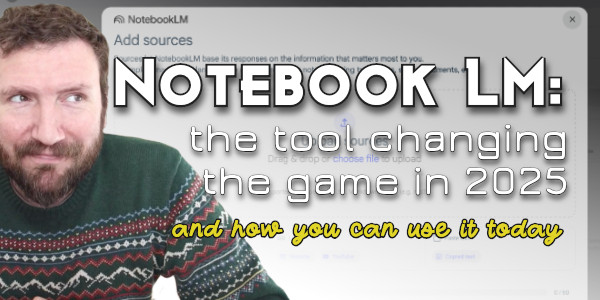
Notebook LM: Why it’s changing the game (and how to use it)

If you’re anything like me, you’ve been on a webinar or watched a recording and thought, “Wow, there’s some gold in here… but do I really have the time to sift through it all?”

Well, say hello to Notebook LM, a google tool designed to turn endless content and concise resources. I recently sat down to test it out, and honestly, it feels a little like magic.

For anyone who creates (or consumes) content Notebook LM offers a way to maximize your effort. It’s about squeezing every last drop of value out of the content you’ve already invested in.

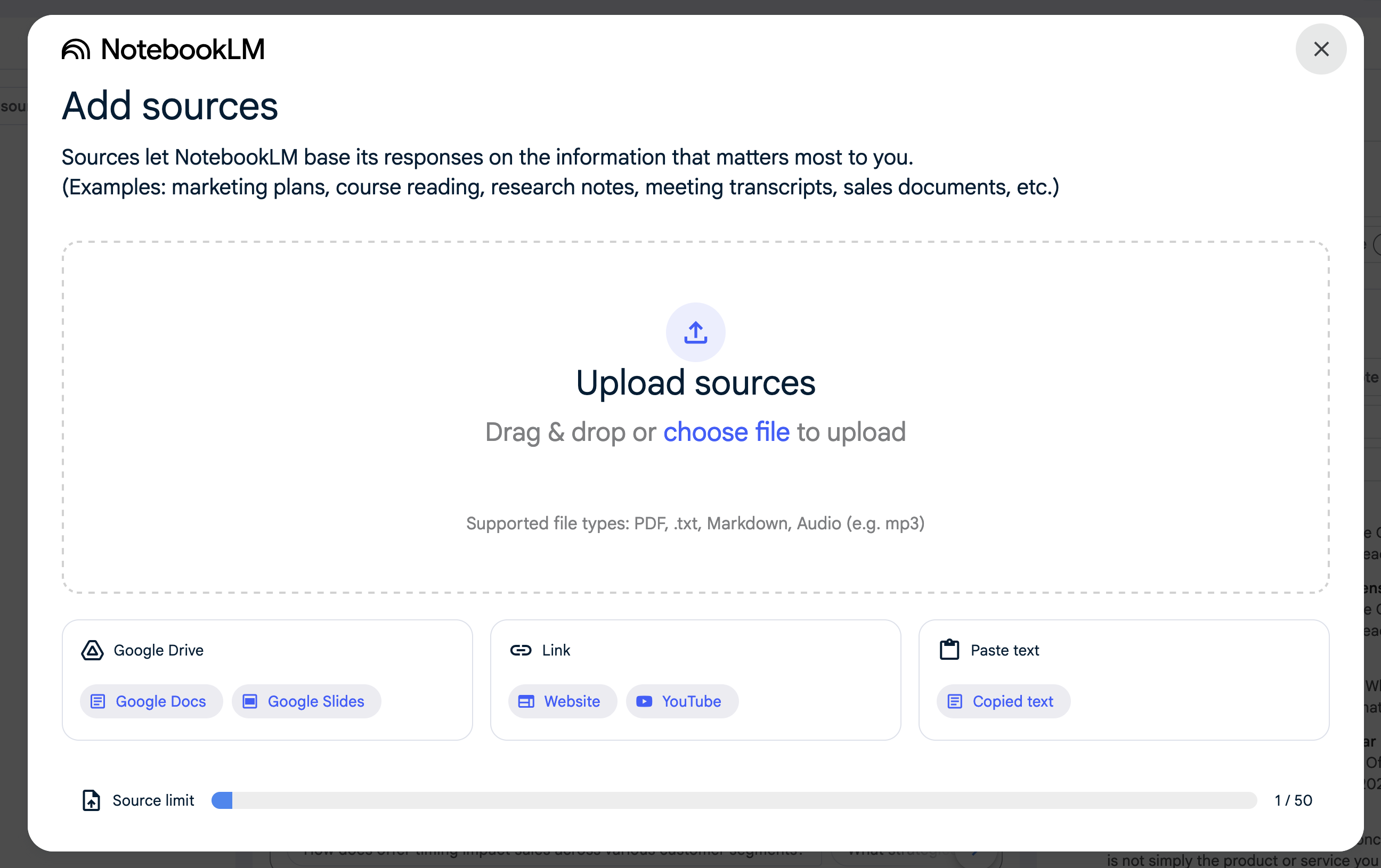
What kind of sources can Notebook LM accept?

You can upload txt docs, MP3 files, markup, PDFs, or link to google docs, youtube videos, or even paste content in directly.

It will transform what you upload into an range of assets: concise notes, detailed summaries, FAQ questions, study guide resources, or even an audio podcast overview.

Notebook LM Sources Screenshot

For the purposes of this demo, we used the transcript of the Creating Offers that convert webinar – here’s the full replay of that event.

And here’s the demo of Notebook LM turning the transcript into a handful of other resources:

Notebook LM has the potential to be a real game-changer for content creators. In just a few minutes, it can ingest a ton of information and digest it, helping transform that content into a range of resources serving multiple purposes.

What kind of resources will Notebook LM produce?

  • Briefing Doc: Highlight key points or takeaways for quick consumption—ideal for team recaps or decision-making.
  • Timeline: Organize the input into clear sections or themes to support deeper dives into specific areas.
  • FAQ Questions and Answers: Find and structure answers to common questions based on the content.
  • Study Guide: Take the content you input, and generate a collection of questions to help make sure the most important lessons are retained.
  • Podcast: Yes, an actual audio podcast with two AI generated speakers discussing the subject matter you supplied.

Here’s an example of what that podcast can look like – this is based off of the demo we did with the webinar on crafting offers.

(If the podcast doesn’t feel organic enough, you could also use it as a starting prompt for a summary you record yourself.)

Are there any drawbacks?

Okay, so Notebook LM doesn’t create polished emails, blog posts, or social media content for you—but it does give you the groundwork to build those assets quickly and effectively. I can see countless ways for this tool to make our lives easier.

If you’re just looking to digest information quickly, boom. This can help.

But if you’re producing long form content and really want to make the most out of your efforts, yes, it can help with that too.

Either way, Notebook LM might just be the tool that changes the game in 2025.

If you’re using this already, or plan to, please drop your ideas in the comments below. We’d love to hear the variety of ways this is solving problems for small businesses.

Customer Journey: Crash Course

Customer Journey: Crash Course

If you run a business then you likely have customers (fingers crossed, right?).

And if you have customers, then they had a “journey” – even if you don’t call it that.

The customer journey is essentially the sum total of the interactions and experiences they have with your business, from the time they first hear about you, through to the point of purchase and beyond.

The single most important lesson I’ve learned in growing a successful small business is to take ownership of that journey – their experience should be strategic and intentional – something you or your team planned for them.

And there are countless ways to plan and enrich this journey and a number of tools that can standardize or accelerate it. So, if your head is spinning thinking about how you should get started, we’ve distilled the most important lessons down into this crash course – enjoy.

Here are the key things to remember:

1. The customer journey already exists. If you have customers, they had a journey. So what we’re talking about here is really just refining what already exists to make sure it’s intentional and strategic.

2. The journey spans the lifecycle of the customer – it starts when they first hear about and interact with your business, through to the purchase, and into the delivery of your products or services. There are opportunities throughout every juncture to make things easier for them and more predictable for you.

3. Automation can help with the heavy lifting. If the idea of delivering top notch customer experience feels daunting, the secret sauce is to introduce automation to the process. Automation might feel like a technical term, but the concept really just means helping things happen in a standardized and repeatable way.

What should I automate?

If you’re on board with the idea of automation but aren’t sure where it would fit – we’ve built a course specifically designed to help you identify opportunities in the customer journey where we’ve seen automation solve problems and create momentum.
Keap’s New Automation Builder

Keap’s New Automation Builder

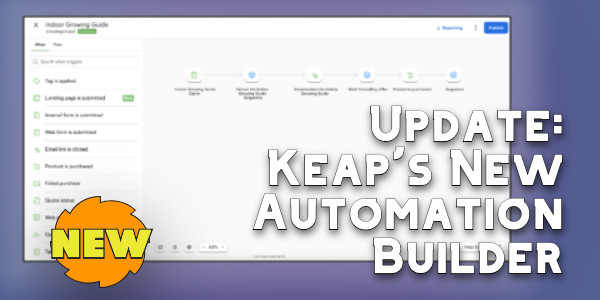
If you’ve been a Keap user for any amount of time you are probably familiar with the Automation Builder (formerly known as the Campaign Builder).

It’s Keap’s automation engine and widely considered Keap’s most powerful feature. And it’s getting a serious update.

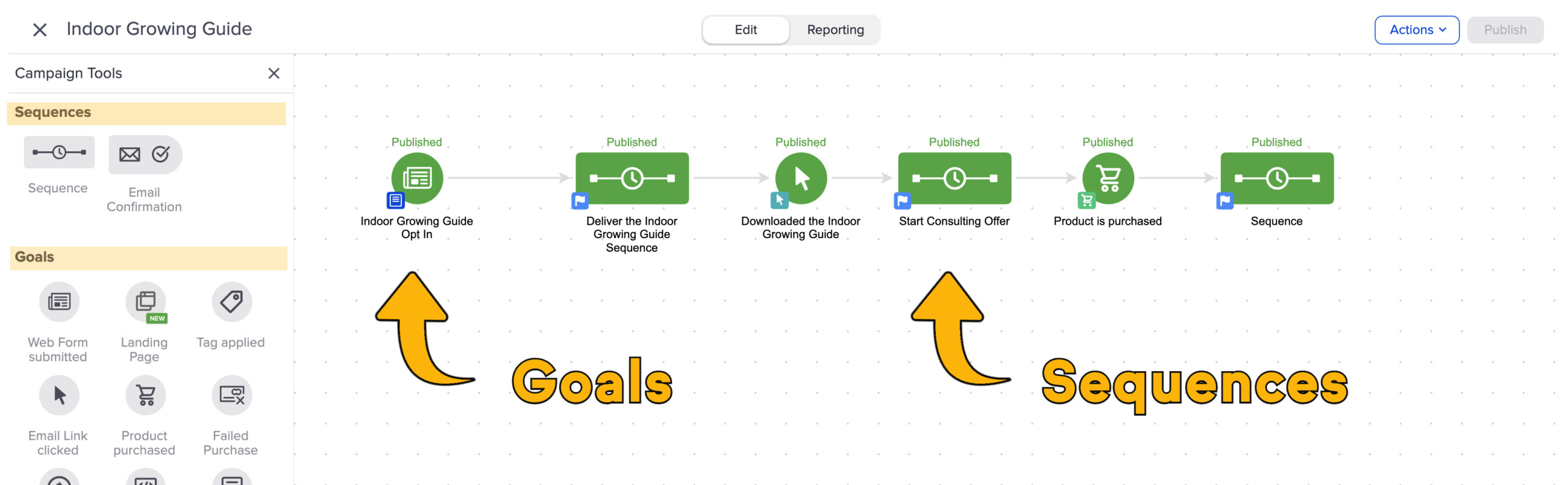
Historically automations have been built with “goals” and “sequences” as the primary building blocks. Goals are the triggers, and sequences are the actions that happen as a result.

Goals and Sequences

Now, they’re transitioning away from that.

Keap is moving to a “When” and “Then” type system. Users will have a set of “When” actions you can configure that will serve to initiate (or advance) automation, and “thens” will be used to configure what you want to take place as a result. This video highlights the key differences Keap users will see as we start to see this update rolled out.

It may feel like this is a superficial update, but this visual change also represents an update in the actual platform architecture, which will make it easier to add new “when” and “then” type actions in the future.

For example, I’ve seen early concepts of an integration with Shopify that allows direct triggering of Keap automation when a Shopify purchase takes place, passing through order details and making them available in the subsequent automation steps.

So, if you’re a Keap user who feels confident in the existing interface for building automations – then this may be frustrating. I don’t want to dance around that – and I don’t think Keap should either.

And since we’re here – there IS a somewhat secret setting to help you define the experience you want as you’re adding elements to the automation canvas. This lets you decide whether or not you want the item you add to automatically open and prompt you to configure it.

There may be some turbulence as we start to familiarize ourselves with the new builder interface, but I’m trusting that the long term benefits will outweigh the short term friction.

My recommendation for now is to stay open minded, to play with the new features as they’re rolled out, and to offer feedback when you have it so that Keap can do their best to iterate and improve in the subsequent roll-outs.

And as always, if you want a place to ask questions as you work on building automation into your business, you’re welcome to join us in the Monkeypod Membership.

Pipelines: Keap vs ActiveCampaign

Pipelines: Keap vs ActiveCampaign

A pipeline is a way to manage a process, generally a sales process. And different platforms will have pros and cons for how they store the information, trigger automation, and what reporting metrics they make available.

Whether or not your business needs a pipeline tool will depend on a variety of factors, here’s a resource to help you with that determination.

But if you do determine your business has the need for a pipeline, to manage deals in your sales funnel, or some other business process – then you’ll benefit from the way it can offer increased insight, reporting, and help add automation.

In this video Brett, from BlickDigital, will walk us through the core differences in how pipelines and deals are handled between ActiveCampaign and Keap.

If you’re thinking your business would benefit from this, but you’re not sure where to start – here’s a great resource for Keap users to help you get your head wrapped around the ins and outs of opportunities, deals, and pipelines.

Huge shout out to Brett Farr for walking us through the key differences in how ActiveCampaign and Keap handle this part of their software. If you’re interested in learning more about working with Brett and BlickDigital, check them out here.

And, if you’re still on the fence about which CRM is right for your business, or need help making the best choice, you can book a call with the Otium Team to help find the system that fits your needs.

Picking the Right CRM: Contact-Centric vs. Relational Databases

Picking the Right CRM: Contact-Centric vs. Relational Databases

If you’ve ever felt like choosing a CRM is more confusing than it should be, you’re not alone.

There are loads of options out there these days, and it’s tough to know what’s actually going to work for your business, especially when it feels like everyone claims to be the perfect solution.

But as you have probably learned, the truth is there may not be one singular “best” option. It varies, based on your business needs, and any number of variables.

That’s why we sat down with Mallory Balnis from Plum Crazy Automation to dig into a key difference between CRM systems—specifically, how they store and manage your data.

We chatted about contact-centric CRMs, like Keap and ActiveCampaign, which are great for businesses focused on individual customer records. But if your business deals with more complex relationships (think companies with multiple divisions or even managing parent-child relationships), you might need a relational database CRM, like Ontraport, to handle all those moving pieces.

Mallory breaks it down in human language to make it easy to follow along. If you’re curious about the differences between these systems and what that means for your business, check out the video below. It might just help you avoid the dreaded CRM switch regret.

A big thank you to Mallory Balnis for sharing her insights in such a clear and approachable way. If you’re interested in learning more about working with Mallory and Plum Crazy Automation, check her out here.

And, if you’re still on the fence about which CRM is right for your business, or need help making the best choice, you can book a call with the Otium Team to help find the system that fits your needs.