Campaign Builder, Guest Posts, Keap, Software Updates
 Buckle up sports fans, I’ve got an awesome blog post comin’ in from one of the best and brightest in the Keap building. Today’s post comes from Brett Fairbourn, a fellow automation geek and Keap educator. You may recognize Brett (or his voice) from his engaging and exciting update videos when Keap has a new software release, but today we’ve asked him to dig a little deeper and give us some insight into how some of the newest features might be used for your business. Brett wrote this post and created these videos exclusively for the Monkeypod readers, enjoy!
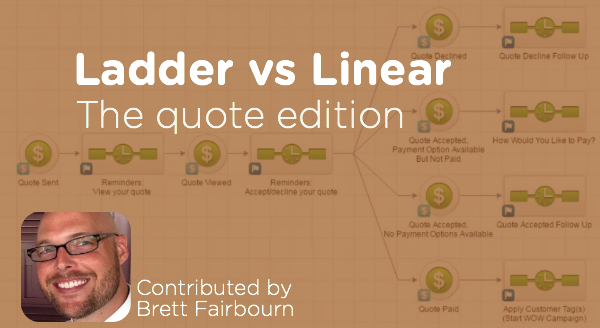
I was recently re-reading this gem from Reyna Bovee as I prepared to record the September 2016 product update video for Keap. I wanted to double check my logic, because the old linear vs. ladder conversation just got a little larger. The September 2016 update introduces the “Quote Status” goal to the campaign builder, and quotes work a lot like opportunities in that you can have several of them attached to one contact.
Here’s more on the quote status options.
But wait, first of all, can I just geek out for a second?
Quotes in Keap were, until very recently, freaking terrible. Man it feels good to get that off my chest. They were practically useless. BUT NOW, oh man, if you have a hands-on process, the quote-to-invoice-to-payment is so streamlined. And if your business is compatible with a more automated approach, now we have that, too!
You just have to keep a couple things in mind.
Like I said, as with opportunities, you can have several quotes attached to a single contact. But it’s not the quote that goes through the campaign, it’s the contact. So 5 quotes sent to 1 contact = 1 contact in the campaign, and that contact is going around viewing quotes and clicking on things all willy nilly. This can get confusing, and it can cause problems, especially if you’re using the linear approach to building your quote automation campaign.
The problem with the linear model is that any downstream goal will stop all upstream sequences. In other words, if I’ve viewed one quote but haven’t acted on it, and then you send me another quote, acting on either one of those quotes will stop all preceding automation. That means no more reminders to view the first quote if I haven’t done that yet.
Do I sometimes have multiple quotes pending for one contact at the same time?
If yes, you might want to use a ladder-style quote automation campaign.
If no, then the linear campaign will work great for you (and it’s easier to conceptualize and build, so that’s nice).
To be honest, it probably doesn’t matter in most scenarios, because we’re only talking about a two-stage process: the stage between “Quote Sent” and “Quote Viewed,” and the stage between “Quote Viewed” and the customer’s response. In most cases, it’s not going to be vital to run both of those stages of automation at the same time. But hey, maybe for your business, it IS vital. So here’s the scoop:
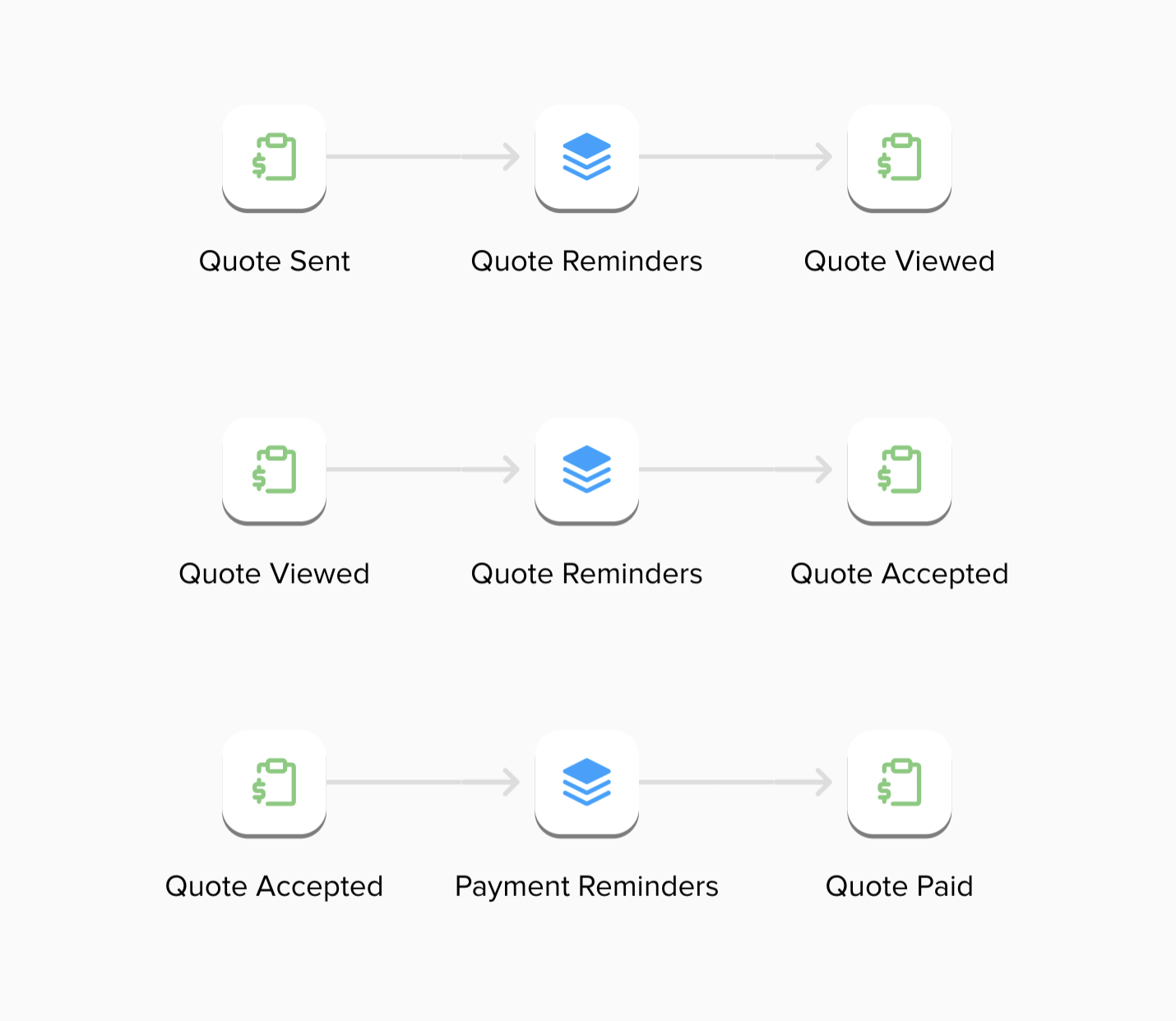
First, here’s the rundown on the linear campaign:

Next, here’s the ladder campaign:
So there you have it – two different automation structures using the Quote Status goal that can help support your quote sending and payment collection process. The linear process isn’t wrong, per se, but the ladder methodology has a range of benefits it offers. And in case you missed it, here’s a great post outlining the ladder process you can use for supporting a sales pipeline.
Guest Posts, Keap, Small Business
We’re back with more knowledgey goodness from the Mad Scientist. In case you missed the first part of this post, check it out here. But to bring you up to speed, we’re talking about the different use cases for a pipeline.
Species #2: Fulfillment Pipeline
Sometimes, the sale is relatively simple but the fulfillment process is long and involved. In these cases, you can use a pipeline to track the specific fulfillment process.

For example, in the past I worked with a company that sold solar panel installations. Obviously, that fulfillment process is very complex because it involves inspections, sourcing parts, getting permits, etc. To streamline this process, we created a pipeline tracking the key milestones such as “Inspection Scheduled”, “Inspection Complete” and other critical parts of the installation. They even used custom data fields to track fulfillment specifics such as inspection dates, part numbers and permit information.
Another fulfillment pipeline example comes from my days as an Infusionsoft Success Coach. Basically, when someone purchased our software I would work with them initially to get their system setup. To track my book of business effectively while still doing 6, one hour calls, back-to-back each day, I setup a coaching pipeline. I had different milestones as they scheduled/rescheduled and completed different calls. I even had some milestone stages to track key behavior, such as sending their first email broadcast. Those milestone stages would be used to do some data crunching in the background so I could at-a-glace see my coaching pipeline status.
Unlike the sales pipeline, these fulfillment processes can have more milestones but still keep in mind that you’ll want to minimize them down to the key components to avoid the risk of human error.
As far as automation, you’ll want to use it to supplement the fulfillment process, much like you can do with the sales process. Using the solar panel example from above, when someone moves into the “Inspection Scheduled” part of the process it can send an immediate email that says “Hey your inspection is coming up here is what you need to know”. Or something like that.
 The automation can also be used purely for data crunching too, like I did with my coaching clients. In that specific example, I had an objective to get my customers through 4 usage behaviors such as sending a broadcast or getting a web form on their site. To track how many usage points someone had, I had each of those usage behaviors as a milestone in the pipeline. Each time someone hit that milestone, the system would do some data manipulation on the backend so I could know if people were tracking to fully launch by the end of our coaching time together. Frankly, if I didn’t do this automated tracking, it would have taken me HOURS each week to report on my book of business, rather than a two minute glance at my dashboard.
Species #3: Live Event Acquisition Pipeline
 Certain products have in-person fulfillment. A live music concert or speaking at a professional conference are two examples of a product where people are buying your in-person experience.
Similar to the two previous pipelines, this kind of pipeline is tracking either the sale or fulfillment (or both). However, the product itself is the focus, not the person buying the product. In other words, you might have 50 lead records in the sales pipeline but as far as a live event is concerned, you’d only have one event record.
Let me share two examples using the entertainment-based product, and then the functional product. By day I’m a automated experience designer but at night I’m a headbanging metalhead who is also a show promoter. My company is actually the official in-house booking agent for a local venue out here. To track our show bookings and talent acquisition, we have a show pipeline. It starts from the initial outreach by a promoter/agent looking to do a show and tracks all the way down through securing the show date, contract signing, and ends with the show officially booked and ready to promote. This allows us to have many shows at different stages of development organized in a clean fashion. Plus, there is a team of 3 of us, so having a central event record ensures that everybody can be on the same page even if we cannot directly chat at the particular moment.
Regarding automation, while we haven’t built anything yet, we could easily add in automated emails to nudge a booking agent on contracts and such.
In the case of a professional speaker, acquiring speaking gigs can also benefit from having a pipeline very similar to the entertainment based product. You still have to secure dates, get contracts, etc. However, you can take further organize by including operational data too.
For example, many years ago I helped Chris Brogan build out this exact idea: a speaking engagement pipeline. In addition to the stages, we also built data fields to track the airplane tickets, hotel and rental car info. We even created Yes/No fields to indicate if those had been done and that was used for certain reports. Another example is my good friend Steve Gabriele who does sports photography. We setup a pipeline for him that, in addition to tracking hotels and such, also allowed him to track how many employees each event needed, estimated fuel costs, and all sorts of critical operational information.
Whew! Thats it for now but I’m really curious: what did YOU take out of this post? Please leave a comment below!
Guest Posts, Keap, Small Business, Tips and Tricks

Paul Sokol, Data Scientist, Infusionsoft
The original Campaign Builder Mad Scientist is back again to drop some knowledge on us all. You guys may know Paul from past hits such as Infusionsoft for Non-profits, 5 Massively Underused Infusionsoft Features or as the author of the IS Cookbook. Regardless, he’s back, and has pulled some more wisdom out from under his glorious hair. Enjoy.
3 Species of Pipeline and How To Leverage Automated Experiences
Ahoy hoy Monkeypodders! Its your favorite mad scientist and automated experience authority Paul Sokol with another guest post that, hopefully, you’ll be able to use in your business somehow. Infusionsoft user or not.
So here’s the scoop: in most businesses there is usually a long drawn out process of some kind. Now, this process may not be technically difficult but rather it simply takes time. For example, if you are providing construction services it takes time to get permits and inspections and such. To ensure smooth operations and governance over the process’ integrity, a pipeline can keep everything organized like a well-oiled machine. More on that in a second though.
A process that would warrant a pipeline can exist during the customer acquisition phase, during post-sale fulfillment or the product itself can warrant its own pipeline. In this blog post, my goal is to share more insight into these three kinds of pipelines I’ve seen in the wild (and personally used) and how you might be able to leverage humanized automation to intentionally create a delightful customer experience.
This is not to say that more species of pipeline don’t exist. To say that would be ignorant. Even in the real world we are discovering new species of life at exponential rates. Who knows, maybe in the future if I encounter a fourth distinct type of pipeline you’ll get another guest post 😉
 Before we begin I need to briefly explain the notion of a pipeline because there are some different definitions out there. I personally use the word (and thus how it should be interpreted when reading this post) as a way to describe a manual accountability tool whereas someone can track an individual customer relationship through a clearly defined process with a defined outcome.
I know that sounds wordy. Let me clarify a bit.
A process is nothing more than a series of steps in a specific order to achieve some outcome.
Steps and Order. There are certain steps you take when getting out of the shower in a specific order to prepare yourself for public appearance. You don’t get out of the shower, get dressed, and then dry off. Process = Steps in a specific Order.
A pipeline is a mechanism to track a process at a scale. The lone solopreneur might be able to keep 3 or so sales leads together in their head, but good luck juggling 50 active leads. The process only works in their head to a point.
Lastly, for a pipeline to work the process it is scaling has to be clearly defined. You can’t build a pipeline for a process that doesn’t exist.
Species #1: Sales Pipeline
 Selling a house takes time. Selling someone a $25K mastermind might take a long conversation with multiple touch points. Selling someone a $5k/month consulting retainer absolutely takes a longer more involved conversation.
When it comes to offers that have either a high ticket price (with respect to the target market’s perception of price) or something that has a long buying cycle, a sales pipeline can be very handy.
As far as the sales process, the pipeline is tracking the key milestones in the relationship. Here are the recommended pipeline stages for the beginning of any sales process.
New Opportunity – The contact has been identified as someone we should call, that’s it. No action has actually occurred.
Contacting – The sales rep has made at least one attempt to get a voice-to-voice conversation and has not reached them yet.
Engaging – The sales rep has made contact but has not yet identified if the lead is qualified to proceed further down the sales process.
Qualified – The sales rep has verified the contact has a real problem, budget and the authority to spend the budget.
Once someone is qualified, there are usually only a few milestones after that, based on how you sell. They usually happen in pairs too. For example, “Demo Scheduled” and “Demo Completed”. Or “Proposal Sent” and “Proposal Accepted”.
As a general guideline, your sales pipeline should only have 6-8 distinct stages besides the Won/Loss stages at the end of the process. This also ensures that your people will be able to easily use the pipeline without getting confused.
Regarding automation, you’ll want to use it to supplement what the sales rep should already be doing anyway.
For example, if a lead is in the Contacting milestone, there can be a series of emails from the sales rep that basically says “Hey I’m still trying to reach you”. Or, if you have a “Proposal Sent” milestone that might be a series of emails that says “Hey what’d you think?”
Bonus Super Ninja Tactic: “Invisible Sales Manager”
The “Invisible Sales Manager” is an excellent way to keep track of sales reps and their performance. It also really begins to paint the picture for how powerful good automation can actually be.
Here is how it works: For each sales milestone, have a timer that waits until long after the next milestone should have happened. For example, someone shouldn’t be in Contacting for more than about a week. You can set a timer for one month and, if they are still at that point in the process, have the system apply some note and notify the sales manager that the lead has been stale for a month. Now, there is documentation of the occurrence (in case this is a recurring problem with a particular rep; you now have hard evidence) and the sales manager knows they need to have a conversation.
This post got a little longer than expected, so we’ll bring you the 2nd and 3rd species in a day or two.
Campaign Builder, Guest Posts, Keap, Tips and Tricks
Mike Harris, the author of today’s blog post, is someone for whom I have a tremendous amount of respect. Actually, our career paths with Keap haven’t been all that different. We were hired around the same time, we’ve both run Infusionsoft University, and we both have logged the hours to call ourselves campaign experts. Mike has helped a lot of small businesses and I’m pumped that he’s taken the time to share some of his insight.
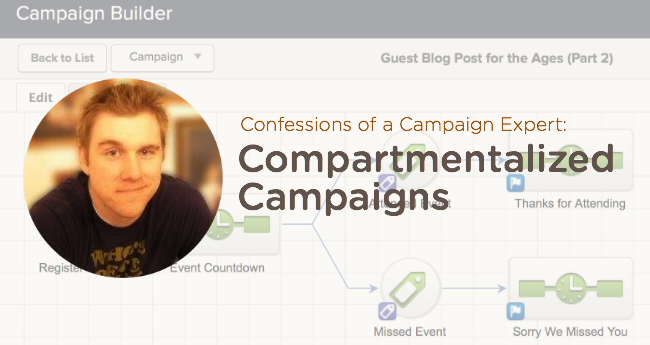
Confessions of a Campaign Expert: Compartmentalized Campaigns
Throughout my Keap career (going on 4 years) I’ve learned a lot about the campaign builder. It was a new tool when I was hired so I simultaneously learned the old legacy Follow-Up Sequences as well and the brand new Campaign Builder. I learned what worked well, and what didn’t, through my own experimentation as well as the experience of other customers.
One thing I noticed was that people seemed to try to cram as much as they could into a single campaign. I understood the reasoning behind it (to keep everything related in one spot) but what they ended up with was a giant spider web that looked more like a mess than a business process. Did they work? Sometimes. Did they break? Yes, quite often, and with a huge campaign it’s harder to find a breaking point.
So the solution: Compartmentalize Your Campaigns
Side note about myself: I have ADD and I get distracted easily. If there’s too much going on all at once, I find it hard to focus. This actually worked to my advantage when building campaigns or helping customers build theirs. I tried to keep things in smaller, intuitive chunks or compartments and found that it not only worked for me but for my customers as well.
When processes are separated at natural breaking points a couple things happen. The first is that things just tend to work better. Fewer moving pieces in a campaign usually leads to a more reliable and efficient campaign. So, try to exercise some restraint when you get a big idea. I’ll lay out how to break that campaign up a little later.
Another benefit of breaking campaigns up into more manageable chunks is that you start to see multiple uses for certain pieces. This means you won’t have to keep duplicating your work. You can just piggy-back off the work you’ve already done which not only saves you time but keeps your messaging and processes consistent.
So, how do you compartmentalize your campaigns, Mike? Well, I’m glad you asked.
- Look for natural points of separation.
- For instance, if you have a web form offering a free report and then guiding them towards a purchase, the purchase is a natural point of separation. The contact goes from prospect to client at that point. Our relationship has changed and, with it, communication should change, as well.
- Another point of separation is where a handoff occurs. Whether you are handing a task off to another employee or having a third-party plugin run an action, those can be good points to consider a separation of process.
- Just remember, if it feels like you shouldn’t be starting a new campaign at a certain point, don’t do it. Make sure the separation make sense to you and those you work with.
- Link the campaigns together
- There are only a couple campaign goal types that can link one campaign to another: tags and purchases are the two biggest ones. If you are not using Infusionsoft’s Ecommerce or integrating another solution, then tags become your primary option.
- Linking campaigns is easy. The first campaign will have an end goal of “Tag A” being applied. This will conclude that first campaign for the contact. Then, the second campaign will start with a tag applied goal that also looks for “Tag A” to be applied. So when a contact has “Tag A” applied to their record it will end the first campaign and start them in the second campaign.
- Recycle
- The key with this approach is not just to break everything up but to be able to reuse pieces of different processes. For instance, if you have a process that captures information then sends out a series of reminders, you may be able to reuse those reminders for another event. When you start to involve merging in custom fields, it really becomes easy to reuse these smaller campaigns. (Ex. “Don’t forget about your ~Contact.EventName~ on ~Event.Date~ at ~Event.Time~.”) Using a custom field to populate an event name turns it from a single-use campaign to a multi-use campaign.
- Another example of recycling a campaign is for fulfillment after a purchase. If you have ten lead capture campaigns all driving toward the purchase of a product, you wouldn’t want to build the fulfillment into each one of those campaigns; but if you conclude them all with the purchase of Product A, then you can trigger a single campaign that starts with purchasing Product A and consolidate all those different channels into one, streamlined process.
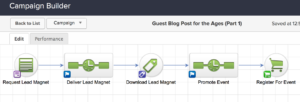
How about a demo? Here’s a campaign that needs to be broken up into smaller campaigns.

And here’s the plan for breaking that campaign up, using the Purchase Goal (blue) as the natural point of separation. The section highlighted in yellow will be the first campaign, and the orange section will become a second stand-alone campaign.
Once we’ve made the break, here is how our first new campaign looks:
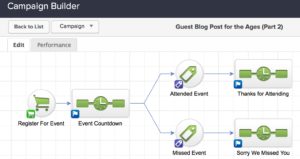
And here’s the second half of that campaign, broken out on its own as well. Notice how the “Register for Event” purchase goal concludes the first campaign AND is the trigger to start this new one.
These steps may not feel particularly groundbreaking but it really helps to consider them when we get lost in the myopia of building the “perfect campaign”. We all tend to roll our eyes when someone mentions the phrase “work smarter not harder” but, in some cases, it really rings true.
Remember, Infusionsoft gets easier each time you log in. And hopefully these tips simplify things even further. Questions, comments, drop them below!
Have your own questions?
If you would benefit from a place to ask automation questions when you get stuck, and get ideas and inspiration from other businesses, you can join us in the Monkeypod Membership.
Guest Posts, Keap, Small Business, Tips and Tricks
Paul Sokol is an automation expert, a close friend, a pretty talented Eminem impersonator (proof), one of Monkeypod’s most popular guest authors, and the former Campaign Builder Mad Scientist over at Keap. In addition to all those things, Paul is also a dedicated musician, and has started a charity to help raise money for local music and arts programs.
Being the marketing automation nerds that we are, we recently got talking about some of the more unorthodox use cases we’d seen, and before long – we were talking about non-profits. Anyhoozle, I asked Paul to tell us a little about his charity, and the role Keap (formerly known as Infusionsoft) plays in it.
Keap for Non-Profits: A Monkeypod Case Study
Hello Monkeypodders! It is great to see you again 🙂
I’m Paul Sokol, one of Greg’s good friends, and just happen to work in the same space of automation. We actually met at Keap years ago (back when it was called Infusionsoft).
In any case, Greg was wondering about how I use Keap for my non-profit charity, and I figured why not write a lil guest post about it so everyone can learn?
As you are probably expecting, I’ll do a shameless plug of the charity at the end of this post, but for now the main context for discussion is a non-profit using Keap.
My particular charity is relatively new, less than 2 years old, but I’m still finding ways to leverage automation to save time and build a community.
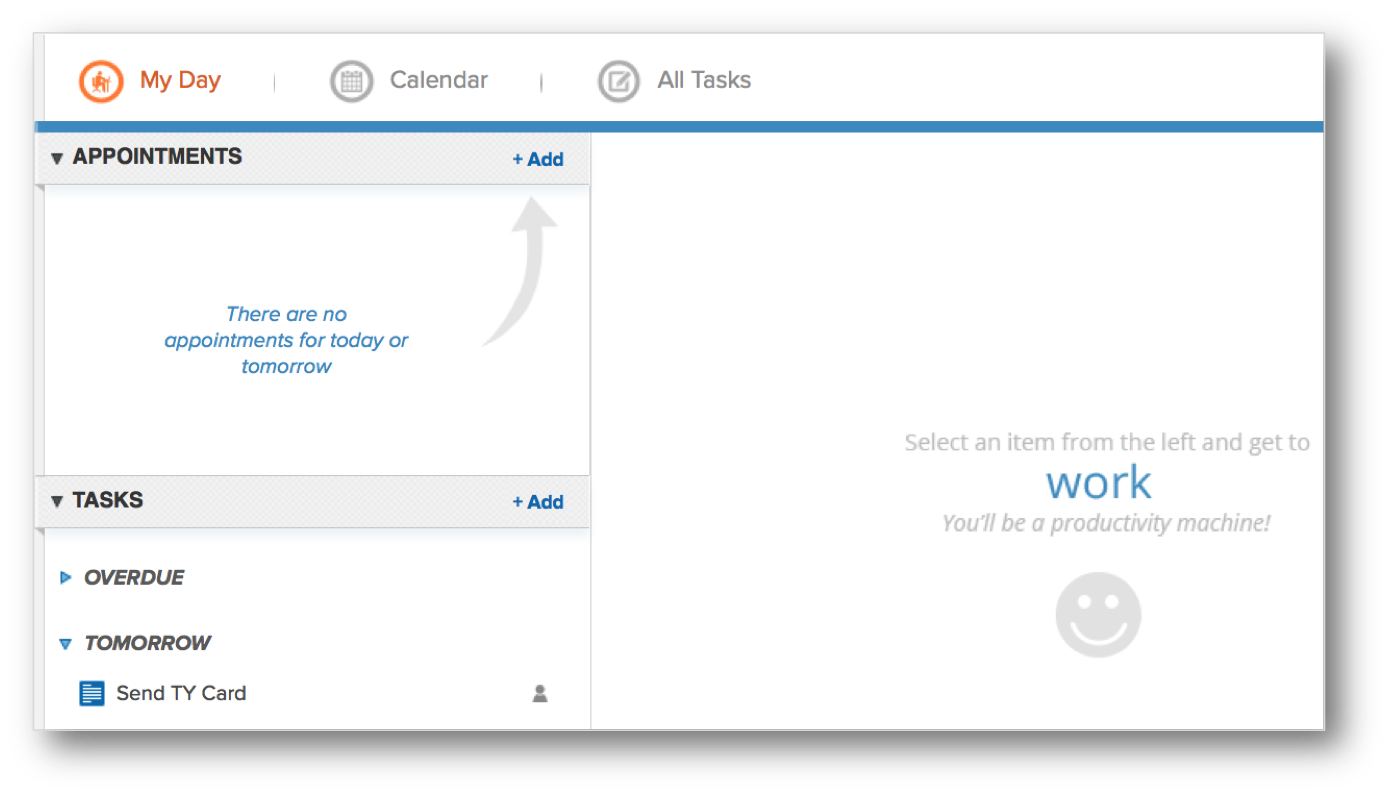
First off, every year our charity partners with a local promoter for a music festival. I head up the marketing and promotion which means I’m using automated workflows that tell me when to post stuff on social media and automated emails to the bands with content for them to help promote the show. Really simple stuff. The post workflow is just a chain of tasks that say “the show is one 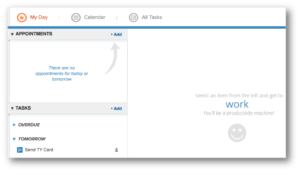 month away, copy/paste this status and share it”, “the show is 2 weeks away…” and so on. Task. Complete. Task. Complete. I can live out of MyDay which is really nice.
The emails to the bands are basically the same thing. “The show is in a month, copy/ paste this to your page and here is your trackable band link”. I use hidden lead source fields on most of my capture forms (see an example). This way, I can create a unique lead source for different bands and see who does a good job driving traffic.
Regarding the ticketing checkout, the tickets themselves come through TicketFly so I position it as a two-step check out. First step is name and email which takes you to step 2; as far down the TicketFly funnel as I can get people. This builds a list for presales next year. Unfortunately, we haven’t yet implemented a cart abandon mechanism because getting data out of TicketFly is controlled by the venue we partner with. Just hasn’t happened yet.
Outside of the annual festival, on the charity’s website, the donation process is also positioned as a two-step checkout. Since all payments are going through Keap directly, we have implemented a donation abandon campaign, if you’ve been reading this blog for a while, you’ll know it as “The Nudge“. In addition to some emails, it has a task for me to personally reach out and try to “close the sale”. Like I said earlier, we are a new charity so the traffic to our site is basically nothing so the personal 1:1 calls are manageable. Once we grow that isn’t going to scale and we’ll have to find another way to add that personal non-email touch.
 Speaking of donations, while it wasn’t automated, because all donations create an Order record in Keap I was able to easily pull a list of donors and send a hand-written thank you card at the end of 2015. Now that I type it out, that’s a great opportunity for something to automate! :::makes mental note:::
Besides accepting donations, the website also serves as a press release news board. Every press release lives formally on our website. Each press release page has a capture form so people can receive updates as new releases come out.
That’s how I use it right now. In the future as we scale, the plan is to build our list of donors and encourage repeat donations automatically. As we do more events, I plan to use the Opportunity module to track the process of event acquisition and execution. As we become more global, I could even see giving different regions their own affiliate codes to track where donations are coming from the most. I’ll even use it to filter out potential hires early in the recruiting process.
In other words, I’ll be able to use Keap for a good long time as my charity grows 🙂
Lastly, remember, there is a huge problem in the world: school budgets are being slashed which is forcing cornered administrators to cut arts programs, particularly music programs. If this continues, in a few generations there will be no new music and we will have lost a beautiful part of human culture, society and self-expression. I refuse to live into that world which is why I founded Keep Children Rockin. We provide music equipment donations to public schools. In 2015 we were able to help one local school with lots of equipment. In 2016 we tripled that impact and helped three local schools. To make a donation and learn more about the cause, please visit
www.keepchildrenrockin.org.
Customer Experience, Guest Posts
 This post was written by my friend and colleague Thomas Jones. Thomas and I first met at Infusionsoft when he became the director over the consulting team I was on, and while I never reported directly to him; I got to know him because we shared a cubicle wall. Because of our proximity, he was forced to listen to me on the phone for 6 hours a day. I know what you’re thinking; is it fair to say that this was the subconscious reason behind any good ideas he had during that period? Maybe, maybe not. But definitely probably.
Anyway, Thomas is awesome. He and I connected quickly because we both shared an obsession for creating intentional customer experiences. Try as I might, I can’t take credit for today’s gem – an article where Thomas shares his perspective on cracking the code to customer success.
The Secret to Cracking the Code to Customer Success
I suspect there are billions of dollars spent every year by organizations attempting to figure out what customer success looks like, and how to help their customers actually achieve it. I think we can all agree there’s no silver bullet. Nobody can wave a magic wand and declare they have the answer.
“Three log-ins a week. That’s customer success.”
“Processing 7 orders a day. That’s customer success.”
“An NPS of 30. That’s customer success.”
It seems as if it should be really easy. I mean, can’t we just call our customers and ask? Surely that would tell us what success looks like, right? Maybe. However, if it were that simple I likely wouldn’t be typing this, and my catchy subject line and stylish picture wouldn’t have grabbed your attention.
While there isn’t a silver bullet, I do believe there’s a dusty, cobweb covered door over in the corner of the room we can open to get us all headed down the correct path. Right above the door, a dimly lit sign reads:
The Customer Experience
Everything in life falls into one of two buckets: intentional or unintentional. That’s it. The forces are shifting and it’s time to walk through the doorway and focus on getting really intentional about the experience we want our customers to have every time. I know it sounds simple; it’s not. Trust me. If it were, we’d all be doing it and we’re not. Recall the famous quote from Red Sanders, “Winning isn’t everything, it’s the only thing.” (I know, I thought it was Vince Lombardi, too). Modified for this article, “Customer Experience isn’t everything, it’s the only thing!”
Consider a business you enjoy frequenting. If you think about it, the reason you love giving them your hard earned dollars is because they make sure you have a great EXPERIENCE every time. In fact, on the off chance you don’t, you probably make excuses as to why it wasn’t perfect this time. Walt Disney once said:
“Think of the process as a railroad engine. If the engine does not run properly, it does not matter how friendly the conductor acts or how attractive the cars look, the train will still not move and the passengers will not pay their fares. Process is the engine of Quality Service.” *
Building repeatable processes designed to deliver an intentional experience for the customer is the only way to drive customer success. It may not be a silver bullet, but I can tell you stepping through this door will be the smartest thing you’ve ever done in your business.
Here are two questions you can ask as you get to work on the solution:
- What is my customer expecting will happen next as a result of this interaction (phone call, page view, email, purchase, etc)? In other words, “What am I promising them?”
- How sure am I it’s going to happen?
In my experience, the answer to both of these questions is usually something to the effect of, “I don’t know” or “It depends.”
At every step in your customers’ journey with you, you need to know the answer to the first question. As important, the answer to the second must always be “100%.” If you think this isn’t possible, measure the distance between garbage cans at Disneyland. Trust me when I tell you it it’s rarely more than 30 steps. When someone buys a Churro, it’s wrapped in a piece of wax paper. When they get done eating it (the interaction), the person will need a place to throw the paper away (what will happen next). Disney determined most people won’t walk more than 30 steps to throw something away, so they make sure there’s always a garbage can within 30 steps.*
While the analytical person inside me feels it would be more efficient if they were 60 steps apart, that’s not what’s important to Disney. What’s important to Disney is the experience for me as a customer. That’s the key to customer success: Design an experience ensuring your customers leave with what they were promised, EVERY TIME. Get maniacal about it.
This post was originally published on LinkedIn here.
*Help Scout (2016) How Disney creates magical experiences (and a 70% return rate). Available at: https://www.helpscout.net/blog/disney-customer-experience/ (Accessed: 31 March 2016).

 Buckle up sports fans, I’ve got an awesome blog post comin’ in from one of the best and brightest in the Keap building. Today’s post comes from Brett Fairbourn, a fellow automation geek and Keap educator. You may recognize Brett (or his voice) from his engaging and exciting update videos when Keap has a new software release, but today we’ve asked him to dig a little deeper and give us some insight into how some of the newest features might be used for your business. Brett wrote this post and created these videos exclusively for the Monkeypod readers, enjoy!