Guest Posts, Tips and Tricks, Tools

Lindsay Bayuk, Product, Pure Chat
Lemme tell you a little about my friend Lindsay Bayuk. She does product at PureChat where they empower small businesses to engage website visitors and generate leads with live chat. She was previously the Director of Product at Infusionsoft where she led a team of product managers and product marketers. (PureChat and Infusionsoft are two of my favorite tools.)
And, to add to her ever-growing list of accomplishments, she has now been published on the Monkeypod Blog. I’m seeing chat options popping up on sites all over the place, so, let’s do this.
Improve Website Conversion with Live Chat
Have a website? Of course you do! Do you have an effective website? Uh, maybe?
For many small business owners, your website is core to driving new business. A website is a representation of your company, your accomplishments and more than anything else it should explain why visitors should do business with you.
You’re already investing in your web presence. Social media and blogging drives visitors to your website. You might spend on advertising with Google and Facebook. All of this drives traffic, but what are you doing to ensure that traffic turns into sales? Phone and email are slow and time-consuming, so live chat is the best way to engage those visitors.
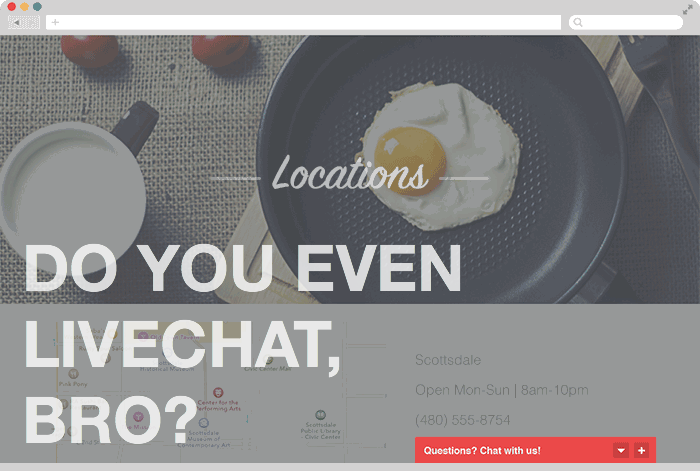
 Live chat is one of the best ways to engage those visitors. Adding a live chat box to your website empowers your visitors to reach out to you in a non-threatening way. We all use texting and messaging on our phones. Offering live chat provides the same familiar experience for your shoppers (especially for visitors on mobile devices).
In a recent survey by the customer service technology qualification company Software Advice, over 56% of respondents said they had used live chat on a website at least once. One of our customers, Patrick Henshaw of ETI Limousine and Charter in Austin, Texas recently shared, “With texting and social media, people are more comfortable sending messages. Live chat is just another way of texting with businesses.”
Here are four tips to optimize your website with live chat:
- Maximize your availability. The more time that you’re available for visitors to engage, the more potential you’ll have for conversations. Not at your desk all day? Make sure you use a live chat software that includes a mobile app. Mobile apps give you the ability to chat with your website visitors even when you’re away from your desk!
- Designate the right person. The summer intern may not be the best person to respond to leads on your website. It’s important to have a friendly, knowledgeable team member available to help!
- Remove friction. Making live chat available on your website is the first step. To maximize the number of conversations, don’t ask for name, phone and email up front. Gather those details later in the conversation when it’s more natural.
- Add at point of purchase. In the survey mentioned above, over 40% of respondents use live chat to answer pricing and purchase questions before they buy. Adding live chat on your shopping cart or checkout page is a great place to improve conversions! Earlier this year, Business Insider reported that consumers left $4 trillion worth of merchandise in their shopping carts. Yikes! Interacting with a person might just help with those final purchase questions.
Here at Pure Chat we’re very excited about helping small businesses capture more leads and convert sales. It’s all about improving the effectiveness of your existing marketing.
How are you optimizing conversion on your website?
We’d love to hear what tips and tricks are working for you!
PS: And, yes, we integrate with Infusionsoft. So, if you’re an Infusionsoft user you can send your live chat leads over to Infusionsoft with tags automatically!
You like tools, eh?
PureChat is one of my favorites, but if you’d like to see the complete list of tools that have earned my trust, check out the Monkeypod Toolbox Ebook:

Guest Posts, Keap

Paul Sokol, Data Scientist, Infusionsoft
Today I have the third recommendation(see part 1 and part 2 here) from my good friend Paul Sokol. He’s known on the streets as Infusionsoft’s Campaign Builder Mad Scientist, and also happens to be one of the finest marketing minds I know. So, ya know, listen up:
Campaign Builder Mad Scientist’s Favorite Free Campaigns
Favorite Campaign #3: Sales Pipeline Starter Kit
-Paul Sokol, Data Scientist, Infusionsoft
There are certain versions of Infusionsoft that come with a pipeline module known as Opportunities. In my opinion, Opportunities are the most powerful part of Infusionsoft because nowhere else does it so eloquently combine CRM, automation and eCommerce. Seriously, when executed properly one sales rep could do the work of an entire team.
And that’s why this is my third favorite campaign.
Opportunities are one of the most misunderstood and misused parts of the software. The campaign is designed to not only get you the proper structure in place for a meaningful sales pipeline, but is also contains training on how to properly setup a sales rep’s dashboard and how to properly work an Opportunity record.
If you have a sales team (or YOU are the lone sales rep), I strongly recommend installing this campaign and taking the time to go through all the setup tutorials. If you remove all distractions (turn off phone, email, Facebook, etc.) you can most likely get through everything in under an hour, but the ROI from that focused time will be massive.
Let me share a story about how powerful Opportunities can be. Back in the day, I used to be a success coach (which is where I met Greg in the first place). One of my clients was Steve Schwartz, who sells electric dog fences. You know the type, a wireless dog  collar and if the dog crosses a buried wire they receive a light shock.
Anyway, when I first met Steve, it was just him and one other sales guy trying to get clients. Being in the northeast, his business was understandably seasonal. People want to get fences installed in the summer and not in the winter during all the snow.
Notice how I said “understandably seasonal”. That doesn’t mean the market itself is ACTUALLY seasonal.
And that is what Steve discovered upon fully adopting Opportunities into his sales process. Not only has his sales been improving, because of how he managed his sales pipeline, the winter is no longer a “slow season” for him and he can generate business year round.
To learn more about the Sales Pipeline Starter Kit, go here: https://marketplace.infusionsoft.com/campaign/sales-pipeline-starter-kit
I could go on for days pontificating about which campaigns you should be using in your business, but this is a great start. If you implement all three of these, you’ll get massively organized, grow your sales and above all save time. Plus, you’ll be able to provide a customer experience that large corporations could only dream of.
So go for it! Implement these and run circles around the competition 🙂
Guest Posts, Keap
Paul Sokol, Data Scientist, Infusionsoft
Paul Sokol, my friend and Infusionsoft’s Campaign Builder Mad Scientist knows the free campaigns in the Marketplace better than anyone on the planet. Earlier this week he shared his first campaign recommendation, and today we get another. Let’s Party.
Campaign Builder Mad Scientist’s Favorite Free Campaigns
Favorite Campaign #2: Track Email Engagement
-Paul Sokol, Data Scientist, Infusionsoft
There are a lot of “gurus” out there that say “the money is in the list”. In other words, the larger your list, the more money you should make.
I personally disagree because it is leaving out a critical piece. Rather, I would say the money is in the RELATIONSHIP with the list. Think about it, would you prefer to have a list of 1 million people that never open or click, or a list of 100 rabid fans that are foaming at the mouth for each and every email you send.
I know which list I’d want.
This is why my second favorite campaign is Track Email Engagement. Similar to the Hard Bounce Recovery(mentioned in part  one), this is another “set it and forget it” kind of campaign. The idea is simple: Anytime someone clicks on a link you deem meaningful, it starts a tag-based engagement timer. They immediately get tagged as Hot, then after 30 days it gets switched for Warm and then in 30 more days it gets switched for Cold. The next time they click on a link, the whole process resets.
This allows you easily see how engaged your list is with your emails which provides great insight into how much value you are actually providing for people. In addition to this, since it is tag based, you can use that to route different interactions in other campaigns OR target certain promotions.
 Think about it: if you want to offer some type of discount or promotion, you can only target people with a Hot tag because you KNOW they are interacting with your emails.
Or, if you really want to get super fancy, you can use these tags in decision nodes within other campaigns to route to different messaging depending on their level of engagement.
The only thing to be aware of is that you’ll want to apply the “Timer Start“ tag for each of the meaningful links in your emails. However, this is a very easy habit to get into and hopefully you see the value in doing it.
There is one other really valuable lesson in this campaign. It is possible to do looping/repeating structures in the campaign builder. This campaign provides a wonderful example of how to do this safely and reliably 🙂
To learn more about the Track Email Engagement campaign, go here: https://marketplace.infusionsoft.com/campaign/track-email-engagement
Check out my third recommendation here! Oh, and feel free to let me know if you have any questions about this, or success stories from the first campaign I recommended!

Guest Posts, Keap
Paul Sokol, Data Scientist, Infusionsoft
We’ve got another guest post this week, from another extremely smart friend of mine, Paul Sokol. For the past few years he’s been popularly known as the Campaign Builder Mad Scientist, and has been building free campaigns for Infusionsoft users to access. He’s one of the elite campaign builder experts in the world, no question. In fact, Paul is on the short list of people I reach out to with exciting and puzzling campaign conundrums. At any rate, I’ve asked him to share his top few choices from the marketplace campaign library that he has developed. In summary, Paul’s great. Listen up. So, lets get to it:
Campaign Builder Mad Scientist’s Favorite Free Campaigns
-Paul Sokol, Data Scientist, Infusionsoft
Hello Monkeypodders!
I’m Paul Sokol, one of Greg Jenkins’ good friends and former coworker at Infusionsoft. He has graciously asked me to pen a guest post or two for your enjoyment and, hopefully, to favorably impact your business.
But before we get to the meat and potatoes of this thing, I wanted to briefly share about Infusionsoft’s free campaign Marketplace and how we even got to this post you are reading.
Back in April of 2012, the visual Campaign Builder was released upon the world and, being the huge nerd that I am, I immediately dove in on a quest to become the universally recognized authority on the tool.
In the spring of 2013, they developed another tool to push pre-built campaign templates into any Infusionsoft application using the (then) new Marketplace and they asked me to build an initial batch of 20 for the launch. Shortly thereafter, we had the idea to create a “Campaign of the Month” which is exactly what it sounds like.
I am proud to say that, as of this post, we have nearly 70 free campaigns for all our Infusionsoft users to leverage.
And that’s how we get to today’s post.
The main question a new user has is “Which campaigns should I use?“. Which is a totally valid inquiry considering how many of them are out there.
Greg has asked me to share my favorite free campaigns and give a little insight into why they are so powerful. While I love every campaign, there are definitely a few that I feel every single business could use regardless of industry.
Favorite Campaign #1: Hard Bounce Recovery
This first campaign is a textbook example of a “set it and forget it” type business process. When sending emails, occasionally the  email address stops working. This can happen for a variety of reasons. People change jobs and their email address is removed. People start new companies and change brands. People will even delete their personal emails on services like Gmail and Yahoo for any number of reasons.
This can be a problem, especially if your primary channel of communication is email. When you send an email to someone and the receiving email server rejects it because the address doesn’t exist anymore, it is known as a “hard bounce”. Think of it like a “return to sender” when you try to send something in the mail to an address that doesn’t exist.
When the email address of a customer hard bounces, this can have even more of a negative impact if we don’t do something to recover a working email.
Hard bounces can also throw off your reporting too. Think about it. If you have 1,000 on an email list, but 200 of them are hard bounces, you REALLY only have a list of 800 people.
Unfortunately, with all the different things we have to do as small business owners, reconciling hard bounces is a very low priority  item with minimal ROI. However, when an email hard bounces, there is a silver lining to the situation: it provides a perfect excuse to reach out to the person and reinforce the relationship.
Keeping a clean database is very important to drive the business results you are trying to achieve. For the savvier business owners, they may actually be reconciling hard bounces periodically. The thing that most people overlook is that a relationship is between individuals, and thus you want to handle hard bounces as they occur. The faster you are able to respond and recover a working email, the less collateral damage will occur.
That’s why I love the Hard Bounce Recovery campaign! Once you’ve set it up, which takes about five minutes, every time an email has a hard bounce, you’ll get a task to contact that person and recover a good email address. Again, by doing this as it happens, you reinforce how important the relationship is to that person.
Now, sometimes you won’t have a phone number to call the person, but that doesn’t mean you should give up. There are many  other channels you can use to reach out. Depending on the value of each customer, you may want to send a simple letter if you have addresses on file. You can also track people down on the different social channels. In fact, I did this just this past week. I sent my inner circle newsletter and there was a hard bounce for a guy I only had an email for. However, I was friends with him on Facebook so I sent him a message and got a new email for him and was able to deliver the newsletter as he was expecting. This definitely reinforced how important he was to me 🙂
To learn more about the Hard Bounce Recovery campaign, go here: https://marketplace.infusionsoft.com/campaign/hard-bounce-recovery
You can check out the 2nd and 3rd recommendations right now!

Guest Posts, Keap

Mychal Edelman, Technical Account Manager for Trusted Advisors, Infusionsoft
This week I’ve got a post from a close friend of mine, Mychal Edelman. In his own words, Mychal has made every mistake in the “Infusionsoft book”. He was an Infusionsoft user first, and over the last 3 years has trained, implemented, and designed strategies in the software through a variety of roles.
I think what has made Mychal’s path to becoming an Infusionsoft expert so rapid is his constant curiosity; about what is possible and about what other people are using it for. Well, that, and watching every video resource Infusionsoft offers. (Which he fully recommends for you as well) Without further ado, here we go:
Starting with Infusionsoft? Don’t forget these 3 things:
-Mychal Edelman, Technical Account Manager for Trusted Advisors, Infusionsoft
There isn’t a step-by-step formulaic approach to launching Infusionsoft. Many of the things you need to know are just passed down from user to user, almost like tribal lore in the marketing automation community. However, across all the customers I’ve worked with, I have noticed a few lessons that have popped up more than once-
1. The Health of Your Database = The Health of your Marketing
They say that the money is in the list, but really, the money is in understanding your list.
As you get started, it is very difficult to plan out all the different levels of segmentation you will need up front.
So, start with basic segmentation that will allow you to adjust your messaging to be the most successful. Tags have the flexibility to be added as you need them. I have a general rule for when deciding if a tag needs to be created, you can use it too- “If you need to have a different conversation with a certain group of  people, you probably need to create a tag for that group”.
As a T-shirt retailer, it may be very helpful to know what style, color preference and specific purchase histories (Purchased: Large, Red, V-neck) are tied to customers; and Infusionsoft is more than capable of recording that information. However, if we don’t know those things about our contact database yet, we should consider using information we either do know, can assume, or can learn easily through research. In this T-shirt example, the first versions of segmentation could potentially include tagging contacts as “Male or Female” and “T-shirt size”.
Knowing whether or not the contact who receives your communication is a man or a woman allows you to have the most targeted conversation you can have right now. As you begin to learn more about your database, conversations can get more and more specific as you start to create and cultivate the tags in your system.
Want to see how using this simple segmentation example can increase your revenue by 141%?
2. Half Built Infusionsoft Campaigns Don’t Work
If you came to Infusionsoft University while I was an instructor, you may have heard me say this over and over: “If you half build bridges in Infusionsoft, you’re gonna’ have a bad time”. I say it because it’s true!

Infusionsoft is a robust solution and it CAN do a lot of things for you. It is beyond important to focus on building and implementing whatever is going to have the greatest impact on your business. IE: What is going to save you the most time? Have the highest ROI? ETC.
Will creating a lead capture form and putting it on your website be more productive than sending out an invite for next month’s webinar? You have to make decisions like this quite frequently in Infusionsoft. Make sure that once you prioritize your list of “to-do’s” you stick to it.
Starting projects without launching them is a danger I must warn you about. I can’t tell you how many half-built campaigns I’ve seen, and guess what, they all earned the same amount of money…zero. It is imperative to launch (even when you know the copy or design is not perfect) so that you can start to see results. Remember, version one is better than version none.
3. News Flash! You won’t break Infusionsoft
I remember the first time I logged into Infusionsoft, I felt like a bull tip toe-ing around a china shop. “If I publish this…am I going to break something? Are all my customers going to get an email they shouldn’t?” The fear wasn’t warranted. I am giving you permission to click on everything. 🙂
The more accurate (and less anxiety inducing) analogy should have been a child building a sandcastle on the beach. In Infusionsoft, even if you accidentally knock over some sandcastles…there is plenty of sand around to build another one.
I want to be clear that mistakes do happen, and I’ve seen people send emails they didn’t intend to, but this is by far the exception and not the rule.
You or your implementer need to get into the sandbox and start playing around. The campaign builder is the perfect place to do experiment. Click, drag, create, edit…the builder has that have tremendous flexibility. (Hey, start with the free trial of Greg’s CB: Trilogy course if you’re looking to ramp up your confidence!)
Most of the amazing campaigns I see have had double digit iterations made to them, within these iterations are plenty of edits that remove the bad stuff and keep the good.
Don’t like the copy of an email? Change it.
Need a webform? Build it.
Need a to know who clicks a particular link? Tag it.
Procrastination is the biggest obstacle standing in the way of results. Get out of your own way and start clicking. It’s the only way.
You can leave your comments below or reach out to Mychal on twitter at @MychalEdelman


 Live chat is one of the best ways to engage those visitors. Adding a live chat box to your website empowers your visitors to reach out to you in a non-threatening way. We all use texting and messaging on our phones. Offering live chat provides the same familiar experience for your shoppers (especially for visitors on mobile devices).