Finding someone’s FIRST Purchase Date (inside Keap)

Finding someone’s FIRST Purchase Date (inside Keap)

Alright, so here’s the thing: Keap gives us a ton of data about our contacts—like, a ton. You can see what people bought, how much they spent, how they paid, etc.

But one thing that’s surprisingly tricky to pin down is when someone officially became a customer. Like, their very first purchase.

This question came up recently in our private community (shout out to Susan 👋), and we realized that while the info exists in Keap, isolating it isn’t always straightforward. Sure, you could export purchase data and do the digging in a spreadsheet—but that’s manual, time-consuming, and doesn’t help you the next time you want the same info.

So we put some brainpower on it and came up with a better way—an automated option using PlusThis to calculate and store the “first purchase date” in a custom field that you can reference in searches, reports, or automations. Let’s walk through how it works:

Pretty smooth, right? Once you’ve got this set up, your system just quietly tracks that first purchase milestone in the background—no exports, no spreadsheets, no elbow grease required.

This kind of thing might feel small, but having a reliable “customer since” date opens the door to smarter segmentation, personalized follow-ups, and deeper reporting. PlusThis made it easy to pull off, and now Susan (and anyone else who needs it) can start putting that data to work.

If you give this a shot—or if you have another sneaky Keap problem you’ve been trying to solve—drop a comment or reach out. We love a good puzzle.

Have your own questions?

If you would benefit from a place to ask automation questions when you get stuck, and get ideas and inspiration from other businesses, you can join us in the Monkeypod Membership.


Is my CRM data safe?

Is my CRM data safe?

Your CRM is built to keep your data safe—Keap even has its own backup systems, so it’s unlikely your contacts are just going to vanish overnight. But that doesn’t mean your data is bulletproof.

The real risks comes from human error (we’ve all been there) and misconfigured integrations.

Human Error

As much as we love automation, the reality is that if humans are involved in the business – then there will always be a risk of human error. This can be as simple as inadvertently deleting contacts, typos as we’re inputting data, or something more malicious – like a spiteful ex-employee or contractor deliberately erasing information.

Integration Issues

Integrations are a core part of most businesses. Tools like Zapier and Make are household terms, and often times provide the connections that allow different software systems to speak, and pass information back and forth.

But, along with this efficiency also comes risk – if the integration is configured improperly, or a connection breaks – the data that was being maintained can instead be corrupted. And if they’re doing a lot of volume, then it could mean a lot of mistakes.

Cameron recently sat down with Jeff Arnold to talk about how things can go wrong and, as importantly, what you can do to protect your CRM data.

If something goes sideways with your Keap data, Keap’s team can often help recover it—but it’s not always quick, and often a paid service.

That’s why Jeff created his solution, it gives business owners more control and flexibility by maintaining our own automated backups. Instead of crossing your fingers and hoping to avoid a major issue, you get daily (or more frequent) backups that let you restore lost data with the click of a button.

Jeff’s solution is CRM-backup.com, it gives a business owner more transparency and control by maintaining an independent back-up that is refreshed regularly (generally daily, sometimes more often).

These are the core benefits from their website:

Automatic Daily Backups:
At the core of this service is a reliable and automated Keap CRM backup solution designed for peace of mind.

Restore Deleted Contacts in Seconds:
If you accidentally delete a contact – you can restore, “undelete”, or recover it in just a few clicks.

Rollback Line-Item Changes Anytime:
Made a mistake? You can quickly revert to any previous version with the version history or rollback feature for easy recovery.

I like the way Jeff describes his tool when he says “You buy car insurance, life insurance, or home insurance….this is basically data insurance.”

You can learn more about how it works here:

3-part Payment Puzzle (inside Keap)

3-part Payment Puzzle (inside Keap)

If you sell your products (or services) in the simplest fashion – then it’s likely one transaction. Someone swipes their card, and boom – it’s done.

But, depending on the nature of your business it may not be quite so simple – and fortunately, Keap has a lot of flexibility in the ways it can support more complicated purchases.

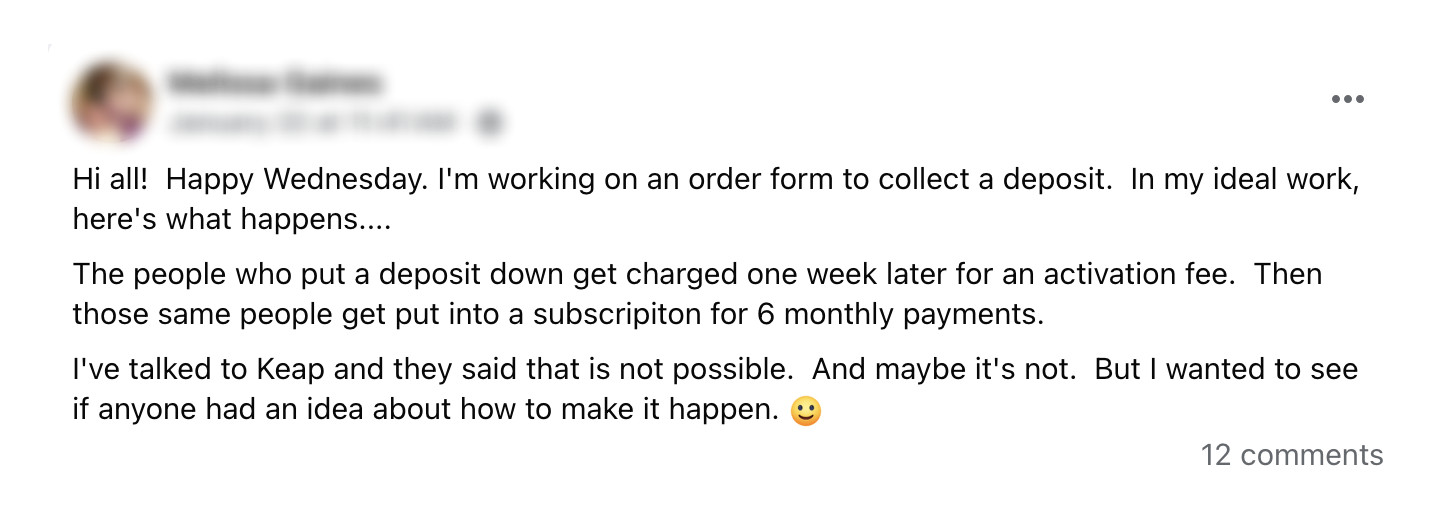
We had a question pop up recently in our private community where Melissa was looking to break a purchase up into three components – a deposit, an activation fee, and then a recurring subscription.

group question

This may feel like a puzzle (and it is), but thankfully it’s one that can be solved – and solved without needing third-party tools or integrations.

Here’s a walk-through of how to use automation to support a three-part payment process like this inside Keap:

Here are the key things to remember:

1. The initial purchase is what starts this whole process – and it’s important because this is how the credit card is added to the contact record.

2. Then, using automation we wait the specified delay before charging the card for the second amount – the activation fee.

3. Finally, after another delay, the subscription is initiated automatically – this can run in perpetuity, or for a set number of cycles.

This may feel complex at first, but if we break the purchase down into it’s individual components, it turns into a logical three step progression. The amounts and the delays can change, but this process could be used to support a wide range of use cases where we need a multi-part payment in order to complete a transaction.

Hope you find it useful – please feel free to drop questions or comments below.

Have your own questions?

If you would benefit from a place to ask automation questions when you get stuck, and get ideas and inspiration from other businesses, you can join us in the Monkeypod Membership.
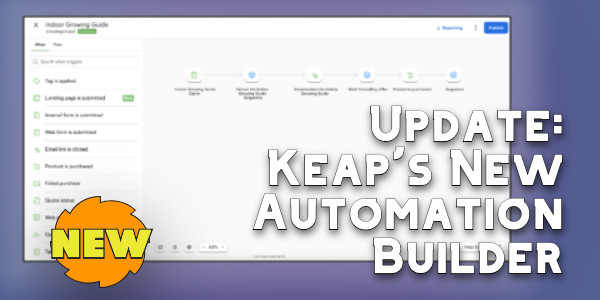
Keap’s New Automation Builder

Keap’s New Automation Builder

If you’ve been a Keap user for any amount of time you are probably familiar with the Automation Builder (formerly known as the Campaign Builder).

It’s Keap’s automation engine and widely considered Keap’s most powerful feature. And it’s getting a serious update.

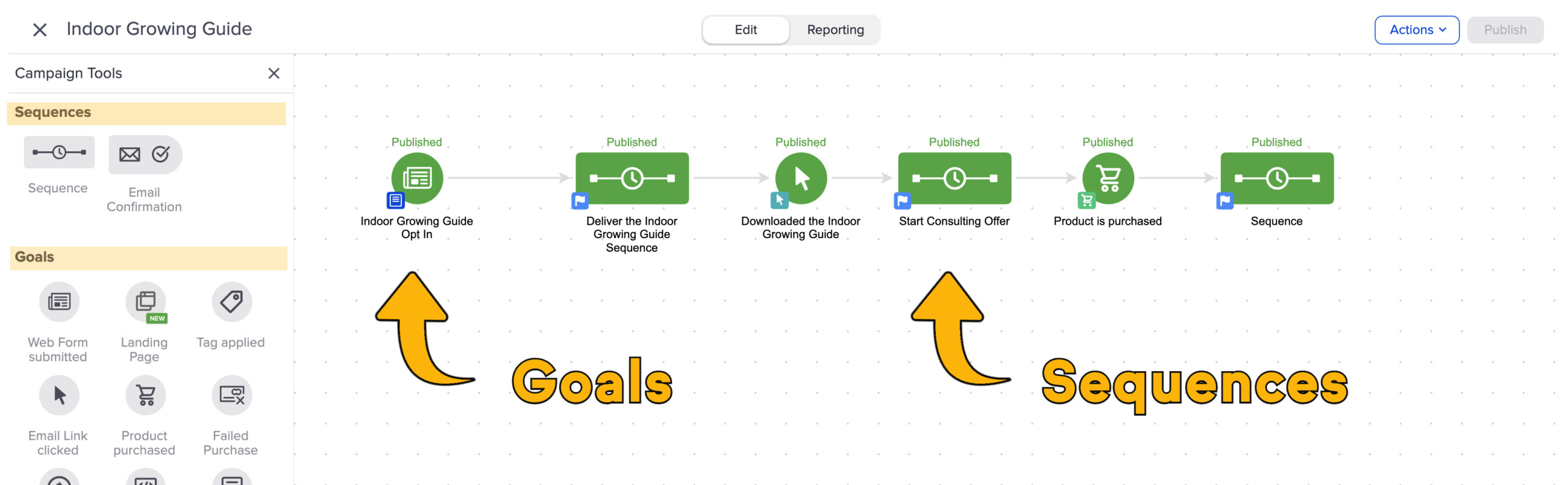
Historically automations have been built with “goals” and “sequences” as the primary building blocks. Goals are the triggers, and sequences are the actions that happen as a result.

Goals and Sequences

Now, they’re transitioning away from that.

Keap is moving to a “When” and “Then” type system. Users will have a set of “When” actions you can configure that will serve to initiate (or advance) automation, and “thens” will be used to configure what you want to take place as a result. This video highlights the key differences Keap users will see as we start to see this update rolled out.

It may feel like this is a superficial update, but this visual change also represents an update in the actual platform architecture, which will make it easier to add new “when” and “then” type actions in the future.

For example, I’ve seen early concepts of an integration with Shopify that allows direct triggering of Keap automation when a Shopify purchase takes place, passing through order details and making them available in the subsequent automation steps.

So, if you’re a Keap user who feels confident in the existing interface for building automations – then this may be frustrating. I don’t want to dance around that – and I don’t think Keap should either.

And since we’re here – there IS a somewhat secret setting to help you define the experience you want as you’re adding elements to the automation canvas. This lets you decide whether or not you want the item you add to automatically open and prompt you to configure it.

There may be some turbulence as we start to familiarize ourselves with the new builder interface, but I’m trusting that the long term benefits will outweigh the short term friction.

My recommendation for now is to stay open minded, to play with the new features as they’re rolled out, and to offer feedback when you have it so that Keap can do their best to iterate and improve in the subsequent roll-outs.

And as always, if you want a place to ask questions as you work on building automation into your business, you’re welcome to join us in the Monkeypod Membership.
Pipelines: Keap vs ActiveCampaign

Pipelines: Keap vs ActiveCampaign

A pipeline is a way to manage a process, generally a sales process. And different platforms will have pros and cons for how they store the information, trigger automation, and what reporting metrics they make available.

Whether or not your business needs a pipeline tool will depend on a variety of factors, here’s a resource to help you with that determination.

But if you do determine your business has the need for a pipeline, to manage deals in your sales funnel, or some other business process – then you’ll benefit from the way it can offer increased insight, reporting, and help add automation.

In this video Brett, from BlickDigital, will walk us through the core differences in how pipelines and deals are handled between ActiveCampaign and Keap.

If you’re thinking your business would benefit from this, but you’re not sure where to start – here’s a great resource for Keap users to help you get your head wrapped around the ins and outs of opportunities, deals, and pipelines.

Huge shout out to Brett Farr for walking us through the key differences in how ActiveCampaign and Keap handle this part of their software. If you’re interested in learning more about working with Brett and BlickDigital, check them out here.

And, if you’re still on the fence about which CRM is right for your business, or need help making the best choice, you can book a call with the Otium Team to help find the system that fits your needs.

Keap’s New Email Update Tool

Keap’s New Email Update Tool

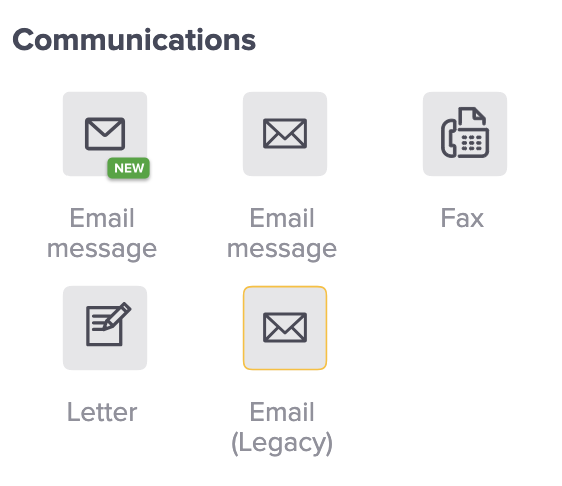
Depending on how long you’ve been using Keap, and what edition you have, you might have a variety of email builder options when you are building automations.

And if you’re a long time user, chances are you have older campaigns using some of the older email builders.

keap email builder options

The newest email builder, which is also known as the “Unlayer” builder has been around for a little bit, and Keap has been making regular improvements to it. If you haven’t checked it out in a while, it may be time.

What do I do with my older emails?

The idea of rebuilding all your emails from scratch is…unappealing. To say the least.

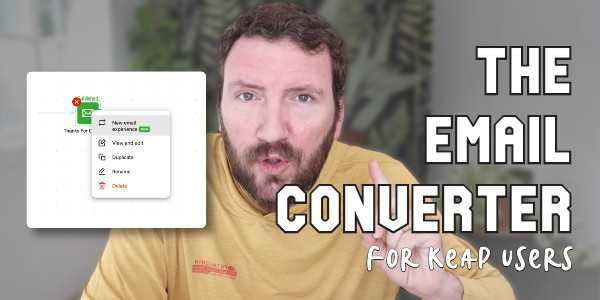
And so to help Keap users transition their existing emails into the new builder, Keap has released a tool that does the conversion for us automatically.

email update tool process

Now, if you’re like me, you very well might have questions about this process. Like “Does it work?” and “What should I watch out for?”

So to help with that, here’s a video demo of the conversion process in action.

All things considered, I think this conversion tool works pretty well. Overall I’m impressed with how fluidly it helps convert our legacy content to the new email builder.

Do I need to update my emails right away?

Short answer – No. I don’t think there are any plans to stop supporting the emails built in the prior email builders Keap has offered.

But, I do think this is the builder they’ll be investing in moving forward. So, the sooner you can start adopting it, the more quickly you’ll develop comfort and familiarity with it.

For me, I’ve started using the new builder for all new emails I set up, and I’m using the converter tool anytime I go back to make changes or updates in older automations of mine. I invite you to do the same.