Picking the Right CRM: Contact-Centric vs. Relational Databases

Picking the Right CRM: Contact-Centric vs. Relational Databases

If you’ve ever felt like choosing a CRM is more confusing than it should be, you’re not alone.

There are loads of options out there these days, and it’s tough to know what’s actually going to work for your business, especially when it feels like everyone claims to be the perfect solution.

But as you have probably learned, the truth is there may not be one singular “best” option. It varies, based on your business needs, and any number of variables.

That’s why we sat down with Mallory Balnis from Plum Crazy Automation to dig into a key difference between CRM systems—specifically, how they store and manage your data.

We chatted about contact-centric CRMs, like Keap and ActiveCampaign, which are great for businesses focused on individual customer records. But if your business deals with more complex relationships (think companies with multiple divisions or even managing parent-child relationships), you might need a relational database CRM, like Ontraport, to handle all those moving pieces.

Mallory breaks it down in human language to make it easy to follow along. If you’re curious about the differences between these systems and what that means for your business, check out the video below. It might just help you avoid the dreaded CRM switch regret.

A big thank you to Mallory Balnis for sharing her insights in such a clear and approachable way. If you’re interested in learning more about working with Mallory and Plum Crazy Automation, check her out here.

And, if you’re still on the fence about which CRM is right for your business, or need help making the best choice, you can book a call with the Otium Team to help find the system that fits your needs.
Get More Done (with this Planning Framework)

Get More Done (with this Planning Framework)

If you run a small busniess, or work with small businesses, or are a human – then odds are you probably have seen a good idea that for one reason or another struggled to reach it’s potential.

And if you’ve ever found yourself unpacking that scenario, trying to figure out where a project went off the rails, then you’re a) in good company and b) reading the right blog post.

Allow me to introduce you to a planning framework designed for exactly this purpose:

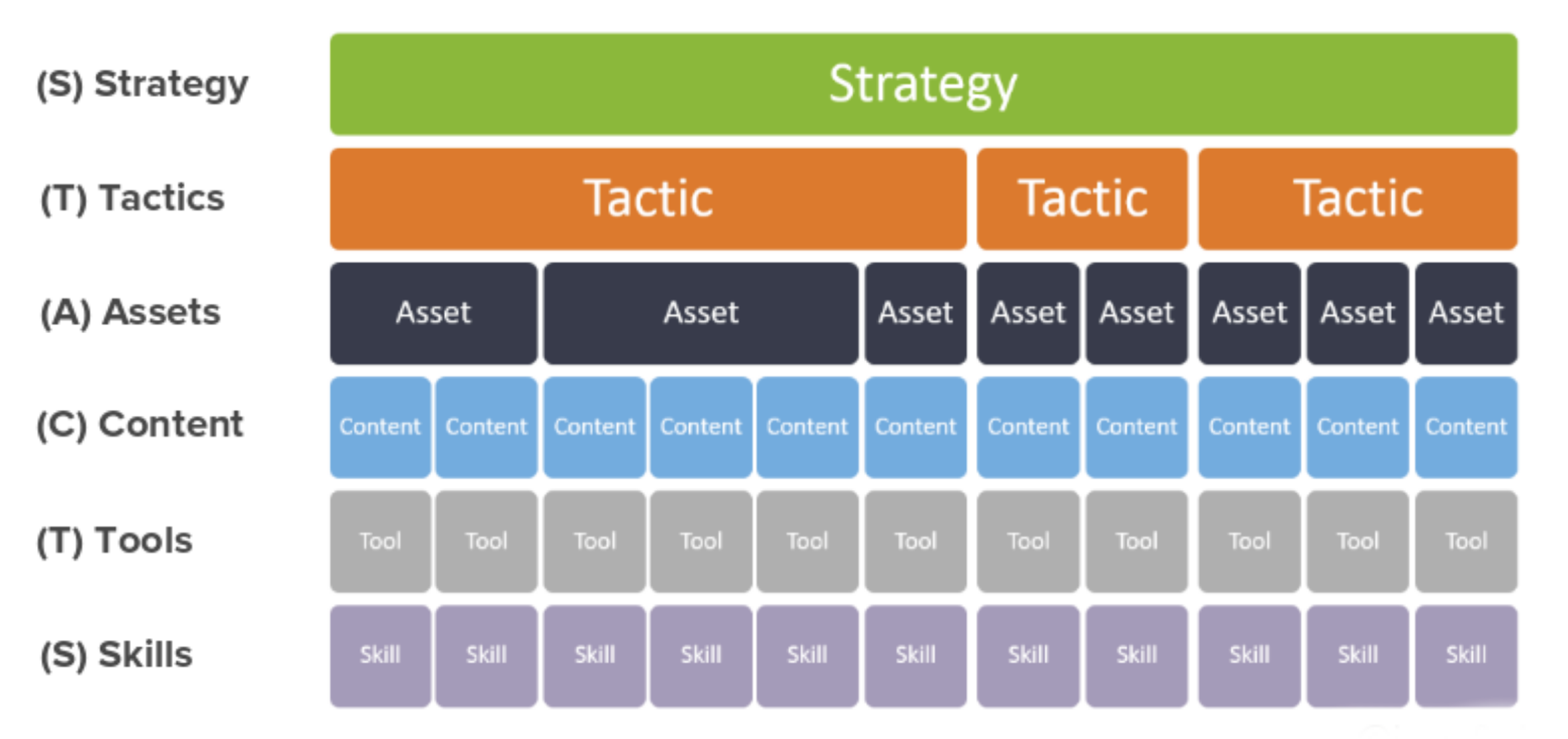
planning framework template

If you have designs and ambitions for your business, great – but those plans are only as impactful as our ability to bring them to life.

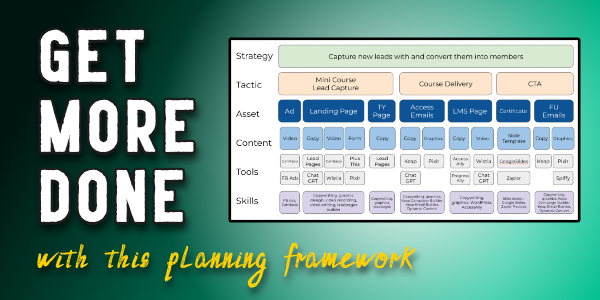
This framework takes an amorphous idea and helps give it structure. As you walk through the levels of detail, ranging from strategy to assets, content, tools, and skills; it prompts us to think through the detailed path we’ll take in order to launch this idea.

Here’s an example where we used this framework to launch a free online mini course:

One key takeaway I want to make sure you hear is that knowing exactly what needs to happen does not mean that you need to be the person who does everything.

Not everything that needs to be done needs to be done by you.

That’s actually one of my favorite reminders to give myself, so I’m happy to share it with you here.

It’s entirely possible that you will walk through this process and identify aspects of it where you are not equipped with the knowledge or skills (or appetite) to handle one of the requirements. That’s fine.

The goal of this planning tool isn’t to bury us with to-do tasks, it’s to illuminate the things that may have otherwise become stumbling blocks; so that we can make a plan (or find a connection) that helps them get done.

If you’re launching a project soon then give this framework a try and let us know how it goes.

And if you’d like a place to ask questions as you build, automate, and grow your business – then join us in the Monkeypod Membership community here.

The planning framework example in this video was drawn from a show-and-tell livestream we did where we broke down the detailed process we followed to launch the mini course – you can watch the full replay of that conversation here.

Avoid Email Jail: Expert Tips to Keep Your Messages Out of Spam

Avoid Email Jail: Expert Tips to Keep Your Messages Out of Spam

As business owners, we invest a lot of time and effort into crafting email copy that we hope will resonate with our audience, but it’s all moot if our messages never even make it to their inboxes.

Whether they’re rerouted to the dreaded spam folder or blocked entirely, landing in “Email Jail” can cause even the best campaigns to fizzle.

That’s why we were excited to sit down with Scott Hartley, author of Hit the Inbox: How to Avoid the Spam Folder and Grow Your Business with Email Marketing.

Scott joined us for a special guest interview to explain what’s really happening behind the scenes with your email deliverability—and what you can do to stay out of trouble with the big email providers like Google, Microsoft, and Yahoo.

What Exactly is “Email Jail”?

The major mailbox providers are cracking down on email marketers who don’t play by the rules. While most of us are familiar with the spam folder, you should also know that there’s a more severe penalty: emails being outright rejected without ever being delivered. Landing in “Email Jail” means your messages aren’t just going to junk—they’re being blocked completely.

How Do You End Up in Email Jail?

The top causes? High numbers of spam complaints and email bounces. The key is regular and diligent monitoring of your email performance, and audience engagement.

Even if people once opted in that doesn’t guarantee they still want to receive your emails, and sadly hitting “spam” is often easier than scrolling down to unsubscribe.

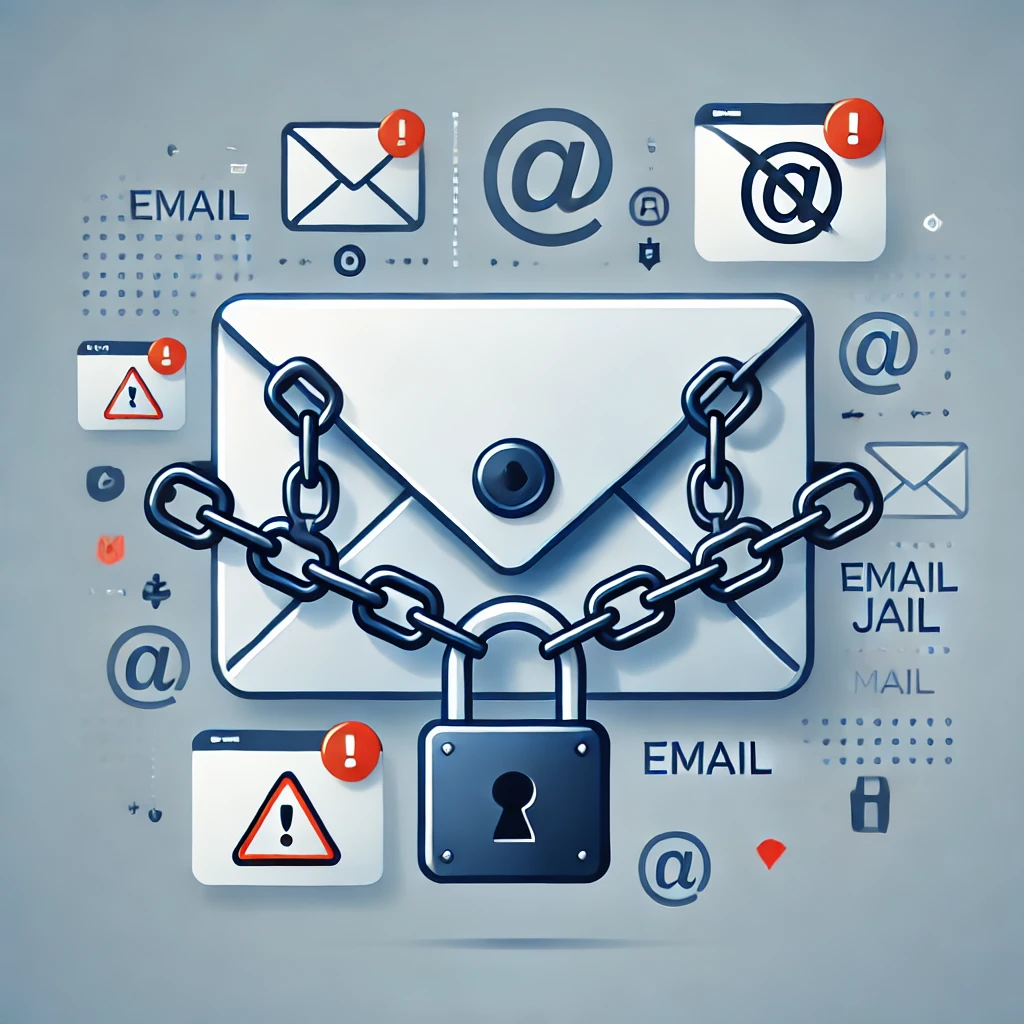
Email Jail Icon

Mailbox providers have a low threshhold for acceptable spam complaints—just one complaint for every 1,000 emails sent. Go beyond that, and you’re on their radar. If you hit three complaints per 1,000, you could be looking at serious trouble with your domain’s reputation.

The Power of List Hygiene

Okay, so we want to avoid spam complaints, right? How do we do that? Proper list hygiene.

In other words, stop sending emails to your entire list and get laser focused on those who are engaged. Regularly reviewing and cleaning up your list is essential to keeping your email campaigns healthy and your domain reputation intact.

This is a hard pill for most business owners to follow – we have invested time and money into building our list, so the idea of not taking full advantage of it seems counterintuitive (borderline offensive, even). But time and time again the data shows that the risks of emailing everyone just aren’t worth it.

A good rule is to only email people who have opened, clicked, or interacted with your messages in the last 90 days. And if someone hasn’t engaged in a while take steps to re-engage at 60 days or so, before they pass the 90-day mark.

Google Postmaster Tools: Your Best Friend

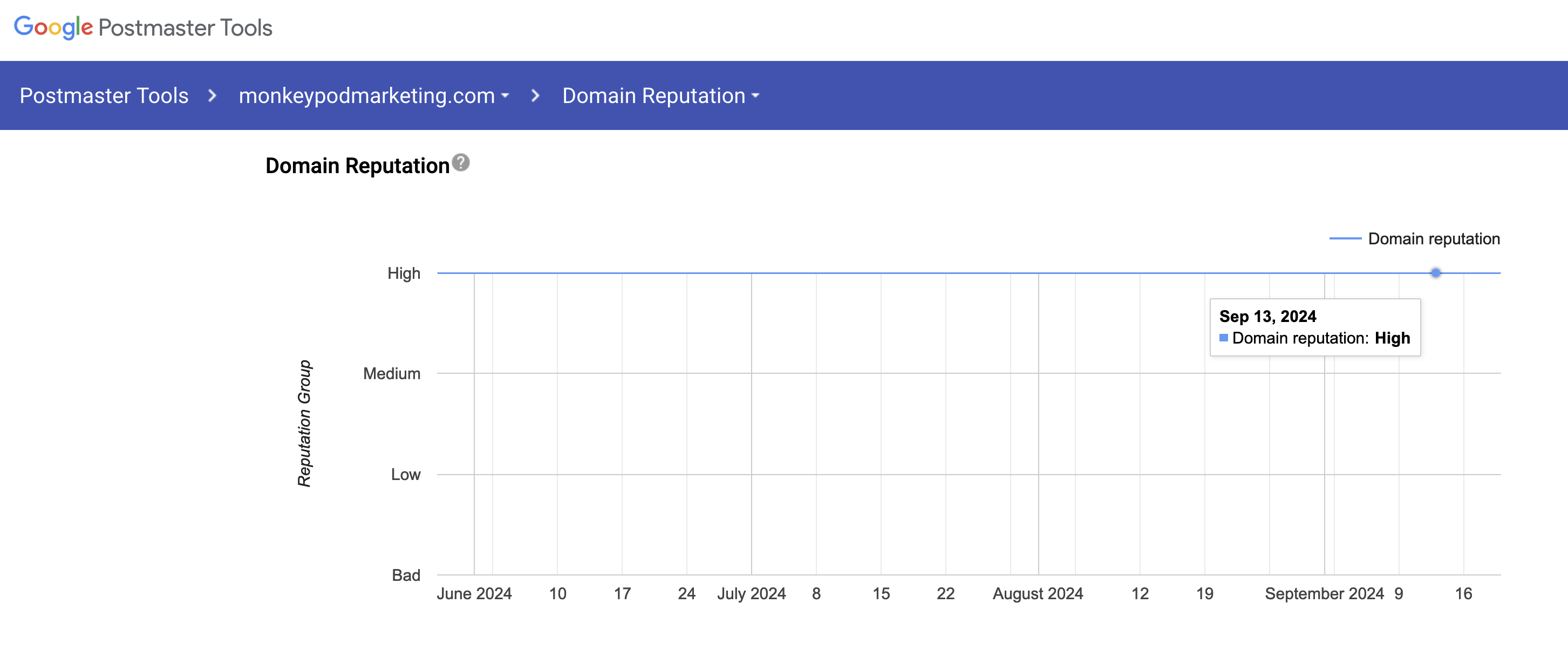
For those looking to stay proactive, we (and Scott) recommend using Google Postmaster Tools.

It’s a free service that gives you insight into your domain reputation, spam rates, and delivery errors—all of which help you spot potential problems before they escalate.

Google Postmaster Screenshot

By keeping an eye on the metrics and monitoring key indicators like open rates and bounce rates, you can make informed decisions that keep your email marketing efforts on track.

Final Thoughts

Email marketing is still one of the most powerful tools in our arsenal, but it’s only effective if our emails are actually reaching the inbox.

It may not be sexy, but taking the time to manage your list, watch your metrics, and follow best practices can help you avoid email jail, get more emails delivered and read, and maximize your ROI from your email efforts.

For more in-depth strategies on improving email deliverability and safeguarding from the risks of poor email list management check out Scott’s “Hit the Inbox” book:

Where do I learn more?

If you want a place to ask questions as you work on this, or any aspect of your business - join us in our private community. The OG Membership is a group of experts and DIYers who collaborate as we solve problems and tackle marketing automation opportunities every day.

The Hidden Email Deliverability Threat You Might Be Overlooking: DMARC Insights with Scott Hartley

The Hidden Email Deliverability Threat You Might Be Overlooking: DMARC Insights with Scott Hartley

When it comes to sending emails for our businesss, most people follow the basic instructions provided by their platforms (at least, you should).

Whether you use Keap, MailChimp, ActiveCampaign, or another service, you’ve likely set up the essential authentication records (SPF, DKIM, and DMARC). But too many businesses are still missing a critical step that leaves them vulnerable to hackers and spammers…

In my recent interview with Scott Hartley, email marketing and deliverability expert and author of Hit the Inbox: How to Avoid the Spam Folder & Grow Your Business with Email Marketing, we dove into the often-overlooked risks that DMARC (Domain-based Message Authentication, Reporting & Conformance) poses to your email reputation.

email stats photo

The Exploitable Gap in Your DMARC Setup

One of the biggest misconceptions is that setting up a DMARC record alone will protect your emails. Unfortunately, many businesses are vulnerable because they have it set up, but they’re not doing anything with that info.

The key here is to actively monitor your DMARC reports. (Trust me, I know how fun that sounds.)

DMARC is more than just a compliance measure—it offers valuable reporting that can alert you if unauthorized entities are sending emails from your domain. If you’re not monitoring your DMARC reports, hackers can spoof your domain, send spam emails, and damage your sender reputation without us even knowing.

Minimal Compliance Isn’t Enough

It’s kind of like buckling your seatbelt but placing it behind your back. Sure, you’re technically compliant, but it won’t protect you in an accident. Similarly, having a DMARC record without monitoring the reports leaves a wide-open window for spammers to exploit.

Compounding this issue is that many small businesses are easy targets for these bad actors because they don’t have time to deal with the technical nuances of email deliverability. While large companies often have teams actively monitoring their email systems, small businesses generally set up the basics and move on, which leaves us open to attacks that can harm their email reputation over time.

What can I do?

So what can we actually do, that’s the question right?

The key here is to not only enable DMARC reporting but also ensure that someone is regularly reviewing those reports. Services are available that can parse the complicated data into actionable insights, showing you whether unauthorized emails are being sent from your domain.

Here are a few actionable steps from Scott to tighten your email security:

  1. Set up DMARC reporting – If you don’t have this enabled, you won’t know if someone is spoofing your domain.
  2. Use a service to monitor reports – Parsing DMARC reports yourself can be challenging. Consider using a tool or service to convert this data into clear information.
  3. Find the right expert – Not every IT professional or managed service provider (MSP) understands email deliverability. Make sure you partner with someone experienced in DMARC reporting and email security.

We get it – Small businesses already face many challenges, and email deliverability might not always seem like a top priority. But ignoring DMARC monitoring could severely damage your ability to reach your audience. Scott offers expert services to help small businesses protect their email domains and improve deliverability.

If you’d like to learn more, check out his book Hit the Inbox: How to Avoid the Spam Folder & Grow Your Business with Email Marketing.

Where do I learn more?

If you want a place to ask questions as you work on this, or any aspect of your business - join us in our private community. The OG Membership is a group of experts and DIYers who collaborate as we solve problems and tackle marketing automation opportunities every day.

How to Create a Social Springboard

How to Create a Social Springboard

We had a good question pop up in the private Monkeypod community the other day. Marjorie asked “How can I automatically notify my social channels when we publish a new podcast recording to our website?”

And the solution we designed is a ‘springboard’ that uses Google Forms to capture information, and then Zapier to distribute it across the various social channels (multiple times, if you want).

This process requires a manual trigger, but then automation takes over and posts for you to whichever pages/feeds you have designated, as many times as you like

There are a handful of ways you could further customize this process, if you needed additional flexibility.

For example, you could add additional fields to the intake form and then use those to customize the post that goes with the URL you’re sharing (the name of the podcast guest, or host, or subject, etc).

Or, if you wanted to mix up the timing of the repeat posts you could use Zapier’s formatter step to randomly generate a number that you then use as the delay – that way it’s not the exact same formula and cadence each time.

If you adopt this, or a version of it, for your business please let me know how it goes. Good luck.

And, if you’d like a place to ask questions like these when they pop up for you, check out the OG Membership pricing and details here.

AccessAlly: Top Features and Benefits

AccessAlly: Top Features and Benefits

A few years back I made the choice to move the Monkeypod members area onto AccessAlly, and I wrote this blog post documenting why we made that decision.

But recently my new business partner Cameron was asking about the role it plays for us, and so i took the time to spell out some of the top benefits. Here they are:

The short update is AccessAlly has been a great fit – I still love it, both the company and the software. If you are looking for a Membership plugin for your WordPress site, I’m more than happy to endorse AccessAlly.

What does AccessAlly do?

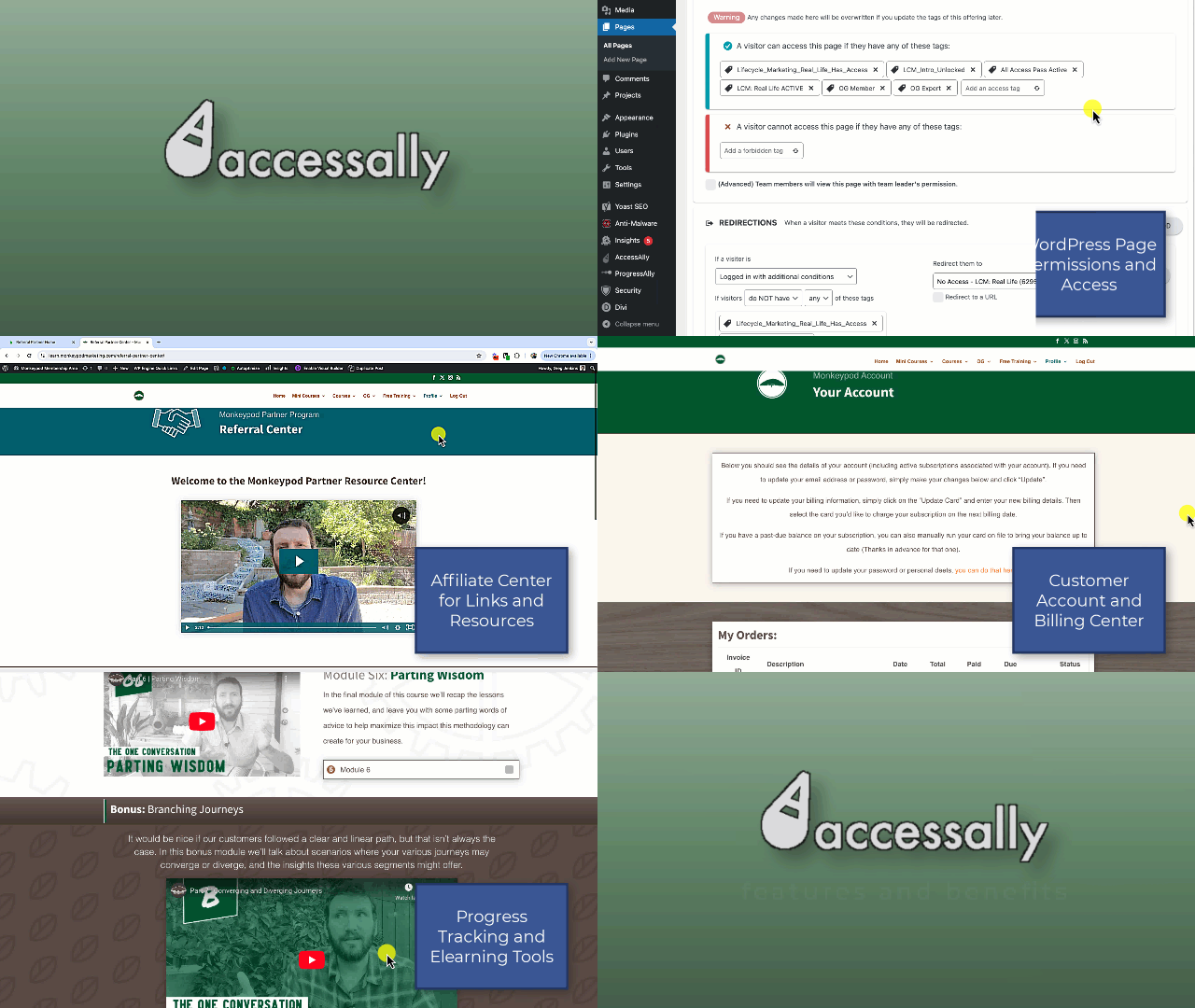
The core benefits it offers for Monkeypod are:

  1. Course Access: While many of the Monkeypod courses are now on the Keap Academy platform, we still offer free mini courses through our members area, and are in production of new flagship courses for later this year.
  2. Member Access: Monkeypod’s core offering is the OG Membership – and whlle our private community is hosted in a Facebook group, there are other member benefits that are housed in our AccessAlly members area.
  3. Affiliate Center: If you use Keap’s affiliate features, it does have a native referral partner center that you can use, but I didn’t want my partners to have to log in one place for their links and another for the rest of Monkeypod’s content, so I use AccessAlly’s platform to house my partner resources.
  4. Customer Billing Center: Because the AccessAlly members area is behind a login, this means members can securely view their past invoices, update their card on file, and make payments if they have an outstanding balance. This is good because, well, money – but also it reduces the manual effort in tracking down payments that are overdue, or helping customers with general billing questions.

This isn’t a comprehensive list of AccessAlly features, or even all the features I’m currently using, but these definitely are some of the most valuable aspects components for the role it plays for Monkeypod.

AccessAlly Features and Benefits

AccessAlly is a WordPress plugin – so if you use WordPress, this would add the membership style functionality to your site. In addition to the page permissions, some AccessAlly editions includes learning management style tools (progress tracking, certificates, etc).

So, if launching a membership site has been on your to-do list, you can check out the AccessAlly editions and pricing here.

And, if you want to see the inside of the Monkeypod members area – you can sign up for one of the free mini courses here, or join the OG membership.

If you have questions or comments, drop them below. Thanks for reading.

Ask the Experts

Memberships can be a powerful way to grow a business, or enrich the way you serve your audience. This course features important questions and valuable insights from a variety of experts with experience building and growing membership model businesses.