Smart Scaling with Keap’s Solution Launchpad

Smart Scaling with Keap’s Solution Launchpad

We all love when Keap rolls out new features, especially the ones that actually move the needle for small businesses.

As a caveat, this one might be predominantly for Keap partners, but I do think it’s important that everyone know tools like this are available.

At last year’s Keap user conference, Dr. Denise Dennis gave a killer presentation on scaling smarter with Keap’s Solution Launchpad tool. And since not everyone could be there in person, she kindly agreed to do a special replay just for the Monkeypod universe audience.

So if you missed it check out the video below—you’ll learn how Solution Launchpad can help you simplify automation, streamline delivery, and scale the way you serve people.

Good stuff, right? Dr. Denise walked through how Solution Launchpad works and why it matters, but we wanted to take it a step further. So Cameron sat down with her for a follow-up chat to unpack some of the key ideas, share more examples, and talk about how to actually put this into practice.

To wrap it up, the conversation between Cam and Dr. Denise Dennis unpacks the presentation and expands on use cases for Keap’s Solution Launchpad tool.

The main takeaway? Productizing your services is a game changer. Whether you’re an automation expert or a coach, having a clear, repeatable offering not only saves you time, but it helps you stand out as an expert in your field.

A lot of businesses get stuck trying to appeal to everyone, but as Dr. Denise shares, narrowing your focus and niching down lets you attract the right clients and charge what you’re worth.

If you serve small businesses then the advantage you get from using a tool like Solution Launchpad is the flexibility to customize things for different clients, while still creating a streamlined process that you can repeat again and again.

The bottom line: scaling smarter is all about working smarter, and having a system that helps you focus on what really moves the needle for your business and your clients. If you want to connect with Dr Denise, you can do that on her site here, or by joining us in the Monkeypod Membership.

What should I automate?

If you’re on board with the idea of automation but aren’t sure where it would fit – we’ve built a course specifically designed to help you identify opportunities in the customer journey where we’ve seen automation solve problems and create momentum.
Keap’s New Automation Builder

Keap’s New Automation Builder

If you’ve been a Keap user for any amount of time you are probably familiar with the Automation Builder (formerly known as the Campaign Builder).

It’s Keap’s automation engine and widely considered Keap’s most powerful feature. And it’s getting a serious update.

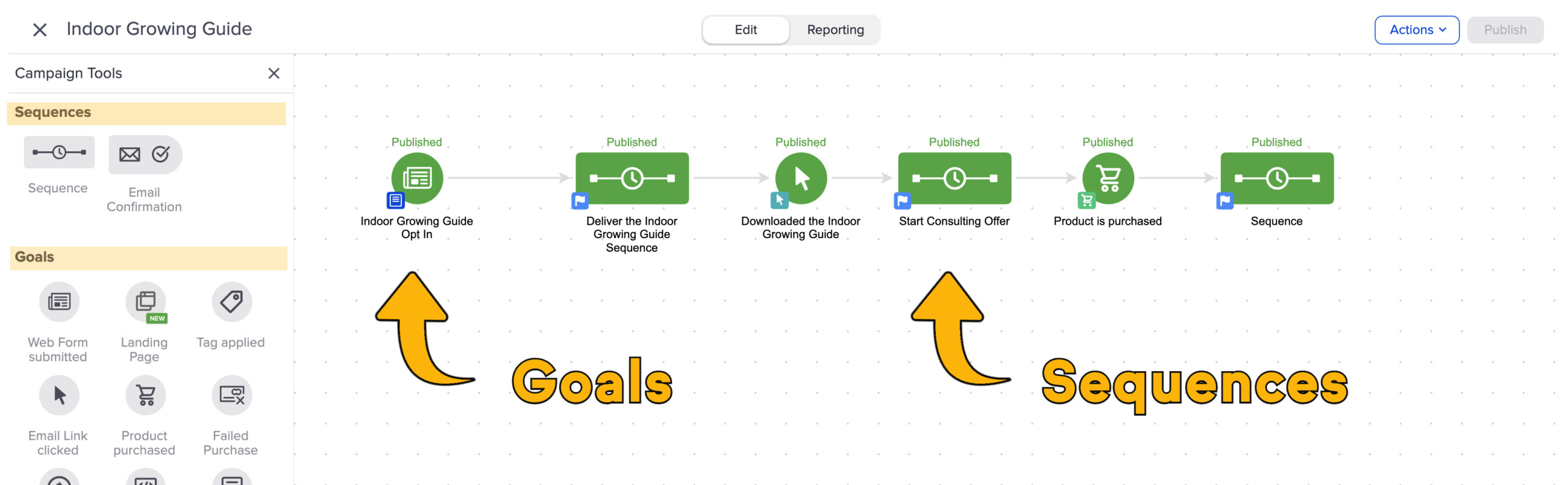
Historically automations have been built with “goals” and “sequences” as the primary building blocks. Goals are the triggers, and sequences are the actions that happen as a result.

Goals and Sequences

Now, they’re transitioning away from that.

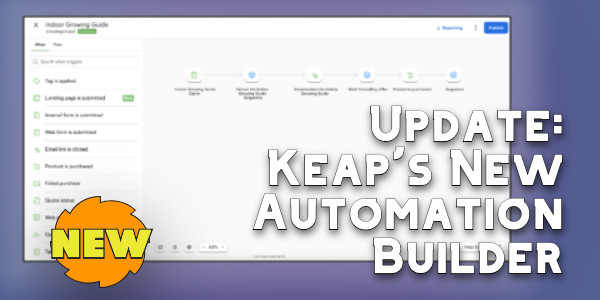
Keap is moving to a “When” and “Then” type system. Users will have a set of “When” actions you can configure that will serve to initiate (or advance) automation, and “thens” will be used to configure what you want to take place as a result. This video highlights the key differences Keap users will see as we start to see this update rolled out.

It may feel like this is a superficial update, but this visual change also represents an update in the actual platform architecture, which will make it easier to add new “when” and “then” type actions in the future.

For example, I’ve seen early concepts of an integration with Shopify that allows direct triggering of Keap automation when a Shopify purchase takes place, passing through order details and making them available in the subsequent automation steps.

So, if you’re a Keap user who feels confident in the existing interface for building automations – then this may be frustrating. I don’t want to dance around that – and I don’t think Keap should either.

And since we’re here – there IS a somewhat secret setting to help you define the experience you want as you’re adding elements to the automation canvas. This lets you decide whether or not you want the item you add to automatically open and prompt you to configure it.

There may be some turbulence as we start to familiarize ourselves with the new builder interface, but I’m trusting that the long term benefits will outweigh the short term friction.

My recommendation for now is to stay open minded, to play with the new features as they’re rolled out, and to offer feedback when you have it so that Keap can do their best to iterate and improve in the subsequent roll-outs.

And as always, if you want a place to ask questions as you work on building automation into your business, you’re welcome to join us in the Monkeypod Membership.

Keap’s New Email Update Tool

Keap’s New Email Update Tool

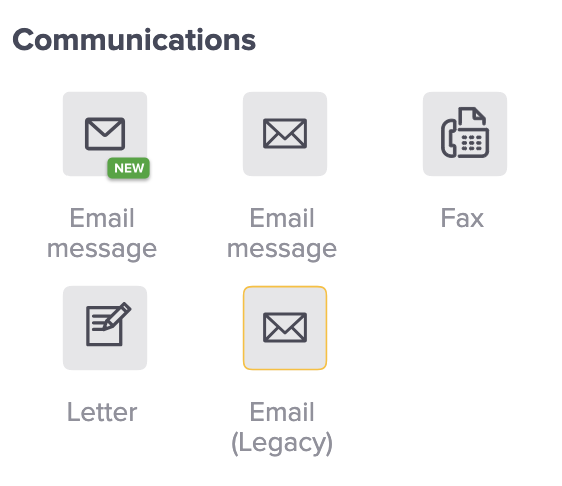
Depending on how long you’ve been using Keap, and what edition you have, you might have a variety of email builder options when you are building automations.

And if you’re a long time user, chances are you have older campaigns using some of the older email builders.

keap email builder options

The newest email builder, which is also known as the “Unlayer” builder has been around for a little bit, and Keap has been making regular improvements to it. If you haven’t checked it out in a while, it may be time.

What do I do with my older emails?

The idea of rebuilding all your emails from scratch is…unappealing. To say the least.

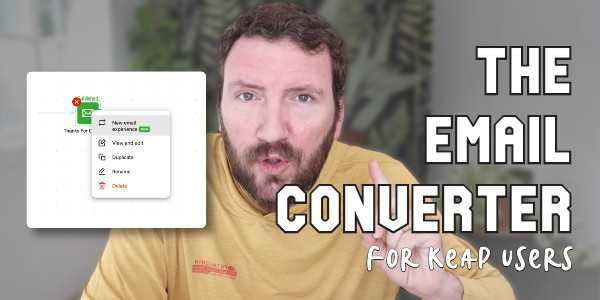
And so to help Keap users transition their existing emails into the new builder, Keap has released a tool that does the conversion for us automatically.

email update tool process

Now, if you’re like me, you very well might have questions about this process. Like “Does it work?” and “What should I watch out for?”

So to help with that, here’s a video demo of the conversion process in action.

All things considered, I think this conversion tool works pretty well. Overall I’m impressed with how fluidly it helps convert our legacy content to the new email builder.

Do I need to update my emails right away?

Short answer – No. I don’t think there are any plans to stop supporting the emails built in the prior email builders Keap has offered.

But, I do think this is the builder they’ll be investing in moving forward. So, the sooner you can start adopting it, the more quickly you’ll develop comfort and familiarity with it.

For me, I’ve started using the new builder for all new emails I set up, and I’m using the converter tool anytime I go back to make changes or updates in older automations of mine. I invite you to do the same.

New AI Features in Keap

New AI Features in Keap

So as you likely have noticed, artificial intelligence (AI) has had a bit of buzz lately.

In less than a year it went from being a technical and esoteric topic to being a household term for small businesses.

And naturally, Keap is getting in on the party by introducing features that take use AI to simplify the process of producing the assets we need for automations.

There have been multiple iterations of the AI features in Keap, so if you checked them out at one point but haven’t been back lately, you may be missing out on some serious upgrades.

You’ll need to be a Keap user to take advantage of these features – if you aren’t using Keap yet you can start a 14 day free trial here.

The first thing to know is there are basically two different AI tools that Keap has been developing – there is some overlap (which I’ll expand on later), but they solve different problems, and are used differently.

The two tools are:

1. AI Automation Assistant
2. AI Content Assistant

I’ll do my best to explain both in this post – but if you’d like to see them in action, check out this free mini course.

AI Automation Assistant

The first one, the AI Automation Assistant is a tool that Keap has had in one way or another for over a year now, and effectively it lets you launch “plays” that can support your business in varying ways – by helping you collect new leads, convert more sales, or better serve your customers.

To start, you choose a “play” you want to build. Then the Automation Assistant will walk you through a series of prompts it needs to collect information from you (your company info, target customer details, offer specifics, etc).

AI Features in Keap

Once you’ve answered the questions, you click “Generate” and the AI will use your information to automatically produce tailored copywriting for the various assets the play you selected requires.

Then, you can review or edit the copy and once you feel good about it then you can use it to set up an automation.

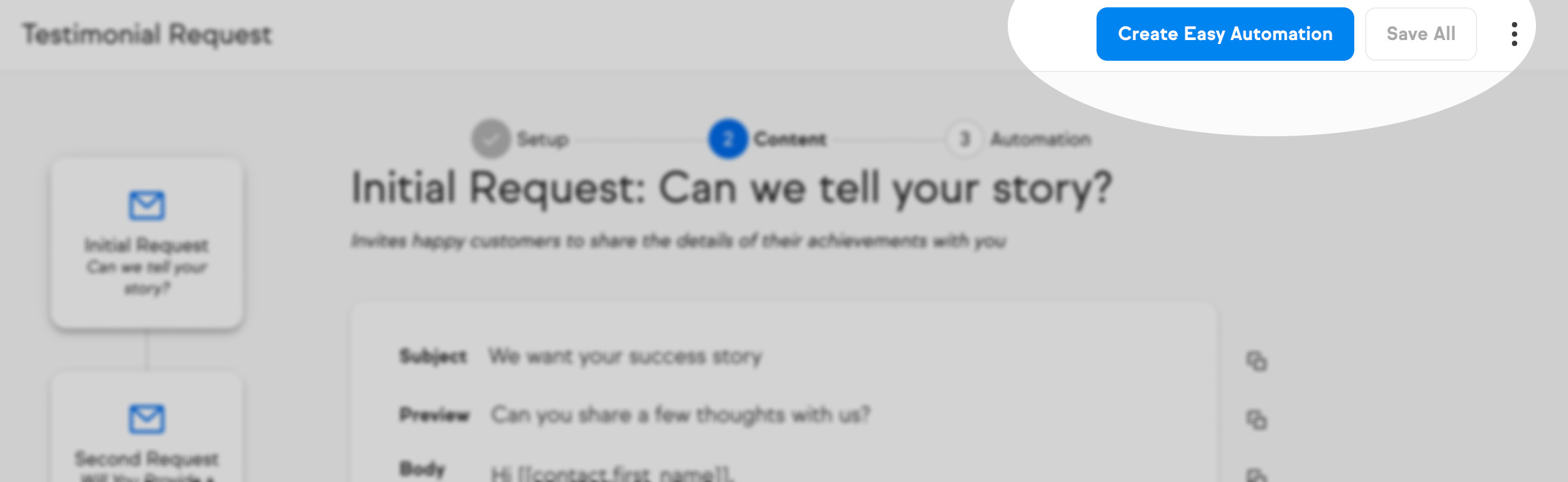
For Keap Pro and Max users, you can launch an Easy Automation right from the interface.

Create Easy Automation

Ultimate (or Max Classic) users, and anyone who prefers advanced automations, can simply copy and paste the copy into the various components you need in order to set-up the play in the Automation Builder.

So, if the Automation Assistant helps you craft copy that you’ll use to communicate to groups of people, then the other AI tool is more about crafting personal communications.

AI Content Assistant

Rather than helping you produce copy to use in one of your automations, this one helps you write messages to individuals. (Available in Keap Pro and Max for now)

To start, you’ll open a contact record and then start to write a message. But instead of starting from scratch you’ll look for the little “wand” icon to get started.

AI Content Assistant

There are a variety of prompts you can use depending on the nature of the message you want to send, or if you have a unique scenario you can just ask it to create custom copy.

The AI will use information about your business, as well as details drawn directly from the contact record in order to draft email copy for you.

Once the first draft of a message is produced, you can use it as is or modify it by changing the tone, length, or translating to another language.

For now, this tool is only available in Keap Pro and Max, but my understanding is that they’re exploring ways to have this wand show up in more places throughout all versions of Keap.

And if you’re not yet a Keap user, but you’d like to try it out you can start a 14 day free trial here.

Where do I learn more?

If you want to see these features in action, and long with a step-by-step walkthrough of how you can use them for your own business, check out this free mini course.

Keap is Sunsetting the Legacy API Key (what to know)

Keap is Sunsetting the Legacy API Key (what to know)

Recently you may have received an email from Keap, notifying you that they are “sunsetting the legacy API key”.

It’s true – and I know this is a somewhat technical conversation, so in this post we’ll explain what that means (here’s their overview), what you need to know, and what actions to take next (if any).

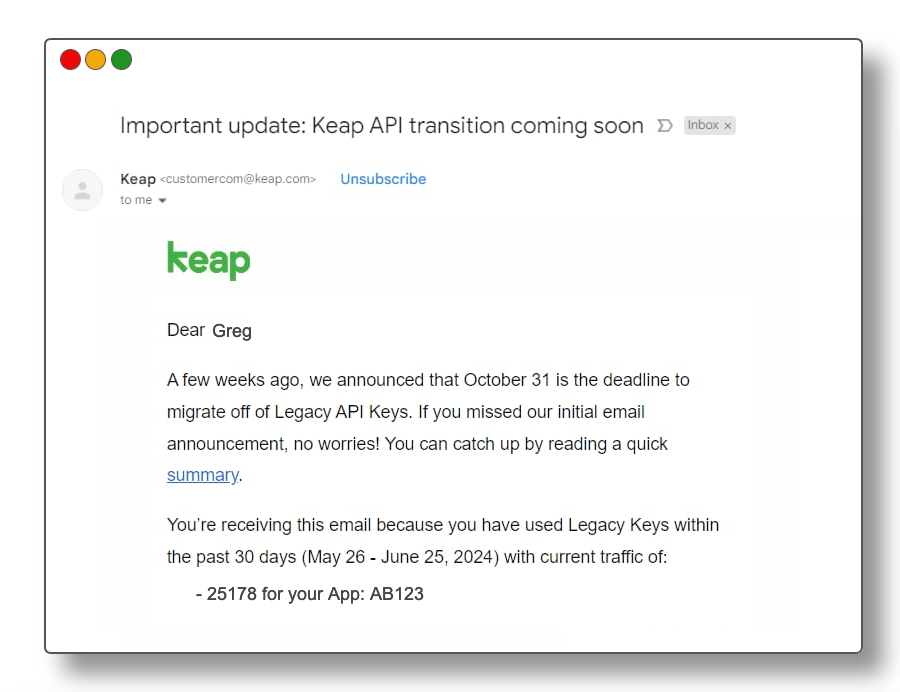
So, let’s start with the email that Keap sent out recently – it would have looked something like this:

Legacy API Email

There are a few important things to note in this email. First, there’s the deadline of October 31st.

Keap is giving users several months of notice about this planned change. But, don’t let that runway fool you – you don’t want to put this off until the last minute.

The second thing to note is that the email specifically calls out the number of API calls your Keap application has using the Legacy API key.

What is the API?

So, to be abundantly clear – API stands for Application Programming Interface. The API is effectively a method that Keap supports whereby other tools and applications can communicate with Keap, and vice versa.

If you have another piece of software that your business uses, and you want to be able to use it to pass information to Keap or receive information from Keap, then the API is generally how this would be achieved.

The API itself is not going away – at all. It is critical for Keap – in fact, it’s part of what makes Keap so powerful.

But there are several ways to use the API, and one specific access type (the Legacy API Key) is what is being removed.

Why is this changing?

Simply put, for security.

The Legacy API Key doesn’t have as much nuance as the newer connection methodologies, and therefore it was generally less secure.

What are the different API connection types?

There are a few – third-party authorized apps (OAUTH), personal access tokens, service account keys, and the legacy API key.

This video will help explain those different methods, how they differ, and why it matters:

Okay, so I think that gives a pretty solid high level overview – but if you’d like more detail, check out this 20-minute video from John Borelli, friend of Monkeypod and a Keap Certified Developer, where he digs into some more nuance regarding the different connection methods.

What do I need to do?

The Legacy API Key is going away.

If you aren’t using it – then this likely won’t affect you at all, and there’s no action required.

But if you have connections depending on this method, then it’s time to start looking into how those can be updated to use one of the other connection methods.

If you’re working with the integration offered by another tool you use but didn’t create, then you may need to contact them to make sure they’re aware of this change, and are taking measure to update how their plug-in communicates with Keap.

Now, if you have a custom built process that depends on the legacy API connection, then it may be a matter of connecting with a developer to evolve things so it doesn’t break in October when Keap stops supporting the Legacy API connection.

And, if you aren’t sure what tools you have that might be using this, then that’s where things get a little murky.

If you have some volume of legacy API calls, there isn’t currently an easy way to see which tools are using it. Everyone I’ve talked to indicates that it can take a little detective work to track down the different integrations.

Special shout out to Mark Penney, from Meppy, for generously sharing his expertise in the video above.


Introducing Keap Pay

Introducing Keap Pay

Keap Pay: Your New Payment BFF for Small Business Success?

A simple rule for business is “Make it easy for your customers to give you money.”

That’s where Keap Pay swoops in like a caped hero, ready to make life a whole lot easier. In this post, we’ll break down what Keap Pay is, how it works, and help you decide if it’s a fit for your business.

What Exactly is Keap Pay?

Keap Pay is a payment processing solution tailored just for small businesses (currently available for US based businesses).

It’s all about simplifying your payment processing, reducing transaction costs, and boosting your overall efficiency.

Features of note:

  1. Payment Variety: Keap Pay lets you accept all kinds of payments, from credit cards to PayPal (with plans to add Apple Pay). It’s like giving your customers a buffet of payment options.
  2. Invoicing Made Easy: With Keap Pay, you can create and send invoices right from the platform. No more chasing payments—your customers can pay online, making your life a whole lot simpler.
  3. Set It and Forget It: Got subscription-based services? Keap Pay’s got your back with recurring payments. Set it up once, and you’re good to go, saving you time and hassle.
  4. Keap CRM Integration: Keap Pay plays nice with Keap’s CRM software (obviously), meaning you can manage contacts and payments all in one place.
  5. Reliable Security: Keap Pay takes security seriously, using top-notch encryption to protect your payment info. Rest easy knowing your transactions are safe and sound.

To better understand the ins and outs of Keap Pay, Cameron sat down with Danny Diede (Product Manager at Keap) to get the inside scoop:

So, is Keap Pay superior? Should I switch?

If you’ve been using WePay, then yes, time to switch because WePay is closing.

But more broadly, here are some of the specific ways that Keap pay might make things easier for you and your customers:

  1. Efficiency Boost: Keap Pay streamlines your payment processes, saving you time and energy. Features like online invoicing and recurring payments take the hassle out of getting paid.
  2. Cost-Effective: Say goodbye to sky-high transaction rates. Keap Pay offers competitive pricing, helping you save big bucks on payment processing.
  3. Cash Flow Confidence: Faster payment processing means smoother cash flow for your biz. No more worrying about gaps in your cash flow—Keap Pay keeps things flowing smoothly.
  4. Happy Customers, Happy Biz: By offering multiple payment options and seamless payment processes, you’ll give your customers a top-notch experience. Happy customers = repeat business.

Wrapping It Up

Keap Pay is a competitive option for small businesses looking to simplify their payment processes and boost efficiency. If it sounds like a fit you can sign up for Keap Pay today, currently available for all US based Keap users.

I think I need training…

The Keap Academy platform features two detailed courses covering the ins and outs of using the sales and e-commerce features available in your Keap account.

There’s one course for Keap pro and max, and another for Ultimate or Max Classic (formerly Infusionsoft).