Guest Posts, Keap

Paul Sokol, Data Scientist, Infusionsoft
Paul Sokol, my friend and Infusionsoft’s Campaign Builder Mad Scientist knows the free campaigns in the Marketplace better than anyone on the planet. Earlier this week he shared his first campaign recommendation, and today we get another. Let’s Party.
Campaign Builder Mad Scientist’s Favorite Free Campaigns
Favorite Campaign #2: Track Email Engagement
-Paul Sokol, Data Scientist, Infusionsoft
There are a lot of “gurus” out there that say “the money is in the list”. In other words, the larger your list, the more money you should make.
I personally disagree because it is leaving out a critical piece. Rather, I would say the money is in the RELATIONSHIP with the list. Think about it, would you prefer to have a list of 1 million people that never open or click, or a list of 100 rabid fans that are foaming at the mouth for each and every email you send.
I know which list I’d want.
This is why my second favorite campaign is Track Email Engagement. Similar to the Hard Bounce Recovery(mentioned in part  one), this is another “set it and forget it” kind of campaign. The idea is simple: Anytime someone clicks on a link you deem meaningful, it starts a tag-based engagement timer. They immediately get tagged as Hot, then after 30 days it gets switched for Warm and then in 30 more days it gets switched for Cold. The next time they click on a link, the whole process resets.
This allows you easily see how engaged your list is with your emails which provides great insight into how much value you are actually providing for people. In addition to this, since it is tag based, you can use that to route different interactions in other campaigns OR target certain promotions.
 Think about it: if you want to offer some type of discount or promotion, you can only target people with a Hot tag because you KNOW they are interacting with your emails.
Or, if you really want to get super fancy, you can use these tags in decision nodes within other campaigns to route to different messaging depending on their level of engagement.
The only thing to be aware of is that you’ll want to apply the “Timer Start“ tag for each of the meaningful links in your emails. However, this is a very easy habit to get into and hopefully you see the value in doing it.
There is one other really valuable lesson in this campaign. It is possible to do looping/repeating structures in the campaign builder. This campaign provides a wonderful example of how to do this safely and reliably 🙂
To learn more about the Track Email Engagement campaign, go here: https://marketplace.infusionsoft.com/campaign/track-email-engagement
Check out my third recommendation here! Oh, and feel free to let me know if you have any questions about this, or success stories from the first campaign I recommended!
Guest Posts, Keap
Paul Sokol, Data Scientist, Infusionsoft
We’ve got another guest post this week, from another extremely smart friend of mine, Paul Sokol. For the past few years he’s been popularly known as the Campaign Builder Mad Scientist, and has been building free campaigns for Infusionsoft users to access. He’s one of the elite campaign builder experts in the world, no question. In fact, Paul is on the short list of people I reach out to with exciting and puzzling campaign conundrums. At any rate, I’ve asked him to share his top few choices from the marketplace campaign library that he has developed. In summary, Paul’s great. Listen up. So, lets get to it:
Campaign Builder Mad Scientist’s Favorite Free Campaigns
-Paul Sokol, Data Scientist, Infusionsoft
Hello Monkeypodders!
I’m Paul Sokol, one of Greg Jenkins’ good friends and former coworker at Infusionsoft. He has graciously asked me to pen a guest post or two for your enjoyment and, hopefully, to favorably impact your business.
But before we get to the meat and potatoes of this thing, I wanted to briefly share about Infusionsoft’s free campaign Marketplace and how we even got to this post you are reading.
Back in April of 2012, the visual Campaign Builder was released upon the world and, being the huge nerd that I am, I immediately dove in on a quest to become the universally recognized authority on the tool.
In the spring of 2013, they developed another tool to push pre-built campaign templates into any Infusionsoft application using the (then) new Marketplace and they asked me to build an initial batch of 20 for the launch. Shortly thereafter, we had the idea to create a “Campaign of the Month” which is exactly what it sounds like.
I am proud to say that, as of this post, we have nearly 70 free campaigns for all our Infusionsoft users to leverage.
And that’s how we get to today’s post.
The main question a new user has is “Which campaigns should I use?“. Which is a totally valid inquiry considering how many of them are out there.
Greg has asked me to share my favorite free campaigns and give a little insight into why they are so powerful. While I love every campaign, there are definitely a few that I feel every single business could use regardless of industry.
Favorite Campaign #1: Hard Bounce Recovery
This first campaign is a textbook example of a “set it and forget it” type business process. When sending emails, occasionally the  email address stops working. This can happen for a variety of reasons. People change jobs and their email address is removed. People start new companies and change brands. People will even delete their personal emails on services like Gmail and Yahoo for any number of reasons.
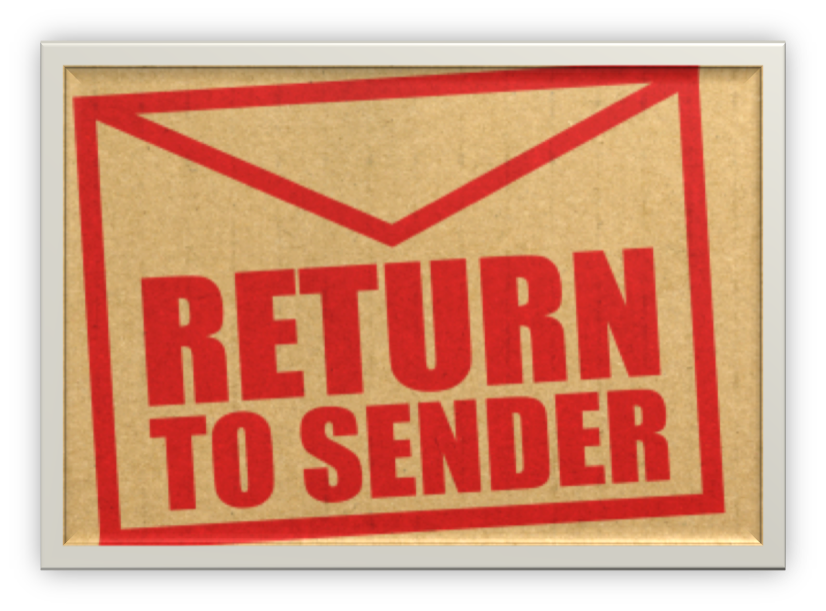
This can be a problem, especially if your primary channel of communication is email. When you send an email to someone and the receiving email server rejects it because the address doesn’t exist anymore, it is known as a “hard bounce”. Think of it like a “return to sender” when you try to send something in the mail to an address that doesn’t exist.
When the email address of a customer hard bounces, this can have even more of a negative impact if we don’t do something to recover a working email.
Hard bounces can also throw off your reporting too. Think about it. If you have 1,000 on an email list, but 200 of them are hard bounces, you REALLY only have a list of 800 people.
Unfortunately, with all the different things we have to do as small business owners, reconciling hard bounces is a very low priority 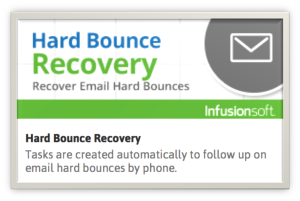 item with minimal ROI. However, when an email hard bounces, there is a silver lining to the situation: it provides a perfect excuse to reach out to the person and reinforce the relationship.
Keeping a clean database is very important to drive the business results you are trying to achieve. For the savvier business owners, they may actually be reconciling hard bounces periodically. The thing that most people overlook is that a relationship is between individuals, and thus you want to handle hard bounces as they occur. The faster you are able to respond and recover a working email, the less collateral damage will occur.
That’s why I love the Hard Bounce Recovery campaign! Once you’ve set it up, which takes about five minutes, every time an email has a hard bounce, you’ll get a task to contact that person and recover a good email address. Again, by doing this as it happens, you reinforce how important the relationship is to that person.
Now, sometimes you won’t have a phone number to call the person, but that doesn’t mean you should give up. There are many  other channels you can use to reach out. Depending on the value of each customer, you may want to send a simple letter if you have addresses on file. You can also track people down on the different social channels. In fact, I did this just this past week. I sent my inner circle newsletter and there was a hard bounce for a guy I only had an email for. However, I was friends with him on Facebook so I sent him a message and got a new email for him and was able to deliver the newsletter as he was expecting. This definitely reinforced how important he was to me 🙂
To learn more about the Hard Bounce Recovery campaign, go here: https://marketplace.infusionsoft.com/campaign/hard-bounce-recovery
You can check out the 2nd and 3rd recommendations right now!
Marketing, Small Business, Tips and Tricks
Webinars are legit. If done properly, they can be a really powerful way to drive engagement and deliver massive value to your audience.
However, there are certainly some things you need to be aware of when you’re running a webinar. The difference between a killer webinar and a flop can be really subtle. I’ll cover 3 of the 6 keys in this post.
As you probably know, I worked at Infusionsoft for a little over three years. Like most Infusionites, I moved around a little bit during that time, but no matter what position I held I was regularly tapped to either run or contribute to webinars. I picked up a few tips along the way, and if you’re going to run webinars for your business, learning these keys will save you some time and help you avoid a few headaches.

Jordan Hatch, Registered Shark Hunter
Also, it’s worth mentioning that a lot of what I learned came directly from the original Infusionsoft Mastermind (and recent licensed shark hunter), Jordan Hatch. The man is an archive of all sorts of knowledge, and webinars are certainly something he’s earned his stripes at. In fact the keys in this article, and many of the webinars I’ve delivered over the past three years, were inspired heavily by the information Jordan delivered in a mastermind call from 2012 titled “Everything I know about running webinars”. </shout out>
Key Number 1: Do the Training
 Most webinar platforms have extensive training programs to familiarize you with their interface. Do the tutorials, and learn the system. Check the system specs and make sure that your equipment will work with the platform you’ve chosen. The training is important not only because it’s helpful to have a basic understanding, but also because there are probably some features that will make your attendee’s experience much more enjoyable (drawing, captions, questions, surveys, mouse highlights, etc).
Key Number 3: Go Slowly
 The slower you talk, the more time you have to react. I don’t know about you, but I personally have a tendency to speed up when I get going, and then periodically I’ll stop and do a temperature check and see how everyone is doing. This does not create a positive attendee experience. Don’t make them tell you to slow down, go slowly, and repeat yourself. Also, during live webinars there’s a good chance there may be some lag, especially when there is movement on the screen(video, screencast, etc), and going slowly reduces the risk of leaving people behind.
Key Number 5: Don’t Try and Do Too Much
 Your webinar can feel hectic and overwhelming if you try and cover too much material. You want your webinar to feel informative, and digestible; not too helter skelter. It’s much better to give them 3 things that your audience can use, than 50 ideas that they cant. People don’t care about information, we care about the results that information creates. Knowing something in a vacuum is much less valuable if we don’t have the capacity to exercise it. Remember, if they love it, you can always do another webinar. But if you cram too much in you’ll dilute the value for the topics you do cover, and you’ll risk pushing people away.
So, that’s half of the keys. If this is the type of jam you like, then you can grab the rest of them here. Enjoy.
If you have other tips you’ve learned through running webinars of your own, please feel free to share in the comments below! (I’m talking to you Suzi!)

Guest Posts, Keap

Mychal Edelman, Technical Account Manager for Trusted Advisors, Infusionsoft
This week I’ve got a post from a close friend of mine, Mychal Edelman. In his own words, Mychal has made every mistake in the “Infusionsoft book”. He was an Infusionsoft user first, and over the last 3 years has trained, implemented, and designed strategies in the software through a variety of roles.
I think what has made Mychal’s path to becoming an Infusionsoft expert so rapid is his constant curiosity; about what is possible and about what other people are using it for. Well, that, and watching every video resource Infusionsoft offers. (Which he fully recommends for you as well) Without further ado, here we go:
Starting with Infusionsoft? Don’t forget these 3 things:
-Mychal Edelman, Technical Account Manager for Trusted Advisors, Infusionsoft
There isn’t a step-by-step formulaic approach to launching Infusionsoft. Many of the things you need to know are just passed down from user to user, almost like tribal lore in the marketing automation community. However, across all the customers I’ve worked with, I have noticed a few lessons that have popped up more than once-
1. The Health of Your Database = The Health of your Marketing
They say that the money is in the list, but really, the money is in understanding your list.
As you get started, it is very difficult to plan out all the different levels of segmentation you will need up front.
So, start with basic segmentation that will allow you to adjust your messaging to be the most successful. Tags have the flexibility to be added as you need them. I have a general rule for when deciding if a tag needs to be created, you can use it too- “If you need to have a different conversation with a certain group of 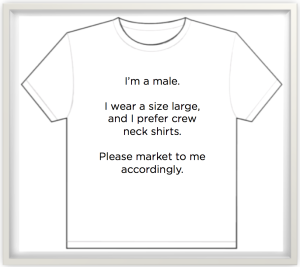 people, you probably need to create a tag for that group”.
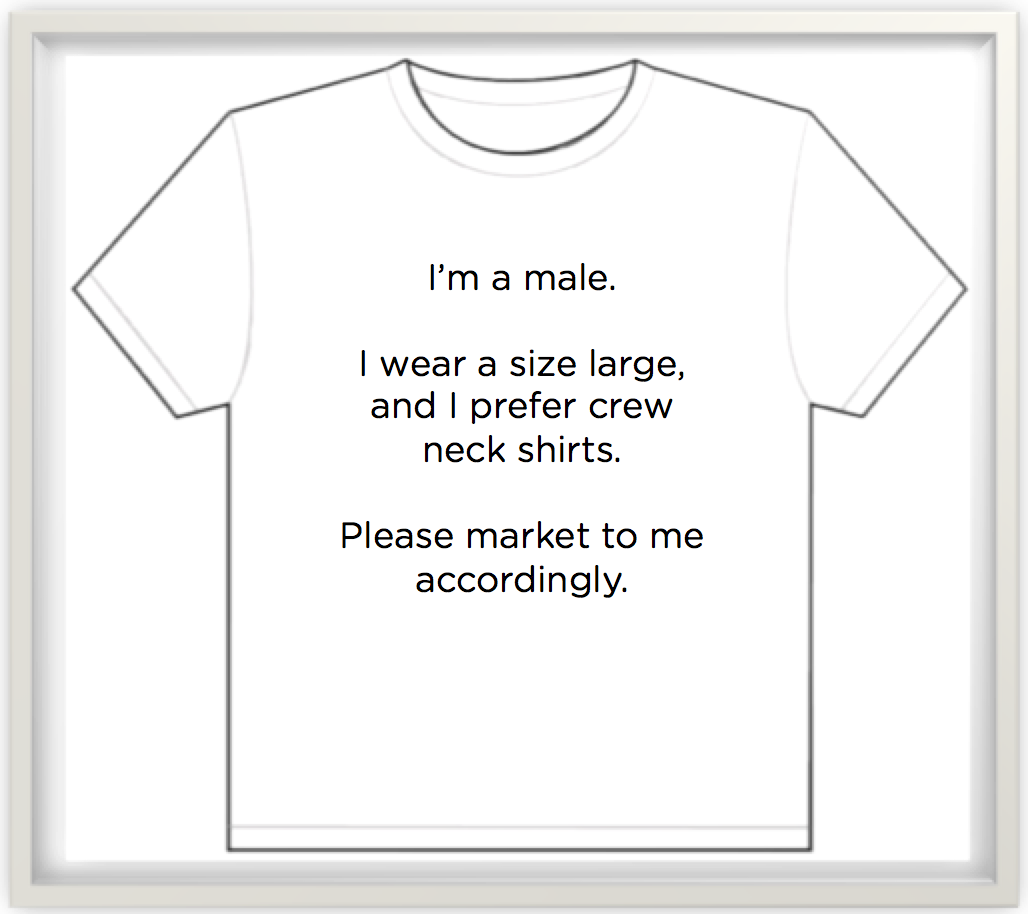
As a T-shirt retailer, it may be very helpful to know what style, color preference and specific purchase histories (Purchased: Large, Red, V-neck) are tied to customers; and Infusionsoft is more than capable of recording that information. However, if we don’t know those things about our contact database yet, we should consider using information we either do know, can assume, or can learn easily through research. In this T-shirt example, the first versions of segmentation could potentially include tagging contacts as “Male or Female” and “T-shirt size”.
Knowing whether or not the contact who receives your communication is a man or a woman allows you to have the most targeted conversation you can have right now. As you begin to learn more about your database, conversations can get more and more specific as you start to create and cultivate the tags in your system.
Want to see how using this simple segmentation example can increase your revenue by 141%?
2. Half Built Infusionsoft Campaigns Don’t Work
If you came to Infusionsoft University while I was an instructor, you may have heard me say this over and over: “If you half build bridges in Infusionsoft, you’re gonna’ have a bad time”. I say it because it’s true!

Infusionsoft is a robust solution and it CAN do a lot of things for you. It is beyond important to focus on building and implementing whatever is going to have the greatest impact on your business. IE: What is going to save you the most time? Have the highest ROI? ETC.
Will creating a lead capture form and putting it on your website be more productive than sending out an invite for next month’s webinar? You have to make decisions like this quite frequently in Infusionsoft. Make sure that once you prioritize your list of “to-do’s” you stick to it.
Starting projects without launching them is a danger I must warn you about. I can’t tell you how many half-built campaigns I’ve seen, and guess what, they all earned the same amount of money…zero. It is imperative to launch (even when you know the copy or design is not perfect) so that you can start to see results. Remember, version one is better than version none.
3. News Flash! You won’t break Infusionsoft
I remember the first time I logged into Infusionsoft, I felt like a bull tip toe-ing around a china shop. “If I publish this…am I going to break something? Are all my customers going to get an email they shouldn’t?” The fear wasn’t warranted. I am giving you permission to click on everything. 🙂
The more accurate (and less anxiety inducing) analogy should have been a child building a sandcastle on the beach. In Infusionsoft, even if you accidentally knock over some sandcastles…there is plenty of sand around to build another one.
I want to be clear that mistakes do happen, and I’ve seen people send emails they didn’t intend to, but this is by far the exception and not the rule.
You or your implementer need to get into the sandbox and start playing around. The campaign builder is the perfect place to do experiment. Click, drag, create, edit…the builder has that have tremendous flexibility. (Hey, start with the free trial of Greg’s CB: Trilogy course if you’re looking to ramp up your confidence!)
Most of the amazing campaigns I see have had double digit iterations made to them, within these iterations are plenty of edits that remove the bad stuff and keep the good.
Don’t like the copy of an email? Change it.
Need a webform? Build it.
Need a to know who clicks a particular link? Tag it.
Procrastination is the biggest obstacle standing in the way of results. Get out of your own way and start clicking. It’s the only way.
You can leave your comments below or reach out to Mychal on twitter at @MychalEdelman
Keap, Software Updates
If you haven’t already received it, you’ll get the July Infusionsoft update in the very near future. There is a long list of fixes, features and enhancements being pushed out this month, and I wanted to take a quick moment to review a few of the new functions. (Oh, and as advertised, got a sneak peek of future features below)
Categorizing Tags from the Campaign Builder-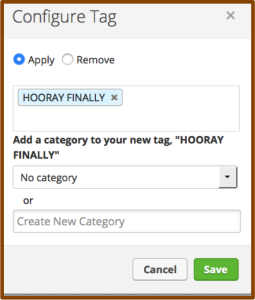
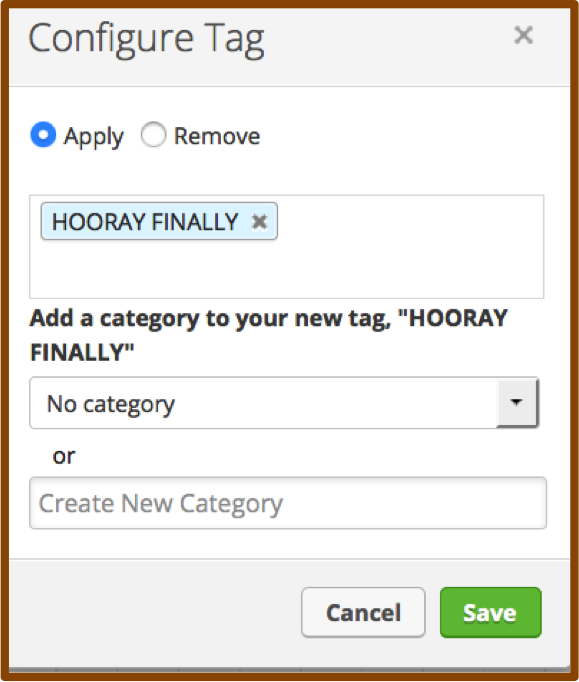
I don’t know if you guys remember, but when the campaign builder was first released, there was some serious functionality missing. For example, you couldn’t create tags from within the campaign builder. If you were building a campaign you’d have to back all the way out and navigate to CRM settings in order to create a new tag. Well, soon thereafter they gave us the ability to create tags on the fly and all was well…except, you couldn’t select a category. So, we ended up with heaps of tags floundering about, wandering the streets and wreaking havoc. Well, NO MORE! Now, we can not only create tags from within the campaign builder, but we can also categorize them. Hooray for keeping our database clean and organized!
Filter by Tag on the Tag Applications Report-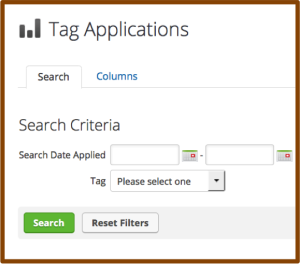
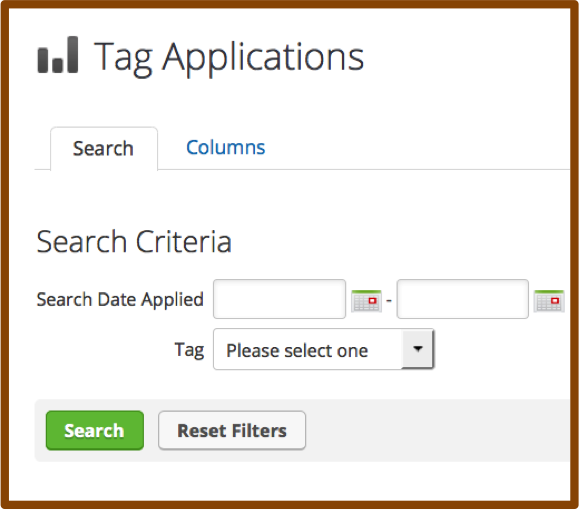
The Tag Applications report has always been a little neglected. It has left a wake in its past littered with disappointed users who wanted to see how many people got a specific tag during a date range in the past, only to find that this report showed you all tags applied during that date range. And that sorting the list by tag name and finding the group manually was scarcely worth the effort. Well buckle up sports fans because now you can choose a specific tag and a set of calendar dates and you’re off to the races. This slightly overdue ability to search makes this report infinitely more usable, and, minimizes the need for some of the other hack/work-around reporting we’ve seen people using.
Mark Radio Options as Required- 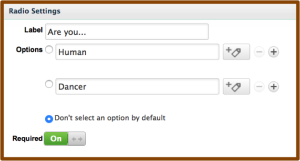
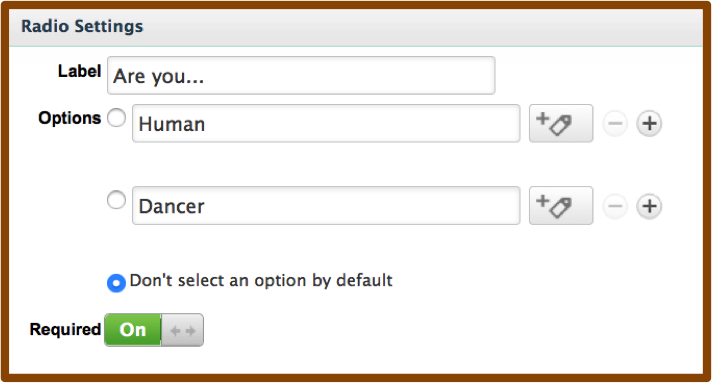
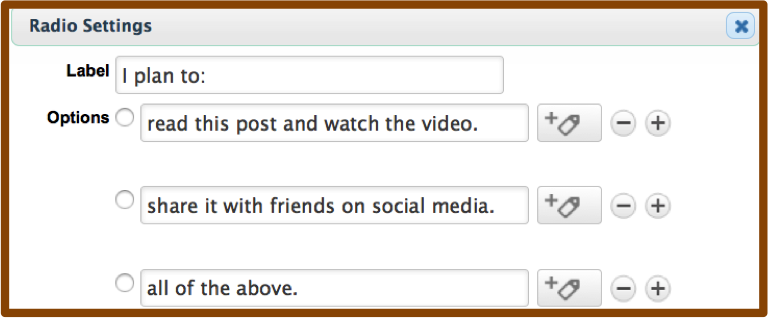
Before this release, if you wanted to mark a radio button as required, you had to really get creative. You could pre-select one of the options, but then you risked having bad data if they didn’t notice and just skipped the question. You could add an additional option for “N/A” and preselect that, but then what do you do with people who choose that option? Or, you could create a custom field, choose radio as the type, and then mark the custom field as required. Well, those work-arounds are suddenly unemployed, now you have the ability to toggle a radio snippet to force an answer before they’re allowed to submit. Boom.
There are a few others that are exciting, like the quick ability to grab your shopping cart link, or having access to opportunities from the interactive list view of contacts, but those will impact fewer users simply because they’re more niche parts of the software.
Overall, a really solid release, with some quick and simple wins that will save Infusionsoft users a fair amount of time. It’s worth saying thank you to not only the product and development teams that worked on this, but also to the teams that helped identify and prioritize the things that made it into this release. I like what I’m seeing, keep it coming!
What functionality are you most excited about? Let me know in the comments below.
Oh, and here’s the sneak peek at some features slated for a future release:

Customer Experience
I learned two things today. I learned that we have an avocado tree in our yard. And I also learned that avocados grow on trees.



Okay, so technically its in the neighbors yard, but it leans over our fence and we are 100% going to benefit from the tree once the avocados are ripe. (Pro-tip: I don’t personally like fresh tomatoes, so I make guacamole with diced naval oranges. Second Pro-tip: Also delightful with pomegranate seeds)
“Great, Greg, thanks for rubbing that in our non-bearded faces.” I know, I know, trust me, there’s a point.
I’m telling you all this because I had a realization when I learned that it was an avocado tree. It occurred to me that I didn’t know avocados grew on trees. I’m 30 years old, and this week was the first time it occurred to me that avocados grow on trees. I mean, sure, it makes sense. And I guess if you had asked me, I probably would have guessed that they grew on trees, but I had never devoted an ounce of energy into thinking about something so obvious.
This got me thinking. There are things like that throughout the rest of our lives as well. Things that are so obvious that they can be hard to see.
A few weeks back, Sara and I were back in Michigan for a wedding in Kalamazoo (possibly best known as the hometown of Derek Jeter or for its mention in the literature of Dr. Seuss). And before heading back to the wedding I had to contact the Radisson we were staying at to shorten our trip by a night. We had decided to spend one extra night with family, and one fewer night at the hotel.
So I called the hotel, and shortened the trip, here is how the conversation went:
“Okay, Mr. Jenkins, we’ve adjusted your trip. I have a new reservation confirmation number for you. Let me know when you’re ready.”
“Oh, actually, I’m driving right now and am not in a position to write it down. Would you mind just emailing it to me?”
“I’m afraid I can’t do that. Our system only sends the initial confirmation. Sorry.”
“Oh. But, you can see the confirmation number, right?”
“Yes sir.”
“And surely someone in your office has access to email, right?”
“Yes, of course, but the system we use doesn’t send updated confirmation numbers, only the original number is sent out.”
“Right. Nevermind.”
I backed off at that point, gave a heavy sigh, and decided to roll the dice and travel without a confirmation number (because I like to live dangerously).
Of course they have email. And of course she could have written the number down herself, and sent it to me. But this didn’t even occur to her. And it’s not her fault. She is a product of the climate she works in, and has never been empowered to think critically or to take ownership and just do what was best for the customer.
This was a valuable reminder for me that even with all the advancements in technology:
People are still our safety net.
People can rationalize. We can think creatively. And we can empathize. This is what sets us apart. You, and the people you work with, are the fail-safe when something doesn’t fit within the system you’ve built.
Automation is most powerful when used to multiply people, not replace them.
I’d love to hear if you’ve had a story like this, if you have a guacamole recipe, or if you feel Kalamazoo is best known for something else.


 one), this is another “set it and forget it” kind of campaign. The idea is simple: Anytime someone clicks on a link you deem meaningful, it starts a tag-based engagement timer. They immediately get tagged as Hot, then after 30 days it gets switched for Warm and then in 30 more days it gets switched for Cold. The next time they click on a link, the whole process resets.