March 2016 Update

March 2016 Update

I don’t know if you had the same relationship I had with NBA Jam, but if you did, you probably remember that if your player made two shots consecutively, you’d hear the announcer say “He’s heating up…” and once they made their third in a row, you’d get the booming “HE’S ON FIRE!”

Then for the next few possessions you’d just chuck up three pointers from wherever you wanted, dunk from half-court, etc. You were basically unstoppable, right?

Anyway, I’m getting off-track.

When the January release came out, and you could easily add and remove people from campaigns, clone order forms, and a few other things – I remember thinking “Hey, this isn’t bad at all.”

Then, when the February Release rolled, and we got inventory management, mobile responsive landing pages and the new email builder, I thought “Man, that’s two in a row, they’re heating up!”

And then boom, here comes today, the March 2016 release rolled and I thought “HE’S ON FIRE!”

This latest release isn’t all that big, it only has a few updates in it, but man, they’re really, really meaningful.

The two updates I’m most excited about are the ability for your customers to make a payment when you send them a quote, and the ability to easily see open rates and click-through percentages on all your campaign emails.

You guys, I’m not crazy. I fully acknowledge that both of these features are pretty standard. And yes, you could make the argument that these features should have been included in the software all along, but guess what – I don’t care. Call me a homer, or an optimist, or whatever. Yup. It sucks that we didn’t have them before, but we have them now. That’s it, let’s move on.


Update #1: Pay a Quote Online and View Status
What it does: It allows you to send a quote to a customer, and allows them to apply a payment once they’ve accepted it.
Why it matters: Infusionsoft introduced the ability to generate quotes a few years back, and people were pretty excited about it. Well, that excitement quelled pretty quickly when we realized that once a customer accepted a quote, it created an order in Infusionsoft but didn’t allow them to make a payment. You had to manually go collect the billing information, and apply the payment yourself. Not very automated, right? So, because of that, quotes were quietly set aside for most users, and never revisited again.Send Quote
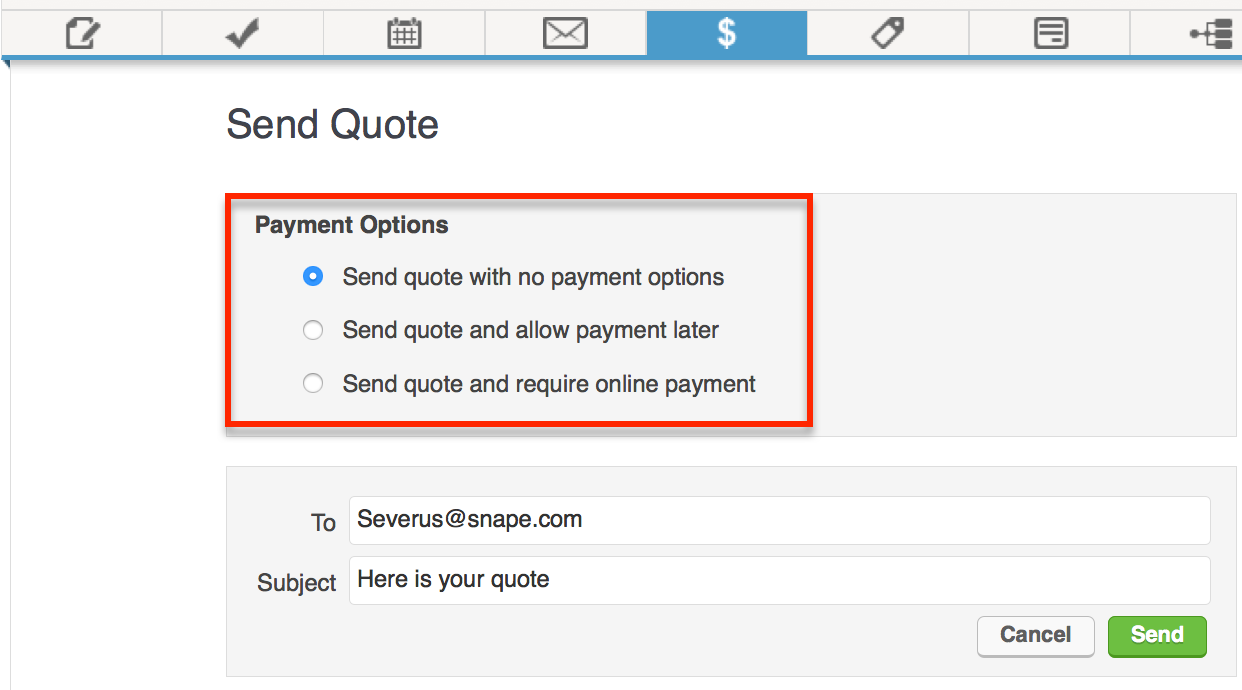
Well, not anymore. Now, when you generate a quote – you’ll also be able to select from three options.
Send quote with no payment options: This means the recipient will be able to accept or decline the quote.
Send quote and allow payment later: This means that the recipient will be able to choose whether they want to pay it then, or defer payment until later.
Send quote and require online payment: This means that the recipient will be required to make a payment online once they’ve accepted the quote.

Yes, once they’ve accepted the quote you’ll get a notification. If they have also paid the quote, you’ll be notified of that as well. You can customize the language in the email that delivers the quote, but the page which they’ll use to make their payment isn’t something you can design (right now). It will have your logo on it though, and in my opinion, it’s pretty sleek looking.

NOTE: An online customer payment of a quote WILL trigger campaigns, purchase actions and billing automation triggers. Say what? I don’t know about you, but to me, that’s amazing.


Update #2: Email Reporting for Campaign Emails
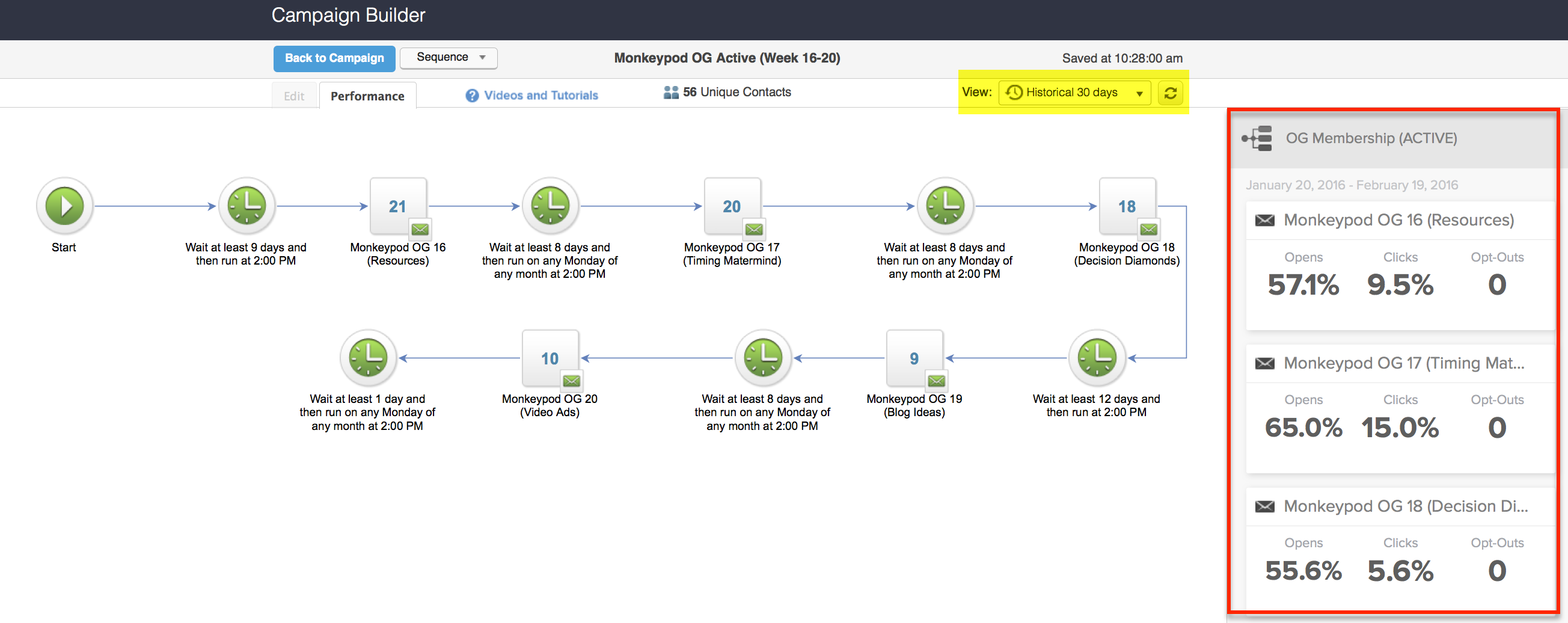
What it does: This allows you to see historical open rates and click-through percentages for your campaign builder emails.
Why it matters: This is HUGE. In the past, if you wanted to see this data you’d have to use some sort of workaround, or export your info and do some excel wizardry. But now, you can easily see email open rates and click-through percentages from the performance tab of the campaign builder. This will empower Infusionsoft users to figure out what is working and what isn’t, so that they can optimize their campaigns and therefore their customer’s experience. Like I said, HUGE.
Email Statistics

A few things to note on this one:
To view your email statistics, you’ll have to switch to the performance tab, click into a specific sequence, and then switch to the historical view.


Okay, so that’s about the size of it for this release. Like I said, it’s not a huge release in terms of tons of new features, but it’s a huge release in terms of the direction they’re going, and the momentum they have.

Now, to be fair, I think both of these features still have a few things that need to be added – but just as your marketing campaigns are constantly evolving, so too is the software. In the future, I’d love to see them include the ability to compare emails across sequences, or across campaigns. I’d love to see my highest performing emails (by click % and by open %) for specific time periods, and not just limited to 24 hour or 30 day windows.

With regards to the quoting feature, I’d love to be able to design the interface that the recipient experiences when they’re interacting with the quote, and to me it makes sense to be able to change some of that language. For example, is “quote” always the best term? But, truth be told, I don’t use quotes as heavily in my own business – if you do, I’ve love to hear your opinion.

If you love either of these features, have questions about them, or think I missed something, please go ahead and comment below! Enjoy thanks for reading.
 

The New Email Builder

The New Email Builder

Without any fanfare, the long awaited mobile responsive email builder was released yesterday. And the world didn’t explode. I know that thousands of Keap users have been anxiously waiting for this builder since long before they announced it was coming (at ICON in 2015).

But for all that pent up energy around this much anticipated tool, there was very little fuss. And it’s not because the email builder isn’t slick (it is). I think it’s because Keap knows how badly this is needed. And I think it’s because Keap has wanted to release this for probably just as long as their users have wanted it.

So, without further ado, let me give you my 3 favorite things about the builder, and my least favorite things. (Or, scroll to the bottom for my video review)

Favorite things:

  1. Mobile Responsive
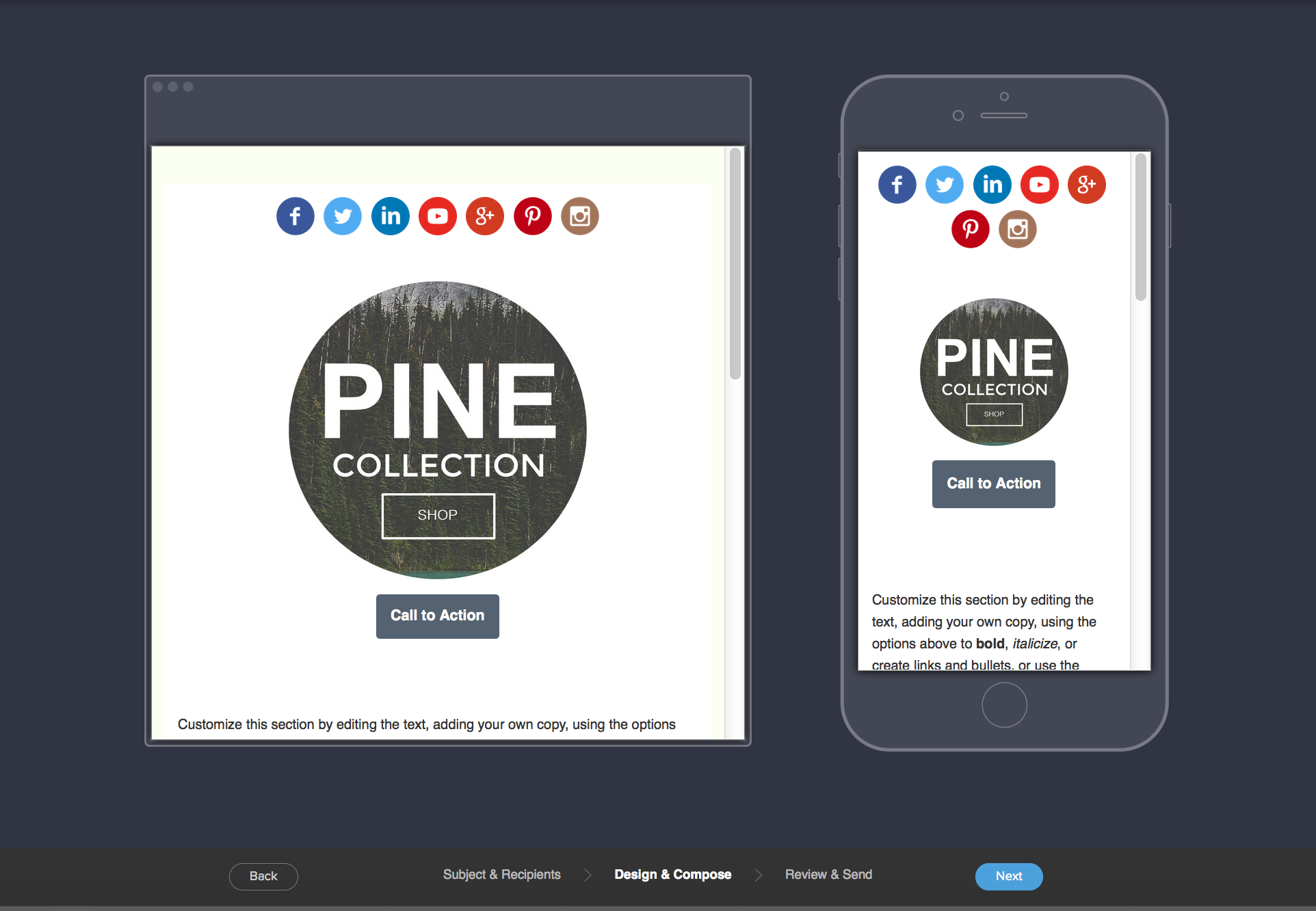
    Yeah, that’s kind of big in this day and age, right? Well, the new builder produces sexy mobile responsive emails that look good on any device. Oh, and the preview pane shows you how it’ll look on mobile and on desktop. EDIT: I shouldn’t have said “any device”, as pointed out in the comments there are several exceptions.Software Screenshot of Email Preview Function
  2. Image Editor
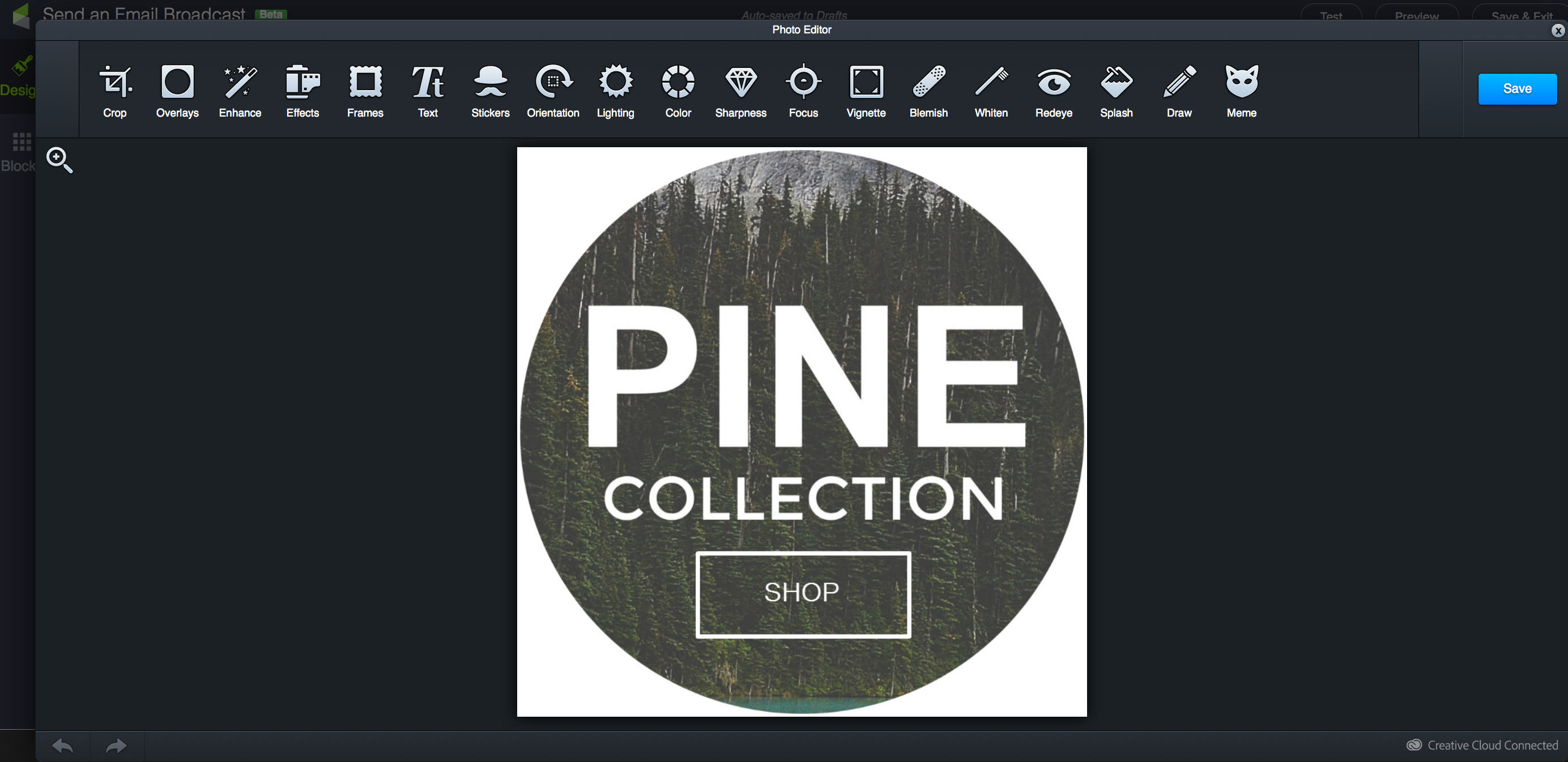
    Yup. You can upload images directly to the email builder, and then crop them, add filters, or even overlay text. Right from within your email editor. This is something I didn’t even know I wanted. But man, it’s going to save me tons of time and allow me to create beautiful and professional graphics easier than ever. (Don’t worry, there’s a “meme” option)
    Software Screenshot of Image Editing
  3. Flexible Multiple Columns
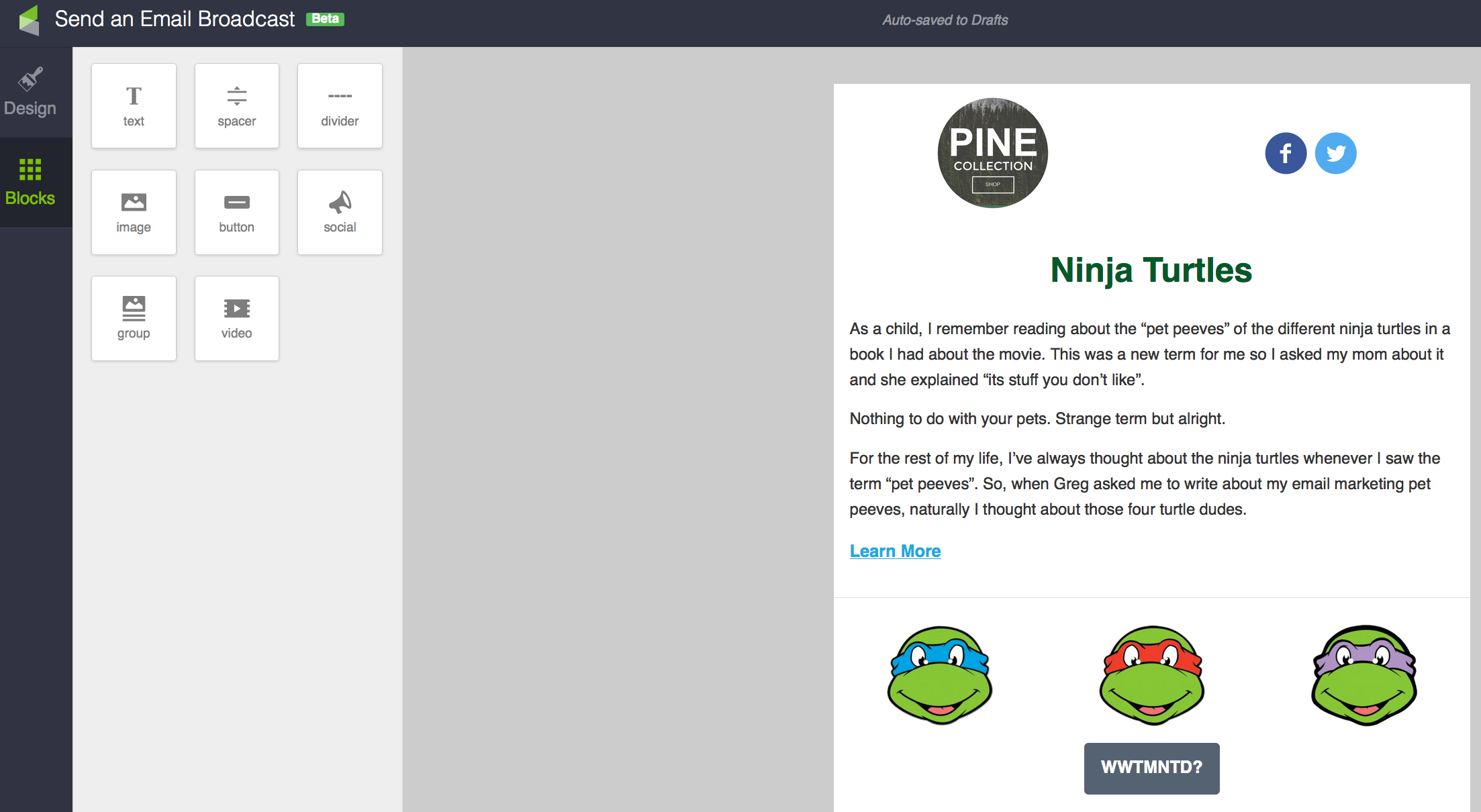
    So, with the old builder, you had a “body” of the email, and the body either had one column, or two. And if you turned the sidebar on, it was there for the whole email body. It was all or nothing. With the new builder you can now alternate between single column content, and up to three side-by-side snippets.
    Software Screenshot of Multiple Columns

So, before I dig into the things that bug me about this new builder, it’s important to call out that this is still technically in “beta“, and I think Keap would happily acknowledge that there are plenty of other features they’d love to add to this. Edit: The email builder has experienced many updates since it’s initial release.

My Pet Peeves:

  1. No Campaign Builder (NOTE: Since this article was written, the email builder has now been made available for campaigns)
    Yup, the new email builder was released to be used in broadcasts only. Obviously this really limits how we’ll be able to leverage it. They know this, and they’re working hard to bring this email design experience to the campaign builder – but it’s not there yet.
  2. Tags on Links
    Don’t panic, you CAN still apply tags when someone clicks a link. But strangely you can’t create new tags from within the builder. To me this seems like it should have been built in to begin with, but I trust that there are some complexities associated with that which may be over my head. Oh, also, you have to scroll to find the tag you want – there doesn’t seem to be a way to easily search.
  3. Missing Snippets
    Yeah, there are a few snippets that were available in the previous builder that didn’t make the migration to the new builder – mainly the HTML snippet, the File Snippet and the Signature Snippet. Again – no need to panic, you can still go to the Owner merge fields and merge in the HTML signature, but it’s not a prepackaged snippet. And you can host your file wherever you link, and link to it like a normal link. So these probably aren’t the end of the world for most people, but it seems like they’ll want to add these over time.

Okay, so that’s my take, and it’s probably just the tip of the iceberg. This new Keap Email Builder really is pretty impressive (Kudos to the dev and design team who worked on this). Really you should definitely play with it and figure out what you love or what you don’t love, and you should definitely comment below with your thoughts about it.

In the meantime, enjoy this video:

The August 2015 Infusionsoft Update

The August 2015 Infusionsoft Update

With another Infusionsoft update being released this week, I thought I’d take a moment to give you my thoughts on the new features.

This update includes a handful of bug fixes, and then two much more noticeable changes.

So, without further ado, the first big change is the process of publishing a campaign. Now, when you click publish there will be a review process that analyzes your campaign and looks for red flags. It’ll show you the checklist, and give you a chance to address things if you’d like before proceeding.  There are some things about this feature that I love (like the ability to add people to this campaign that have previously met the criteria for a new tag goal you’ve added) and a few things I don’t (like not being able to see how many, if any, changes have been made to the campaign).

What it means to you: Well, functionally your campaigns haven’t changed, but this publishing checklist will help you publish more confidently, catch potential errors, and will prompt you to make improvements to your campaigns (like adding merge fields to personalize your emails).

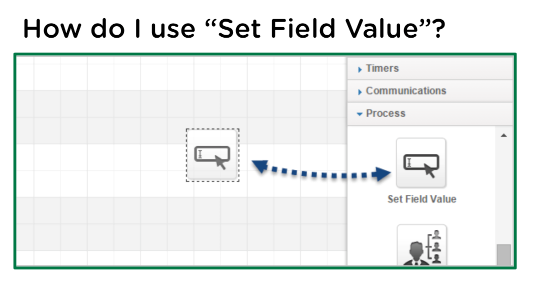
The next feature of note is a super exciting one. In fact, I know a few people who have been reaching for this for years. We now have the ability to set a field to a specific value as a step in a sequence.

It probably has countless use cases, but here’s a video documenting my favorite one:

What it means to you: This means then when someone hits a certain point in a campaign we can automatically update part of their contact record to a certain value. This can impact where they show up on searches and reports, it can also affect what we’re merging into our emails. In addition, it unlocks some ninja strategies that previously were only available with the use of action sets.


So, all in all, another really solid release by Infusionsoft.

Kudos to the teams that worked on getting these out. If they can continue this momentum and keep introducing useful features (and fixes) in small but regular updates I’ll be totally content.

3 Things I like about the July Update(And a sneak peek at what’s coming)

3 Things I like about the July Update(And a sneak peek at what’s coming)

If you haven’t already received it, you’ll get the July Infusionsoft update in the very near future.  There is a long list of fixes, features and enhancements being pushed out this month, and I wanted to take a quick moment to review a few of the new functions. (Oh, and as advertised, got a sneak peek of future features below)

Categorizing Tags from the Campaign Builder-
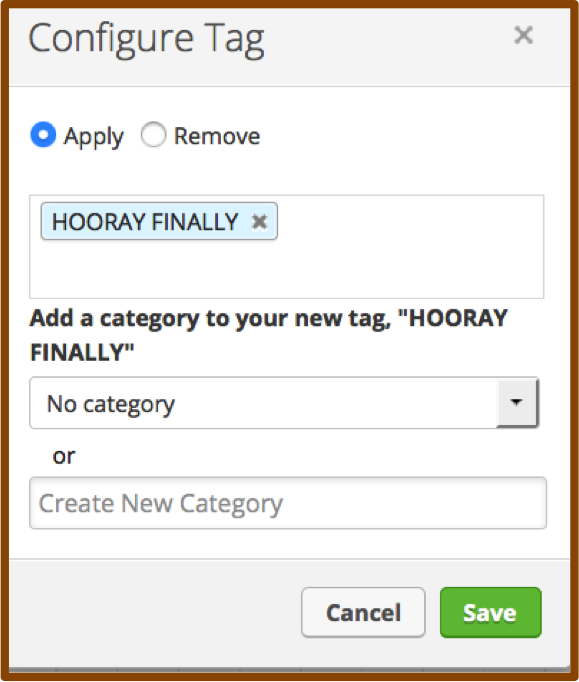
I don’t know if you guys remember, but when the campaign builder was first released, there was some serious functionality missing. For example, you couldn’t create tags from within the campaign builder. If you were building a campaign you’d have to back all the way out and navigate to CRM settings in order to create a new tag. Well, soon thereafter they gave us the ability to create tags on the fly and all was well…except, you couldn’t select a category. So, we ended up with heaps of tags floundering about, wandering the streets and wreaking havoc.  Well, NO MORE!  Now, we can not only create tags from within the campaign builder, but we can also categorize them. Hooray for keeping our database clean and organized!

Filter by Tag on the Tag Applications Report-Tag Applications
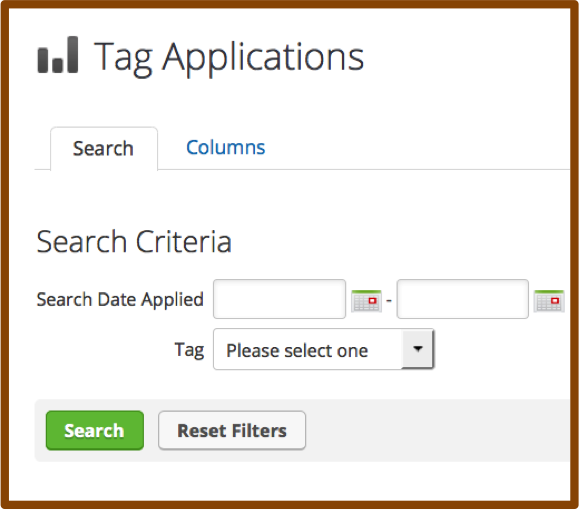
The Tag Applications report has always been a little neglected. It has left a wake in its past littered with disappointed users who wanted to see how many people got a specific tag during a date range in the past, only to find that this report showed you all tags applied during that date range. And that sorting the list by tag name and finding the group manually was scarcely worth the effort.  Well buckle up sports fans because now you can choose a specific tag and a set of calendar dates and you’re off to the races. This slightly overdue ability to search makes this report infinitely more usable, and, minimizes the need for some of the other hack/work-around reporting we’ve seen people using.


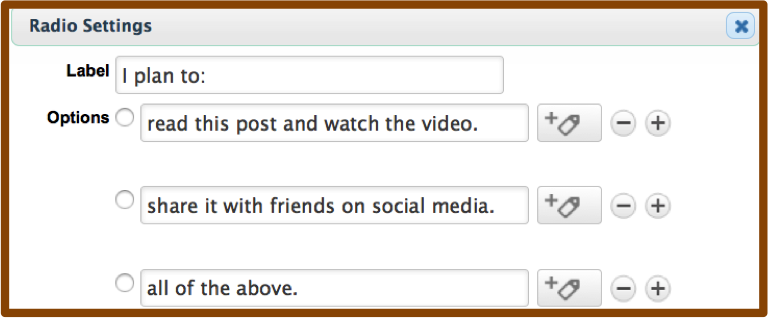
Mark Radio Options as Required- RadioOptions
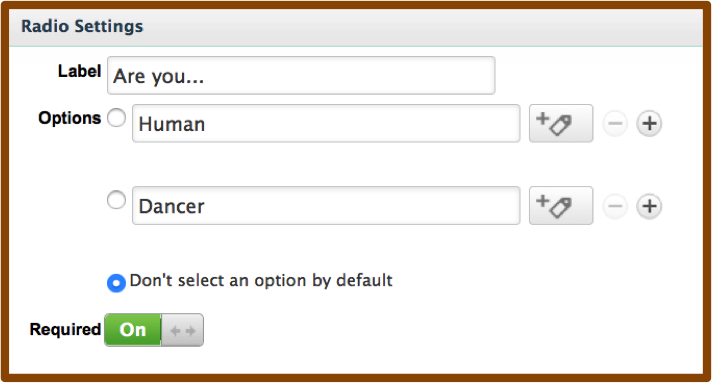
Before this release, if you wanted to mark a radio button as required, you had to really get creative. You could pre-select one of the  options, but then you risked having bad data if they didn’t notice and just skipped the question. You could add an additional option for “N/A” and preselect that, but then what do you do with people who choose that option? Or, you could create a custom field, choose radio as the type, and then mark the custom field as required.  Well, those work-arounds are suddenly unemployed, now you have the ability to toggle a radio snippet to force an answer before they’re allowed to submit. Boom.

There are a few others that are exciting, like the quick ability to grab your shopping cart link, or having access to opportunities from the interactive list view of contacts, but those will impact fewer users simply because they’re more niche parts of the software.

Overall, a really solid release, with some quick and simple wins that will save Infusionsoft users a fair amount of time.  It’s worth saying thank you to not only the product and development teams that worked on this, but also to the teams that helped identify and prioritize the things that made it into this release. I like what I’m seeing, keep it coming!

What functionality are you most excited about? Let me know in the comments below.

Oh, and here’s the sneak peek at some features slated for a future release: