Keap, Software Updates
Those rascally developers over at Infusionsoft are at it again. (Actually, it takes more than just good developers; shout out to the entire Product team.) So, let me take a moment to give you what I consider to be the highlights of the May 2016 release.
Feature #1: Trigger a Campaign from a Manual Credit Card Charge
What it does: This allows you to launch automation when you process an order manually.
Why it matters: In the past, you’ve been able to build complex fulfillment campaigns to interact with your customers after they place an order online. You know, send them a thank you email, deliver their product, and then follow-up with them to see how they enjoy it, or to ask them to purchase again; that sort of thing. Well, this type of automation would only trigger for orders that  were placed through an order form, or through the shopping cart – until now.
Now you can use manual orders to automatically trigger whatever fulfillment processes you might have in place. Remember, the sale isn’t the end of your customers journey, it’s just an important milestone where you learn something new about them.
Caveat: While I like this feature, and I’m excited about it – I also feel compelled to call out a concern I have. I’d very much like for this to be an option. I’d like the choice, but I don’t know if I want automation firing every single time I process a manual order. I mean, we’ve been building campaigns for a few years now, and unless you’ve been manually triggering follow-up, its plausible that everything you’ve designed is set-up to speak to customers who purchased online. So, if this release rolls out and now a new set of customers (manual purchasers) are being added to those campaigns, I could see it causing a little confusion.
Feature #2: Date/Time Fields are Useful Now
What it does: You can use Date/Time Fields for Field Timers
 Why it matters: This is really, really important. Field timers are critical to delivering automation that feels personal. Think about it, field timers allow you to build a campaign that delivers it’s messaging at intervals unique to each particular contact. You know, 3 days before their birthday, or 5 days before their membership anniversary. That sort of thing. But the massive glaring drawback has always been that it doesn’t give you the ability to send those messages at a unique time of day – until now.
The Date/Time Field houses not only the Date that something is happening, but also the Time. And with this release, we can now use the date and time to schedule our communication – so, we can send appointment reminders 1-hour before someone’s appointment. Or we can send consultation reminders 4 hours before their consultation takes place. There are plenty of situations where this will make our scheduling that much more flexible, and therefore our messaging that much more impactful.
(EDIT: As of the first part of this release, we’ll be able to run actions at 24 or 28 hour intervals before an appointment, but NOT 30 minutes, or 2 hours, etc. That part will be completed and included in a future release.)
Feature #3: Beta Email Builder Improvements
What it does: You can search images, create tags, search tags, and there are new link types.
 Why it matters: This matters because it makes the beta builder that much more usable. If you told me that you had decided not to adopt the new email builder, I wouldn’t call you crazy. As I’ve said in the past, there are some really nice improvements that it offers; but there are definitely still a number of things I’m excited for them to add. Well, this release definitely checks a few more off that list.
Previously, there was no way to easily search through your images – so you’d end up scrolllllllllllling until you found the one you wanted. Now you can search just by typing the name of your image. (Need to rename some images? I gotcha covered.) This is a big time saver.
 Creating and searching tags – another big time saver. This means that if you have hundreds of tags (or thousands), now you can type the first few letters of a given tag instead of scrolling through them all. And, if the tag you want to use doesn’t exist yet, you can create it on the fly. Now, I may be wrong – but I don’t think you can assign that tag a category (which would be annoying). So, before I celebrate this one too hard I’m gonna cross my fingers that I’m wrong – or that they’re going to add that part in soon.
 And finally – there are a few new link types. In addition to linking directly to a URL, you can now also link to an email address, or a phone number. This is useful if you got used to using those previously, and hit a hiccup once it was removed. This is definitely a step in the right direction, but personally I’m really reaching for the ability to link to (and create) a quick thank you page, and to link to a campaign link.
Those are the three that I’m most excited about, but it’s by no means the end of the release list. There are a few more features that are going to make a lot of people very happy.
And, once again, because Brett did a killer job on the recap video, I’m going to use the Infusionsoft release video instead of reinventing the wheel with my own. Enjoy:
Campaign Builder, Keap, Marketing, Tips and Tricks
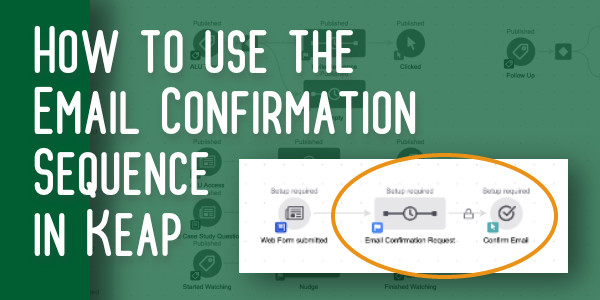
For some people, the Keap email confirmation widget is really straight forward – you add it to a campaign when you want to give a contact the opportunity to confirm their email address.
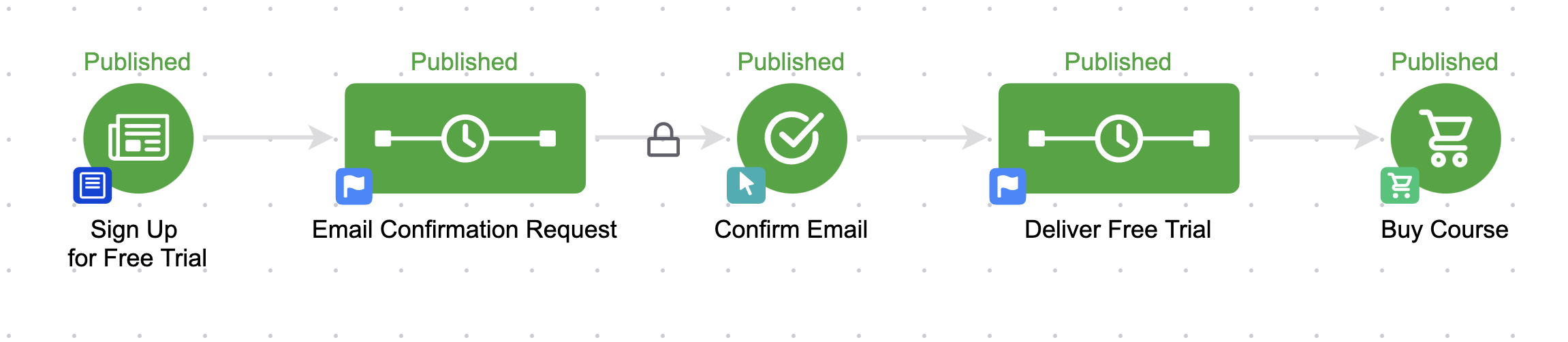
But for others, it raises all sorts of questions: How does it work? Is it necessary? What if they’ve already confirmed? Why is that weird lock there?
Background Info
Lemme give you a little bit of background info in case these are the types of things you’ve wondered too:
When someone signs up for something from you (like your newsletter, your blog updates, or your Nurture Ebook), Infusionsoft considers that a Single Opt-In, and gives them an email status of Unconfirmed.
As counter-intuitive as it may seem, Unconfirmed is good. It means that you can send them marketing materials.
But, just because an email address was entered into a form doesn’t necessarily mean that the person who entered it is the owner of the inbox.
So, Keap gives us an extra tool to help confirm that our prospects really want our marketing – the Email Confirmation Sequence. When you are building campaigns, 99% of the time you want to use a plain old sequence. It’s powerful and flexible and you can make it do just about anything.
So, you may never have noticed this neglected little guy, hanging out patiently on the tool palette waiting for you to give him a click.
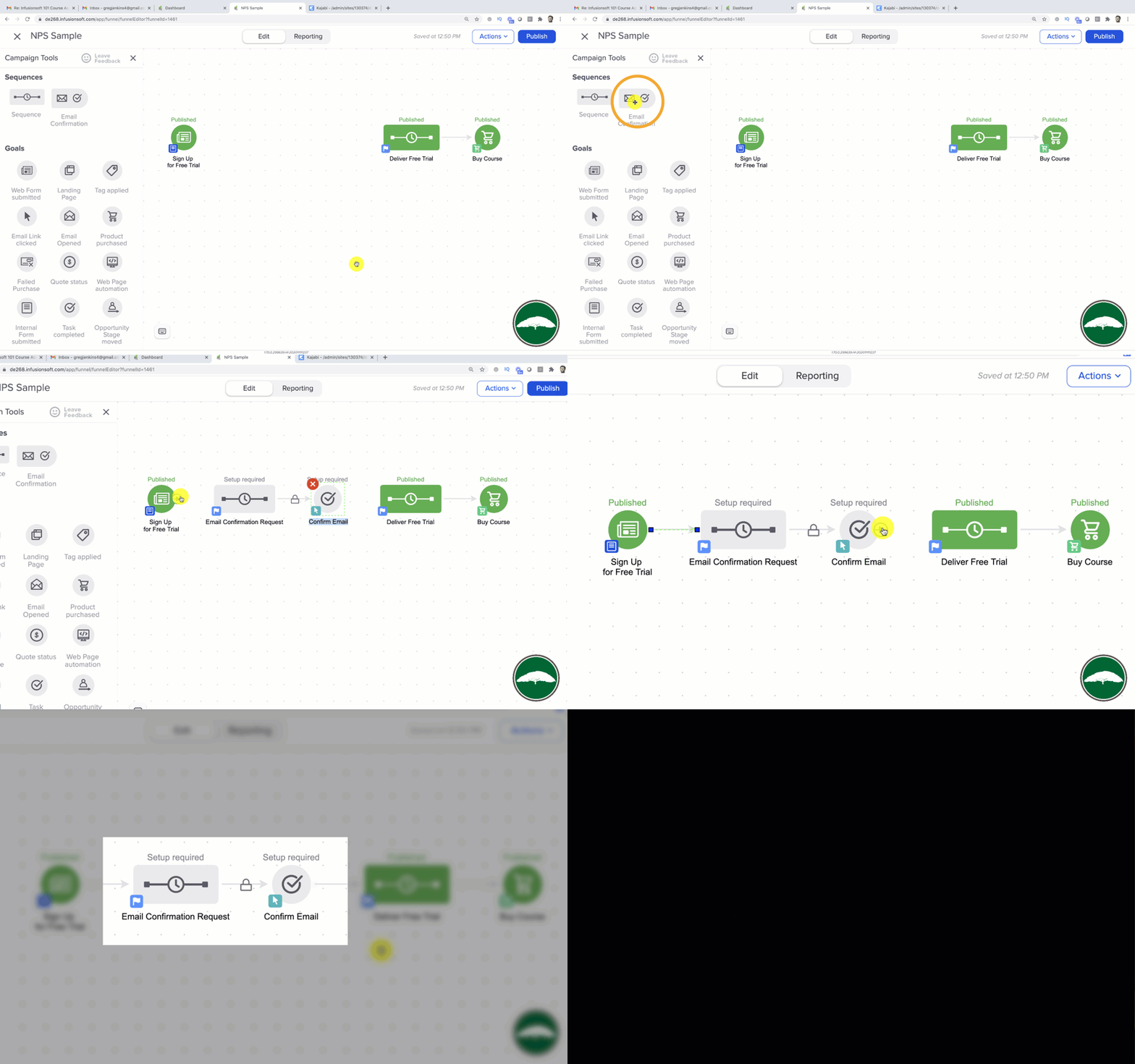
But, when you allow someone to confirm their email address (also known as “double opt-in”), it actually has a few key benefits.
First, it changes their email status from Unconfirmed, to Confirmed.
I told you Unconfirmed was good (and it is), but Confirmed is even better.
It not only means that you have permission to market to this person, but it also means that the email address you have is valid, and the person who owns it has confirmed that yes, they actually want to hear from you.
Better Inbox Placement
The next benefit is that this can literally help with inbox placement. Now, I won’t pretend to be a deliverability expert, but I do know that engagement is good.
And if someone is clicking links (like the confirmation link), then it means it is more likely that your emails will be delivered in the future.
Also, Keap actually uses a set of priority servers to send emails to confirmed email addresses – and these servers experience a marginally higher deliverability percentage.
Anyway, I created a video because a thread developed on this topic in my membership group last week, and rather than write it all out here, I thought I’d just share the video.
This video covers how to use the email confirmation, why to use it, and if you think the built in version is a little rigid, how you can get the same result with a clever little hack.
(Oh, I forgot to mention this in the video – they only have to confirm once. If someone has already confirmed their email address then they’ll just skip over the email confirmation sequence in the future.)
Enjoy:
Note: The video above was recorded in the Max Classic version of Keap (formerly known as Infusionsoft), but the Email Confirmation Snippet is also available in the Max and Pro versions of Keap.
Oh, and if you’re going to use the email confirmation process (which you should), you’ll definitely want to watch out for this gotcha.
Customer Experience, Guest Posts
 This post was written by my friend and colleague Thomas Jones. Thomas and I first met at Infusionsoft when he became the director over the consulting team I was on, and while I never reported directly to him; I got to know him because we shared a cubicle wall. Because of our proximity, he was forced to listen to me on the phone for 6 hours a day. I know what you’re thinking; is it fair to say that this was the subconscious reason behind any good ideas he had during that period? Maybe, maybe not. But definitely probably.
Anyway, Thomas is awesome. He and I connected quickly because we both shared an obsession for creating intentional customer experiences. Try as I might, I can’t take credit for today’s gem – an article where Thomas shares his perspective on cracking the code to customer success.
The Secret to Cracking the Code to Customer Success
I suspect there are billions of dollars spent every year by organizations attempting to figure out what customer success looks like, and how to help their customers actually achieve it. I think we can all agree there’s no silver bullet. Nobody can wave a magic wand and declare they have the answer.
“Three log-ins a week. That’s customer success.”
“Processing 7 orders a day. That’s customer success.”
“An NPS of 30. That’s customer success.”
It seems as if it should be really easy. I mean, can’t we just call our customers and ask? Surely that would tell us what success looks like, right? Maybe. However, if it were that simple I likely wouldn’t be typing this, and my catchy subject line and stylish picture wouldn’t have grabbed your attention.
While there isn’t a silver bullet, I do believe there’s a dusty, cobweb covered door over in the corner of the room we can open to get us all headed down the correct path. Right above the door, a dimly lit sign reads:
The Customer Experience
Everything in life falls into one of two buckets: intentional or unintentional. That’s it. The forces are shifting and it’s time to walk through the doorway and focus on getting really intentional about the experience we want our customers to have every time. I know it sounds simple; it’s not. Trust me. If it were, we’d all be doing it and we’re not. Recall the famous quote from Red Sanders, “Winning isn’t everything, it’s the only thing.” (I know, I thought it was Vince Lombardi, too). Modified for this article, “Customer Experience isn’t everything, it’s the only thing!”
Consider a business you enjoy frequenting. If you think about it, the reason you love giving them your hard earned dollars is because they make sure you have a great EXPERIENCE every time. In fact, on the off chance you don’t, you probably make excuses as to why it wasn’t perfect this time. Walt Disney once said:
“Think of the process as a railroad engine. If the engine does not run properly, it does not matter how friendly the conductor acts or how attractive the cars look, the train will still not move and the passengers will not pay their fares. Process is the engine of Quality Service.” *
Building repeatable processes designed to deliver an intentional experience for the customer is the only way to drive customer success. It may not be a silver bullet, but I can tell you stepping through this door will be the smartest thing you’ve ever done in your business.
Here are two questions you can ask as you get to work on the solution:
- What is my customer expecting will happen next as a result of this interaction (phone call, page view, email, purchase, etc)? In other words, “What am I promising them?”
- How sure am I it’s going to happen?
In my experience, the answer to both of these questions is usually something to the effect of, “I don’t know” or “It depends.”
At every step in your customers’ journey with you, you need to know the answer to the first question. As important, the answer to the second must always be “100%.” If you think this isn’t possible, measure the distance between garbage cans at Disneyland. Trust me when I tell you it it’s rarely more than 30 steps. When someone buys a Churro, it’s wrapped in a piece of wax paper. When they get done eating it (the interaction), the person will need a place to throw the paper away (what will happen next). Disney determined most people won’t walk more than 30 steps to throw something away, so they make sure there’s always a garbage can within 30 steps.*
While the analytical person inside me feels it would be more efficient if they were 60 steps apart, that’s not what’s important to Disney. What’s important to Disney is the experience for me as a customer. That’s the key to customer success: Design an experience ensuring your customers leave with what they were promised, EVERY TIME. Get maniacal about it.
This post was originally published on LinkedIn here.
*Help Scout (2016) How Disney creates magical experiences (and a 70% return rate). Available at: https://www.helpscout.net/blog/disney-customer-experience/ (Accessed: 31 March 2016).
Keap, Software Updates
Infusionsoft keeps the momentum going with another strong update (scheduled to release over the next week). Lots of goodies in this update; some that we’ve been waiting for, and some that I didn’t even know I wanted. I’m gonna profile a few of the new features to let you know which ones I’m most excited about and why:
Update #1: New Email Builder in Campaigns
What it does: This gives you the ability to use the new Email Builder inside the campaign builder.
Why it matters: Um, because its amazing. Now you can send mobile responsive emails in your campaigns. It’s freaking here. (Maybe a little late, but it’s here, okay?) You just drag out the Email Beta snippet like you normally would when building an email inside a sequence, but this time when you go to configure it, it’ll open the new builder environment instead of the traditional one.
(Oh yeah, and templates. We can now create, save, and use our own templates for the new email builder. Yahtzee!)
 Update #2: New Unengaged Marketable Email Status
What it does: This release introduces a new email status to tell you which of your marketable contacts have disengaged for 4 or more months.
Why it matters: This allows you to see how effective your marketing is doing, and target segments of your list with waning engagement levels. I think most people will agree that marketing to contacts who are interested in what you have to say will definitely yield better results than marketing to folks who have totally tuned you out. At the very least, this will allow you to differentiate so you can speak to those two groups differently. Oh, and they’ve added the ability to filter and search by this criteria via the Email Status Search.
Update #3: New Quote Status Filters
What it does: This gives you some additional filters by which you can search your quotes.
Why it matters: Did you know Infusionsoft has the ability to send quotes? Well, it does. And it is rapidly getting better. A few months ago they gave us the ability to accept payment on those quotes; and now they’re adding some new filters to the quote reporting so that you can find the data you need regarding your outstanding quotes. If you’re using quotes (I’m looking at you Delane) then this is great news.
Update #4: Auto-Update Credit Card (For Infusionsoft Payments)
What it does: This new feature means that when a customer receives a new credit card, the system will automatically start billing the new card and stop trying to bill the one that was expired or cancelled.
Why it matters: I don’t think I need to explain….but really, this means you that Infusionsoft will communicate directly with the credit card issuer to gather and bill the new credit card details rather than having you reach out to your customers to try and get the new details or trying to get them to update their info. NOTE: This is only available for people using Infusionsoft Payments, and only for MasterCard and Visa. But still, this is amazing. No more need for billing automation to collect for those folks. It doesn’t hurt to have them update it manually, but now that’s the fallback instead of the standard.
There are a handful of features in this release, so I’m not going to profile all of them. In fact, I’m not even going to record a video outlining the new updates because Infusionsoft has already created this video; and it’s freaking awesome (Kudos Brett). Enjoy:
Keap, Small Business
Bad Joke Warning: There are two types of Infusionsoft users – People who admit that their app is a mess; and people who lie about it.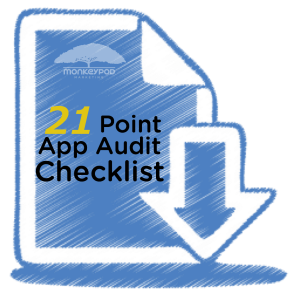
Maybe that’s hyperbole, but it really seems like every person I talk with acknowledges that they could use a little tidying up (no matter how many systems they’ve subscribed to). In fact, one of my 3 most successful lead captures is my 21 Point App Audit Checklist. 82 people downloaded this checklist in January. Now, that’s a number that’s not exactly staggering, but it does tell me that there are plenty of people wondering how they can do a better job organizing their account.
(Also, regarding the title of this post; Yes, I know it’s not Spring everywhere. But let’s let it slide this time, Australia.)
Here are 5 of the 21 tips that you can do today to start cleaning up your app:
- Check your Can-Spam address block. This information is added to the footer of all emails, it’s something people often set up and then forget to go back and update it if they change addresses. (Read more)
- Identify Duplicate Contact Records. There are a number of ways for duplicate records to accumulate in your application, it’s important to check for and address duplicates periodically. (Read more)
- Delete Erroneous Saved Searches and Reports. Oh man, this is an easy one to overlook, and then ka-blamm
 o, next thing you know you’ve got 60 saved searches to sort through before you can find anything. If you aren’t using a report, or it’s become obsolete; just take the time to delete it so it isn’t causing confusion.
- Audit Your Dashboard. If your dashboard loads every single time you log in, then you should be asking yourself if every statistic or report on your dashboard is necessary. Your dashboard is valuable real estate; make sure you’re only using it for information that you need every time you log in.
- Clean-up and Rename Files and Images. This is another one that many people don’t know they can do. Ya know how you can upload images directly into an email or into a web form? Of course you do. Well, most people don’t have the foresight to give it a name that will make sense to them in 6 months or a year. So, without even trying they end up with a whole list of images with names like screenshot3_14_16.jpg and headshot_final_v3.png. (Time to rename your images.)
So, these 5 tips, and the other 16 in this Ebook are all things that you can do to tidy up your application and make your life a little easier.
Oh, and because doing things manually is a pain, here’s a brief video profiling a campaign you can build to let your prospects and customers help you with your spring cleaning:
Keap
The other day I blogged about the product updates announced at ICON this year; but I didn’t share my perspective on the rest of the conference. So, I want to do that here.
ICON is amazing. And you should definitely plan on coming next year. But just so you know I’m not a homer: Let me start by giving Infusionsoft some tough love. They did a lot of things right with this conference (as they always do), but in my opinion, they got a few things wrong this year. Things that I just found were…a little “meh“.
Before I get into those, I want to be abundantly clear that these are just my opinions. I also recognize that being in the space that I’m in, and being a former employee, it’s entirely possible that I perceive things differently than most. And it could just be that ICON is not for me, and that’s fine too.
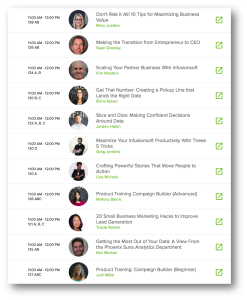 Meh #1: What was up with the schedule?
In my opinion, there were far too many breakout sessions. I mean, I’m okay with giving people options, of course, but during slot that I presented, there were 11 other speakers simultaneously competing for the same audience. The room I presented in had 800 chairs set up. There were at most 4000 attendees. I’m no mathologist, but something doesn’t add up there. Initially I thought they had done this to provide an immense amount of content and if people felt like they missed out, then they’d just be able to buy the video library, but that wasn’t the case (more on that later).
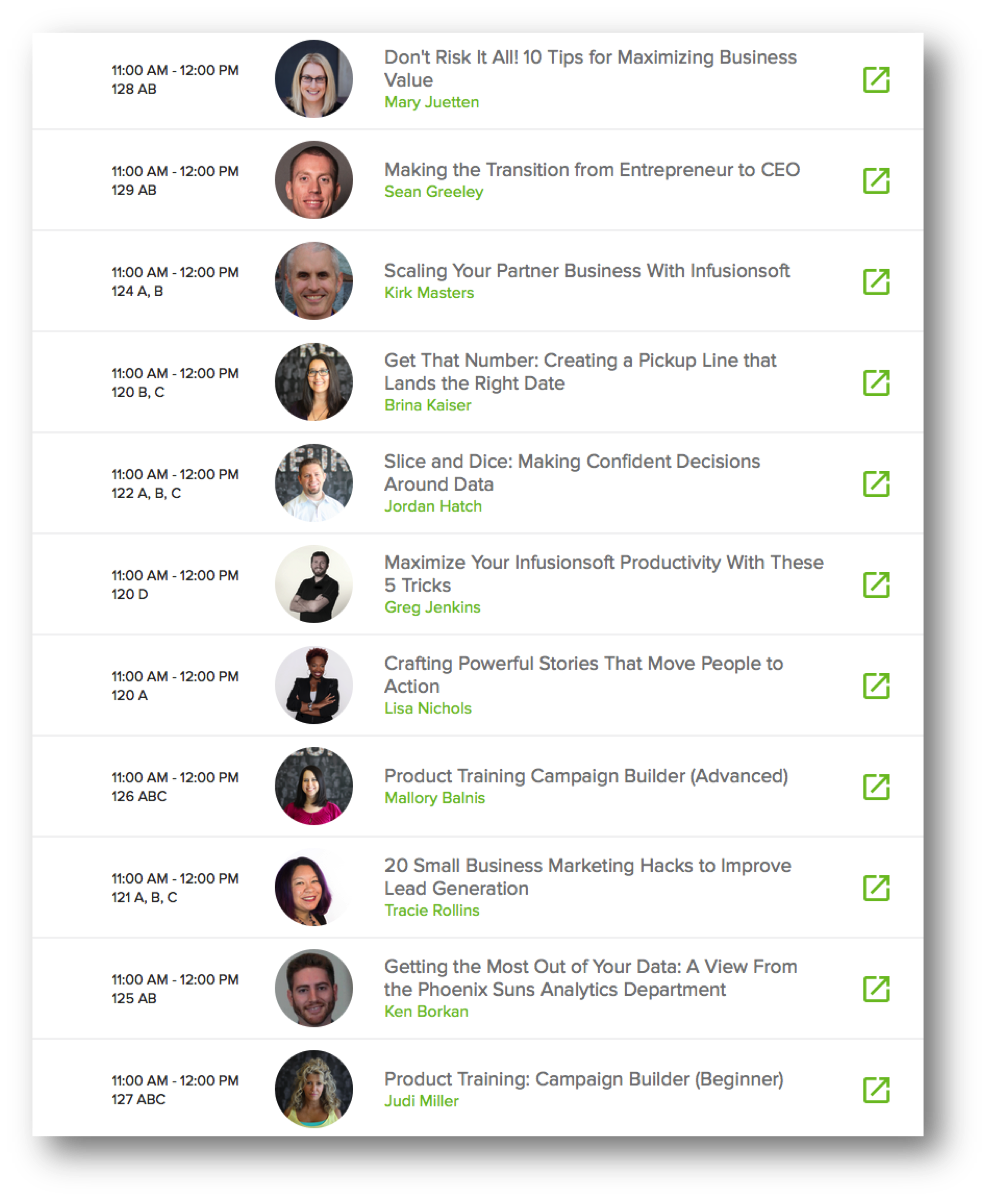
Also, if there was logic to who was presenting when (outside of the Sixth Division breakout block), I couldn’t find it. There didn’t seem to be a rhyme or reason to the layout or flow of the breakout sessions. In the past Infusionsoft has organized breakouts into tracks, to help people decide which sessions they should attend. This year, they didn’t do that. In fact, at one point Jordan Hatch was presenting his session called Slice and Dice: Making Confident Decision Around Data at the exact same time as Ken Borkan was presenting Getting the Most Out of Your Data: A View From the Phoenix Suns Analytics Department. Both were during my presentation, so I couldn’t attend either – but even if I had been able to, how would I choose? Those presentations may have been really different, but they sure sounded similar.
Meh #2: Too much Emcee
Scott Harris was the emcee this year, and in my opinion, there was more of him than I was prepared for. And here’s the thing, Scott may be a perfectly nice guy. This is not a criticism of him as a presenter, or as an emcee, or as a person – at all. It’s just that if I see “Clate Mask: 8:30-10:30” on the agenda, well, then I’m looking forward to seeing Clate Mask.
 Instead, I found myself doing my best to play along and envision my goals, next thing I know I’m stuck in a seemingly endless cycle of sitting, standing and high-fiving neighbors. And then Clate came on to talk for the last 30 minutes or so. Like I said, all good – I like high fives as much as the next guy; it was just different than I expected.
I also had some gripes I was going to include about what I perceived to be “budget related changes” – but I decided that I’m okay with it. I’m okay with not having breakfast, with not having a swag bag, or not having a full stage and video crew set up in each of the breakouts. This is a small business conference after all, and small businesses know about budgeting as much as anyone else. If they need to trim the fat, or the fluff, or tone down the funk and/or noise, I can be supportive of that. I just wish they had adjusted expectations – I saw more than a handful of people who had arrived expecting breakfast wandering around looking confused on the first morning.
Okay, now before this post devolves into the type of negative “whine-fest” that I detest so much, I want to make sure I give a few fist bumps for the things I DID like from the conference. (Note: a whine-fest is very different from a wine-fest, with the former being lame, and the latter sounding delicious.)
 Fist Bump #1: Lots of Software Presentations
I train people how to use Infusionsoft, it’s what I do. And as such, I’ve had people approach me at ICON over the past few years asking which sessions they should go to in order to really learn how to use the application. Now, officially ICON is not the place to go to learn how to use the software. There are plenty of other resources for that. But, every year people still show up and are hoping for some technical nuggets that they can take away and use right then and there.
It’s for this reason that for three years in a row I’ve insisted my that presentation be based in the software – but this year there were a handful of others teaching Campaign Builder Basics, Advanced Campaign Builder, Ecommerce Intermediate, Searching and Segmenting, Pipelines, etc. I didn’t get to attend any of those other sessions (Again, there were a lot of breakouts, and I’m not sure that I’m the target demo for those); but it was awesome to know that they were there.
No matter what this conference becomes, I think it’s really important that the actual software this company was built around remains a theme.
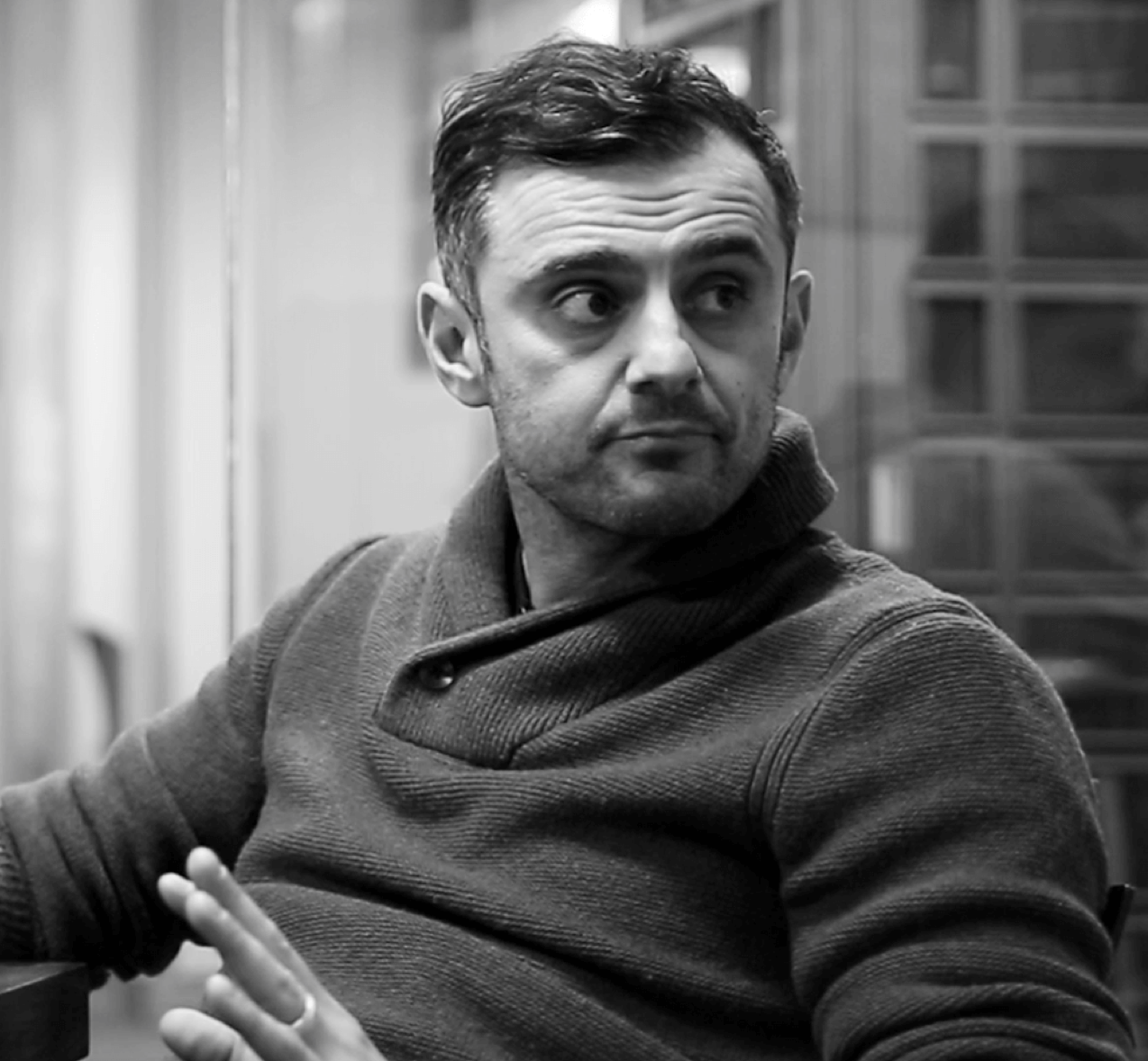
 Fist Bump #2: Gary Vee
Yes, I said this was one of the 6 things I was most excited about going into ICON, and it did not disappoint. Gary spoke at ICON in 2012 and at that point I had absolutely no idea who he was, but I liked his raw and authentic style. Here we are in 2016 and his style and authenticity are just as palpable, but his message has evolved.
This year’s Gary Vee connected with me in a way that I didn’t expect, and it’s probably at least in part because Gary is 4 years older, wiser, and more experienced. But I believe in large part it’s also because I’m no longer who I was four years ago. My life and corresponding perspective have evolved as well. This was my first year attending ICON as anything other than an Infusionsoft employee. And as much as I pride myself on the empathy I developed and exercised while I was working at Infusionsoft; it has continued to evolve and mature during my 9 months as an entrepreneur since – and I think that contributed greatly to the way I received Gary’s message about small business, adaptation, hustle, and brand.
Fist Bump #3: Logistics
I have to hand it to ICON, and the event staff that coordinated and delivered everything – it really seemed to go pretty smoothly. I checked in on the Tuesday before the conference and they were well staffed, and it was fluid. I remember a year or two ago seeing lines around the corner for people trying to check in, and this year I didn’t feel that. It just seemed smooth.
The expo hall space was also laid out really well. I liked the booth formats, the spacing felt natural, the field in the middle was a nice touch; and they brought in freaking puppies. Puppies that you could adopt! Strong play. Quite the strong play.
Fist Bump #4: Networking
 I don’t think I’m alone in saying that I took more value away from the networking opportunities that ICON provided than the actual content that I consumed. And I don’t mean for that to be a knock on the content – Justin MacDonald’s presentation on Action Planning was amazing, and Greg Hickman’s presentation on R. Kelly was unparalleled. It’s just that the networking was really, really valuable. Every time I turned a corner I was bumping into someone I wanted to talk to. I connected with people who knew me as Monkeypod, former co-workers, partners I had been meaning to reconnect with, and perfect strangers who I was excited to meet. And, this extended beyond just the hallways of the convention center. I’ll be honest, I stepped offsite for a pint once or twice, and I ran into ICON attendees at the bars, restaurants and various other downtown locations.
It was really inspiring to see the connections taking place, knowing that with every conversation that took place, someone’s business was likely growing. Each time I walked through the Sheraton lobby the chairs were filled with entrepreneurs sharing ideas, and picking one another’s brains. Again, it may be unique to me, but I believe there’s something really powerful about being surrounded by that type of energy and those types of people. And kudos to Infusionsoft for creating the environment to support this.
Okay, there, I’ve said my piece. For the 4 of you still reading this, let me just say that overall, ICON was amazing. I took away a ton of ideas, a ton of inspiration, and the momentum that I expect will carry me for the next several months. I hope you did as well. I’d love to hear your biggest take-aways in the comments below. Cheers.