Tips for SuccessCon

Tips for SuccessCon

I don’t know how it happened but it’s April already, and April as you likely know, is also SuccessCon-Eve-Month.

Yup, that’s a totally real and not-at-all made up thing.

SuccessCon is next month, May 8-10th to be specific. I’m pumped and you should be too.

(Just in case you’re not registered yet here’s my link to snag your tickets.)

Get out your pen and paper sports fans, I’m gonna give you the cheat code to making this years conference as impactful as possible. Ready? Let’s do this.

Set Flexible Goals

It’s important to set goals – you should totally define what you want to come away with. You should absolutely circle sessions that you are interested in, and hear speakers you’re excited about.

But, I’d also encourage you to intentionally choose a session that stretches you a bit, or delivered by someone you haven’t heard before.

My advice is to yes, bring your own priorities, but to leave some wiggle room in there so the conference can surprise you too.

Prioritize People

At a conference like this you’re surrounded by people, but it’s still pretty easy to avoid eye contact, to slip between the sessions and fly under the radar.

(I mean, who hasn’t done the ole “pretend to be on my phone” move…)

Conferences can be emotionally exhausting, but SuccessCon is literally the biggest gathering of Infusionsoft users you’ll find, the more you open yourself up to the other attendees the more likely you are to have a conversation where it sparks an idea that improves some aspect of your business.

Challenge: Set a goal for yourself to connect with one attendee, one partner, one sponsor, one speaker, and one volunteer. Make a little checklist if you need to and try to check off all five.

Protect Your Schedule

I know how hard it can be to step away for even a few hours, let alone a few days – but set the expectation, for your clients or your team, that you’ll be unplugged throughout the conference – and try to stick to that.

The reason I say that is because if people know they can reach you, they will.

I also know that having your evenings clear gives you a chance to decompress from the day, review your notes and ideas, or have a leisurely three-hour dinner and one too many glasses of wine.

Oh, and speaking of scheduling – put some time on your calendar for after you get home so you can review your action list, and make a plan for executing the priorities. Or heck, book an extra day to hang in San Diego and get some work done while the ideas (and fish tacos) are freshest.

Alright, before I wrap this listicle up I wanna highlight a few breakout speakers who are on my “don’t miss” list. The truth is that the SuccessCon line-up is really strong, and I have a ton of friends speaking at SuccessCon, so apologies in advance to anyone I don’t mention:

Brett Farr (Day 1, 3:00 pm)
Topic: How to Collect Powerful Testimonials on Autopilot Using Infusionsoft
Brett is a long time friend of mine, an automation artisan, and is quietly one of the most capable Infusionsoft Partners on the planet. I predict this session will be practical, and brilliant – just like Brett.

Justin MacDonald (Day 2, 7:00 am)

Topic: How to create a Predictable Business that is Systematic, Automatic, and Scalable without Stumbling Through the Maze of Strategies, Tactics, and Tech
Justin is a unicorn. He’s the type of person who men want to be and women also want to be. His super power is distilling profound business lessons into digestible tweet-sized quotes, though you wouldn’t know it by this session title.

Samantha Bennett (Day 2, 4:00 pm)
Topic: The Secrets of Highly Creative People: An Unusual Guide to Extraordinary Success
I honestly can’t see Sam’s face in my Facebook feed without feeling good. If you’ve ever struggled the find the balance between chasing your next idea and implementing the one you just caught, then Sam is about to be your new best friend.

Oof, that was savage.

I chose three breakouts that I feel will be slam dunks, but I barely scratched the surface, I mean, I didn’t even list Brad Martineau, Dobbin Buck, OR Daniel Bussius.

These titans are true power players – like, if there were marketer trading cards I’d be pawning off my snack-pack faster than Billy Madison could say “stop looking at me swan”.

Oh, and if you wanna get after something specific the niche sessions are gangbusters too – are you looking to get into the messenger bot game, boom, Sarah Watz has ya covered.

Are you a consultant looking to make that push into a full-blown agency? Hang out with my girl Crystelle on day one.

I’ve gotta cut myself off or I’ll wind up just reciting the whole conference schedule.

Anyway, grab your ticket here and I’ll see you at SuccessCon.

Oh yeah, there are workshops too…

If you’re the type of person who likes to leave with a little momentum on top of your notebook full of ideas, then stick around for the implementation workshops on the afternoon of Day 3.

I’ll be hosting one of three workshops, along with my more alliterative conterparts Micah Mitchell and Marcus Murphy.

My workshop is a guided campaign build-along (like a sing-along, but more productive for your business). This workshop will be targeted at beginners, but perfect for folks who just wants a refresher, or anyone who just wants to hang out with me.

Joining? See ya there.

Not joining? Book it in, or…I dunno, commence fomo?

Isn't there a contest of some sort?

Yup, the Ultimate Marketer of the Year contest – and it’s sponsored by the OG homie Jordan Hatch and Fullstack Marketing. The goal is to highlight companies who are using automation to create meaningful results in their businesses, and in their lives.

In my experience it’s not just about revenue, it’s about growth, and impact, and creativity – so if you’re proud of what you’ve done, look for it on the website and consider applying.

Wait, where is SuccessCon?

San Diego. Aka, The Whale’s, er, nevermind. Just San Diego.

More specifically, it’s at The San Diego Hilton Resort & Spa at Mission Bay. Check out the deets on the SuccessCon website.
Looping Campaigns in Keap (formerly Infusionsoft)

Looping Campaigns in Keap (formerly Infusionsoft)

Update: Keap released a new sequence step item that has opened up some additional flexibility for looping structures. Check it out here.

Looping campaigns in Keap (formerly Infusionsoft) is a request that I see pop up at least once a month – it’s one of those things that isn’t exactly straightforward, but may be less complicated than you think.

Before we dig into this I should say that if you are just looking for the basics of how to build a simple campaign, then you probably want to check out my Campaign Builder 101 blog post.

When would you want a campaign to loop?

From time-to-time you may recognize that you need a campaign process to repeat itself, and in those situations it makes a lot of sense for that campaign to loop (looping just means that when the contact reaches the “end” they are automatically restarted).

Some of the most common use cases for this are scenarios where you have reminders for repeating calls or events that happen at the same interval each week, each month, or each year.

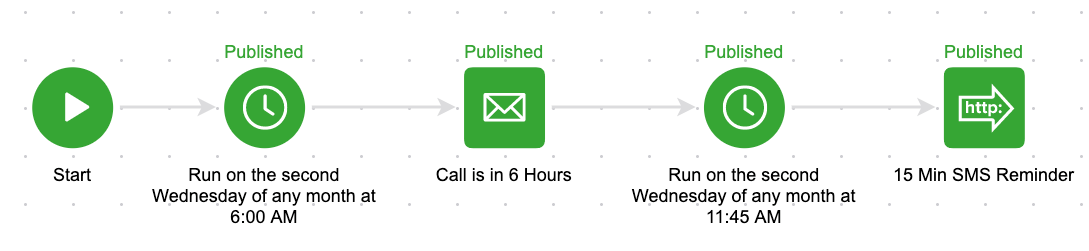
For example, let’s say you have a repeating call that always happens on the second Wednesday of the month. And the morning of that call you have an email go out 6 hours in advance, and then a 15-minute sms reminder. It’d look something like this:

You could build that process out each month, but if you know it’s going to be the same structure then it makes a lot of sense to set it up as a loop.

Another situation where looping campaigns might be valuable is when you want to issue a quarterly survey to your subscribers, or to your members – you don’t necessarily need to do this manually, but if you know that once a quarter you want to send them an invite to take the survey then you could build this process out so that it loops four times a year (once each quarter).

Technically speaking, how do I do it?

We know Goals as the “triggers” of campaigns; and largely they serve to start and stop automation.

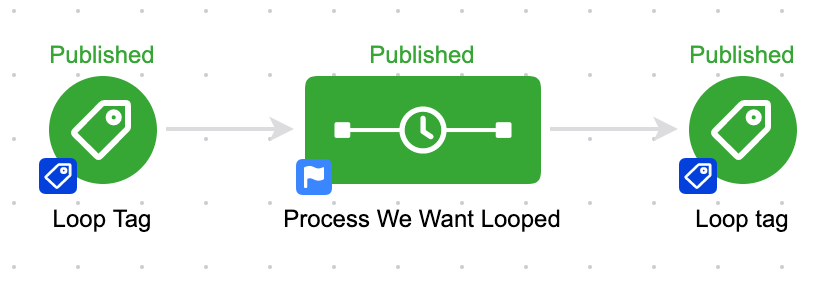
So to loop a campaign we need to use the exact same goal at the end, and also at the beginning. That way, when the goal is completed it stops the campaign and also restarts the campaign.

The whole reason that this works ties back to a very specific intricacy in how the campaign builder processes these events, and it’s perhaps the most important part of this blog post:

When a goal is achieved, it performs the “stop” functions before it performs the “start” functions.

Now, the lag is imperceptable to humans, so it appears they’re happening simultaneously but it’s important to know that the contact is drawn out of the campaign before they’re readded; if it happened in the opposite order then the loop would immediately stop and we wouldn’t be able to depend on this methodology.

Can I have another example?

Sure, check out the example at 4:09 in the video above – it’s a perpetual resource loop to stay in touch with my referral partners and make sure they have easy access to their links and the resources I’ve created for them.

Do I have to use Tag goals?

Tag goals are by far the most common goal method used to build loops, but technically you could use any goal method that can be configured to be simultaneously achieved.

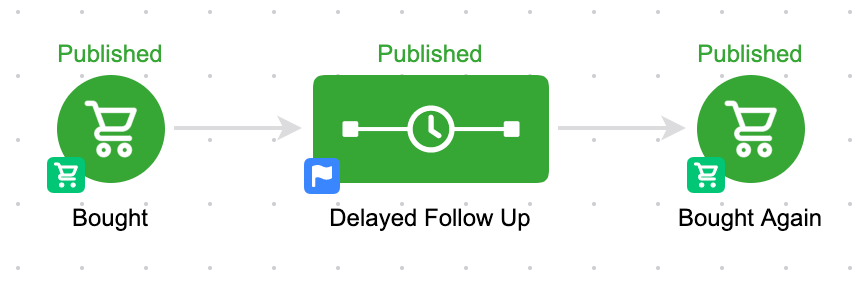
Another example might be using purchase goals – and if X amount of time elapses between purchases you could create a task to call that contact, or trigger automated outreach from their point of contact.

Here’s an example of what that campaign might look like:

I think the take-away from all this is that looping is possible, and it’s not just a novelty.

It’s a legitimate campaign builder tactic that can save you time and help maximize the mileage you get out of your Keap automations.

If you found this valuable leave a comment below – or, if you’ve got your own scenario where looping saves the day, share that.

Looping Campaigns without using Goals

Infusionsoft released a new sequence widget that permits users to add and remove contacts from campaign sequences without requiring that they achieve a goal – and Kevin Mogavero recorded this short tutorial on how you can use it to create a looping campaign structure without the use of tags (or purchase goals, etc).

Extra Campaign Builder tactics and training…for free?

If you like tactics like this, then you’re gonna love Campaign Builder Finishing School.

It’s a quick video series covering a selection of tactics you can use to level up your existing Keap campaigns.

Calendly and Keap

Calendly and Keap

There is an undisputable rule in marketing automation: if you have appointments or events to invite contacts to, and manage or negotiate in any way, you are wasting a boatload of time and giving yourself pointless headaches if you’re not using a scheduling tool.

I’d like to highlight one today in particular, namely, Calendly.

What is Calendly?

Calendly is an online scheduling tool that connects with Google Calendar, Outlook, and iCal.  It allows you to send meetings or events to any number of individuals so that they can quickly book them.

These meetings and events can be paid or unpaid.

They can also extend to other formats, such as group trainings.  One caveat, which I’ll touch on later – Calendly excels for group appointments and small meetings better than much larger shindigs like classes or workshops.

Who should use Calendly?

It’s for any SMB owner needing to eliminate the repetitive task of negotiating meeting times with people.  Delegation is key, and any superfluous task that can be done better, automatically, without us having to micromanage it is a huge win.

Parties that are especially well suited to Calendly are consultants who sell their time, because of Calendly’s stripe integration which allows you to sell paid appointments.

It’s also excellent for operations that use sales appointments and sales meetings, considering the tools available for round-robinning (yeah, I made it a verb, whatcha gon’ do?) and fairly sophisticated team distribution.  It works well for those who offer classes, workshops or group trainings on a fairly regularized or uniform basis, although Calendly’s scheduling capacities for these is relatively simple in what it provides.

All this said, if you need more advanced features like add-ons or upsells, perhaps Acuity is a more apt choice.  This caveat is especially applicable if you need to be using more advanced criteria in the booking of the appointment (as in the case of haircuts or massages or spas) where the type of appointment varies by the kinds of resources or the types of personnel needed to perform particular services.  

Again, in these situations, Acuity is probably going to be more in your wheelhouse.

Calendly Benefits

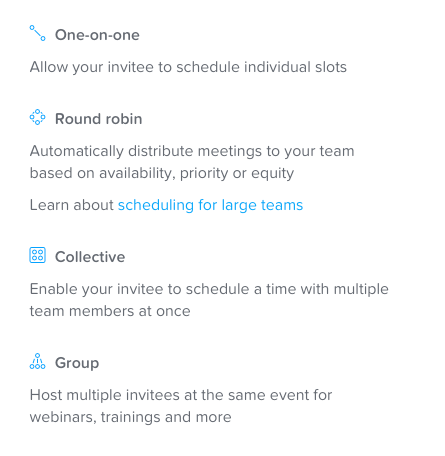
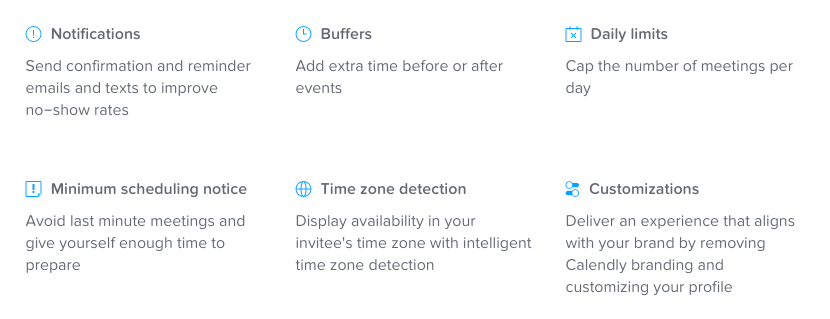
Caveats aside, I love Calendly.  It’s an extremely flexible and easy tool to use, which is predicated on how well it does the very specific job it accomplishes.  Here are a few key features listed on the Calendly site:

I also love how easy and fast it is – how easy and quick to set up/implement it and connect it to your calendars, along with the intuitiveness of its interface from the user end, along with how *literally* fast it is … I won’t name names, but not all scheduling tools are snappy about loading their calendar availability, which clearly jeopardizes your ability to reliably book appointments.

It looks great on a mobile site, and is extremely flexible for weaving into your funnels.

Here’s an exhaustive list of the Calendly features.

Calendly Drawbacks

One limitation of Calendly is that there is a rather limited number of fields you can request a contact to fill out prior to booking an appointment (I believe it’s three).

I’m not sure what the reason for this is, but if you have sophisticated form requirements, you’ll need to ask them those questions after the appointment has been booked, which isn’t always necessarily a bad thing.

Any other limitations of Calendly are really a “feature-not-a-bug” situation.

Calendly Pricing

As ever, we should probably discuss pricing.  So let’s dive in, shall we? Calendly offers three tiers of offerings:

  • Basic (which is free)
  • Premium (which is $8-10 mo.)
  • Pro (which sits at $10-12 mo.)

The Basic option is good if you’re a dabbler by nature or looking to just get a feel for the system.  You can use 1 event type, received a personalized calendar link, and can send automated event notifications via email.

Premium steps it up with unlimited event types, poole availability options (such as collective scheduling and round robins), customizable email notifications and reminders, access to metrics and reporting, integration with Zapier (key!) and Zoom and GoToMeeting.  If you don’t have paid appointments or use SMS notifications, this is the tier for you.

The Pro tier has some very useful upgrades worth noting.  In addition to everything in premium, you can send SMS notifications and reminders, and also sports and integration with Stripe and PayPal (key for processing paid appointments), and also has a google analytics integration that can be useful in certain situations, as well as invitee redirect

You can check out what their various tiers include here.

Connecting Calendly with Keap

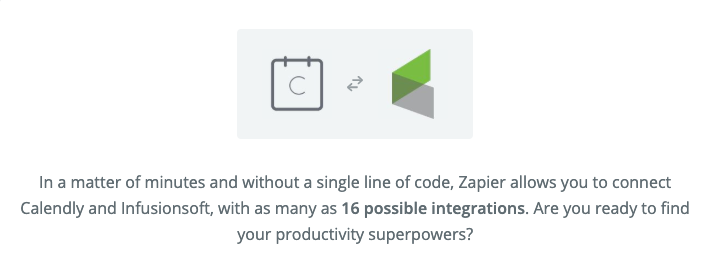
Connecting Calendly to Keap (formerly known as Infusionsoft) is pretty painless too.  Though it offers a first-party, native integration, it has a few problems and I wouldn’t recommend it, for reasons to wordy for this blog.  However, connecting Keap and Calendly through Zapier is a snap, and I recommend it strongly.

Calendly does have some native integrations, but I’ve found some of the direct integrations aren’t as robust as what is available through Zapier.

More on their integration options here.

You can have that zap run on the booking, cancelling, or rescheduling of an appointment, and will work via the “tag app applied” option .  One of the beauties of all this is that you only need to use minimal setup between Zapier and Calendly, since Calendly native functionality is already so rich.  This may not be the case with ScheduleOnce, Acuity, or … others :/

Editor’s Note: I was reminded by the commenters below that PlusThis also has an integration that connects Calendly and Infusionsoft – so, if you’re already a PlusThis user (or you were thinking about it) then this is another tasty feature that they offer. Details here.

Now I know I’ve painted a pretty glowing picture of Calendly here, but it’s always important to remember that all tools have strengths and weaknesses compared to their competition.  

As I’ve mentioned Calendly’s strengths are legion: The pricing is really in that sweet spot, the speed and simplicity of setup is really my favorite feature of all, and it’s flexibility in accommodating different offering types and setups, and if you’re looking to use a scheduling tool in your processes Calendly is among the easiest.

As far as weaknesses go, it’s primary chink-in-the-armor is that it’s not as feature-rich as some even more robust tools like Acuity, and if you’re seeking something that is more along the lines of a facilities management kind of tool, a solution like Acuity or ScheduleOnce is going to be more adequate for you.  

Editor’s note: More on integrating Acuity with Infusionsoft in this post.

But if you find yourself in a space that doesn’t have paid appointments, Calendly earns my vote, for sure.

Bonus Tips:

Gmail Templates

If you use Calendly and Gmail, I’d recommend setting up a template that you can use to inject your calendar links into your emails when you’re interacting with people through your normal inbox channel – it can save you time by preventing the need to look it up and copy/paste, etc.

Prefill Calendly Links

You can use merge fields to append information to the calendly link which saves the prospect from having to re-enter information you’ve already collected.

Chrome Plugin

There is a Calendly Chrome Plugin that allows you to quickly grab your links and adjust your availability on the fly. Check it out.

Campaign Builder 101

Campaign Builder 101

Campaign Builder 101 is the beginner’s guide to understanding the campaign builder in Keap Pro, Max, and Max Classic (formerly Infusionsoft).

If you’ve never quite grasped why it’s so powerful, or you just feel like you missed the first day of class, then this is the back-to-the-basics approach you might be after.

(You can jump right to the FAQ section here)

And before we get too far into things – I want to highlight a robust three-part course on the campaign builder, the Advanced Automations Complete Collection – available for free on the Keap Academy platform.

The first thing to know is that the campaign builder can be used to do a zillion different things.

So there isn’t a singular recipe for how to use it “right”.

You can build lead capture campaigns, nurture campaigns, sales campaigns, webinar campaigns, fulfillment campaigns, partner campaigns, and it goes on and on – at a super high level, it works like this:

Use the campaign builder design automation that systematizes a process.

Any process.

Usually the campaigns are either a) customer facing automation, or b) internal automation, or c) some combination of the two.

(More on the campaign types here)

And while there are an infinite number of ways to use the campaign builder (I mean, literally countless business models, industries, and marketing tactics), there IS a common thread that ties every single campaign on the planet together, as least as far as Infusionsoft is concerned.

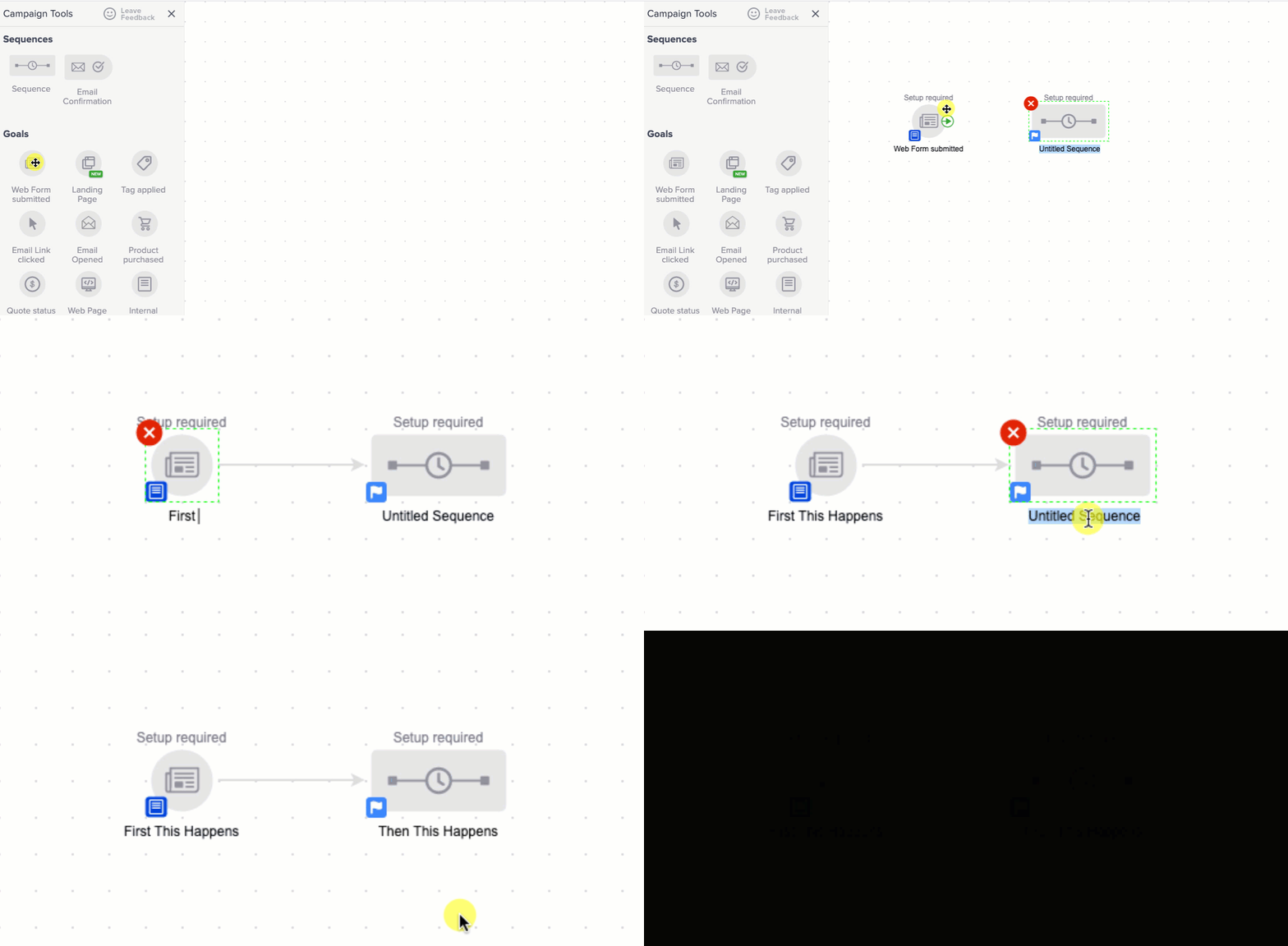
The common thread is goals, and sequences. That’s it.

Every single campaign out there, all of them, are comprised of goals and sequences.

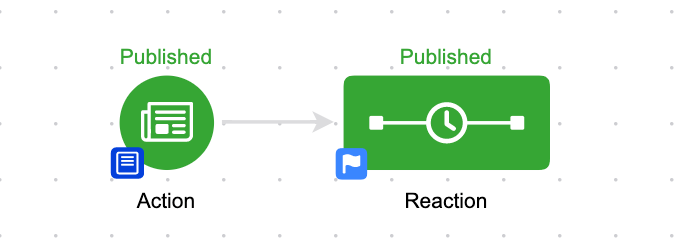
And the easiest way I know to explain it is Action and Reaction.

Goals are actions (something took place).

Sequences are reactions (what happened as a result).

The way I recommend people start with automation is to start small – find something in your business that always happens in tandem and focus on automating that.

Examples:

1. Someone fills out the contact us form (action), it creates a task for me to reply to them (reaction).

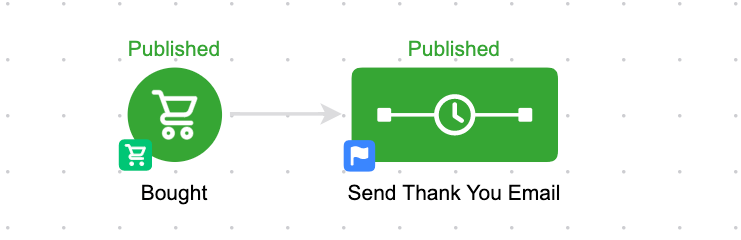
2. Someone buys something (action), they get a thank you email (reaction).

At the end of the day it can ALL be boiled back down to this.

Goal >> Sequence

And then as you get comfortable with that it begins to build out from there.

Goal >> Sequence >> Goal >> Sequence

GOALS AND SEQUENCES

What are goals?

Goals are the high level milestones of your campaigns, you can think of them like triggers.

As a general rule, goals serve to start the actions that come after them, and stop the actions that precede them.

The goals can loosely be divided into two categories – actions the contact takes, and actions the user takes.

Contact initiated goals are things like web form submissions, purchases, and clicks. They’re literally things that the contact has to “do”.

User initiated goals are things that a user does, things like applying a note, applying a tag, moving an opportunity to a new stage, or submitting an internal form.

There is a third category, which I call “system initiated”, and that’s when something happens – like, a contact’s score is recalculated and they achieve a goal by reaching the new score; or a tag being applied automatically as a result of some other automation,

Check out this help article for a comprehensive list of goals.

What are sequences?

Sequences are the “reaction”. They’re everything you want to have happen as a result of the previous goal, or to guide them to the next milestone.

But one key thing to remember is that a sequence on it’s own is just a container – it doesn’t have any default content. You use a sequence to assemble the actions you want to have happen, and to define the order you’d like them to take place.

Most people think of sequences as “email sequences”, and while that is the most popular use case, you can also use steps in a sequence to automatically apply a tag, apply a note, create a task, add someone to a fulfillment list, send an http post, and a variety of other actions.

For more on sequences, check out this help article.

Okay, so you start with the action (the goal) and then you bundle it with the reaction (the sequence).

From there, you build your campaigns action >> reaction, or, goal >> sequence.

From there you can continue to use sequences to guide your prospects from milestone to milestone.

Goal >> Sequence >> Goal >> Sequence

And as you build these automation “snippets” (which I call “automated moments”) what begins to happen is you can weave them together to created automated journeys.

The journey is the path the customer takes – from discovering your brand, to opting in, to becoming a customer, to getting the thing they bought, to buying again, and to telling their friends, etc.

This is where it starts to get complicated – because there are so many permutations, exceptions, and variables.

They can all be addressed, but not necessarily predicted.

I would imagine it’s like learning an instrument – you don’t start by learning all the songs.

You start by learning the notes.

And once you know the notes, you can play the chords.

And once you know the chords, you can play the songs, or write them.

(I have no musical talent or ability, so admittedly that may not be how it works.)

Same thing for learning language, you start with the alphabet – you learn the building blocks you’re going to use.

There’s a joke I like that goes:

“Once you’ve read the dictionary every other book out there is just a remix.”

It’s true for campaigns – once you know how goals and sequences work you can digest any campaign (no matter how big, or sprawling, etc).

The goals are the high level milestones.

And the sequences are what happens in between those milestones – either as a result of the previous goal, or in preparation of the next one.

I don’t wanna downplay the campaign builder’s power, but I like to emphasize that while you can build complicated and intricate campaigns, you certainly don’t have to.

(Though if you do, I blogged about three “gotchas” to be aware of – Gotcha 1, Gotcha 2, Gotcha 3)

How big should my campaigns be?

This is an common Campaign Builder 101 question – as you build out your automation when does it end? At what point should one big campaign turn into two smaller ones?

The answer depends on who you ask, but I find that there are usually some natural breaking points where the conversation shifts, or you hit a natural milestone.

Here’s a blog post from Mike Harris talking about the idea of compartmentalizing your campaigns.

The key thing to remember is that you can transition contacts between campaigns automatically by using tags and tag goals.

For most people automating simple bite-sized pieces of automation is all they really need in order to start seeing an ROI.

I find that the more time you spend in this space, the easier it is to get distracted by all the things it could do; and I think it’s safe to say that entrepreneurs don’t need any additional distractions.

So my rule is this:

Prioritize what is necessary over what is possible.

Not bad, right? (Yeah, go ahead and tweet that.)

Sometimes this means focusing on the more repetitive mundane parts of your business, rather than launching a new lead magnet; but sometimes it means launching a version one of your campaign just to get it live – even when you know there’s more you’d like to add to it in the long run.

It’s easy to get overwhelmed when you think about technology, and layering automation into your business – but it can be reassuring to boil it back down to the basics.

Goal >> Sequence

Action >> Reaction

If you can wrap your head around that then you can build campaigns all day long.

Remember – the campaign builder is just a tool.

And like any tool, it’s dependent on the person using it, and the blueprint they’re following.

What do I do next?

The campaign builder is powerful, and versatile, and using it is critical to maximizing what Keap does for your business.

If you’re wondering where to go for more, you can browse the tools and features available in the campaign builder for free by checking out the articles in the Keap help center. There are loads of them, and plenty of users have carved their own path this way.

But if you’re the person using it – or you plan to be, and you’re looking for a more linear approach then check out the technical training in my three-part CB: Trilogy course. This course starts with the basics, and builds through to decision diamond branching, sequence settings, and advanced campaign configuration.

Now, if you’re already comfortable with “how” the campaign builder works, and you want to spend more time on the strategy aspect, or just need a place to ask questions when things go off the rails, then I recommend checking out the OG Membership.

Campaign Builder 101 – FAQ

What do I build?

Start by mapping out the journey you want your customers to take, and then try and use automation to bridge the gaps between the high level milestones you’ve identified.

Read more on mapping the customer journey here.

Got any examples?

Looking for example campaigns that you can build? That’s tough, because campaigns are often very specific, but here are a few that nearly every business needs.

Can I edit a campaign I've published?

Yes.

Launched doesn’t mean finished.

You can absolutely edit a campaign that you have already published – in fact, you almost always will.

Launching a campaign is often times an exercise in letting go of control – at some point you need to acknowledge that it may not be absolutely perfect, but it’s time to get it live.

And once your campaign is live you may start seeing areas where you could improve it, and that’s okay too.

Campaigns are living breathing things, and part of what makes them so powerful is the ability to add to them, refine them, or tweak them over time.

Now, that being said, modifying a live campaign with people in it can have some unexpected consequences – check out this article on what to expect when republishing campaigns.

How do I test campaigns?

Whether you’re a complete novice or a savvy pro, testing campaigns is important.

Here’s a video tutorial on testing your Keap campaigns so that you can launch with confidence.

Can I pause a campaign?

Yes and no.

No, as in, it’s not a native feature.

Yes, as in – sort of. It’s not really pausing but you can create a similar result (temporarily remove contacts and then add them back in), but I hesitate to recommend this because it’s rarely worth the effort.

Here’s the video overview.

The 3 Campaign Status Types?

A contact can have three statuses as it pertains to a campaign sequence.

Active: this means a contact is in a campaign sequence and there are steps scheduled

Queued: this means a contact is in a campaign sequence, and they have completed the steps in their current sequence but have not advanced

Done: this means a contact was in a campaign sequence but is no longer, because they have either achieved a goal and moved on, progressed naturally into another sequence, or been removed manually

More on this here.

Got any tricks to simplify this stuff?

Great question – yes.

Here’s a trick for copying goals and sequences (within a campaign, or across campaigns) to save yourself some repetitive effort.

And here’s a trick for re-centering a campaign that has gotten lost off screen.

TYPES OF CAMPAIGNS

External Automation

External automation is the stuff that the customer sees – it’s the the landing pages, the emails that go out, the text messages you trigger (through a third-party service), and anything else that the customer directly interacts with.

If a customer signs up for your newsletter, and they receive a welcome email, or a copy of your most recent newsletter – that’s an example of customer facing automation.

Another example would be a customer who purchases one of your courses, or joins your coaching program – and then they receive the on-boarding series, access to the course, or instructions on how to schedule their first call.

External automation probably makes up the majority of use cases for the campaign builder – but if that’s all you use the campaign builder for you’re missing a piece of the puzzle.

Internal Automation

Internal automation is the stuff that needs to happen internally – it’s can impact the customer journey, but it’s often “behind the scenes”.

An example might be when an employee submits an internal form to record details about a prospect who called in – and as a result it creates an opportunity, tags the prospect, and assigns it to a sales rep for follow-up. The customer doesn’t know that any of that took place, but the automation is making sure no one drops the ball.

More often than not internal automation is used to supplement the customer experience – to streamline an internal process, or to help with transparency, or accountability.

Internal automation doesn’t get nearly as much attention as traffic, lead capture, and sales – it’s just not as sexy to talk about, but it can be every bit as valuable.

And the beauty is that you don’t have to choose – you can and should use the campaign builder for internal and external campaigns; in fact, that’s the one of the big keys to maximizing the ROI you get from automation in your business.

Modern Forms from PlusThis

Modern Forms from PlusThis

Let’s see – how do I put this diplomatically?

Keap’s web forms are….basic. (Jump straight to the fix?)

They let people opt-in for stuff, they work with Keap’s leadsource tracking and affiliate tracking, but outside of that they don’t have much going for them.

I’m about as much of a Keap fanboy as you’ll find, but the truth is they pale in comparison to the landscape of modern and responsive builders available across the digital marketplace today.

It’s for that reason that most Keap users either don’t use them at all, or only rely on them as a last resort.

(Just as a reminder, Keap is the platform that was formerly known as Infusionsoft.)

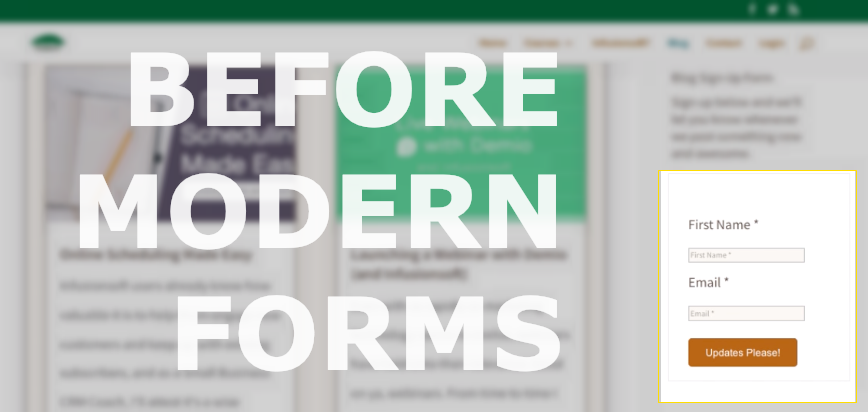
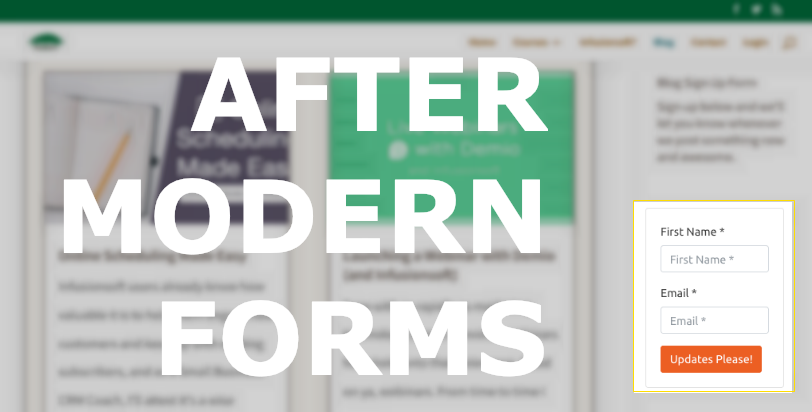
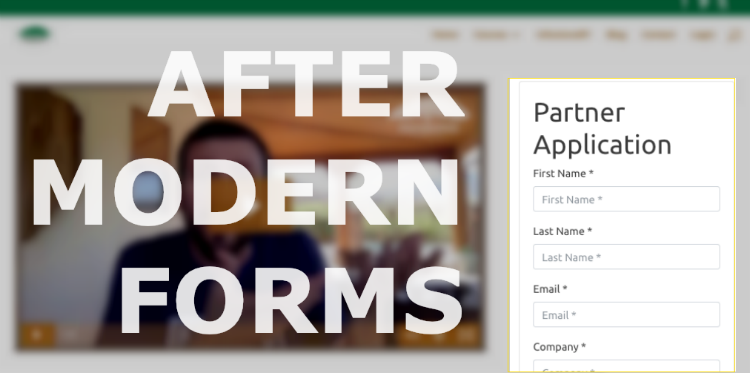
Yet given all their shortcomings, and my pronounced criticism of the forms I was still using them in two places on my website – my blog opt-in, and my referral partner application form.

Before

After

The reason I say “was” is because just recently I learned about a tool that PlusThis offers called Modern Forms.

What does it do you might ask? Simple – it makes your forms modern.

It makes them look good, and quickly too.

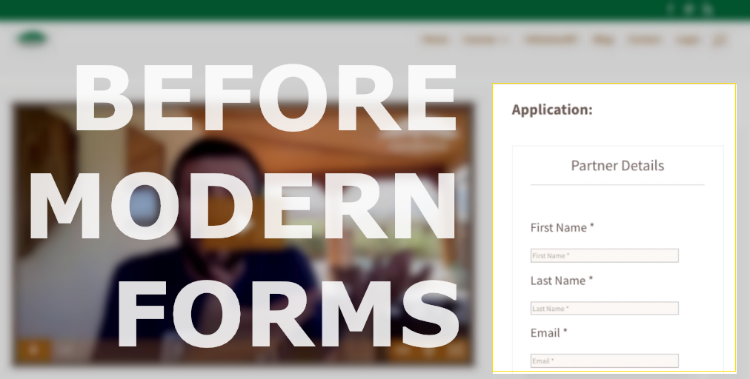
Here’s another before and after shot.

Before

After

The design changes are relatively subtle, I get that – but the fields are easier to use, and most importantly the forms are responsive.

So, if you’re already a PlusThis user then a) good on ya, and b) this tasty little feature is ready for use like – today.

Here’s a ten minute walk-through where I update two forms, totally miss a batch of settings, reach out for help, get the help, and finalize the forms.

That’s it. Now go make Xzibit proud and pimp your forms.

And if you’re not yet a PlusThis user, you can get started here.

How does it work?

This feature works pretty much as advertised.

  1. You select your form.
  2. You choose from their prebuilt “styles”.
  3. Modify if/as needed.
  4. Copy the embed code.
  5. Add it to your website.
Yeah, I know, it’d be great if Keap just made their form builder better – but until then, this tool from PlusThis is gonna be my go-to fix.

Reminder: You can do me a solid if you use my PlusThis referral link.


exit intent forms in keap

What else does PlusThis do?

Good question. Tons of stuff.

I also use it for video tracking so i can release bonus content in my courses at the exact right moment, but here’s a comprehensive list of their features.

If you dig this stuff, and want to see the other tools that have earned my trust then help yourself to my Tools Ebook.

Infusionsoft Name Change

Infusionsoft Name Change

You may have heard the rumors that Infusionsoft is changing their name, and yes, it’s true – it’s finally out the in open.

What’s Infusionsoft’s new name? (drumroll please….)

Infusionsoft’s new name is Keap

The company is rebranding and the new name will be Keap. Here’s the official news from the mothership.

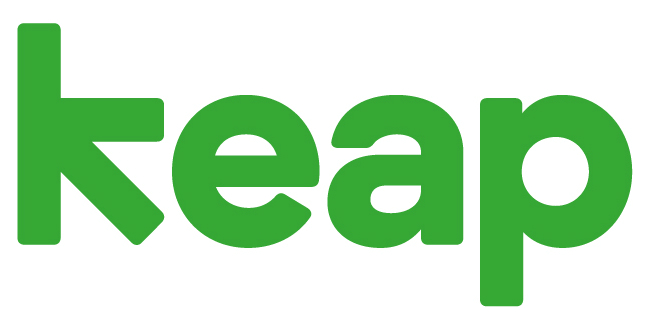
Here’s a peek at the new logo:

Need training on Keap?

Introducing the The Keap Starter Kit – a foundational course covering both technical and strategic concepts for Keap users. This course is designed to cover all the things you didn’t know you needed to know. Check it out here.

Let me see if I can answer some of the most natural questions that this announcement might raise.

Okay, so why rebrand?

The official company statement is that Keap represents the very essence of the grit and passion small businesses put in each day to keep going, keep serving and keep growing.

After being Infusionsoft for 17 years, they felt it was time to change their name to better reflect their mission to help millions of small businesses succeed.

How does this affect me?

It may not affect you at all.

The first thing I want to be clear about is that the existing Infusionsoft software that most of us know and love is still going to be called Infusionsoft.

Over the last year or so, since the introduction of “New” Infusionsoft there has been some confusion in the Infusionsoft ecosystem around the two platforms, which was which, and what the key differences were.

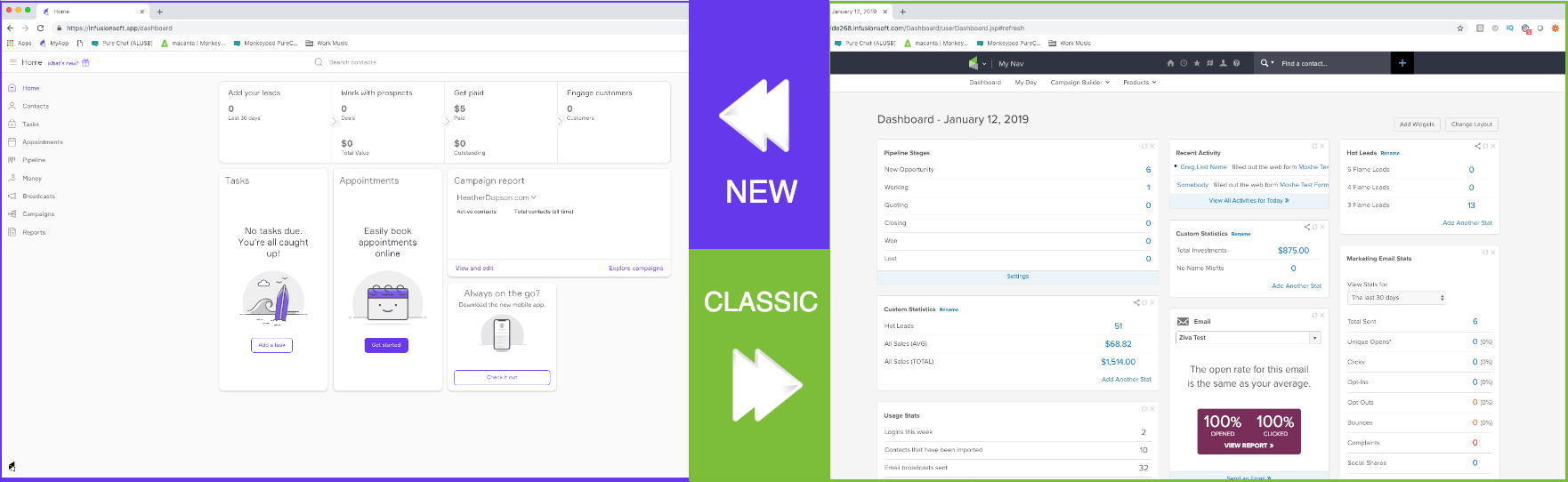
Take a look at this image – which side looks more like your account?

If your dashboard looks like the one on the left, then you’ve been using “New Infusionsoft”.

If your dashboard looks like the one on the right, then you’ve been using “Classic Infusionsoft” (also known as “Pro”).

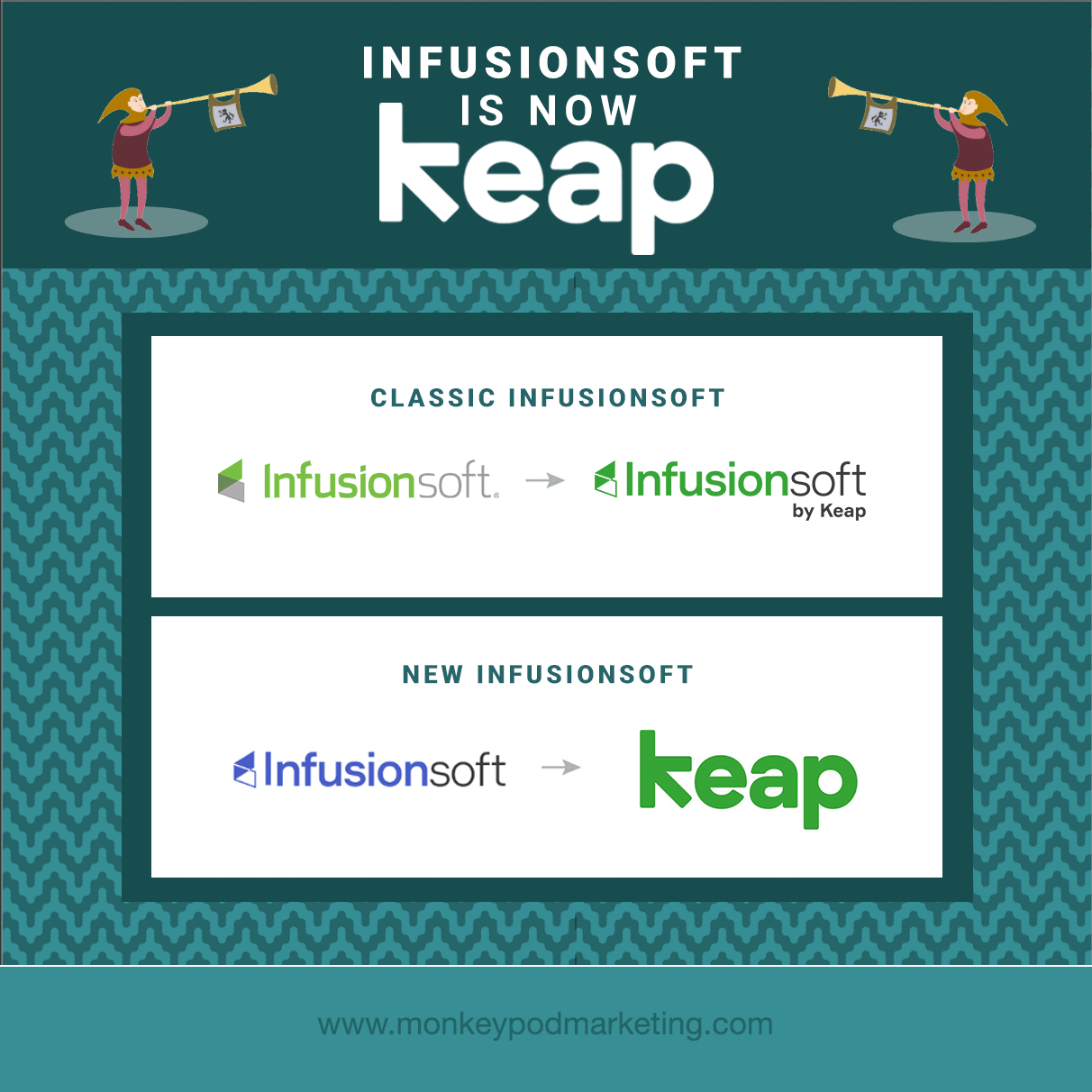
But, what names are actually changing?

New Infusionsoft is rebranding to “Keap”.

Classic Infusionsoft is simply changing to to “Infusionsoft by Keap”.

So the company, now called Keap, will have two products:

  1. Keap
  2. Infusionsoft by Keap

Clear as mud? Good.

Lemme see if this graphic clarifies:

What does this mean for existing users?

For Keap Customers (formerly New Infusionsoft):

  • You’ll see a whole new look with new colors. Your current application will be refreshed with its new name, Keap, along with the colors inside the application.
  • Your monthly invoice will now come from Keap, the company.

For Infusionsoft by Keap Customers (formerly Classic Infusionsoft):

  • You’ll see a new Infusionsoft by Keap logo inside (the branding center). You can continue to use the product as you have been, with no interruptions to your business.
  • Your monthly invoice will now come from Keap, the company.

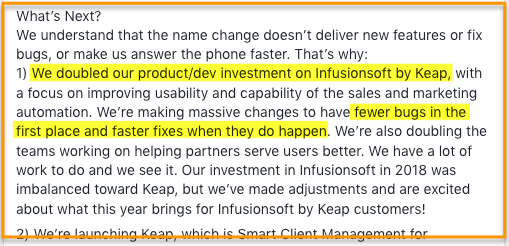
Perhaps the most exciting thing I’ve read with regards to the rebrand is this statement from co-founder Scott Martineau, where he owns some of the missteps over the recent past and commits to renewed focus on the existing software moving forward. (Source)

More FAQs

Was Infusionsoft purchased?

Nope. It’s a fair question though, I’ve heard this one a few times. Infusionsoft decided to change to Keap because they hope it better represents who they are and what they do for small business.

Is that a typo? Why "Keap" and not "Keep"?

Another good question – the simple answer is that going with “Keap” made it more unique. It means it stands out more easily, and gives them the ability to trademark it, and claim unique domains and social handles.

Also, come on – weird spellings are all the rage (Lyft, Netflix, Reddit, etc).

Do you offer a course on Keap?

I’ve partnered with Brian Keith of Red Beard Consulting to launch a course on Keap, The Keap Starter Kit.

It’s a foundational course – covering both strategic and technical concepts to help Keap users understand and maximize the way they use the Keap platform.

If you know anyone who this course might benefit then check out the Keap Starter Kit Affiliate program here.

Will the login screen change?

When Infusionsoft becomes Keap, they will change the log-in screen. But don’t worry, customers can use their current username and password and they will be placed into the right product.

How will the name change affect existing APIs?

All APIs will be unchanged.

If you notice difficulty or inconsistencies with your API connections then report that as quickly as you can – but there are no anticipated adverse effects.

Branding and Logos

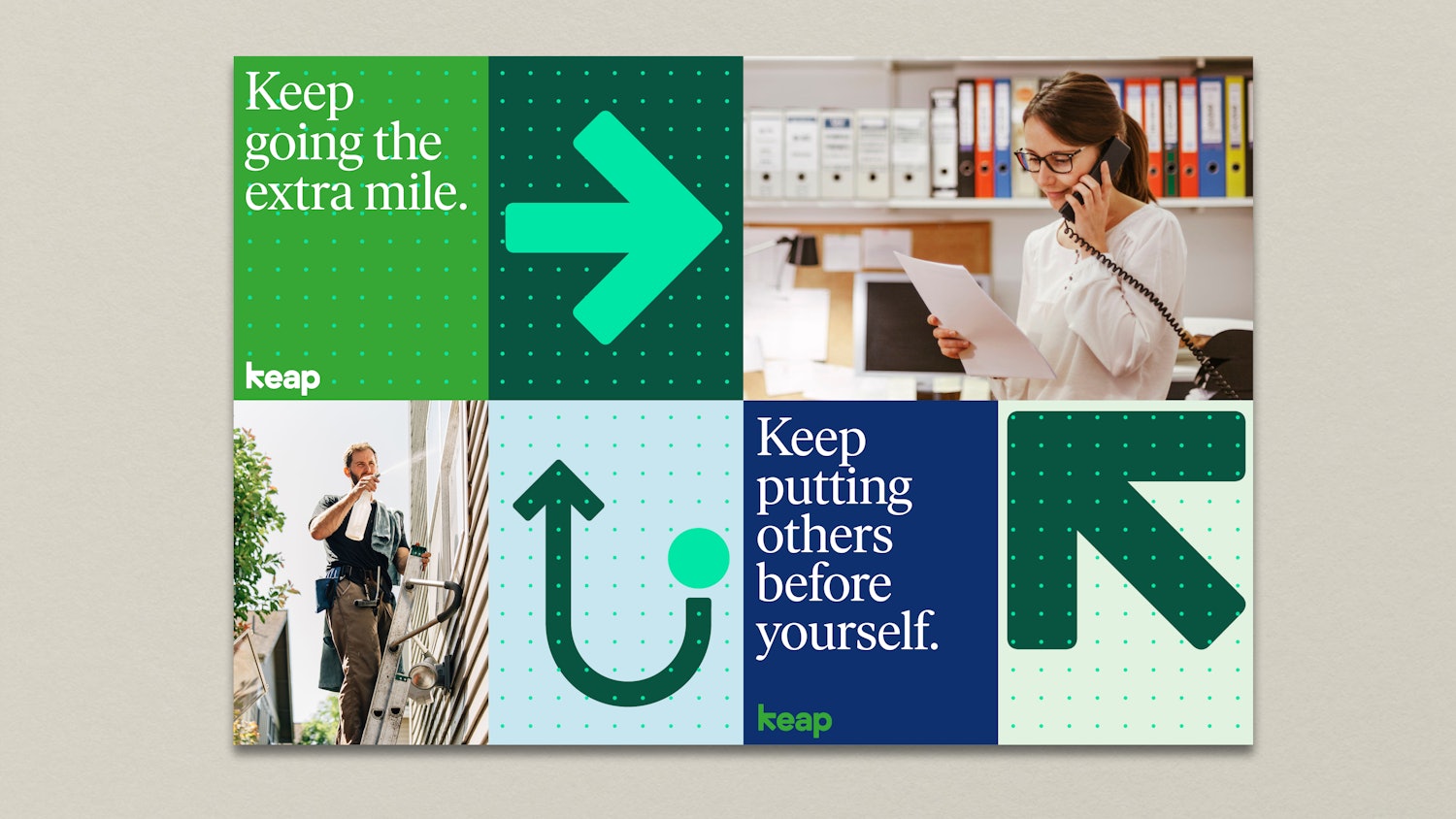
Keap, formerly Infusionsoft, worked closely with Pentagram to develop the new brand identity. The details of the project are here, but this is a quick summary:
“Built into the geometry of the wordmark is a hidden arrow, an apt symbol for what Keap does. The identity is part of a comprehensive system that includes brand architecture, messaging and tone of voice, typography, color, graphic language, motion, photo and video art direction, and environmental graphics.”

My two cents:

Let me start by saying that Infusionsoft doesn’t need my permission to do anything – obviously. So the following is literally just one guy’s opinion on the matter:

Honestly, I was kind of taken aback when I first heard that Infusionsoft was changing their name. I was frustrated, annoyed even – I felt like there’s so much that the product itself needs and the name is just, well, it’s just a name.

But hearing Clate and Scott talk openly with the Infusionsoft Partner community about the rebrand helped me change my perspective.

They talked about the renewed focus on the products they have, how the new name marks a new chapter in the ways they can serve the small business community – and they shared how the meaning behind the new name is rooted in the early, and challenging days of their own entrepreneurial story.

The truth is that while Infusionsoft, the software and the company, has had a huge influence on my life and on me as a person – the core values that resonated so clearly with me when I was first hired are still guiding the organization today, just under a different brand name.

Oh, and I’m really excited that the two platforms will have different names. I think clearly differentiating the two versions of the software will help users find the answers, support, and resources they need more easily.

Interview with CEO Clate Mask

Promo Video: Quiet the Doubters with Keap

The new website, Keap.com is now launched and live – and I’m particular impressed by this powerful promo video.

 Here’s what people are saying about the name change:


When I think about small business, I think of the family that depends on that business making it. It can be difficult and, often, downright painful to weather the daily struggles.

While our purpose to help them succeed has been empowered by the Infusionsoft product, many small businesses simply aren’t ready for it. But, no more.

Keap is meeting these amazing people where they are and making success more accessible to them, and the families and communities that depend on them. We are changing lives in very meaningful ways – and that’s the most exciting thing about what we’re up to at Keap!

Matt Vosburgh

Senior Partner Trainer, Keap (formerly Infusionsoft)

What I’m most excited about with the name change how Infusionsoft can (finally) start to differentiate their 2 products.

Infusionsoft by Keap is a time-tested and battle proven powerful tool for small businesses that are ready and need that level of power. For those business just getting started on their automation journey, Keap is a powerful tool to get them a lot of the same benefits they’d get with Infusionsoft – without the headache and hassle involved in a complex custom setup process.

Keap will do for small businesses going down the automation path what MailChimp has done for small businesses looking to add email marketing.

Jordan Hatch

Founder, Infusionsoft Partner, Fullstack Marketing

The new brand name helps emphasize the importance of small business owners and what we want to help them do: keeping it all together.

As many small business owners can empathize, it’s difficult keeping all the plates spinning and that’s where we want to help ease that burden.

Andrea Kitchen

Senior Product Manager, Keap (formerly Infusionsoft)

It’s a new name, which is cool, and probably really meaningful to some folks – but what I want is a renewed focus on making the product, both products, world class.

Name changes notwithstanding I’m going to keap helping my customers make the most out of automation

Mallory Balnis

Founder, Infusionsoft Partner, Plum Crazy Automation

Related articles from the ecosystem:

Infusionsoft Unveils New Platform – from the Keap product blog

Infusionsoft Changes Name to Keap Q&A [Video} – from Box Out Marketing

Infusionsoft vs Keap (What you need to know) – from the Automation Ninjas

Keap Review and Walkthrough – from the Automation Ninjas

Infusionsoft se convierte en: KEAPUn artículo para los clientes hispano hablantes, from Geni Ramos

Keap branding and logos – from Pentagram