Lessons learned from my first actual attempt at marketing myself

Lessons learned from my first actual attempt at marketing myself

Hi – if we haven’t met, I’m Jade, a Keap certified partner and the Monkeypod community manager.

And I have a confession: Until recently I’d never actually marketed myself.

What, what? I know, I know.. You’re probably thinking to yourself “Jade, a Keap marketer, has never attempted to market herself?”

Weird, right?

Jade

It’s true. I’ve been a relationship-based freelancer for over 2 years now, and have never done any traditional marketing for myself – only for my clients.

“What did you market, then?” you may ask.

Great question. As most good ideas do, it all started with a problem that desperately needed a solution.

The Problem

Have you ever gotten random cold DMs from gurus or services that are just straight-up slimy?

Have you ever seen some app or guru claiming that their way is the way, and if you just act like them and follow their guide then you’ll be a millionaire?

Have you ever seen a marketing fad come around that everyone adopted too quickly and sloppily, only for it to turn unpopular as soon as you blink?

We’ve all seen that crap.

I think it took so long to bother me because, as a business owner, I grew up around Greg and the Keap community where that yucky stuff just doesn’t fly. I’ll even go so far as to say that I took the authenticity and goodness all around me for granted.

As I grew and networked outside of the Keap family, I saw more and more of the yuck.

And I could clearly see that a lot of other entrepreneurs felt like I did – we were frustrated; and had a growing distrust in the marketing industry as a whole.

The Epiphany

Near the end of 2019 I was at an enormous entrepreneur marketing event that was unfortunately chock full of those “me me me” type gurus, and I was not having a good time. Luckily, my partner Brian and I did manage to find a few people who were interested in having two-way conversations, so it wasn’t a total loss.

During one of those conversations, a man was asking Brian how he managed to have such high conversion rates from his sales conversations. Brian said, “Easy. I ask questions and don’t talk about myself or what I know at all. Let me show you..”

Brian then drew a circle and explained how he follows a question path that helps dive deep into his prospects’ problems, which ultimately reveals what it’ll take to get them to engage with him to fix it.

As he was drawing and talking, I realized that I had seen that same concept many times before in various formats.

Examples include Simon Sinek’s “How why what” circle, Tyler Garn’s “Awareness Spectrum” funnel strategy presentations, or my good friend Van Mueller’s “Can I ask you a question?” sales presentations.

And then it hit me. Of course these all sound the same, they are all lovely interpretations of the same high-quality fundamentals that just plain work.

It’s the type of marketing that actually makes you feel good about adopting and implementing in your own business.

It’s not a fad. It’s authentic and effective, it’s what we should all be doing.

I had seen Van Mueller speak many times throughout my previous career in the financial industry, and so I thought to myself “Boy, I would love it if my digital marketing friends could see Van speak. They’d get so much out of it.”

It was then and there that I decided to host a summit.

The Goal

A summit? I must be out of my mind! Me? Who would come to my summit? I had no list, and no social media following.

Jade

But here’s what I did have. I had entrepreneur friends who believed in me, the technical know-how to put the pieces together, and a network of people who could execute the things I could not.

I also had a goal to make it a summit that didn’t suck.

I had seen too many invitations to not-so-great summit events and I was afraid that people were sick of them. My summit had to really stand out.

So I set the date, and got to work.

The Plan

1. Consult with experienced experts

Doing something for the first time is hard, y’all!

I had zero, zip, zilch to start with, and therefore no prior data to inform me as I stood on my virgin starting line. So what does one do when they’re trying something for the first time? Talk to people who have, of course!

Keap friends and mentors quickly helped me whip together a timeline of what was to be done, by whom, and by when.

I also invested in educational experiences such as Stu McLaren’s The Membership Experience™, and my coaching sessions with the lovely Meredith Canaan.

That part was fun and easy. The “doing stuff” that followed was much, much harder.

2. Do the message mining

It didn’t matter that I thought there was a problem, and it didn’t matter that I thought my authentic marketing friends would be great speakers at a summit. What mattered is what potential attendees wanted to hear, and what would directly speak to their own problems and needs.

I quickly realized that the problem I felt was real to others and the excitement of a summit was shared by them, BUT their words to describe these things were far different than my own. As soon as I started using their words instead of what I wanted to say, that’s when the message started hitting.

3. Pick your tech stack

I know there are fancy summit platforms you can buy, and other expensive tricks and flash I could have used. But at the end of the day, I wanted to stay true to my message – be authentic, and just do the things that work.

Here’s the tech stack I settled on:

  • Keap for my opt-ins, emails, and transactions
  • Zoom with the webinar add-on for the summit event
  • PlusThis for integrating Keap with Zoom
  • WordPress for the sales page on an existing site that I have but never actually built (typical)
  • Bonjoro to wow the registrants with personalized videos
  • Facebook Ad Manager for paid ads
  • Loom and Canva for filming and creating ad creative
  • CustomerHub to host the summit recordings

4. Design a marketing strategy

Having no list was a very intimidating place to start. To get as much visibility as possible from new and borrowed audiences, I broke it down into three categories:

Affiliate Marketing

I used Keap’s referral partner tools to create a commission program, which made it a lot easier to ask people to promote me.

Paid Advertising

I took a huge leap when I decided that the summit couldn’t be free. With speakers like Van Mueller, Tyler Garns, Greg Jenkins and more, and with the passion and purpose behind it.. I just couldn’t do it. Because of this, I couldn’t just run “free summit” lead ads, I had to run other lead ads and then sell them on the summit afterwards.

This likely lowered my numbers, but ultimately led to a higher quality and better engaged audience.

Organic Marketing

This was by far the hardest thing I’ve ever had to do. I’ve never posted on social media for my business, and suddenly I had to post good content that attracted people as well as summit sales posts. I would have been posting to crickets otherwise.

So I really had to buckle down on providing value as an influencer in order for people to see me and follow me, and then hopefully know/like/trust me enough to buy a summit ticket.

The Struggles

So la, la, la, I got to build fun campaigns while I paid someone else to design a sales page from the copy I had created out of the message mining. Then all of a sudden…

It was all built.

The sales page was ready, the campaign was published to take sales and fulfill the registration. And I thought to myself..

“Oh no, what have I done? No one is going to come!”

The paid leads were painfully slow and rare to convert because I had a low budget and had started so late with a paid product. My social media following was growing but for some reason I wasn’t a super star overnight.

With a couple weeks to go I had a miserable 25-ish list of registrants, almost all of which were personal friends and mentors, and the speakers themselves. And to top it all off, I was *literally* too scared to ask people to go live with me to talk about authentic marketing and therefore promote the summit.

My coach Meredith had been telling me for weeks to ask people to go live with me for their audiences, but my fear of failure and embarrassment of asking for favors had me frozen.

She said “Let’s just start with one. Who is the one person who would do anything for you, that has an audience you could go live in front of?”

“Greg Jenkins,” I said. She said “Alright, send him a message right now. I’ll wait.”

Jade

I broke down in tears!! “I can’t do it,” I cried! “It’s too hard, I don’t want to!” Now I won’t walk you through the rest of that coaching session, but suffice to say, we talked through the root of my fears and I finally got to a place where I could ask Greg.

And I did. And of course he said yes.

And then that gave me the courage to ask many, many more.

The Result

Because I stuck to my guns and did everything I could with the little time and assets I had, I am proud to say that I ended up with 77 total registrants. Over half of those are people I didn’t already know.

To me, that is a total win.

Busy entrepreneurs being as busy and frugal as we are, I should have known that the sales would skyrocket in the 24 hours before the event. The day before I thought to myself “I would kill for 50. Please, please, just get me to 50.” Imagine my delight when my Bonjoro notifications (to record Thank You videos for registrants) started going off like crazy the night before, and loads more the morning of!

Jade

Would I have loved it if hundreds and hundreds of people came? Of course.

But gosh darnit, if I didn’t work my booty off for every single one of those beautiful registrants.. Each one was a hard-earned victory.

The Lessons in Retrospect

As I write this, the summit was 8 days ago and I’m still glowing over how much fun the event was!

The best part is that the event delivered what it promised.
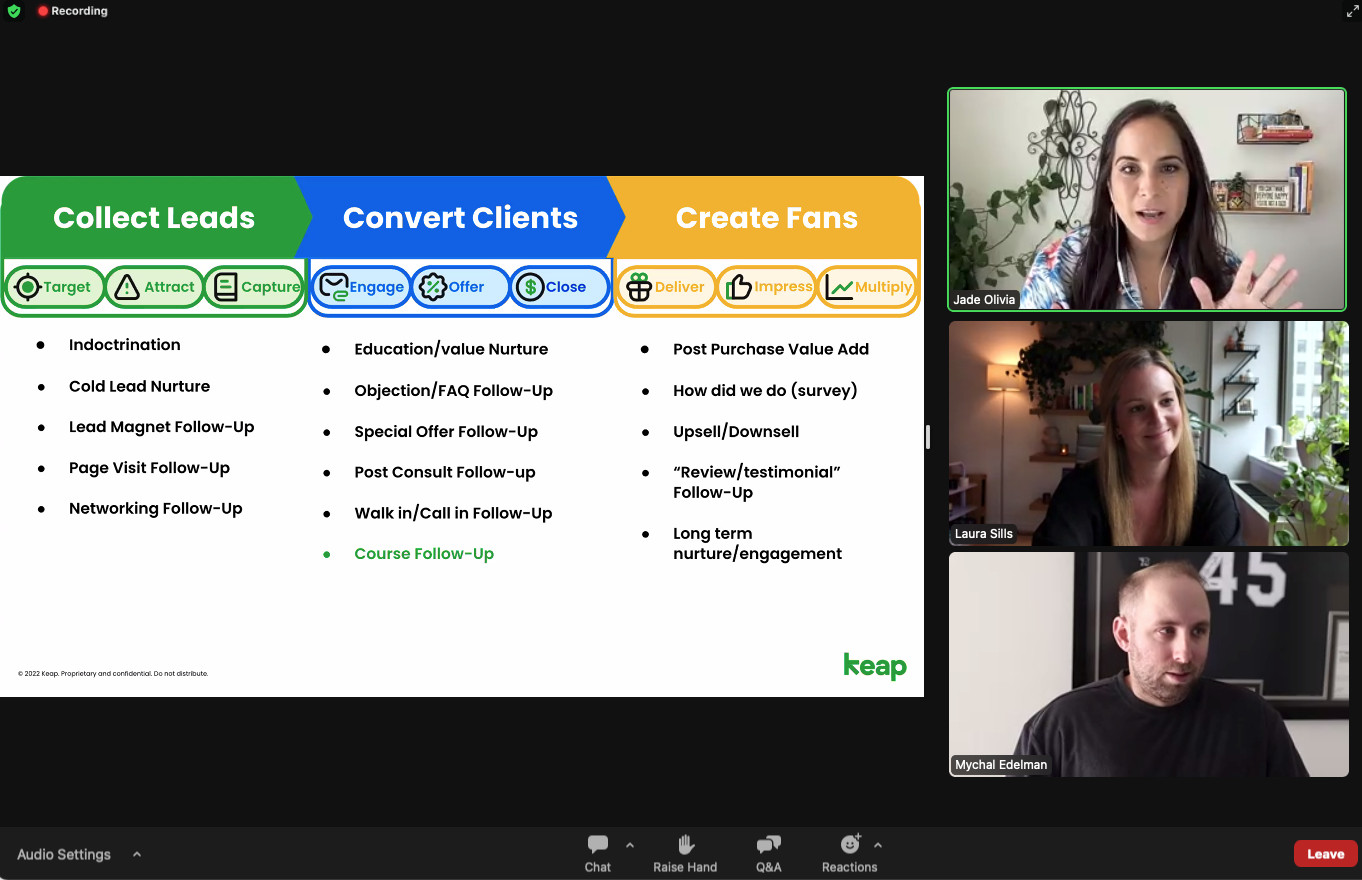
zoom summit

Attendee feedback confirmed that the content and format were both exactly what they wanted and needed, it was truly a unique and impactful event.

Here are my biggest takeaways:

  • Set goals. But more than that, make a plan and get people to hold you accountable. I can’t tell you how many things I’ve started and never finished over these few years as a business owner. This is the first one I took seriously, and even so, I would have backed out 100x if I hadn’t committed to a plan and an accountability system.
  • Never go it alone. If you’re reading this and you don’t have a support system to get you through shenanigans like the one I just put myself through, then that undoubtedly means you’re not in Greg’s OG Membership. Greg and so many Grovers helped push me over the finish line, even when I was too scared to move forward myself. We’d do the same for you in a heartbeat.
  • It’s okay to be afraid. In my weaker moments, I wouldn’t have gotten the support I needed if I didn’t admit it. Furthermore, my admissions were not only met with support, but others also expressed that they have often felt the same fears and were relieved to see that they weren’t alone.
  • Nothing’s Wasted. Maybe I’m crazy for calling 77 registrants a “win” after all the time and money and anguish, but the experience alone was worth it. No matter what, there are lessons to be learned.
  • Do things that are hard. If I never would have done this, I never would have put myself out there like I did. Nothing that is worth doing is easy.

Comment below if you have any questions about the tools or tips mentioned above, or if you have any advice about how I can improve for the next one! 🙂


Royalty Free Music Library

Royalty Free Music Library

As an avid content producer I regularly find myself on the hunt for just the right asset to add the perfect finishing touch to a video – but one thing that regularly evades me is quality royalty free background music.

And because of this challenge, I’ve resorted to reusing the same set of about ten songs I’ve sourced through various channels – which works, but like an all ABBA playlist on a roadtrip, can get tiresome (don’t tell Sara I said that).

Anyway, when I was working on a recent mini series I stumbled onto something I had never seen before.

Did you know YouTube has an Audio Library?

I’ve been an avid YouTube user and content creator for years and I’d never noticed this sneaky little section.

Check it out:

So that’s it – an entire library of high quality royalty free background music at your disposal.

Obviously there are filters you can use to sort through it, and a collection of Sound Effects you can choose from as well.

If you use video in your business the hopefully this resource will help you level up the content you’re producing. Enjoy!

Anxiety, Stress, and Text Automation

Anxiety, Stress, and Text Automation

This project covers the start-to-finish design and implementation of text message notifications as a service to my subscribers.

We tackle the required strategic and technical components, and also take a raw look at the emotional and mental struggles along the way.

Small business can be a volatile ride – and far too often it’s presented as this polished and uniformly positive ascension.

This series documents the real, and turbulent, side of entrepreneurship.

Special thanks to Paul Sokol for helping bring this project to life. You can sign up for content from Paul here.

Act 1: The Project

The first episode in this series covers the backstory behind this project, how long it’s been on my to-do list, the emotional toll it’s had on me, and the catalyst for finally getting started.

Act 2: The Scoping Call

In the second part of this series, Paul and I have our initial scoping call to get clear on the project, and define next steps. Then, we share our reactions to how we thought the call went.

Act 3: The Build

Part three covers the actual technical build for this project – which is a fairly straightforward campaign structure, and then the process of getting Keap’s SMS messaging set up and ready to roll.

Act 4: Text Message Sign-Up

Episode four of this series is where we design and build the opt-in process that will allow subscribers to sign up to receive SMS messages. Paul shared the outline he used for his business, and I recreated it for Monkeypod.

Act 5: Maiden Voyage

The maiden voyage – in this video we successfully send the first group text message to the folks who have signed up, announcing a livestream we’re about to host.

Act 6: Final Thoughts

In the conclusion of this mini series I’ll recap the project, and summarize things that didn’t make it into this first version that we might prioritize for future improvements. Then, both Paul and I share a few thoughts on the mental health side of this project, and of entrepreneurship.

How (and why) to use the Groups block in your Keap Emails

How (and why) to use the Groups block in your Keap Emails

I’ll get right to the point – you know how when you build emails in Keap you have a bunch of little widgets to use, right?

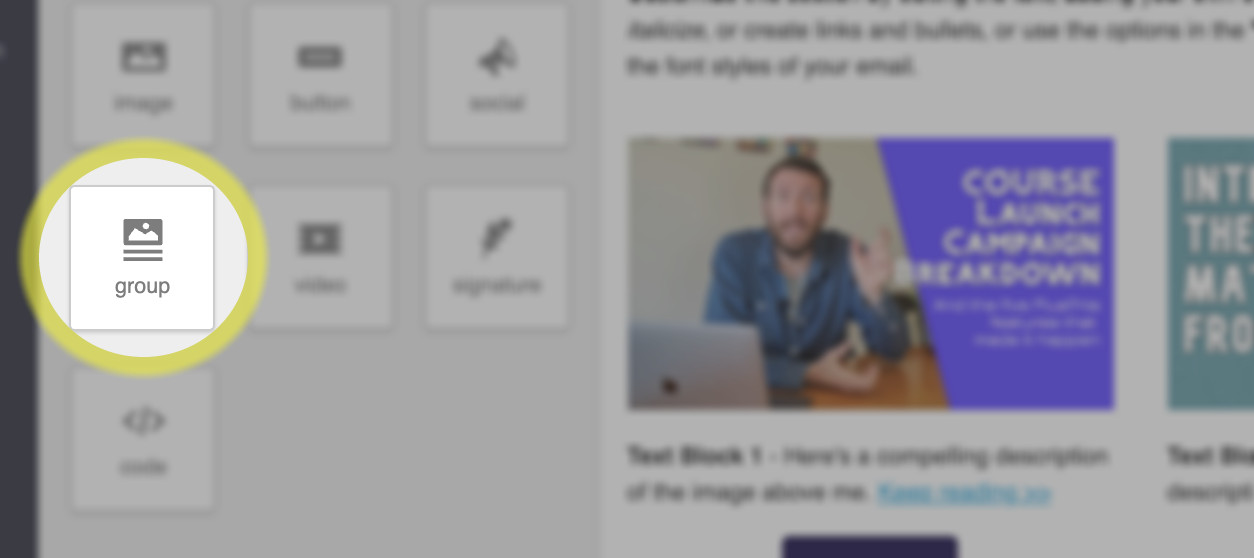
Have you used this ‘groups’ block?

Keap Groups Block

If you haven’t noticed that feature, or have never used it in your Keap emails then don’t be too hard on yourself, you’re in good company.

In fact, I’m going to pick on the very fine folks from PlusThis to show you an example of why this feature is so important:

All kidding aside – the PlusThis peeps are world class at what they do, and this certainly isn’t a ‘big’ mistake.

But I think it’s more common than people realize.

If you don’t know how this groups block works, then you wouldn’t know when to reach for it – and so you could inadvertently be sending emails with confusing mobile formatting.

The groups block is the solution – it allows you to ‘group’ certain elements together, so that their order won’t change when the email switches from desktop to mobile formatting.

Lemme show you a more detailed example of how you can use this.

So that’s it – that’s the groups block.

This is one of those useful features that flies under the radar because plenty of people don’t know they’ve having the problem that it solves.

If you found this useful please feel free drop a comment below. Thanks for reading.

What does Zapier do anyway?

What does Zapier do anyway?

Confession time: I can be kind of a technology laggard.

And I was slow to pick up Zapier – but it wasn’t due to my own resistance.

I knew Zapier was valuable. I had countless friends who depended on it – and time and time again it came up as the answer to seemingly unsolvable challenges.

But something about Zapier’s flexibility made it feel amorphous.

And for that reason, it took me years to really ‘get’ it.

Now it’s a critical part of my tech stack – and an invaluable resource for solving problems.

What does Zapier actually do?

I like to categorize tools – which is part of why I struggled with Zapier’s shapeshifting tendencies.

But if I had to pin it down I’d say it’s primary purpose is passing information between two or more systems.

It’s a connector. It helps tools speak.

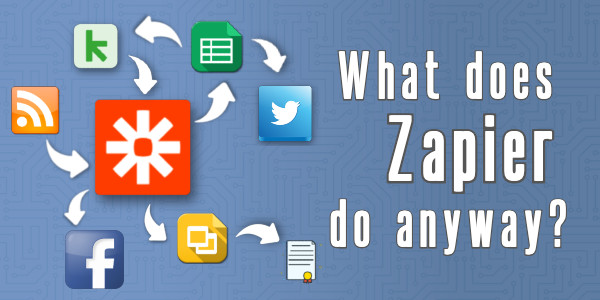
Zapier lets Zoom talk to Keap.

It lets Keap talk to Xero.

It passes information from your inbox through to a google spreadsheet.

And so on – the use cases are (maybe literally) infinite.

And it’s that flexibility which can make it feel abstract – so to help contextualize it, I hosted a webinar featuring a panel of my friends, each sharing a real world scenario where they depend on Zapier.

Huge thank you to the panelists, Cameron, Krista, Josh, and Moshe, for generously sharing their Zapier use cases.

In fact, I had two other OG Members who couldn’t join that event, but still wanted to contribute.

Two More Zapier Use Cases

Suzi, PJ, and the HerBusiness team use Zapier to populate an internal slack channel that lets them keep a pulse on important actions their contacts take.

In this one Kat shares how her Music Therapy Ed business uses Zapier to automatically create certificates when their students complete a course.

So it’s just a connector?

Not quite.

Now, you may have noticed earlier that I mentioned Zapier’s primary use case was as a connector.

There are two reasons I framed it that way.

First, because I’ve come to learn that Zapier actually does have some functionality of it’s own.

So you can pass information to Zapier, use it’s native functionality, and then pass it right back.

And the second reason I said primary is because it’s not just a connector.

It can also manipulate the information it’s relaying.

Examples Please

A simple example would be when a new contact is added to Keap, a Zap could be triggered that proper cases their name, turning TED lasso into Ted Lasso.

Or, a more nuanced example, you can set up a Zap to trigger when you publish a new blog post – and you can automatically tweet out a link to the fresh new post.

That would be a simple and direct Zapier recipe – but you could make it a little fancier by adding some custom verbiage to your tweet.

Like, maybe you use Zapier’s formatter function to truncate down the meta description of your blog post (and append an elipisis) so that it fits within Twitter’s allowed number of characters.

I guess the point I’m making is that Zapier is more than a connector – it can modify, or enrich the information it’s conveying.

More Zapier Examples

3 Times Zapier Saved the Day

Here’s a blog post of mine covering a few more examples of situations where Zapier helped us work around a challenge we were facing — Read More >>

Split Testing

Split testing in Keap has never been as straightforward as we might like. But this Zapier recipe allows you to automatically split your Keap contacts into two (or more) groups, which you can then use for running A/B tests in Keap —Read More >>

Certificates with Zapier

That super helpful Zapier Recipe that kat shared earlier was inspired by a blog post of mine (which was originally inspired by Kelsey Bratcher). Here’s a detailed tutorial for setting  it up — Watch Demo >>

Random Rotating GIFs

One time my friend and award winning marketer Brett Fairbourn posed a challenge in the Grove that said “We send an automatic internal celebratory email when new clients sign up – how can I randomize the GIF we use in these emails?”, and wouldn’tcha know it, Zapier came through — Watch demo >>

Listen, I know there’s a lot here – and I’m not anyone to memorize it all and put it to work immediately; but I know how powerful Zapier is.

And I wish I’d understood it earlier.

So my hope is that by having this conversation, and sharing these real world use cases, we can help existing users find new ways to put Zapier to work and turn the Zap-curious into Zap-dabblers as well.

Thanks for reading. Please feel free to share your own Zapier use cases below!

Note: It should be said that I’m not a Zapier affiliate or anything – I have no invested interest in whether or not you use Zapier. I just like it, and believe in it.

25 Subject Lines that get Emails Opened

25 Subject Lines that get Emails Opened

If you are a digital marketer, work in sales, or have any job that requires you to send emails, then you probably know the importance of a good subject line.

It doesn’t matter how good your content is if they never open the email.

For that reason, having a creative subject line is critical to the success of any email.

Subject Line Ideas

Being in the business world can be crazy, especially your inbox. You get countless emails every day; sales emails, coupons, newsletters, you name it!

I bet a lot of times you just look at the subject line and then archive the email or delete it. The subject line, the first impression, can be all it takes for you to open up the email, or just toss it out.

If you’re looking for inspiration, check out the list below, or use this subject line generator from Keap. Try it >>

Below is a list of 25 creative and compelling email subject lines that you may use as a jumping off point to customize for yourself.

25 Irresistible Sales Email Subject Lines

1) “Questions about ______”

What’s your question? They will need to click your email to know.

2) “______Recommended I get in touch”

Having referrals is powerful. If you know someone your prospect knows, chances are that he will open your email.

3) “Our next steps”

Great for following up once the connection is made.

4) “Do not open this email”

A company called Manicube used this one. Reverse psychology can definitely work!

5) “X options to get started”

Give a few options of core products or content in the body text of your email

6) “Hi ____ , (question)?”

Questions are very provoking! Most people open question emails.

7) “Know this about (topic)”

Offer a helpful tip about a certain topic your prospect is interested in.

8) “Did you get what you were looking for”?

Great for following up with inbound leads! Maybe ask how you can help them?

9) [all lower case subject line]

Surprisingly, an all lower-case subject line will stand out to your prospect. As most draft emails are capitalized (SomEtIMes tOO MuCh)

10) “Hoping to help”

Many prospects will appreciate the gesture of wanting to help! (make sure you’re sincere too)

11) “A (benefit) for (prospects company)”

Maybe a new savings strategy for a business? An automated marketing system? a new way of following up?

12) “X tips for (pain point)”

People love lists! Plug in a number in your subject line!

13) “Where is the love?”

If your prospect seems to have vanished, use this to lighten up the situation!

14) “Idea for (topic prospect cares about)”

Free Ideas? Makes my life a little easier! *click*

15) “I found you through (referral name)”

Again, having some sort of referral is the golden ticket. According to Lead Genius, this subject line stands with an awesome 86.6% open rate.

16) “10 mins – (date)”

Short, simple, and right to it.

17) “I love everything in this email”

Very appealing subject line! They will be itching to know what it is you love so much! (make sure the content is lovable)

18) “So nice to meet you (prospects name)”

Let your prospect know you appreciate them visiting your page for the free e-book or pricing page.

19) “We have (insert fact) in common”

Look through your contacts LinkedIn in Facebook profile and look for similarities! Maybe you both use a software? Or you both like pizza? (who doesn’t like pizza)

20) “If you change your mind about partnering with (your company)”

Great to send to prospects who may not be interested anymore, puts the ball back in their court, and allows you to give them a couple last minute options.

21) “Feeling (emotion)? Let me help”

Look towards holidays! If Christmas is coming up you can say something along the lines of “feeling stressed? We can help”

22) “3 weekend ideas for you”

Great for re-engaging prospects! Look up some things in their city that they can do!

23) “Permission to close your file”

Can be a very effective “break up” email… or maybe it will get them back on board?

24) “Do you like baby pandas?”

Everybody loves baby pandas. Something to cheer up customers or maybe get them to laugh a little. If you can find a creative segue to your industry or business they’ll remember your company for sure because of this.

25) “Should I stay or should I go?”

If your prospect seems quiet, send them an email with this subject line.

—-

If you have any subject lines that you have seen be successful please share it in the comments below!

Or, if you wanna take Keap’s subject line generator for a spin – try it out here >>

Feel free to share this list on your favorite social media pages.

Editor’s Note: This is a great list, filled with solid suggestions – but with any high level advice like this, different subject lines perform differently for different people.

So at the end of the day, remember to be authentic (don’t mislead people), be approachable (use your own voice, and personality), and when in doubt – keep it short and sweet.

Here are some of my best performing subject lines >>