Exit Intent Pop-Up Forms

Exit Intent Pop-Up Forms

The experience someone has when they’re on your checkout page is crucial.

If someone decides not to purchase then they’re likely going to close the tab for the sales page, but that doesn’t necessarily mean they’re gone forever.

You can use a tactic known as an ‘exit intent’ pop-up form to capture leads who might have otherwise vanished.

exit intent forms in keap

I’ve been a long timer user (and fan) of the Modern Forms feature from PlusThis.

Originally it was just a tuxedo for Keap web forms – but then they added the ability to put the web form in a pop-up window behind a button, and then just a few weeks ago they added the exit intent functionality.
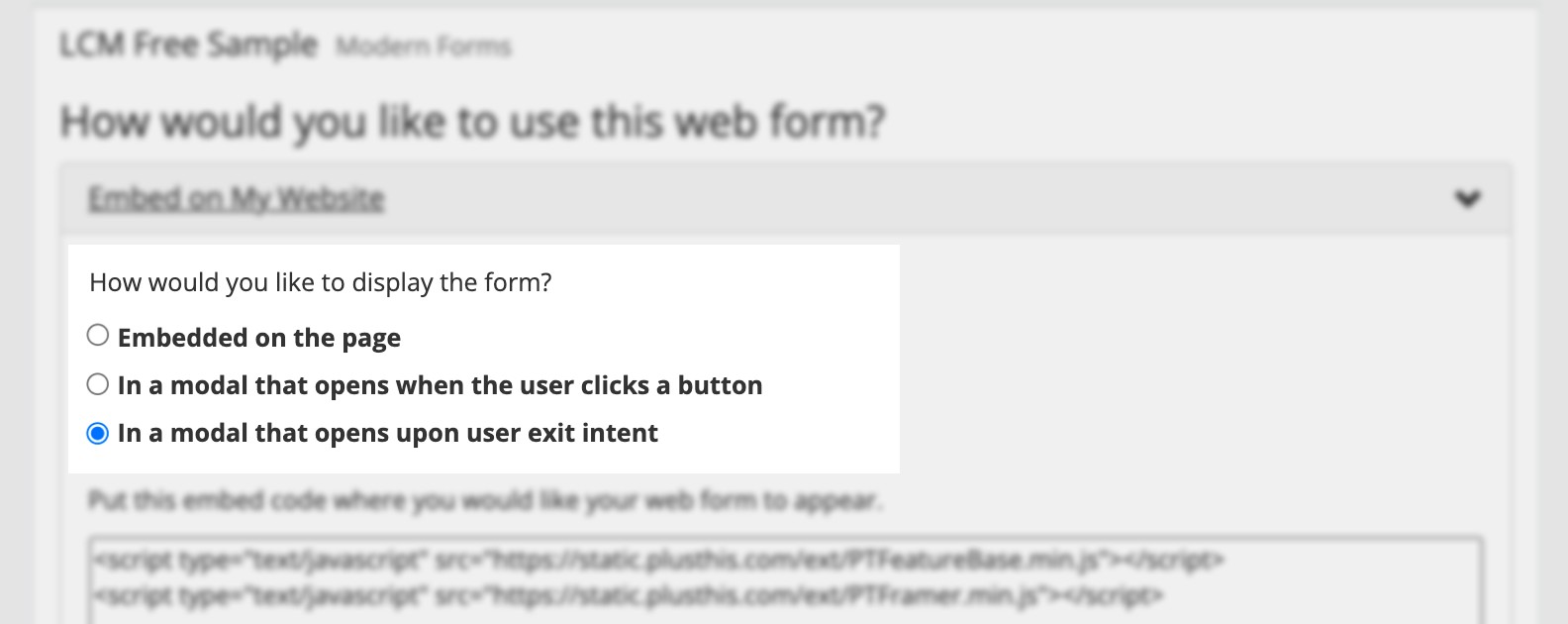
PlusThis Screenshot img

Now, we’ve never really sought out Exit Intent forms for Monkeypod – because I think it’s easy for them to annoy the website visitor.

But there are definitely use cases where they make a lot of sense – one logical scenario is offering someone a free trial of a course if they start to leave the checkout page they’re on.

Here’s a demo of what this might look like:

If you already have PlusThis, then have a look at this feature, and see if there are opportunities in your business where it could be useful.

But if you don’t yet have PlusThis, it might be time – check out the pricing and tiers here, or take it for a test drive with a free trial.

Questions? Comments? Beard compliments? Drop em below.
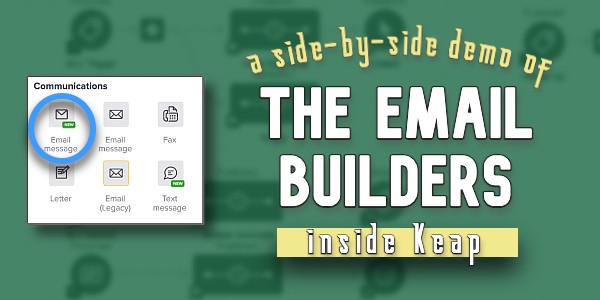
Keap Email Builders (New and Old)

Keap Email Builders (New and Old)

Updated: February 2023

If you’ve used Keap for a while, odds are you’ve noticed that there are multiple email builders in different sections of the software.

Keap is actively working to consolidate that (one email builder to rule them all, etc), but for the time being you might have as many as three email builders inside of your advanced automations alone.

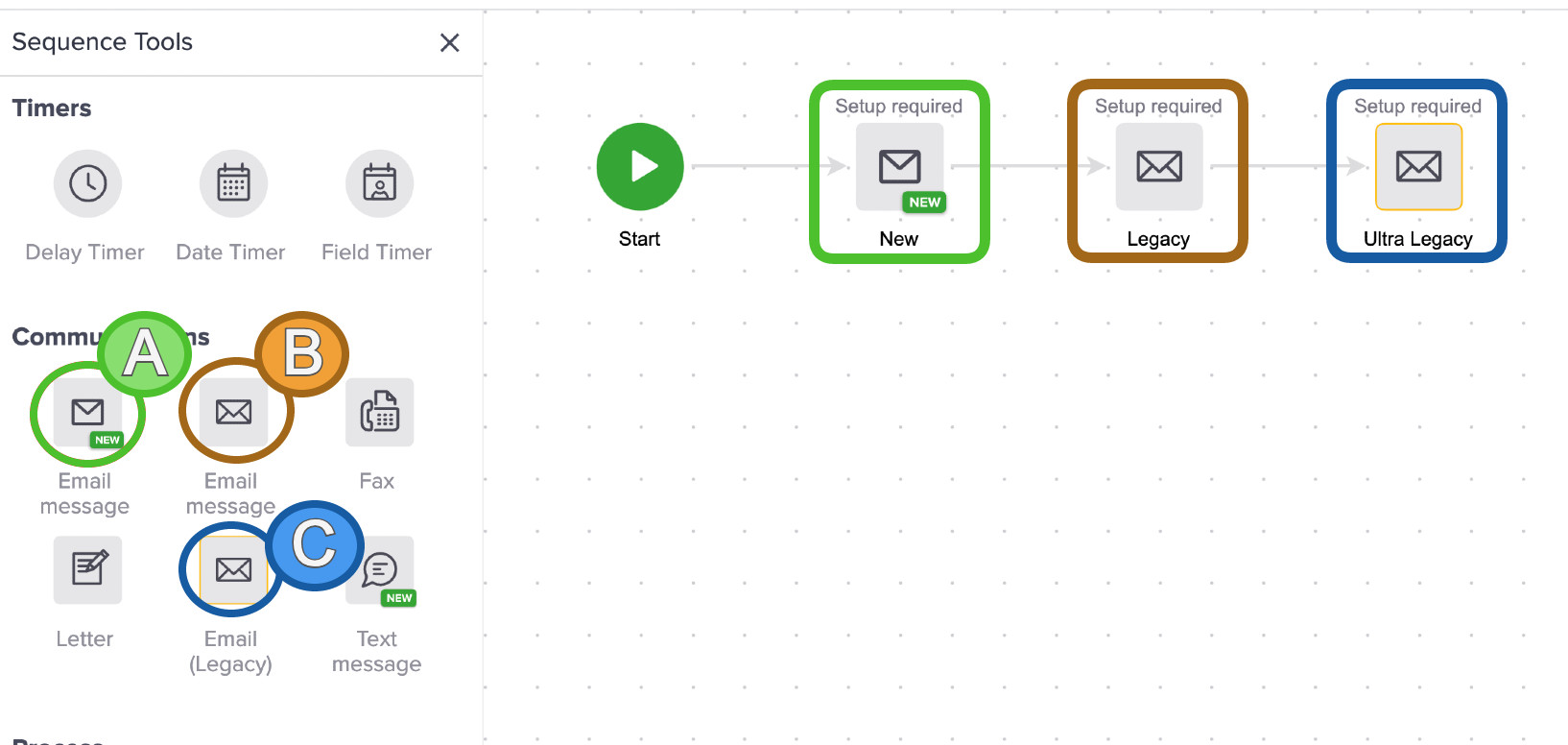
three keap email builders

In the above image, the email builder marked as ‘A’ is the newest one – first released in Q4 of 2021 and currently being rolled out in stages to Keap users.

The email builder marked as ‘B’ is old trusty – that’s the builder we’ve grown to know and love and have had for the last decade or so (here’s a demo of that one pulled from the CB Trilogy course).

And ‘C’, is the actual legacy builder, who’s roots predate the campaign builder itself (newer Keap users may not see this one at all).

So, in summary – A is the builder of the future. B is the one you’ve likely been using. And C is only still around to yell at people to stay off his lawn or whatever.

Why a new builder?

The obvious question is ‘why are we adding another builder’, and it’s a good one – I’ve asked it myself.

The answer is this: They’re standardizing the builder experience throughout Keap.

The reason we’re seeing this new builder roll out is because over time this will be the builder experience we see for landing pages and emails throughout all versions of Keap.

Right now we may feel some turbulence, but in the long run I think the idea of having a streamlined builder tool that is consistent between different types of assets (landing pages and emails) and versions of Keap (pro, max, max classic) is wise.

In the meantime, here’s a quick demo of both builders and some key ways they differ:

A few things worth noting, first – they are actively rolling this out.

If you don’t have access to this email builder yet, stay tuned – it’s likely on it’s way.

The next thing to note is that they’re actively making improvements to this – so it’s entirely possible that by the time you see this video they may have added some of the features I called out as missing, or improved some of the things I felt were clunky.

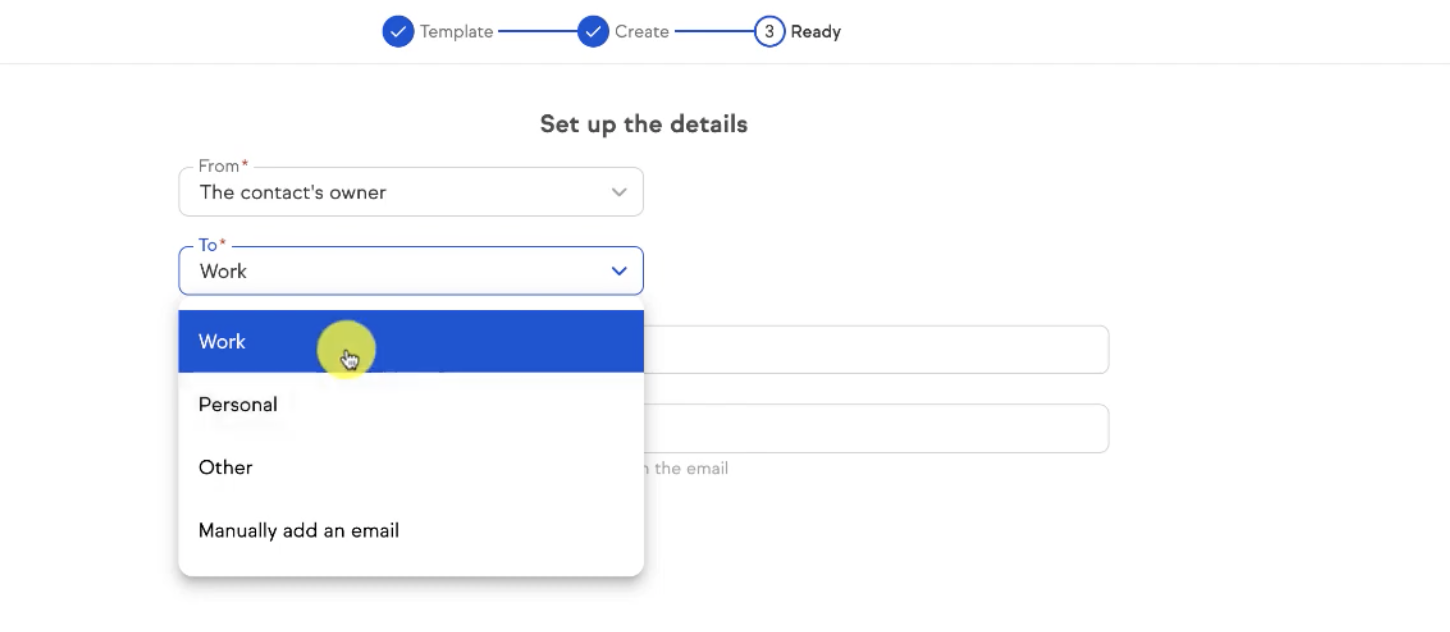
For example, at the time it was rolled out the “to” options were Work, Personal, and Other; which didn’t make a whole lot of sense for Max Classic users who don’t see those designations.

email to options

But, that’s one of the improvements they’ve made since originally rolling this out.

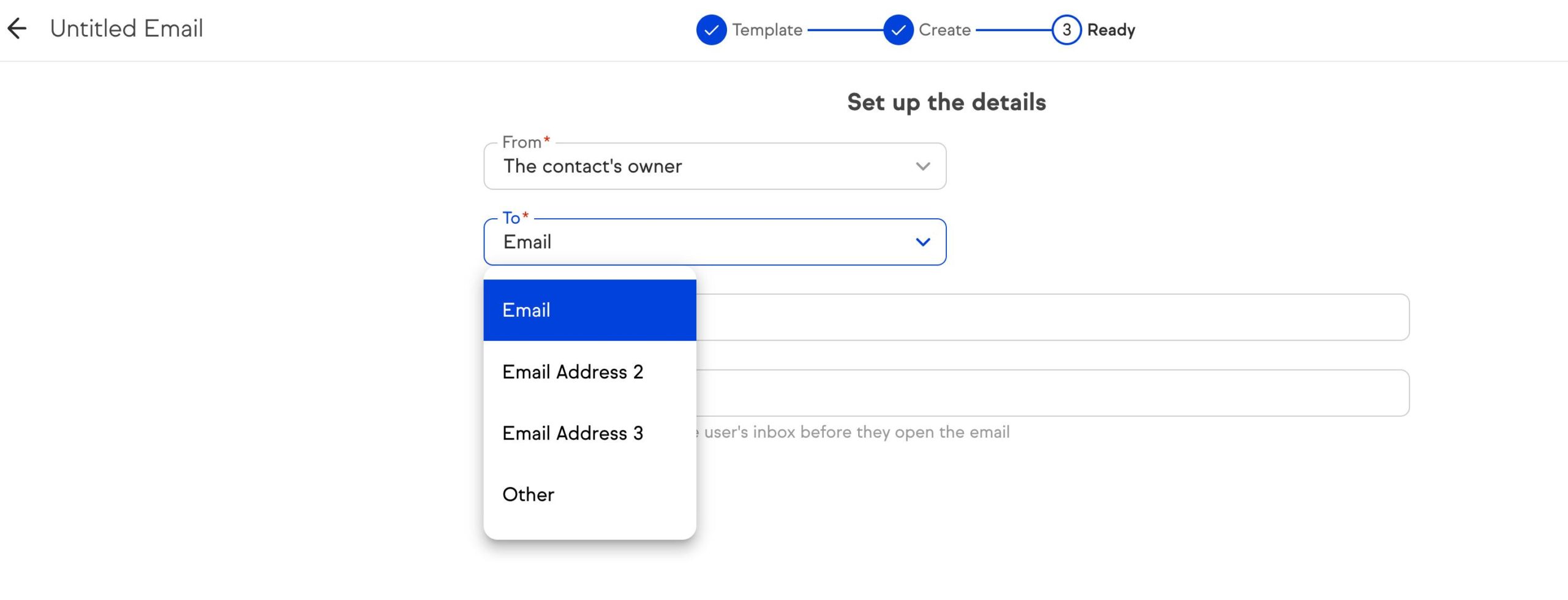
Now, Max Classic users can select Email 1, Email 2, and Email 3 (or other) as they always have.

updated to send options

Here’s a post from Keap’s product team with more details about the plans for adding features and functionality.

And finally, my understanding is that they have no plans to remove the existing email builder – so this new one should only be an upgrade for those who want to start using it.

2/23 Update: This builder is the default for Keap Pro and Max and is now being rolled out to Max Classic (also known as Keap Ultimate) applications in phases.

Okay – enough from me, I’d love to hear what you all think. Do you have the new builder yet? Have you tried it out?

The Otherwise Hack [for Decision Diamonds in Keap]

The Otherwise Hack [for Decision Diamonds in Keap]

So, the Decision Diamond in Keap is a hyper valuable segmentation tool.

It lets us branch contacts into different paths so that we can tailor the automation we design to feel more targeted, and more personal.

(More on that here)

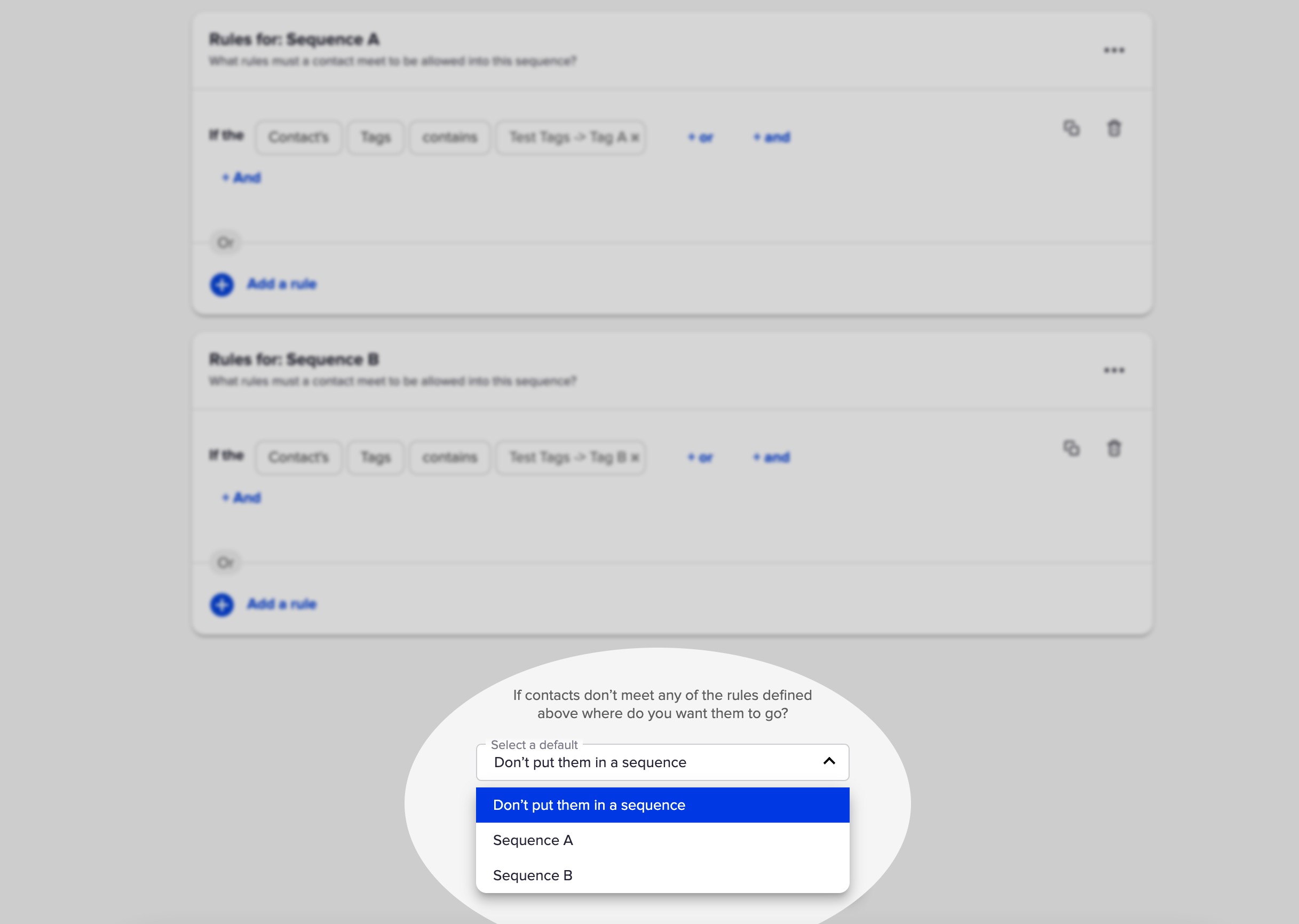
And Keap has, wisely, added a default setting so you can choose one of your existing sequences to send them to if they don’t meet the criteria for any of your rules.

Decision Diamond in Keap

But the challenge with this well-meaning feature is that it only lets you select from the two sequences that have rules.

So what if you want to send the contact somewhere else?

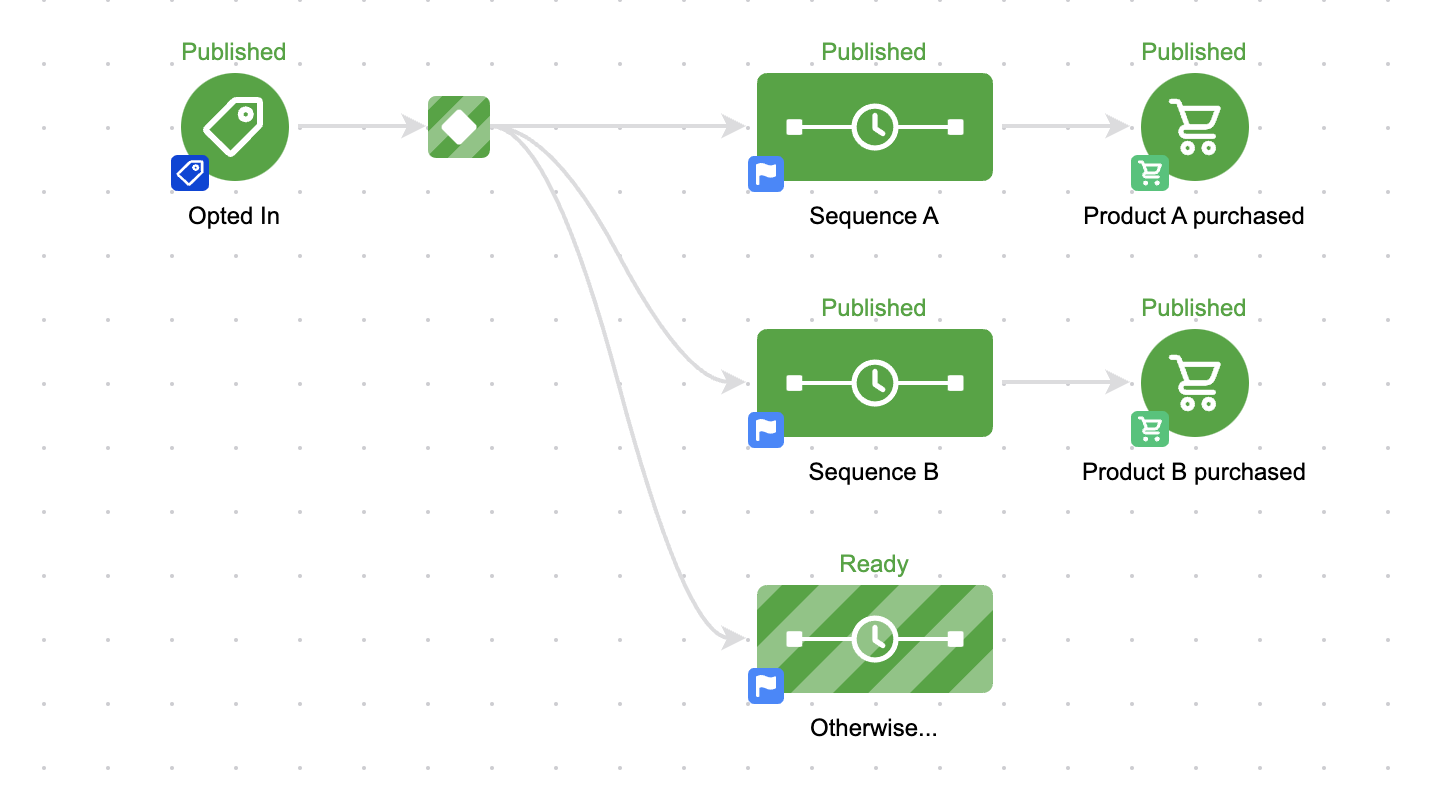
Well, you’d have to add a third sequence.

otherwise sequence in keap

That seems easy enough, but it presents a problem.

The Problem

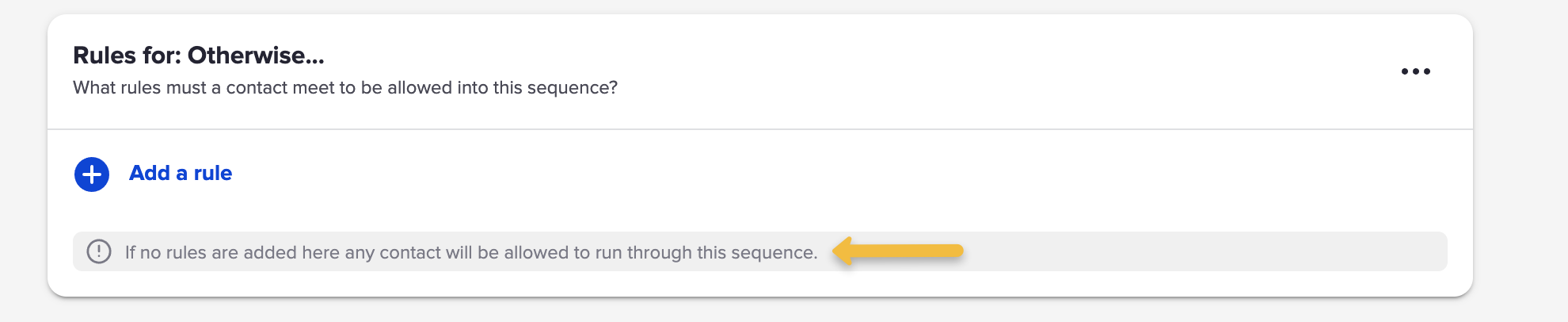
Well, by default a sequence is open to anyone, right?

So unless we set up rules – all contacts will wind up going into that third sequence.

otherwise rule decision diamond

So that means we need to add rules.

And if this is the ‘otherwise’ sequence, meaning they go here when they don’t meet the other rules – then we’d need to build out the opposite of the rules for Sequence A and B.

And that’s fine if the rules are simple.

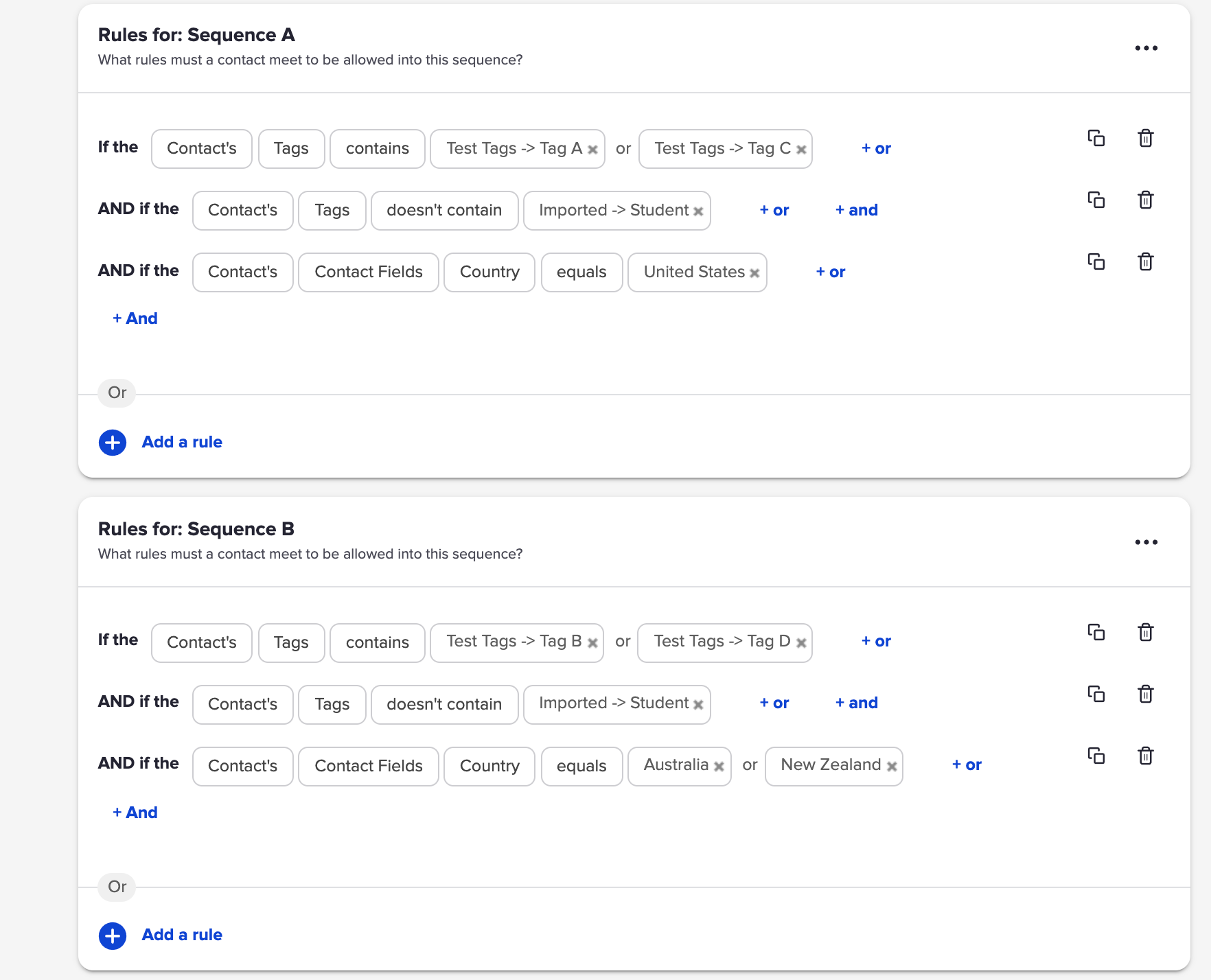
But what if the rules are more complex?

complex decision diamond rules

That would be exhausting to rebuild – and complicated to invert.

The Solution

So, Scott Richins, one of the world class OG Infusionsoft Experts came up with a super clever (and relatively simple) hack to solve this.

Check it out:

If you find yourself building lots of campaigns, or managing complex decision diamonds, then tuck this hack in your bag o’ tricks.

Massive props to Scott for sharing this approach, and for the countless other things he’s taught me over the years.

Real World Dynamic Content Use Case

Real World Dynamic Content Use Case

This blog post covers a situation where I quickly set up V1 of an automation and then a Keap user (shout out to Sue) helped highlight an obvious opportunity to improve it using Keap’s dynamic content feature.

Here’s the Context

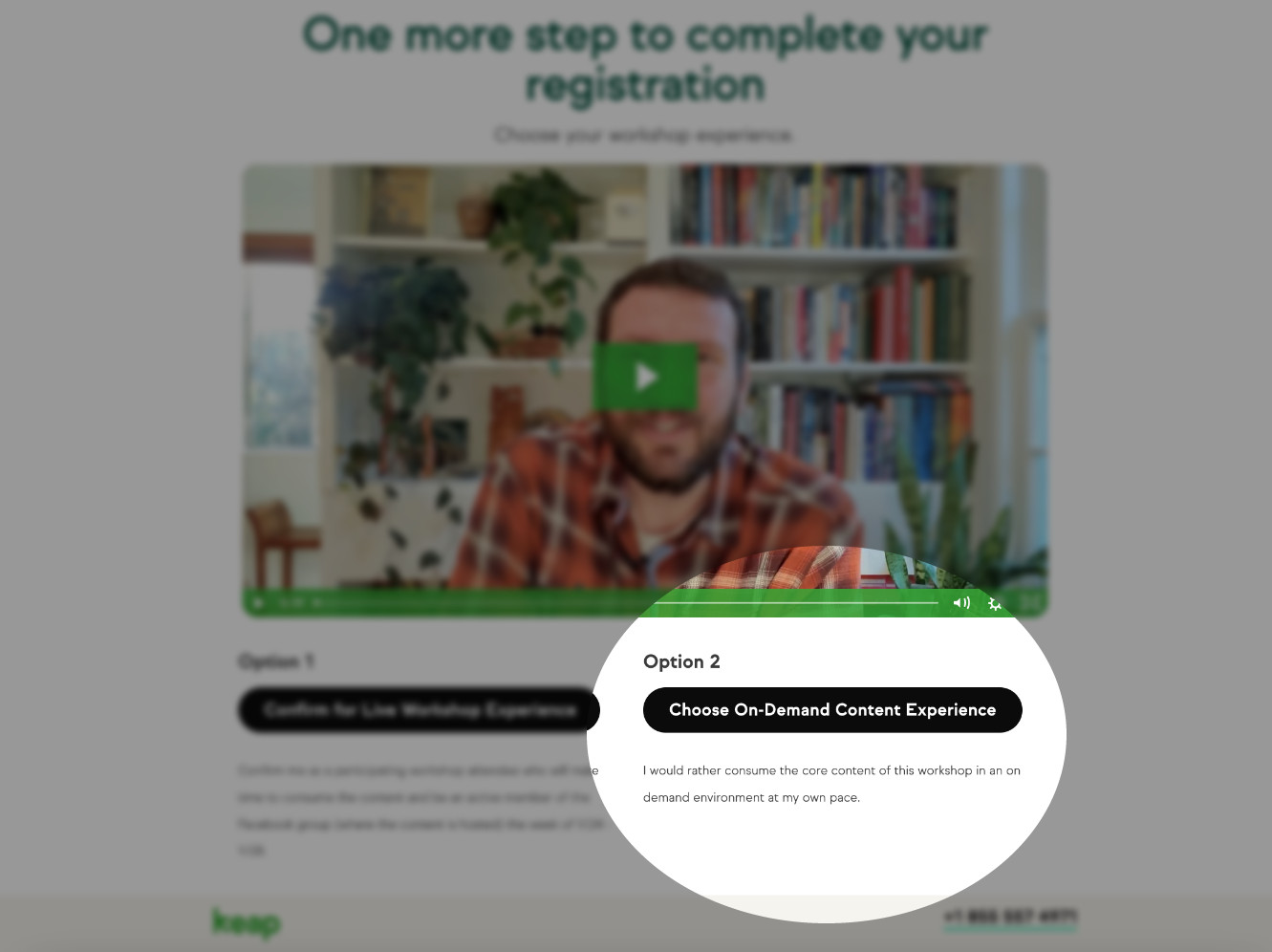
Keap Academy is hosting a workshop soon (details here), and after registering we offer the choice to join the workshop in real time, or get the same content in a self-paced on-demand type environment.

thank you page screenshot

In either case the registrant will get access to the CB Trilogy course – but for those who choose the self-paced option, their info is added to Keap and their contact is tagged so the automation can create their access and deliver their login credentials via email.

And since I already had that process set up in Keap, all I needed to do was add an entry point and new contacts would join the already functioning fulfillment automation.

Bing, bang, boom – we’re off to the races, right?

Sort of – the mistake I made in this process was that I didn’t modify the email to reflect how the person registered.

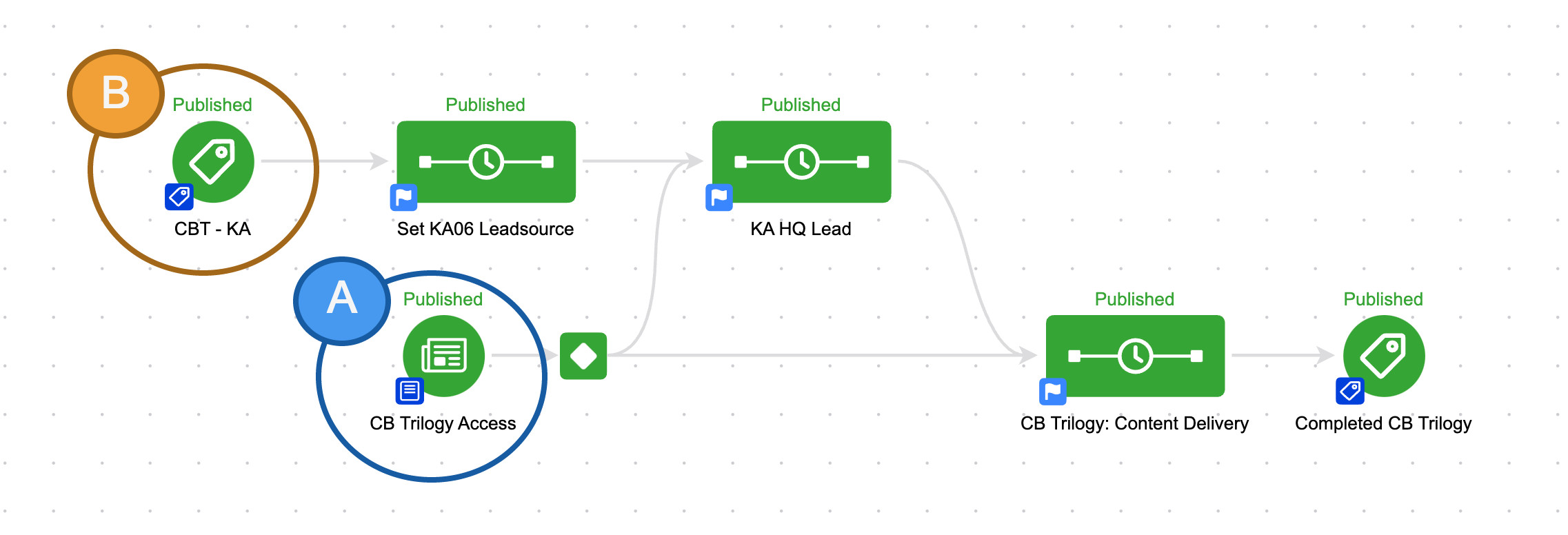
I had two entry points coming into the same campaign, but I was treating everyone the same.

keap campaign structure

So if you signed up for the CB Trilogy course directly, you’d get access.

But if you signed up for the self-paced workshop – you’d get the exact same email.

The Problem

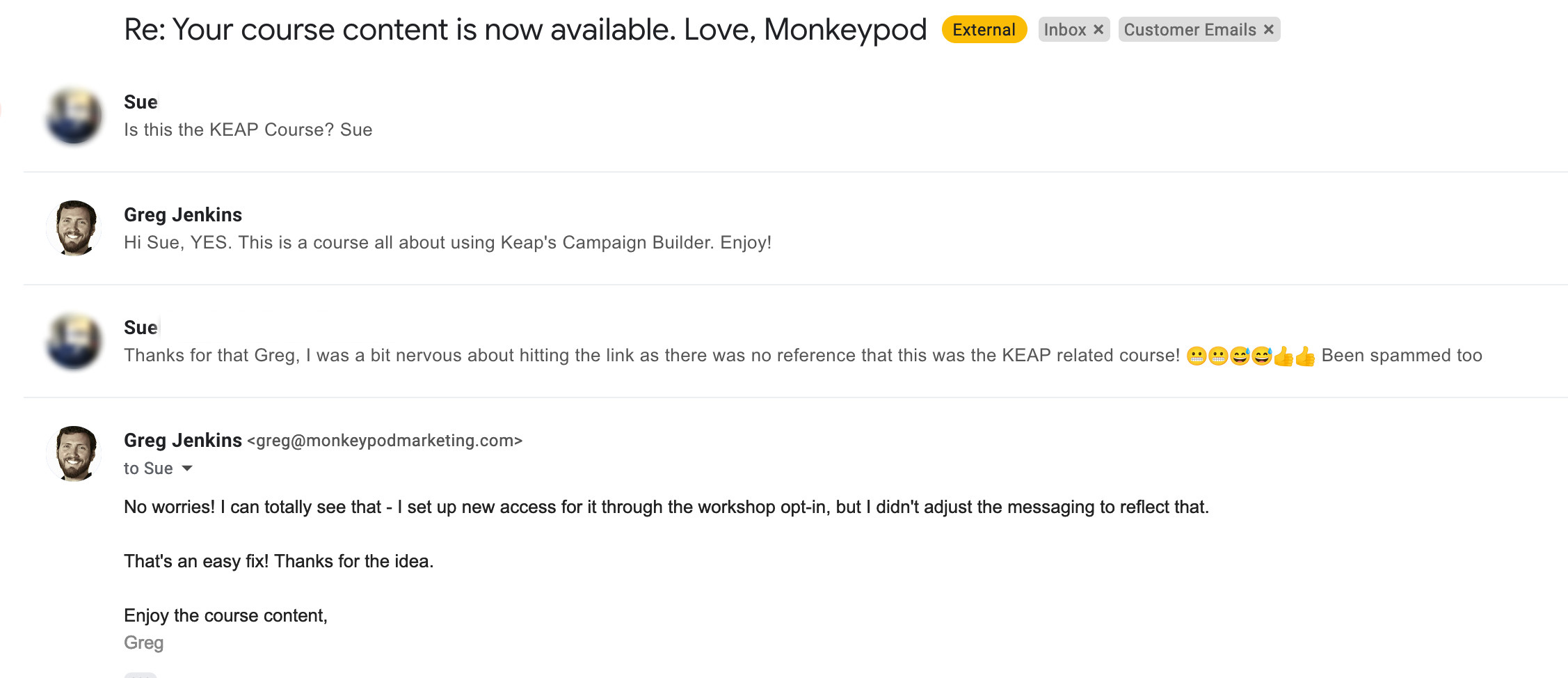
This presented a problem, because customers signing up for the on-demand workshop didn’t necessarily know they’d be getting this course – and they may not have even heard of Monkeypod.

This disconnect was causing some confusion.

email inbox edited

I can’t blame Sue one bit – if you didn’t know you were getting a course from some guy named Greg then this first email could definitely seem fishy.

The Solution

Once I thought about it, the answer felt obvious – dynamic content.

Dynamic content is a Keap feature that lets you hide and reveal different parts of an email based on what you know about the recipient.

Like, whether they’re a prospect or a customer.

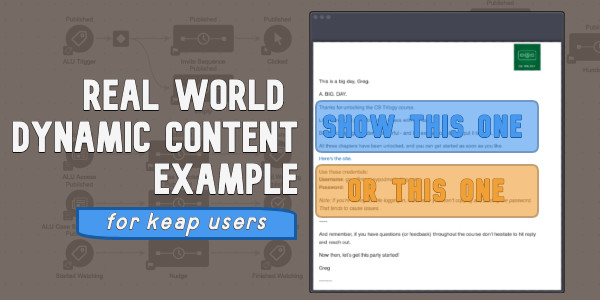
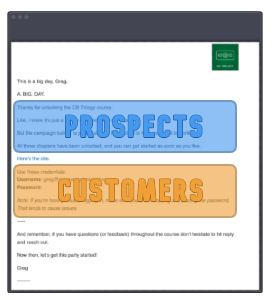
Email options a or b

(Or whether they registered for the live event, or chose the on-demand option.)

So, I knew I could use dynamic content to adjust the initial access email based on how someone registered:

If you haven’t explored Dynamic Content yet – it’s time.

This is a massively powerful feature with unlimited application.

Here are a few resources to help you get started:

Thanks for reading – if you have any questions drop em in the comments below.

Royalty Free Music Library

Royalty Free Music Library

As an avid content producer I regularly find myself on the hunt for just the right asset to add the perfect finishing touch to a video – but one thing that regularly evades me is quality royalty free background music.

And because of this challenge, I’ve resorted to reusing the same set of about ten songs I’ve sourced through various channels – which works, but like an all ABBA playlist on a roadtrip, can get tiresome (don’t tell Sara I said that).

Anyway, when I was working on a recent mini series I stumbled onto something I had never seen before.

Did you know YouTube has an Audio Library?

I’ve been an avid YouTube user and content creator for years and I’d never noticed this sneaky little section.

Check it out:

So that’s it – an entire library of high quality royalty free background music at your disposal.

Obviously there are filters you can use to sort through it, and a collection of Sound Effects you can choose from as well.

If you use video in your business the hopefully this resource will help you level up the content you’re producing. Enjoy!

Anxiety, Stress, and Text Automation

Anxiety, Stress, and Text Automation

This project covers the start-to-finish design and implementation of text message notifications as a service to my subscribers.

We tackle the required strategic and technical components, and also take a raw look at the emotional and mental struggles along the way.

Small business can be a volatile ride – and far too often it’s presented as this polished and uniformly positive ascension.

This series documents the real, and turbulent, side of entrepreneurship.

Special thanks to Paul Sokol for helping bring this project to life. You can sign up for content from Paul here.

Act 1: The Project

The first episode in this series covers the backstory behind this project, how long it’s been on my to-do list, the emotional toll it’s had on me, and the catalyst for finally getting started.

Act 2: The Scoping Call

In the second part of this series, Paul and I have our initial scoping call to get clear on the project, and define next steps. Then, we share our reactions to how we thought the call went.

Act 3: The Build

Part three covers the actual technical build for this project – which is a fairly straightforward campaign structure, and then the process of getting Keap’s SMS messaging set up and ready to roll.

Act 4: Text Message Sign-Up

Episode four of this series is where we design and build the opt-in process that will allow subscribers to sign up to receive SMS messages. Paul shared the outline he used for his business, and I recreated it for Monkeypod.

Act 5: Maiden Voyage

The maiden voyage – in this video we successfully send the first group text message to the folks who have signed up, announcing a livestream we’re about to host.

Act 6: Final Thoughts

In the conclusion of this mini series I’ll recap the project, and summarize things that didn’t make it into this first version that we might prioritize for future improvements. Then, both Paul and I share a few thoughts on the mental health side of this project, and of entrepreneurship.