Infusionsoft Name Change

Infusionsoft Name Change

You may have heard the rumors that Infusionsoft is changing their name, and yes, it’s true – it’s finally out the in open.

What’s Infusionsoft’s new name? (drumroll please….)

Infusionsoft’s new name is Keap

The company is rebranding and the new name will be Keap. Here’s the official news from the mothership.

Here’s a peek at the new logo:

Need training on Keap?

Introducing the The Keap Starter Kit – a foundational course covering both technical and strategic concepts for Keap users. This course is designed to cover all the things you didn’t know you needed to know. Check it out here.

Let me see if I can answer some of the most natural questions that this announcement might raise.

Okay, so why rebrand?

The official company statement is that Keap represents the very essence of the grit and passion small businesses put in each day to keep going, keep serving and keep growing.

After being Infusionsoft for 17 years, they felt it was time to change their name to better reflect their mission to help millions of small businesses succeed.

How does this affect me?

It may not affect you at all.

The first thing I want to be clear about is that the existing Infusionsoft software that most of us know and love is still going to be called Infusionsoft.

Over the last year or so, since the introduction of “New” Infusionsoft there has been some confusion in the Infusionsoft ecosystem around the two platforms, which was which, and what the key differences were.

Take a look at this image – which side looks more like your account?
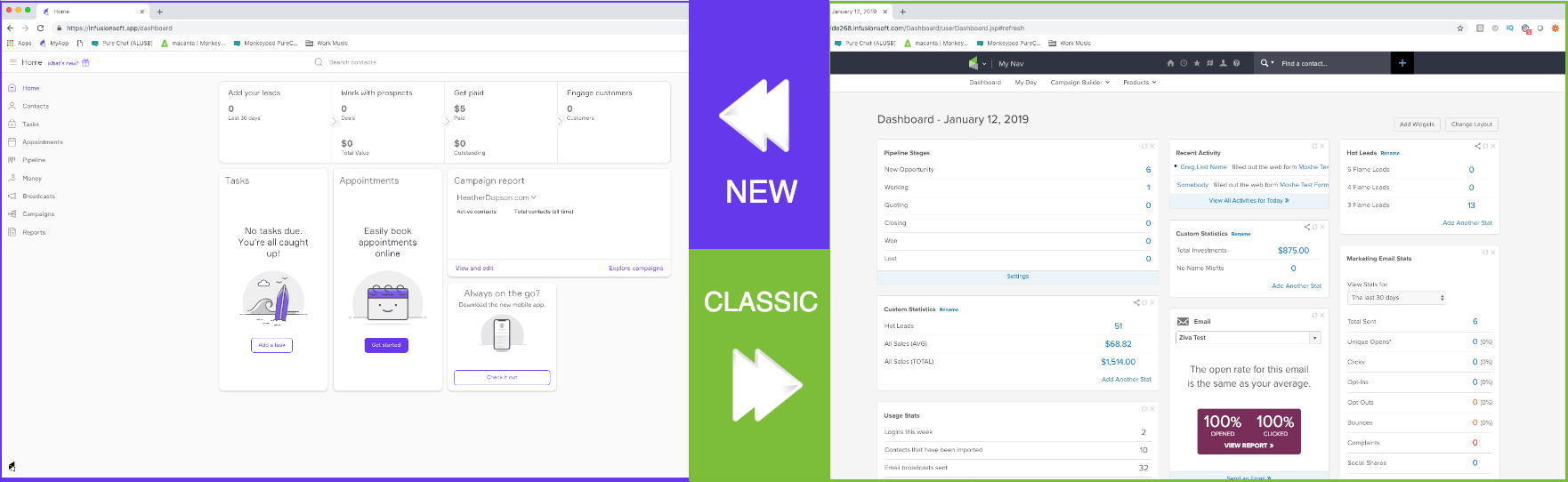
If your dashboard looks like the one on the left, then you’ve been using “New Infusionsoft”.

If your dashboard looks like the one on the right, then you’ve been using “Classic Infusionsoft” (also known as “Pro”).

But, what names are actually changing?

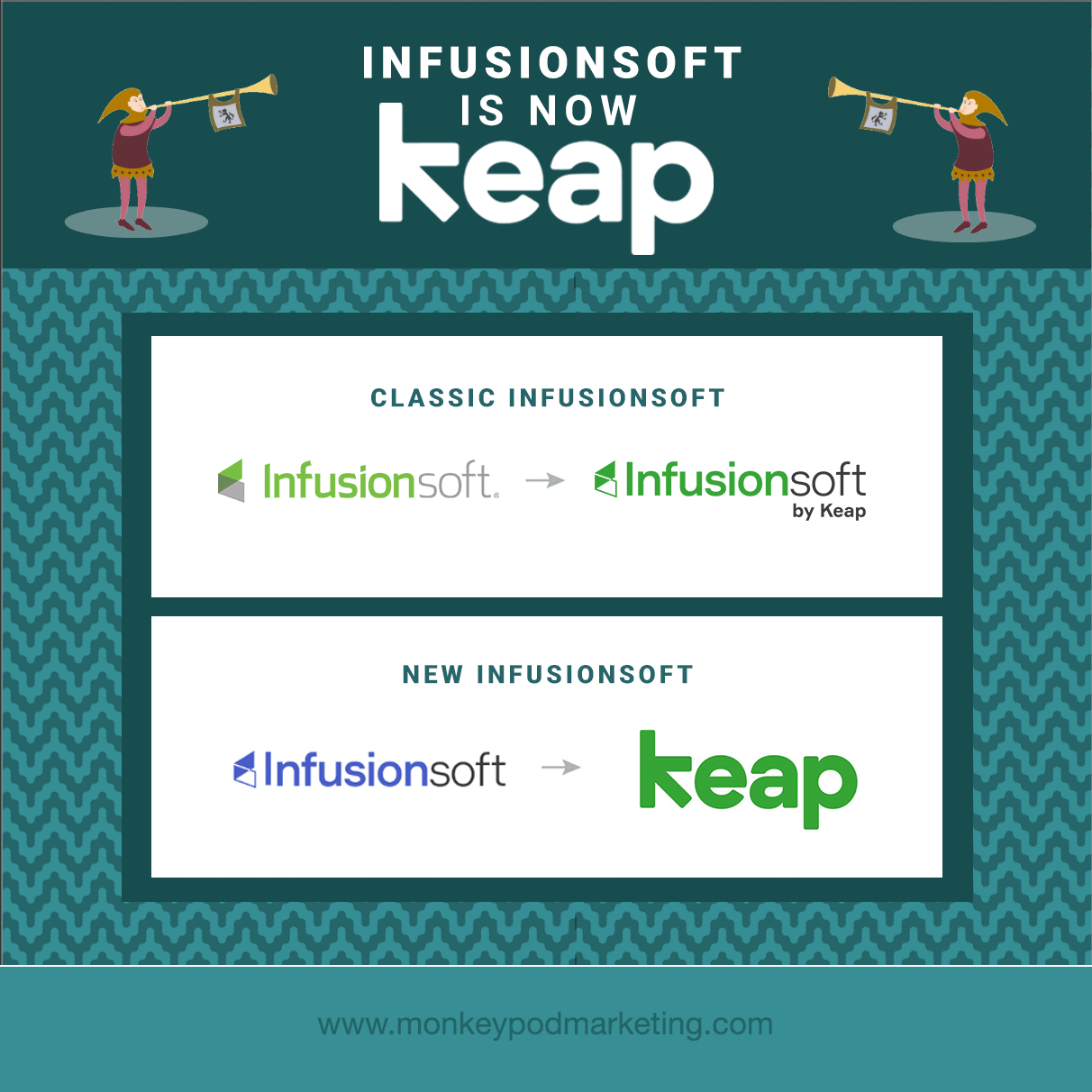
New Infusionsoft is rebranding to “Keap”.

Classic Infusionsoft is simply changing to to “Infusionsoft by Keap”.

So the company, now called Keap, will have two products:

  1. Keap
  2. Infusionsoft by Keap

Clear as mud? Good.

Lemme see if this graphic clarifies:
What does this mean for existing users?

For Keap Customers (formerly New Infusionsoft):

  • You’ll see a whole new look with new colors. Your current application will be refreshed with its new name, Keap, along with the colors inside the application.
  • Your monthly invoice will now come from Keap, the company.

For Infusionsoft by Keap Customers (formerly Classic Infusionsoft):

  • You’ll see a new Infusionsoft by Keap logo inside (the branding center). You can continue to use the product as you have been, with no interruptions to your business.
  • Your monthly invoice will now come from Keap, the company.

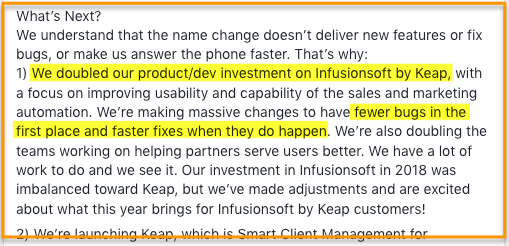
Perhaps the most exciting thing I’ve read with regards to the rebrand is this statement from co-founder Scott Martineau, where he owns some of the missteps over the recent past and commits to renewed focus on the existing software moving forward. (Source)
More FAQs

Was Infusionsoft purchased?

Nope. It’s a fair question though, I’ve heard this one a few times. Infusionsoft decided to change to Keap because they hope it better represents who they are and what they do for small business.

Is that a typo? Why "Keap" and not "Keep"?

Another good question – the simple answer is that going with “Keap” made it more unique. It means it stands out more easily, and gives them the ability to trademark it, and claim unique domains and social handles.

Also, come on – weird spellings are all the rage (Lyft, Netflix, Reddit, etc).

Do you offer a course on Keap?

I’ve partnered with Brian Keith of Red Beard Consulting to launch a course on Keap, The Keap Starter Kit.

It’s a foundational course – covering both strategic and technical concepts to help Keap users understand and maximize the way they use the Keap platform.

If you know anyone who this course might benefit then check out the Keap Starter Kit Affiliate program here.

Will the login screen change?

When Infusionsoft becomes Keap, they will change the log-in screen. But don’t worry, customers can use their current username and password and they will be placed into the right product.

How will the name change affect existing APIs?

All APIs will be unchanged.

If you notice difficulty or inconsistencies with your API connections then report that as quickly as you can – but there are no anticipated adverse effects.

Branding and Logos

Keap, formerly Infusionsoft, worked closely with Pentagram to develop the new brand identity. The details of the project are here, but this is a quick summary:
“Built into the geometry of the wordmark is a hidden arrow, an apt symbol for what Keap does. The identity is part of a comprehensive system that includes brand architecture, messaging and tone of voice, typography, color, graphic language, motion, photo and video art direction, and environmental graphics.”

My two cents:

Let me start by saying that Infusionsoft doesn’t need my permission to do anything – obviously. So the following is literally just one guy’s opinion on the matter:

Honestly, I was kind of taken aback when I first heard that Infusionsoft was changing their name. I was frustrated, annoyed even – I felt like there’s so much that the product itself needs and the name is just, well, it’s just a name.

But hearing Clate and Scott talk openly with the Infusionsoft Partner community about the rebrand helped me change my perspective.

They talked about the renewed focus on the products they have, how the new name marks a new chapter in the ways they can serve the small business community – and they shared how the meaning behind the new name is rooted in the early, and challenging days of their own entrepreneurial story.

The truth is that while Infusionsoft, the software and the company, has had a huge influence on my life and on me as a person – the core values that resonated so clearly with me when I was first hired are still guiding the organization today, just under a different brand name.

Oh, and I’m really excited that the two platforms will have different names. I think clearly differentiating the two versions of the software will help users find the answers, support, and resources they need more easily.

Interview with CEO Clate Mask

Promo Video: Quiet the Doubters with Keap

The new website, Keap.com is now launched and live – and I’m particular impressed by this powerful promo video.

 Here’s what people are saying about the name change:


When I think about small business, I think of the family that depends on that business making it. It can be difficult and, often, downright painful to weather the daily struggles.

While our purpose to help them succeed has been empowered by the Infusionsoft product, many small businesses simply aren’t ready for it. But, no more.

Keap is meeting these amazing people where they are and making success more accessible to them, and the families and communities that depend on them. We are changing lives in very meaningful ways – and that’s the most exciting thing about what we’re up to at Keap!

Matt Vosburgh

Senior Partner Trainer, Keap (formerly Infusionsoft)

What I’m most excited about with the name change how Infusionsoft can (finally) start to differentiate their 2 products.

Infusionsoft by Keap is a time-tested and battle proven powerful tool for small businesses that are ready and need that level of power. For those business just getting started on their automation journey, Keap is a powerful tool to get them a lot of the same benefits they’d get with Infusionsoft – without the headache and hassle involved in a complex custom setup process.

Keap will do for small businesses going down the automation path what MailChimp has done for small businesses looking to add email marketing.

Jordan Hatch

Founder, Infusionsoft Partner, Fullstack Marketing

The new brand name helps emphasize the importance of small business owners and what we want to help them do: keeping it all together.

As many small business owners can empathize, it’s difficult keeping all the plates spinning and that’s where we want to help ease that burden.

Andrea Kitchen

Senior Product Manager, Keap (formerly Infusionsoft)

It’s a new name, which is cool, and probably really meaningful to some folks – but what I want is a renewed focus on making the product, both products, world class.

Name changes notwithstanding I’m going to keap helping my customers make the most out of automation

Mallory Balnis

Founder, Infusionsoft Partner, Plum Crazy Automation

Related articles from the ecosystem:

Infusionsoft Unveils New Platform – from the Keap product blog

Infusionsoft Changes Name to Keap Q&A [Video} – from Box Out Marketing

Infusionsoft vs Keap (What you need to know) – from the Automation Ninjas

Keap Review and Walkthrough – from the Automation Ninjas

Infusionsoft se convierte en: KEAPUn artículo para los clientes hispano hablantes, from Geni Ramos

Keap branding and logos – from Pentagram
The New Infusionsoft

The New Infusionsoft

Update: Infusionsoft has rebranded to Keap, and Keap offers three versions of the software: Pro, Max, and Max Classic (formerly Infusionsoft).

So, you may have heard rumors circulating – and it’s true, Infusionsoft is rolling out a new interface.

Actually, it’s already rolled out – all new customers who sign up for Infusionsoft’s free trial are starting out with the new look and feel, and updated Infusionsoft branding.

Here’s a helpful PDF that shows you before and after screenshots of how the interface is and will be changing.

Here are the things that I think are most exciting:

  • A updated contact record interface (it’s sleek, you’re gonna dig it)
  • Mobile responsive interface – like, the whole thing will be accessible from your phone
  • Real time activity feed for individual contact records
  • A drag and drop sales pipeline that allows you easily move opportunities between stages (with plans to add stage based automation)
  • Appointments – an appointment booking interface to simplify scheduling appointments

Now, I don’t want to be a wet blanket – but before you start feeling like you’re missing out, you should know that this new version of Infusionsoft is going to be relatively basic at first.

The contact record interface is definitely sexy, and I love the idea of the entire platform being accessible and responsive on my phone – but, the new user interface (UI) won’t have all the bells and whistles we’ve grown to love.

It will over time – but the first versions they’re releasing will be…simpler.

Among the most notably missing features:

  • Ecommerce
  • Internal Forms
  • Lead Scoring and LeadSource Tracking
  • Sales Pipeline Automation

Just to be clear – if you’re currently using the Max Classic version of Keap (formerly Infusionsoft), you won’t suddenly log in one day and see this new UI.

New customers who sign up through specific channels will be starting out with the new platform – and over time, we can expect the new UI to be introduced

I’m writing this post because I’m worried that this new product will cause some confusion for existing users – well, and maybe for new users.

With two separate versions of the software, it’s easy a divide to occur in the ecosystem, and some folks will wonder why they don’t see the same thing other users might see – so, I want to be clear: The two versions of the software aren’t that different.

There will be some functional changes, and some aesthetic ones – but some things will feel the same.

In fact, some aspects will be literally identical.

The new user interface still uses the existing campaign builder, and the existing broadcast builder. My expectation is that over time the two versions will be more and more similar, and that perceived divide will narrow, rather than broaden.

Native Keap Split Testing

Native Keap Split Testing

I’m not gonna beat around the bush on this one – when it comes to split testing, Keap has been a little behind the times.

For anyone completely in the dark – we’re talking about A/B testing.

It’s a relatively common marketing practice which generally speaking involves testing the different marketing assets you use (emails, landing pages, etc) and then using only the ones that perform best in your “final” version; thus creating an optimal customer journey.

To date split testing in Keap hasn’t been possible without a paid third party tool (like PlusThis, MyFusionHelper, or Zapier), or a complicated work-around using action sets, round-robins, and witchcraft.

But starting soon (possibly as soon as early April, I hear), Keap will be releasing native split testing for emails sent as broadcasts. And it’s really pretty dang slick.

Check it out:

Depending on what other tools you depend on, you might be well versed in split testing best practices and strategy (strategy, eh?), or you might be brand new – either way; you’re gonna be excited to hear that it’s coming to Infusionsoft (yes, I know, finally).

This first version of the feature will only be available for the broadcast builder, but my hope (and expectation) is that we’ll see this same functionality replicated for other marketing assets in the future (campaign emails, landing pages, etc).

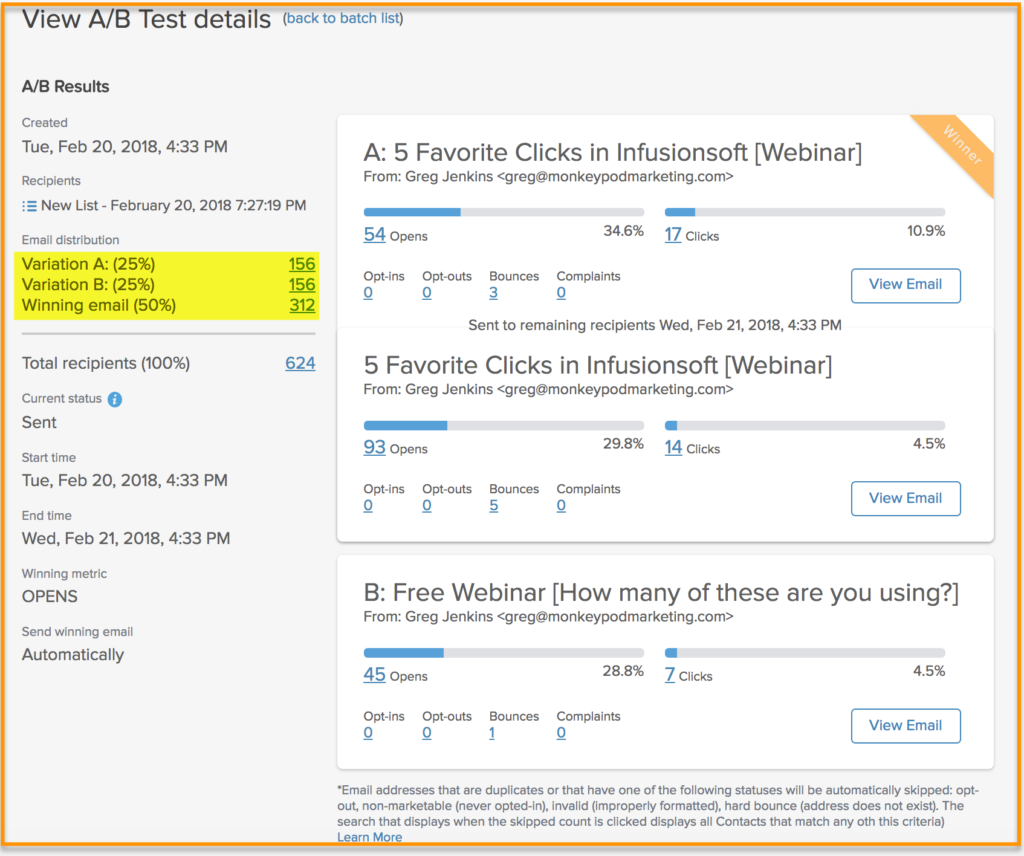
Once the split test has completed, you can report on it using the normal broadcast reports. Here’s the breakdown of the test email I sent in the video above:


Feel free to leave any questions or comments below. Otherwise, keep an eye out for this feature!

The New Leadpages Integration for Keap

The New Leadpages Integration for Keap

I’ve seen some buzz lately about an email Leadpages sent out announcing a change in the way they integrate with Keap, formerly known as Infusionsoft. (What’s Leadpages?)

This announcement naturally prompted a few questions, so I started doing some research. Questions and answers below:

What is the change?

Leadpages is changing how they Integrate with Keap, or, in their words, Keap is changing how they integrate.

Regardless, they’re switching from a form based integration to a tag based integration.

So, previously you’d build a LeadPage or a LeadBox and then choose one of your Keap forms to link it to; now you’ll build your LeadPage or LeadBox and then choose an Keap tag (or 10) that will be applied when this form is submitted. (Complete details here.)

Does this affect me?

Yeah, maybe. It definitely affects me.

Basically it affects anyone who is using Leadpages to connect to Keap, and has built Drag and Drop Landing Pages, or LeadBoxes with their drag and drop editor.

From what I can tell, this does NOT affect pages or LeadBoxes built using their standard builder.

Direct Quote from Conor on the Leadpages team: “While this change does not immediately impact Standard Leadpages, Standard Leadboxes, Leaddigits, or Leadlinks… it may eventually. As Infusionsoft’s API continues to change and evolve, our tag-based integration will be the most reliable way to connect—so our official recommendation is to set up any new forms in our Drag & Drop builder (whether that’s for Leadpages or Leadboxes) and use the tag-based system.”


Do I have to do anything?

Again, probably.

If you have forms that are affected by this change you’ll want to decide what to do with them by November 30th.

My understanding is that you can either switch them to the new tag based integration (which basically means they’d be applying a tag in Keap instead of achieving a web form goal), or, if you were using the Drag and Drop LeadBoxes, you can switch them to a Standard LeadBox.

Here’s a video that talks you through all of this, let me know if you have any questions, or if I overlooked something:

Note: This method of using Standard LeadBoxes with the drag and drop builder has been working for me lately, but it’s possibly that at some point Leadpages or Keap will stop supporting this style of integration as well.

At some point I’m going to switch to using the  Keap Landing Page Builder entirely (see a demo here), but I don’t see that happening any time soon.

It’s come a long ways, but Leadpages is still a ways ahead in terms of feature-to-feature functionality.

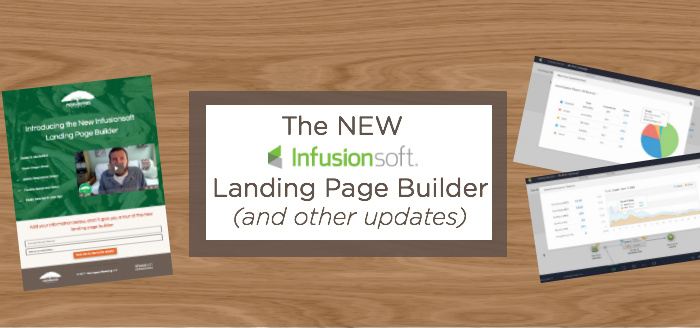
The NEW Landing Page Builder (and other updates)

The NEW Landing Page Builder (and other updates)

Okay all, it’s been a while since I’ve done one of these, but Infusionsoft has been sneaking slick little features into the app, and I wanted to take a moment to recap a few of my favs. Enjoy:

1. New Items Notifications: In the lower right hand corner of your app, you may have noticed a new little icon. Go head and click it if you like good news.

2. Add a Campaign AND Categorize it: Infusionsoft rolled out the ability to add a category to our campaigns AS we are adding them. This isn’t a huge change, but it will help with general housekeeping and best practices. (Also, this was on my IS wishlist a while back, thanks guys!)

3. Signature Flexibility: Legacy signatures were flexible, but they were also hard to create. The new signatures were easy to create, but rigid. Well, they’ve made a change and now you can edit/update your signature from any email where you’re formatting it. No need to leave the email builder and go to your user record to make these changes.

4. Decision Diamond Testing: This one is huge. Decision Diamonds are kind of my Achilles heel when it comes to IS, once I get more than one rule going I struggle to wrap my head around the logic. Anyway, they’ve added a testing feature to make sorting your decision diamonds much easier.

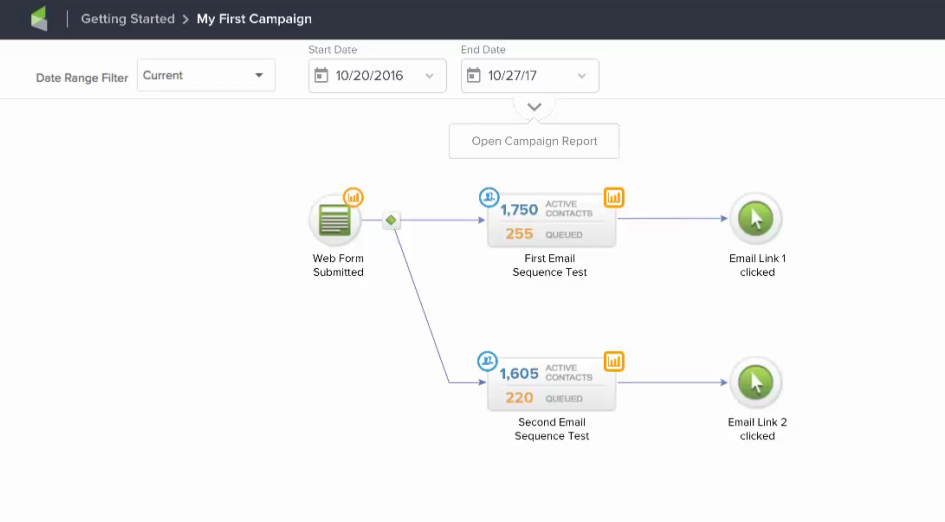
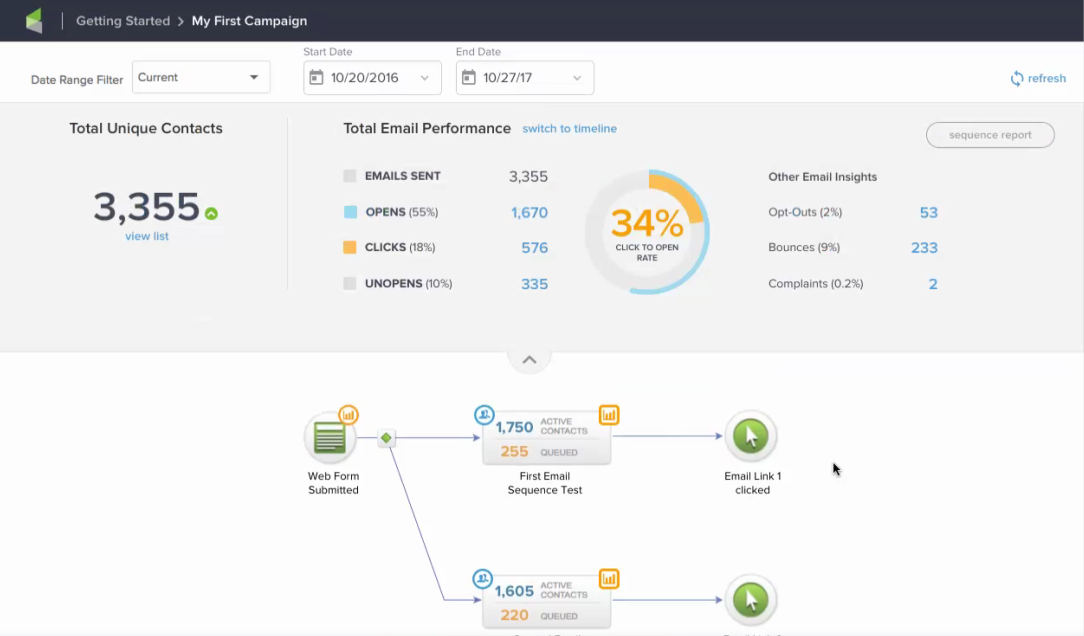
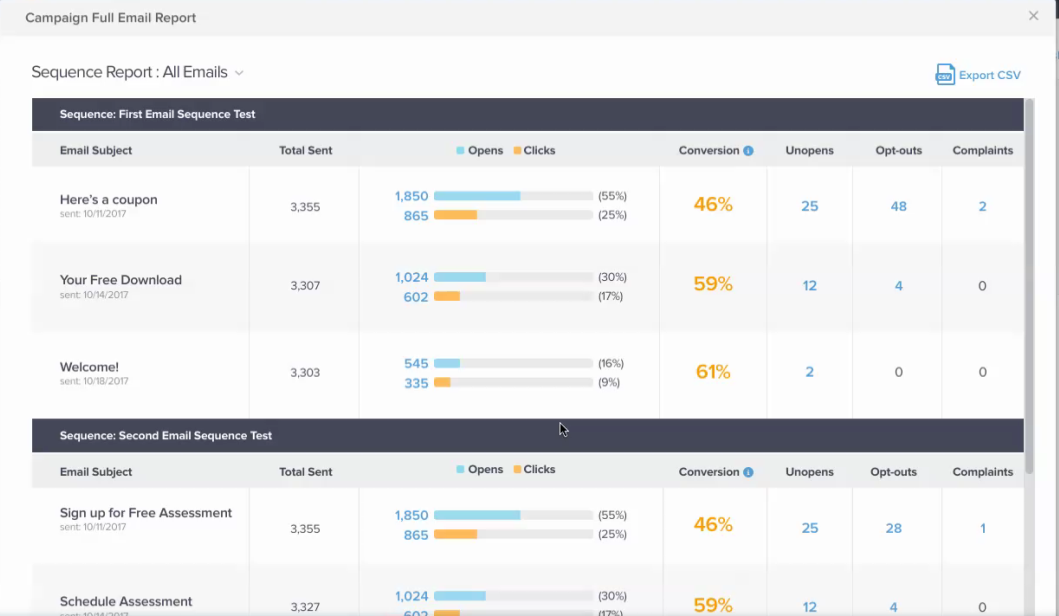
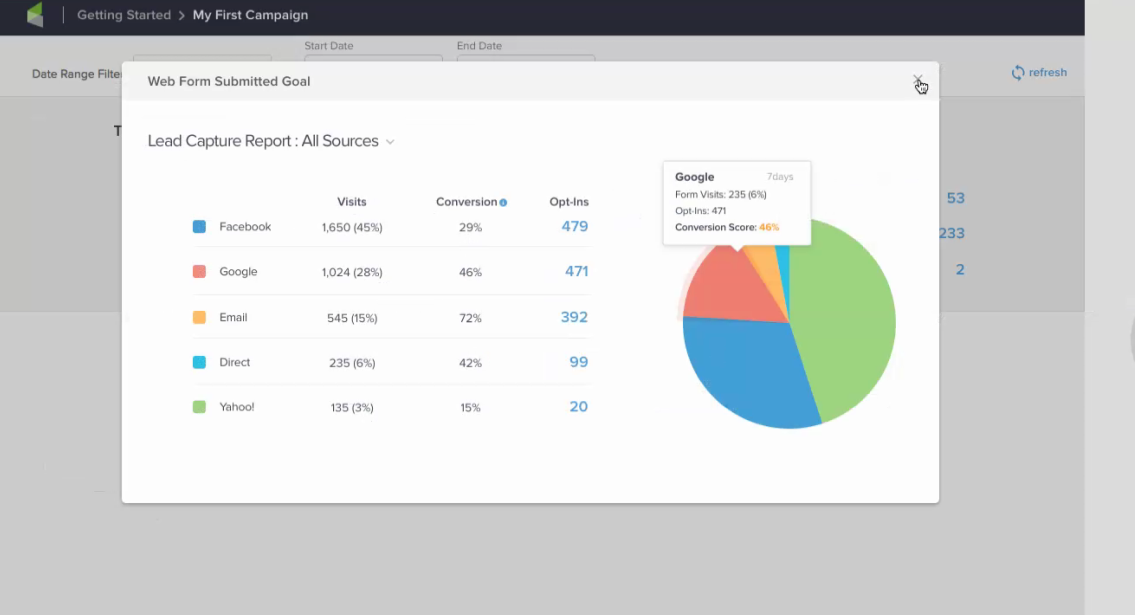
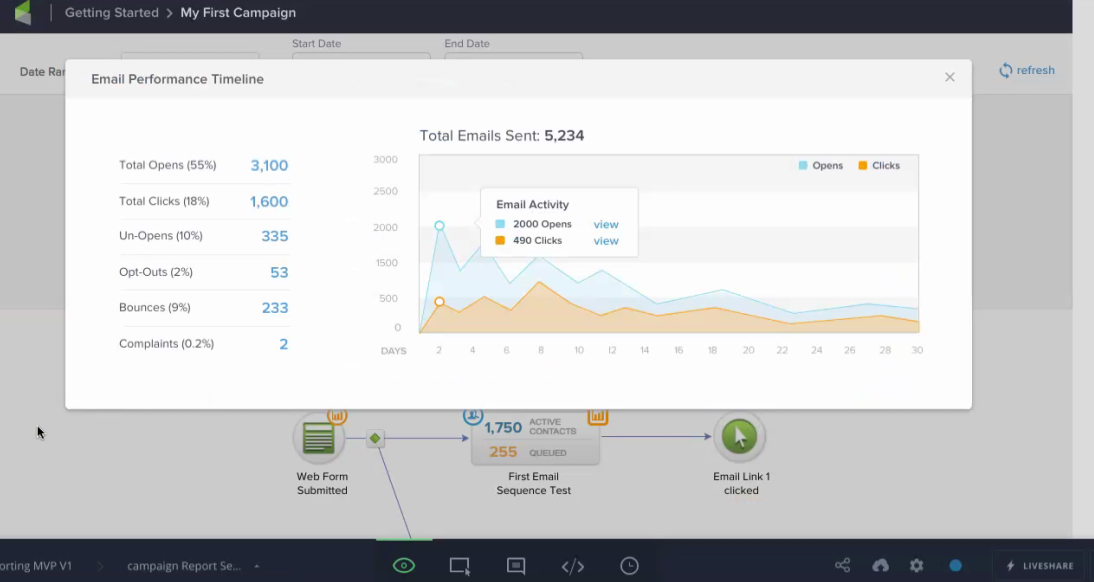
5. Improved Reporting (Coming Soon): Reporting, and specifically campaign reporting, has been a pain point in Infusionsoft for a long time, which has led to work-arounds and third party solutions. Well, they’re finally giving the reporting an overhaul and I’m pretty excited about the shape it’s taking.

Here are a few screenshots I got permission to “leak”:

reporting 2 Reporting 3
Reporting 4 Reporting 5

Click to open any of the images

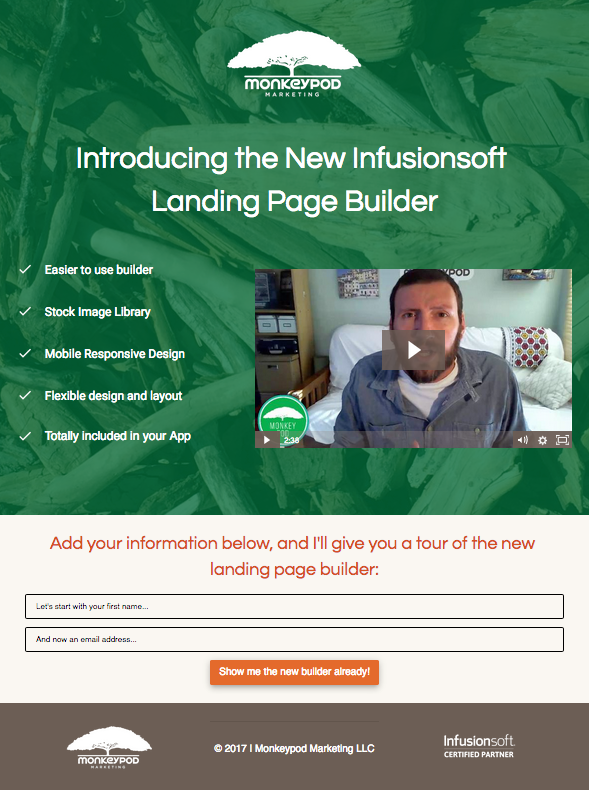
6. New Landing Page Builder (Coming Soon): They announced this at ICON earlier this year, and my initial reaction to what they unveiled was…lackluster. But here we are X months later, and it’s come a long ways.

Here’s a screenshot of a page built using the new builder:
New LP Builder

Well, that’s it for my new feature round-up. Big props to the Infusionsoft product teams behind each of these updates, thanks for your continued focus on fixing existing issues and adding new functionality!

So, which of these are you most excited about? Anything else you’ve seen recently that I didn’t highlight?

Web Page Automation Goal (A to Z)

Web Page Automation Goal (A to Z)

The Keap Web Page Automation Goal was introduced in December of 2016 (back when Keap was called Infusionsoft).

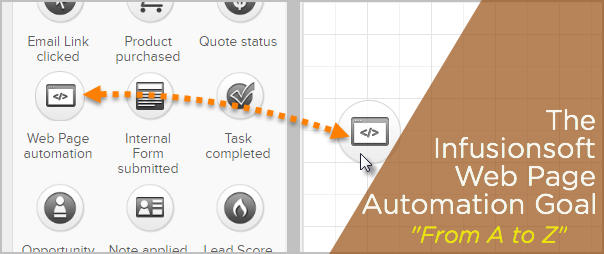
This new goal for the Campaign Builder made an already powerful tool, even better.

Effectively this goal allows you to trigger something in your Keap campaigns when a contact visits a page on your website.

It’s a tactic larger brands have been using for a long time, and I was thrilled to see it make it’s way into the campaign builder that we know and love.

I’ve got a video today that’s going to show you how I use this goal to build a Cart Abandonment Follow-Up campaign, and then a few tweaks I recommend to solve for repeat visitors, or to limit the audience.

But before we dig into that, I wanted to mention a few other resources you may find valuable:

  • If you want the click-step instructions for how to use this goal, here’s the help article from Keap.
  • If you want a more detailed look at why this goal is important, and a handful of use cases where it might fit in your business, I recommend this post by my friend Brett over at Blick Digital.

I think the most obvious use case for this goal is to follow up with contacts who visit a sales page on your website, but don’t end up signing up.

This goal allows you to capture that buying moment, and help encourage those customers to sign up by offering additional value, answering questions, or addressing their concerns. The ability to interact with someone at such a pivotal juncture is really powerful.

After I walk through the basic campaign design and functionality, stick around as I put on the afterburners and adapt it for a few advanced scenarios:

The demo above was built using Keap Max Classic (which was called Infusionsoft at the time), but this same approach would work for Max, Pro, or any version of Keap with the campaign builder and this goal method.

Note: The Web Page Automation goal can only be achieved if Keap knows who the web page visitor is – and can find a corresponding contact record for that person.

So, for this to work, the visitor needs to have been cookied – meaning that Keap can track them. There are a few ways for a contact to be cookied, but here are the most common:

  • Clicks a link in an Keap email
  • Submits a Keap web form
  • Submits a legacy Keap landing page
  • Checks out through an Keap order form or the Keap shopping cart

More details here from the original release notes.